Geekzone: technology news, blogs, forums
Guest
Welcome Guest.
You haven't logged in yet. If you don't have an account you can register now.


View this topic in a long page with up to 500 replies per page Create new topic
Prev1 | 2 | 3 | 4 | 5Next
21 posts

Geek


  Reply # 545756 15-Nov-2011 21:04 Send private message

HI Brad,
another question/s.
I note that google maps etc is missing. Pacman was mentioned on the link you posted.for the mising google stuff.
Not sure what that's called on the phone cant seem to find it.(pacman)

Im also having issues with getting any apps to install from the market.
Im logged in on pc and mobile, says its installed but nothing ever shows up.
Been googling it all arvo seems its a problem thats been around but dont see any cures for it.

Any ideas there?

wish they would allow downloading to pc, be so much easier

cheers


Ex-Samsung Fanboy
3726 posts

Uber Geek

Mod Emeritus
Trusted
Subscriber

  Reply # 545817 16-Nov-2011 01:04 Send private message

I've noticed the app install thing from time to time. Open the market on your phone and check the connection settings. Often opening the Market is enough to get the apps downloading.

Did you install the Google Apps package at the same time as you flashed the ROM? It is a minimal GApps install. The rest like Maps and Youtube etc can be installed from the Market. There is a full app package available here: http://android.modaco.com/topic/335141-addoncm7-updated-more-google-apps-2011-08-15


Devices: Samsung Captivate (AT&T Galaxy S) and HTC One on Telecom. Samsung Galaxy Tab 2.

3 posts

Wannabe Geek


  Reply # 545838 16-Nov-2011 07:58 Send private message

@all
I need to know what languages does this rom have ! does it have any middleeast languages in them? pls inform?
WBR
ReyTech.

21 posts

Geek


Reply # 545839 16-Nov-2011 07:59 Send private message

bradstewart: I've noticed the app install thing from time to time. Open the market on your phone and check the connection settings. Often opening the Market is enough to get the apps downloading.

Did you install the Google Apps package at the same time as you flashed the ROM? It is a minimal GApps install. The rest like Maps and Youtube etc can be installed from the Market. There is a full app package available here: http://android.modaco.com/topic/335141-addoncm7-updated-more-google-apps-2011-08-15


Thanks Brad
dont forget noob here.
"Open the market on the phone"   do you mean go online? connection settings?  using wifi to connect

Yes installed the apps package you mentioned.
I had a look back at the prev packages on that site Cyanogen and one of them has  a large selection dating back 5 months.
I havnt as yet looked at you link above. about to do that

If i wanted to install that at this stage whats the procedure?
do i have to wipe data or anything? or just straight into it?

Sheesh i need to find someone where i live to walk this thru with me. so many questions.
I feel bad bugging you like this.


Ex-Samsung Fanboy
3726 posts

Uber Geek

Mod Emeritus
Trusted
Subscriber

  Reply # 545962 16-Nov-2011 12:20 Send private message

Yes open the market app, you will need to be online, either Wifi or mobile data for apps to be pushed to the phone.

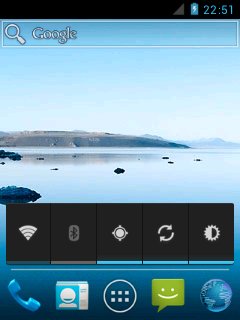
You can pull down on the status bar and use the quick toggles to switch those on and off.

To install the full Google Apps package, copy it to your SD card and the reboot into recovery and flash it. No need to wipe anything.


Devices: Samsung Captivate (AT&T Galaxy S) and HTC One on Telecom. Samsung Galaxy Tab 2.


Ex-Samsung Fanboy
3726 posts

Uber Geek

Mod Emeritus
Trusted
Subscriber

  Reply # 545965 16-Nov-2011 12:22 Send private message

reytech: @all
I need to know what languages does this rom have ! does it have any middleeast languages in them? pls inform?
WBR
ReyTech.


I don't have a list of the builtin in languages, but the list is very long. It supports at least Hebrew and Arabic with RTL. Check the offical CyanogenMod page for more info.


Devices: Samsung Captivate (AT&T Galaxy S) and HTC One on Telecom. Samsung Galaxy Tab 2.

21 posts

Geek


  Reply # 546124 16-Nov-2011 17:40 Send private message

bradstewart: Yes open the market app, you will need to be online, either Wifi or mobile data for apps to be pushed to the phone.

You can pull down on the status bar and use the quick toggles to switch those on and off.

To install the full Google Apps package, copy it to your SD card and the reboot into recovery and flash it. No need to wipe anything.


Thanks Brad
got it sorted.
cos i never had anything on board, i just redid the whole thing from scratch.
The big issue i think was that i never had the market available. Prob missed it 1st time round, as it is optional.
anyway its all good now.
I installed the full monty, which gave me what i wanted.

Q.1 is there a way to stop accidental removal of icons etc. ?
Q2.Is there a way to make it only do updates on wifi  ?
Q3. all those extra apps i downloaded from market, how do i save them?


Ex-Samsung Fanboy
3726 posts

Uber Geek

Mod Emeritus
Trusted
Subscriber

  Reply # 546207 16-Nov-2011 21:17 Send private message

1. Depending on the launcher you use there may be an option to lock the desktop.

2. The latest version of the market at least has an option for that. Should update itself to that.

3. Not sure I understand the question, once the app downloads it is auto installed and can be accessed via the app drawer.


Devices: Samsung Captivate (AT&T Galaxy S) and HTC One on Telecom. Samsung Galaxy Tab 2.

4 posts

Wannabe Geek


  Reply # 546684 17-Nov-2011 21:35 Send private message

hey, i flashed the latest version and everything hoping that the barcode scanners problem was fixed but unfortunately it still doesn't work. I used NeoReader as the barcode scanner app.

Do you by any chance know of an app that does work? 

21 posts

Geek


  Reply # 546693 17-Nov-2011 21:57 Send private message

bradstewart: 1. Depending on the launcher you use there may be an option to lock the desktop.


2. The latest version of the market at least has an option for that. Should update itself to that.


3. Not sure I understand the question, once the app downloads it is auto installed and can be accessed via the app drawer.


Thanks Brad ,worked  wonderfully.
locled as well.

re the apps to save. After installing a handfull of apps , is there a way of saving them for future?

I also had an issue with bar code scanner but as i read it its still an issue to be resolved?


Ex-Samsung Fanboy
3726 posts

Uber Geek

Mod Emeritus
Trusted
Subscriber

  Reply # 546714 18-Nov-2011 00:31 Send private message

You can use several backup apps to do that for you. Titanium backup seems to be popular.

Re the camera, it's an issue with Huawei devices and Cyanogen. People are working on it.


Devices: Samsung Captivate (AT&T Galaxy S) and HTC One on Telecom. Samsung Galaxy Tab 2.

3 posts

Wannabe Geek


  Reply # 546720 18-Nov-2011 06:08 Send private message

@bradstewart
Hi! iam finding a error when iam trying to flash the recovery thru adb!

"C:\Fastboot>Fastboot flash recovery
error: neither -p product specified nor ANDROID_PRODUCT_OUT set"
wht is it iam doing wrong? ive tried to copy this folder with fastboot +2 recoveries into the main sdk/tools as well but get the same error!

and ive even tried to flash the recovery with RecoveryManager_v0.37b.zip thru sd card and yes my phone is rooted and su user permission given as well for the manager! but when i select the recover image it says flshing and then says recovery: unrecognised!

pls advice me how to succesfully flash the phone!
WBR
ReyTech.


Ex-Samsung Fanboy
3726 posts

Uber Geek

Mod Emeritus
Trusted
Subscriber

  Reply # 546876 18-Nov-2011 13:14 Send private message

That's not an error I've ever seen before. Though Fastboot and ADB are two different things, you may be trying to use them together or something and that just won't work.

Create a folder in C called fastboot and dump the files from that zip in there. Open a command prompt at that location and use 'fastboot flash recovery recovery.img'

Also recovery manager doesn't recognise the recovery files, but it should still flash them just fine. Did it say the flashing didn't work? Did you try rebooting into recovery afterwards to see if it had worked?


Check out this XDA thread: http://forum.xda-developers.com/showthread.php?t=1259761 


Devices: Samsung Captivate (AT&T Galaxy S) and HTC One on Telecom. Samsung Galaxy Tab 2.


Ex-Samsung Fanboy
3726 posts

Uber Geek

Mod Emeritus
Trusted
Subscriber

  Reply # 551607 29-Nov-2011 20:37 Send private message

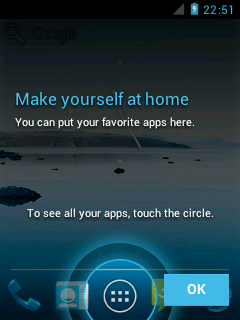
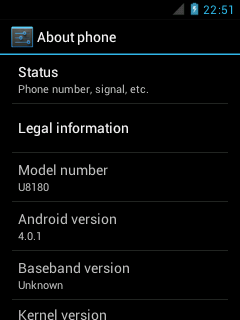
Just a teaser of things to come for this phone...


Devices: Samsung Captivate (AT&T Galaxy S) and HTC One on Telecom. Samsung Galaxy Tab 2.

9 posts

Wannabe Geek


Reply # 554400 6-Dec-2011 12:11 Send private message

Wowzers!

You sir, are a legend. This is exactly what I was after.
Is all hardware working correctly?
Overclocked? (looked like yes when I skimmed through forum)
Baseband hasn't changed? (I think this only happens with an official base firmware flash, which kills ability to get onto telecom network 850mhz).
Will try out later.
Oh and what is battery life like now? 

Prev1 | 2 | 3 | 4 | 5Next
View this topic in a long page with up to 500 replies per page Create new topic


Twitter »
Follow us to receive Twitter updates when new discussions are posted in our forums:


Follow us to receive Twitter updates when news items and blogs are posted in our frontpage:


Follow us to receive Twitter updates when new jobs are posted to our jobs board:


Follow us to receive Twitter updates when tech item prices are listed in our price comparison site:


News »

Trending now »
Hot discussions in our forums right now:

Sky outbid for EPL rights (Premier League Pass discussion)
Created by JonnyCam, last reply by yitz on 20-Jun-2013 20:21 (294 replies)
Pages... 18 19 20


Orcon Genius Go discussion
Created by freitasm, last reply by ptinson on 20-Jun-2013 22:10 (103 replies)
Pages... 5 6 7


Polar Blast
Created by BlueShift, last reply by Dratsab on 20-Jun-2013 23:21 (41 replies)
Pages... 2 3


I am been sued - HELP!
Created by BaaaaD, last reply by mattgreen on 20-Jun-2013 21:31 (79 replies)
Pages... 4 5 6


Slingshot Global Mode announced
Created by freitasm, last reply by richms on 20-Jun-2013 22:10 (63 replies)
Pages... 3 4 5


Condenser Dryer: anyone has one?
Created by joker97, last reply by graemew on 18-Jun-2013 21:08 (31 replies)
Pages... 2 3


Sky News UK now streaming on Apple TV
Created by steve98, last reply by jarledb on 20-Jun-2013 12:00 (19 replies)
Pages... 2


Calling all mazda 3/Axela owners in NZ
Created by coolcat21, last reply by Kingy on 19-Jun-2013 09:51 (37 replies)
Pages... 2 3


Geekzone Jobs »
Most recent NZ jobs in technology:

Mobile Developer - iOS
Posted 20-Jun-2013 16:38

Systems Administrator
Posted 20-Jun-2013 16:38

Senior SharePoint Developer
Posted 20-Jun-2013 16:38

Mobile Developer - Android
Posted 20-Jun-2013 16:38

B2B Service Executive
Posted 20-Jun-2013 15:38

Systems Administrator
Posted 20-Jun-2013 15:38

Solutions Architect
Posted 20-Jun-2013 15:38


Geekzone Live »
Try automatic live updates from Geekzone directly in your browser, without refreshing the page, with Geekzone Live now.

Are you subscribed to our RSS feed? You can download the latest headlines and summaries from our stories directly to your computer or smartphone by using a feed reader.

Alternatively, you can receive a daily email with Geekzone updates.