
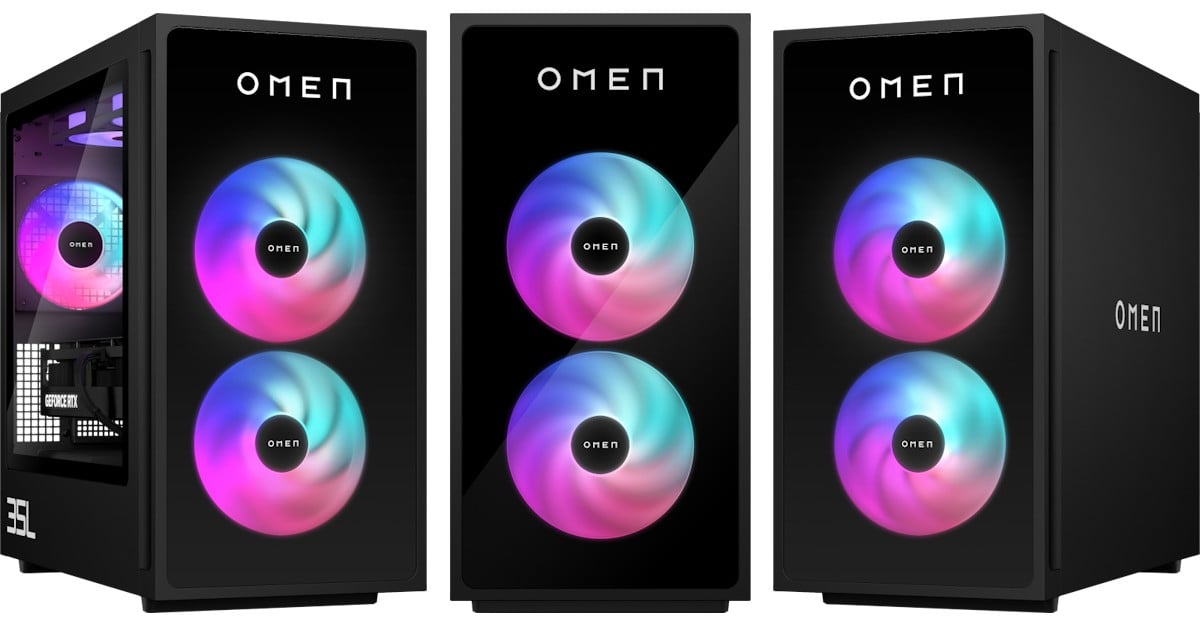
I like video gaming, and my preference is for PC gaming. I don’t have a top-tier gaming rig, but it works. But when the HP Omen 35L Gaming Desktop with an OMEN Transcend 32 monitor arrived, I realised how far behind I was.
The physical setup of this machine was straightforward. You unbox it, plug in the power and video cables, and off you go. It couldn’t be simpler. I placed the microATX tower under my desk, where it fits perfectly.
The noise levels are very low, almost nothing, even when in the middle of a gaming session.
The desktop box is black but has glass on its front and left sides and a grid on top, where two extra fans work to keep the temperature down. This gives you a full view of the internal LED lights, which you can control using the OMEN Gaming Hub desktop app or the new Windows 11 Dynamic Lighting option.
The review unit landed here with a configuration that promised – and delivered:
Despite having a gigabit Ethernet adapter, I connected the desktop to my network via Wi-Fi. It worked well, with excellent performance even during multiplayer games. Your Wi-Fi performance might differ depending on the local environment and network configuration.
The desktop came with 32 GB RAM, although the motherboard can support up to 128 GB RAM with four slots in total.
There are plenty of I/O ports on the top, near the front: 1x USB Type-C 5Gbps signalling rate (USB Power Delivery, DisplayPort 1.4, HP Sleep and Charge), 2x USB 2.0 Type-A and 1x headphone/microphone combo.
On the rear, you will find even more: 1x USB Type-C 10Gbps signalling rate (USB Power Delivery, DisplayPort 1.4, HP Sleep and Charge); 1x USB Type-C 5Gbps signalling rate (USB Power Delivery, DisplayPort 1.4, HP Sleep and Charge); 2x USB Type-A 5Gbps signalling rate (HP Sleep and Charge); 2x USB 2.0 Type-A; 1x microphone; 1x RJ-45; 1x audio-in; 1x audio-out and 2x USB Type-A 10Gbps signalling rate (HP Sleep and Charge).
Internal slots allow further expansion: 1x PCIe x16, 1x PCIe x4, and 3x M.2 (2x for SSD, 1x for WLAN).
The monitor HP sent is the Omen Transcend 32, a 31.5-inch 240 Hz UHD display (3840 x 2160 pixels). It’s super simple to assemble and easy to adjust height and tilt.
With HDR support, 250 nits and a 1,500,000:1 contrast ratio, watching content and playing games is bright and beautiful. It supports AMD FreeSync Premium Pro, NVIDIA G-SYNC, Picture-in-Picture and Picture-by-Picture. The built-in speakers perform well, and I never felt I missed the action because of the picture or sound.
Back to the desktop, I used the PassMark app to benchmark its performance. The results blew my mind. The score of 13933 was in the 98th percentile. The 2D mark was in the 100th percentile, while 3D was in the 99th percentile. Storage was set in the 97th percentile, and CPU was in the 91st percentile. Only memory was down in the 75th percentile.
The real test had to be gaming. Since its launch 18 months ago, I have played a lot of Diablo IV. I installed the Blizzard client, downloaded the game and started it.
With every graphics setting turned to the maximum levels and with HDR enabled, playing Diablo IV was like watching a movie. The combination of the Omen desktop and Omen monitor revealed many details I had previously missed when playing on my old desktop.
I also tried gaming while using OBS to live stream to Twitch. Again, the desktop performed without a hitch, without impacting graphics or gaming performance.
It was incredible. It is an absolute pleasure, and I can’t stress this enough.
But this won't come cheap, with a base HP Omen 35L costing NZ$7,699. Meanwhile, the Omen Transcend 32 Gaming Monitor will add another NZ$2,999 to the bill.
With sadness, I pack the kit to send back to HP.


