
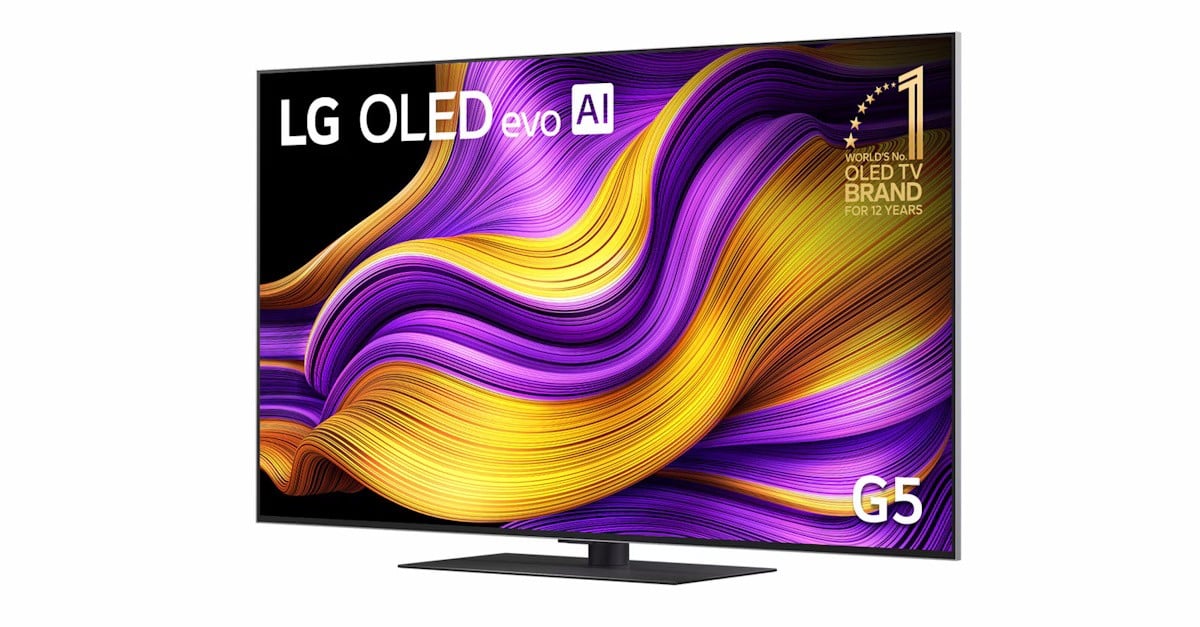
It’s been a few years since I last had a chance to experience an LG TV and recently had the opportunity to use one for a few weeks to write this review.
The first thing I noticed was the separate box for the TV and the stand. I thought this was great, as it made it a lot easier to unpack the TV without having to be careful with heavy stands bouncing around. It’s also good in case you don’t need to use the stand straight away, so it’s easier to keep it tucked away, inside its own box.
The 55” version measures 1222 x 703 x 27.2 mm and weighs only 16.8 kg. This makes getting the TV assembled easy, but it is a task that needs two people to be done safely.
The initial setup is quick, and you can easily get up in running in minutes.
The new WebOS 25 is nice to use, responsive and intuitive. You can quickly access the options menu from the remote control, which is a step ahead of the competition.
The remote control works as any other control, with buttons to control channels and volume, plus direct access buttons to the most common streaming platforms and options.
The OK button, which usually is just a click button, is replaced with a rocker button, which can be used to go up and down, as well as select on-screen menu options.
The remote is also used as a mouse, allowing you to navigate menus freely, with a cursor on the screen moving following your wrist movements. It requires a bit of practice but very quickly you notice it’s a lot faster than just using the standard remote buttons.
The user interface is friendly, and there are the panels for content, applications and more.
The TV even includes access to office applications, basically web-versions of Microsoft Remote Desktop, Office 365 and Google Workspace services.
The 4K (3,840 x 2,160 pixels) 120 Hz-capable panel itself can show beautiful images, as expected. Colour reproduction is gorgeous, although at sometimes too bright, as expected from some HDR content. This can be compensated by either choosing a different picture mode (Filmmaker Mode included) or an AI feature called AI Picture Wizard, which will setup the ideal video mode according to your preferences, based on a quick visual questionnaire.
Ambient light will also automatically tweak brightness levels, to bring the best of Filmmaker mode and Dolby Vision.
The TV specs show a 4.2 speaker system, but AI-processing technology creates a virtual 11.1.2-channel surround sound. What it does is to make the sound around you more immersive. The immediate result is that you notice the sound is much richer (and louder sometimes), but you can hear the dialogue. This is great, when so many new movies and TV shows have their sound edited to a level that sometimes forces you to watch content with subtitles on.
AI is centre and front on this TV. It’s used for image and sound processing, but also for TV control and content suggestions. Using the “Hi, LG” wake words will bring an assistant to the screen, asking you for further instructions. You can then ask trivial things like the weather forecast, or anything else you have in mind. Sometimes it will open a full browser window with search results. Other times it will bring some TV controls to the screen. And it will even make content suggestions based on watched content.
The minimalist design is welcome, with a minimal bezel and an aluminium frame around, making it easy to fit the TV on any house decor.
Even though it has an ethernet port, the TV also supports more modern Wi-Fi 6 standards, ensuring a reliable connection over wireless networks as well. In my testing I only used it connected to my home Wi-Fi and did not have a problem.
It’s also good to see LG keeps the OS updated. During my six or so weeks using the TV I was presented with two OS updates, automatically downloaded and installed.
The LG OLED evo AI G5 4K Smart TV 2025 is certainly a TV that ticks a lot of boxes for anyone looking for the best in video entertainment.


