
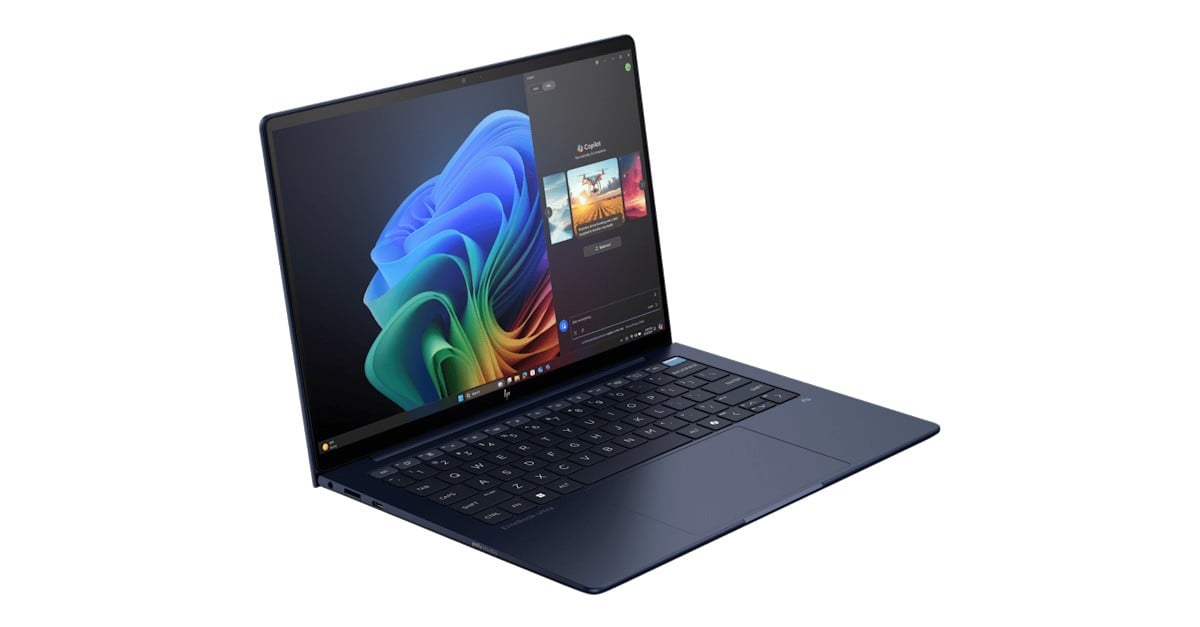
For the last month I have been using the HP EliteBook Ultra G1i 14 inch as my daily machine. The design is minimalist but pleasing, with the use of a magnesium alloy for the body and recycled plastic for the key caps. I also like the navy-blue colour used in this model, a nice change from black or silver laptops.
The magnesium body is an important thing for me. It seems I have an allergy to other metals, which manifested when using a laptop from a different brand.
The size (31.37 x 21.72 x 0.9 cm at its thinnest) and weight (1.2 Kg) are just right for carrying it around when working away from the office.
With a14-inch (35.6 cm) touchscreen OLED IPS display and minimal bezel, the 2880 x 1800 resolution is nice and crisp, thanks to its 400 nits brightness, with easy to read and comfortable desktop space for more than one application sharing the screen.
Powered by an Intel Core Ultra 7 258V processor (eight cores, eight threads, 12 MB L3 cache), with 32 GB RAM, a 1 TB SSD connected to a PCIe Gen5 bus, there’s lots to like about its performance. Being a business-class laptop, PassMark rating shows it’s not as fast as a HP UltraBook, but it’s close. Compared to previous EliteBook models I tried a couple of years ago, it’s easy to see real-life improvements on a similar class device.
The system comes with Windows 11 Pro installed, and some apps that are of interest for business. A one-year Wolf Security subscription is part of the deal. With HP Sure Sense It keeps your laptop secure and allows you to locally manage it or join it to an organisation-wide domain for this.
In case you don’t want Wolf Security, this can be easily uninstalled, and you can still test the McAfee trial. In my case, I removed both software as Windows 11 Defender, plus browser security enhancements do a good job of securing your computer these days.
Part of the package, the HP Software Assistant application helps keep the laptop up to date with the latest drivers.
Plenty of ports are available, with one USB Type-A 10 Gbps port and three Thunderbolt with USB Type-C 40 Gbps ports available. Having these many ports make it a good option for both mobile and desk work.
The built-in Intel Arc 140V GPU is powerful and capable of simultaneously driving multiple monitors. I use a good Thunderbolt docking station, a fundamental tool that makes it easier to plug one cable only to instantly have access to desk-bound peripherals, including external monitors. In my tests I have two external monitors, and the Arc 140V GPU deals with different resolutions without breaking a sweat.
The 9-megapixel camera can be enhanced with the Poly Camera Pro software, part of the package. The software uses the built-in Intel Neural Processing Unit (NPU) to delivery visual effects such as auto-frame and background blur, in a more efficient way than using the GPU, saving battery life for those who spend a lot of time in video calls.
The battery life on this laptop is amazing, and I experienced a full day of work without having to worry about plugging it. The fast PD charge also gets you going with a 50% charge in 30 minutes, ideal for plugging in during a break.
The HP EliteBook Ultra G1i 1 comes with the latest Intel BE201 Wi-Fi 7, which guarantees fast wireless connectivity on the go, as well as Bluetooth 5.4, which works well for connecting your phone, mouse and headsets for your on-line meetings.
The backlit keyboard is well spaced, and the keys have short travel, making it easy and comfortable to type with. A fingerprint sensor is built into the power key, while the trackpad is smooth and of good size.
This laptop means business. The HP EliteBook series lives on with some great hardware and software combination.


