
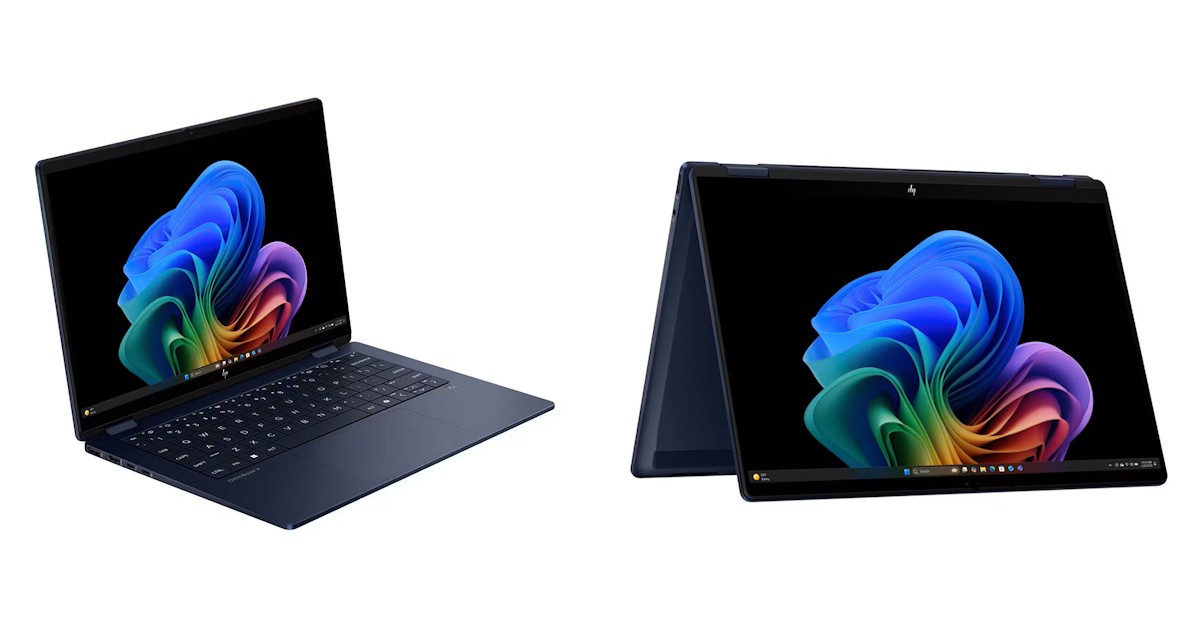
I have recently received the HP OmniBook X Flip 14-inch for a review. This was good timing, as I recently had the HP Elitebook Ultra G1i 14 inch and this gave me the chance to compare those two machines.
Out of the box you wouldn’t be wrong to thing they are the same. The design and colours are similar but the details matter. The HP OmniBook X Flip is a laptop designed for creativity and home use, while the HP EliteBook Ultra is a business laptop with mobility in mind.
The HP OminiBook X case has slightly sharper edges but still rounded enough to be easy on touch. The navy-blue colour is also used in this model, which I still think is a nice change from black or silver laptops.
The size (31.3 x 21.8, 1.46) is very similar, with the HP OmniBook X Flip being only slightly thicker than the business laptop, with just about the same weight (1.3 Kg).
With a 14-inch touchscreen IPS display and minimal bezel, the 1920 x 1200 resolution is nice and crisp.
The screen is built to flip completely around the laptop. The keyboard is then at the bottom of the device, but you don’t have to worry about it as the keys are disabled when the laptop is in tablet mode.
The slightly lower resolution, compared to the business model, is a good thing, as the larger on-screen icons and other elements make it easier to operate the laptop as a tablet if needed. An optional magnetic pen is available for those creative types that want to use it for digital media work.
Powered by an Intel Core Ultra 7 256V processor (eight cores, eight threads), with 16 GB RAM, and 512 GB SSD connected to a PCIe Gen5 bus, the performance is great, with the PassMark rating showing it performs well in the mid-tier range.
The system comes with Windows 11 Home pre-installed. Like other HP laptops it comes with a McAfee trial that is automatically activated when you first setup the machine. It also has some Dropbox and Adobe offers, plus a month of PC Game Pass for you to try some games available in the Microsoft Store.
The HP Software Assistant application helps keep the laptop up to date with the latest drivers and other software. In my case it offered a BIOS update the first time I ran it, plus update drivers for all other devices.
As I said, the difference between this model and the HP OmniBook is in the details. And the ports are part of the details. There are two USB Type-A ports and two USB Type-C ports available. It also has a HDMI port, which didn't exist in the HP OmniBook.
The built-in Intel Arc 140V GPU is powerful and capable of simultaneously driving multiple monitors with ease.
The 5-megapixel camera works well, although the colours seem a bit washed out. The picture can be enhanced with the Poly Camera Pro software, part of the package. The application uses the built-in Intel Neural Processing Unit (NPU) to apply visual effects such as auto-frame and background blur, in a more efficient way than using the GPU, saving battery life for those who spend a lot of time in video calls.
The camera can be used for Windows Hello login, which is a nice touch, seeing this model doesn’t have a fingerprint sensor.
The NPU is also used by the HP AI Companion, a personal assistant and generative AI tool rolled into one. Besides being able to adjust some settings on your laptop, the HP AI Companion can also look at your files and create summaries or answer questions that are created just for you.
The battery life on this laptop is good and benefits of the NPU being available to execute some of the AI tasks, using less power when compared to the GPU for the same tasks. The fast USB-C PD charge also gets you going with a 50% charge in 30 minutes, ideal for plugging in during a break.
The HP OmniBook X Flip 14 supports Wi-Fi 7, which guarantees fast wireless connectivity on the go, as well as Bluetooth 5.4, which works well for connecting your phone, mouse and headsets for your on-line meetings.
Similar to the HP EliteBook, the backlit keyboard is well spaced, and the keys have short travel, making it easy and comfortable to type with.
I really like the ability to use this laptop in tablet-mode. It’s ideal for media consumption, such as streaming videos, and also convenient for digital creativity, while using the same operating system you are already used to. The pricing seems right for this type of device and the HP quality is everywhere on the device.


