
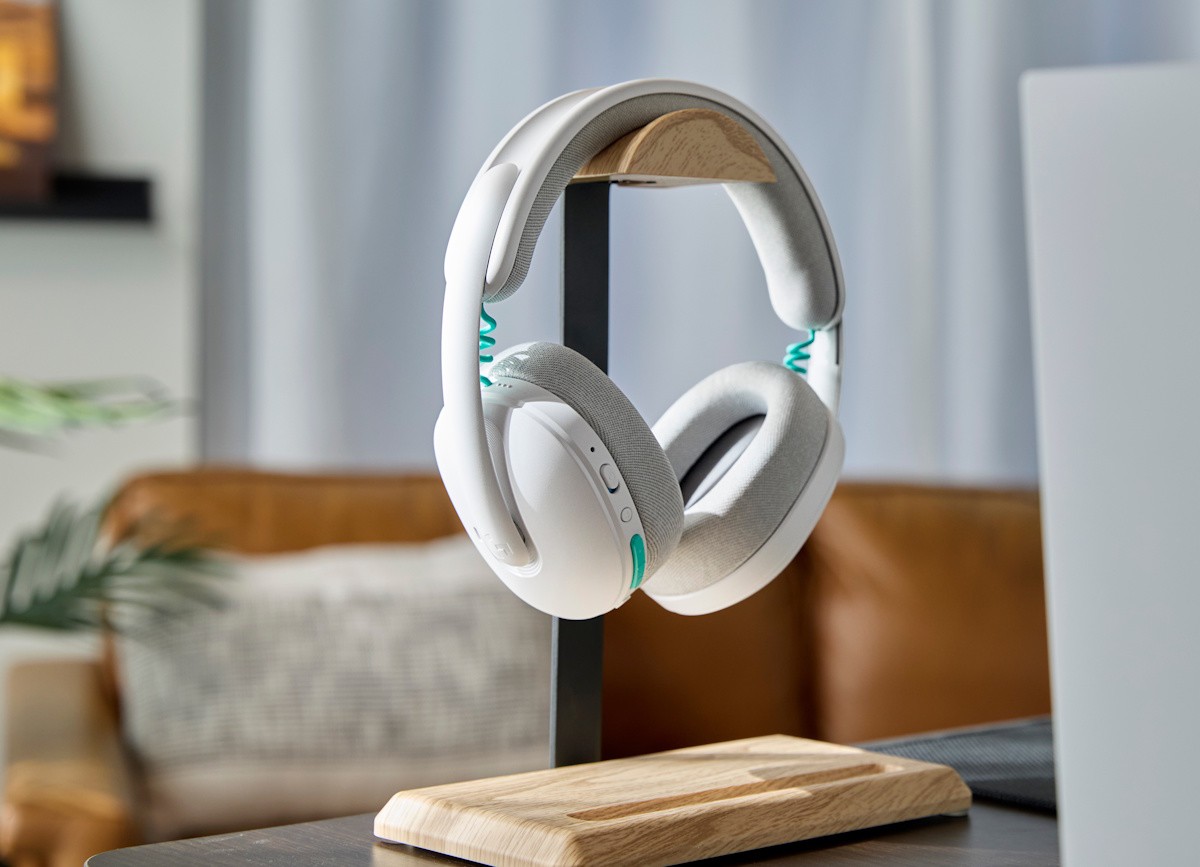
The new Logitech G325 Lightspeed wireless gaming headset landed here for review. While I was expecting another gaming headset, I was surprised to find a polished and well-designed pair of headphones, ready not only for gaming, but as I found out, for those meetings at work too.
Lightweight, at 212g, with clean lines and simple design the Logitech G325 has a flexible but hard plush headband and good-sized memory foam ear cups covered with a breathable knit fabric, making it comfortable for short and long sessions.
It uses Logitech's LIGHSPEED wireless USB-A adapter by default, which means you can just plug the tiny USB dongle to your computer or docking station and instantly have new sound and mic devices on your computer. But a click of button on the left cup and you can switch the connection to a Bluetooth source, like your phone or a different computer.
The controls, all located on the left cup, are easy to reach and use. There's the power button, the Bluetooth switch, volume controls and mute button.
You can plug the USB-A wireless adapter to your computer (as I did with my Windows laptop) or to a PlayStation 5 console. You can also plug it to a USB port when using with an Xbox.
When you turn the Logitech G325 on it will give you a power-on sound, followed by a voice telling you if it's connecting via LIGHTSPEED or Bluetooth. Similarly, you will get a short sound when you mute and un-mute it.
Just below those controls is the USB-C port, which you use for charging and for the eventual firmware update, which must be done via USB cable.
Its 24-hour battery goes a long way, and you only remember to charge it when the notification from the G Hub app (on Windows) shows up on your desktop.
The G Hub app is simple to use. It allows you to quickly set the EQ to some presets such as Bass Boost, Gaming and Media, or to create your own. The app also allows you to set the sidetone volume and turn the mic noise reduction on/off, so you can filter out your environment sounds when talking.
You can also use the app to set the Battery Protection Mode, something that is usually found in mobile phones. It limits the battery charging to 80% of its maximum capacity, so that its useful life is not impacted by frequent or long recharges.
The 24-bit audio (20~20 kHz) is clear and there's no distortion, even at higher volumes. The built-in beamforming mic works surprisingly well, seeing there's no mic boom. People can hear me clearly over a gaming session or a Teams meeting.
The new Logitech G325 Lightspeed Wireless Gaming Headset joins what seems to be a long list of gaming headsets available in the market, but it is one of the top desktop/gaming headsets I've experienced recently.


