
A few years ago, I got a first-generation robot vacuum cleaner. It had minimal onboard intelligence, no visual capacity and no network connectivity. Back then, it established boundaries by bumping into walls and other obstacles, required manual emptying and forgot all the areas once turned off.
Modern robot vacuum cleaners have added so many new features in the last few years that you might feel it’s hard to keep up. But those features take this type of home appliance to new levels of smarts and ease of use.
Take the new Dyson Spot+Scrub AI robot vacuum cleaner, my review subject.
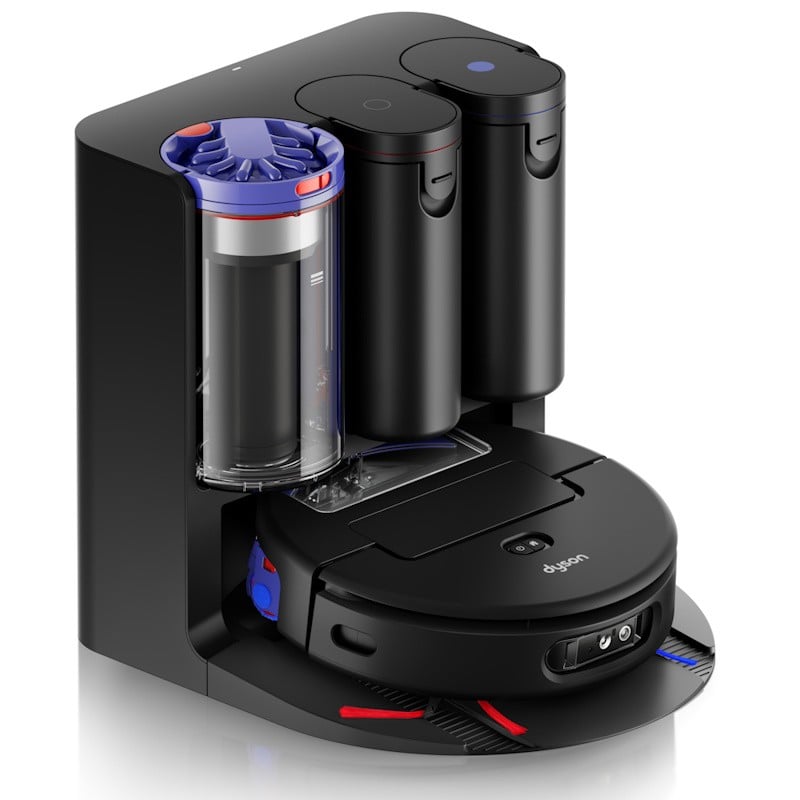
Open the box, and you find easy-to-follow, pictographic instructions on how to assemble and use it for the first time. It’s relatively simple, with steps to install the docking station, fill the water and floor cleaning solution tanks, attach the side sweepers (no tools required, just a simple click) and use the mobile app for configuration.
The mobile app is the same one used by other Dyson devices, so if you already have one at home, it will be easy to get around.
It will guide you through connecting the new robot to your home network and linking it to your account.
At this point, I have to mention i did encounter a problem. The robot would find my network (a segment specific for Iot devices such as lights, smart speakers, cameras and other such devices) but wouldn’t connect. After some testing, I found that turning off a network setting (Regional Compatibility) would allow it to connect. This setting adds country code info to wireless packets, and for some reason, the Dyson software didn’t like it. In my case, turning it off did not affect the other devices connected to this network, so problem solved.
Once I’ve done this change, the robot will reliably connect to the wireless network and you can control it from the app, even when away from home.
The next step was to map my house, split or merge some rooms and name these. I moved some pieces of furniture out of the way, although it doesn’t look like it was needed, as the robot did a good job of finding walls even behind sofas and bookcases.
This step was quick, but I did not map two bedrooms at that time. I found out later that there's no way to add new rooms to an existing map. In my case, I added the rooms as separate maps, which means I have to manually move the robot and place it in these rooms for cleaning.
At the start of cleaning, the robot will leave the docking station and look around, using its built-in camera and LiDAR to orient itself. It will then know where to go for its cleaning duties, based on the map and the cleaning settings.
You can manually start a cleaning session by selecting one or more rooms on the map, in the order you want them cleaned. You can also select what type of cleaning you want for each room, which can be vacuum only, wash only or both.
If the cleaning involves washing, the robot will start by cleaning its microfibre wet roller brush, fill its water tank and then proceed. If you have a mix of rooms with vacuum only and wash and vacuum, you can optimise time by grouping these. I found out that doing the washing and vacuum cleaning first is a good use of time because the robot has already cleaned the wet roller, and it's ready to use that tool.
It doesn’t really matter, as it doesn’t require your attention once the routine starts, but I like that it can be done.
You can also set the robot to self-clean after it finishes a room and before starting the next, at regular intervals of 15 or 30 minutes, or only when needed. The self-cleaning involves the robot going back to the docking station, emptying the dry bin, emptying the dirty water taken and resuming the task.
The dry bin is emptied into a much larger dust bin on the docking station. It means you can go days without having to worry about cleaning the robot. This large dust bin is transparent, and you can see when it’s time to empty it. This is a simple operation, like the other Dyson vacuums: remove it, push a button, and it will open to let the collected dirt fall into your rubbish bin or bag.
You should empty and wash the 2l dirty water tank every few days. In my case, I had to do it every four or five days. And the water will be dirty, showing how much the robot is cleaning when mopping the floors.
The floor wash can use either cold or hot water. The instructions say you should avoid hot water on wooden floors.
Once the cleaning task is done, the robot will return to the docking station, empty its dry bin, the dirty water tank and wash itself with 60 °C hot water. The drying period can be up to four hours, and can set this in the app. You can start another cleaning task at any time during the drying, so that’s not a problem.
You can also set scheduled cleaning tasks or instruct the robot to clean specific areas, which is great in case of spills.
The robot uses the camera and LiDAR during its work. It helps it avoid obstacles but also helps it decide what kind of debris or spills it’s dealing with, and if more than one pass is needed to effectively clean it.
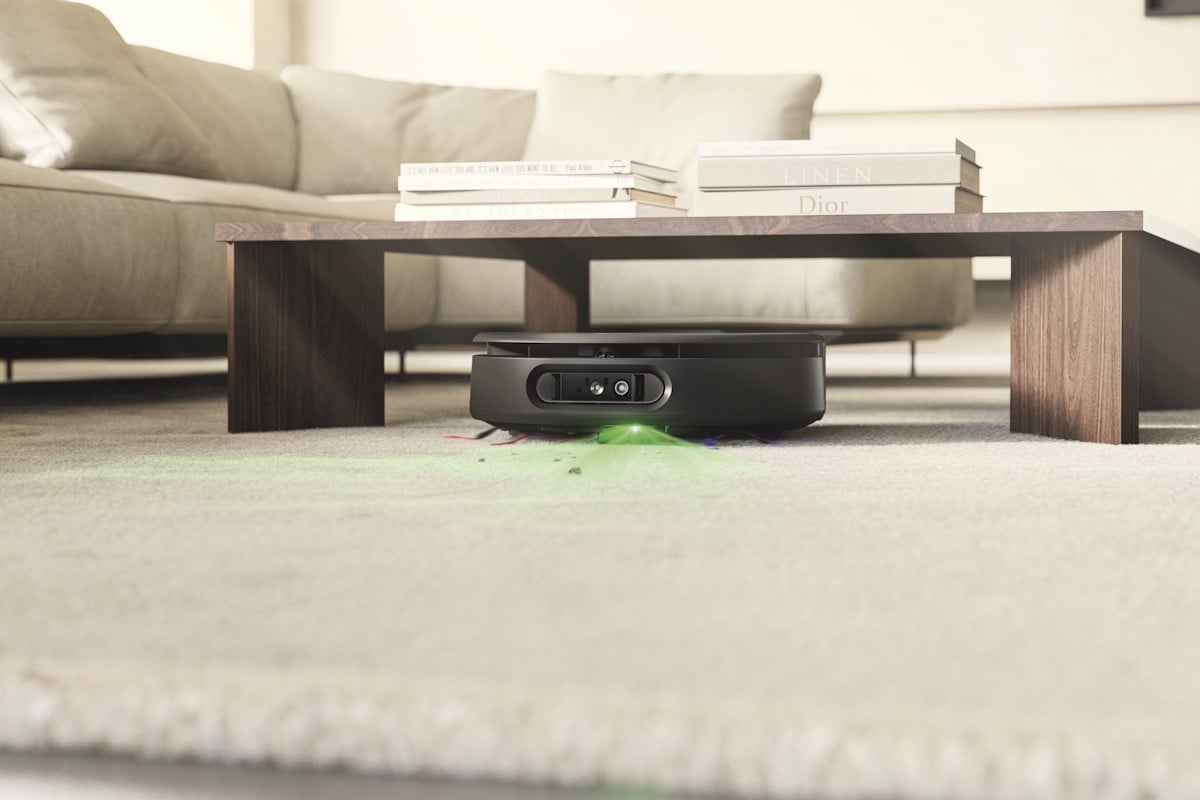
We have a wooden floor living room with a carpet, and the robot recognises these changes and easily transitions from washing the floor to vacuuming the carpet when changing surfaces. I was happy to see that the carpet areas never get wet.
The wet roller can close closer to edges and walls thanks to a lateral movement, which moves it sideways, to extend its reach.
The Dyson Spot+Scrub AI delivers some strong suction, with an 18,000 Pa motor to capture dirt and other debris, with a special silicone roller that reduces tangling, while removing long and pet hair without getting stuck.
The robot can deliver up to three hours of cleaning on a single battery charge. It cleaned our small house with plenty of power to spare.
Maintenance is easy, although I did download the instructions manual to make sure I wasn’t missing anything. Now and then, you will need to remove and wash the filter from its dry bin, empty and wash the dirty water tank and ensure there are no obstructions over the sensors. The same goes for the docking station filters.
Compared to our previous, the Dyson Spot+Scrub AI is relatively quiet, with low noise around 80 dB. The vacuum emptying into the docking station takes a few seconds, and that’s a bit more noticeable. You also notice some low noises coming out from the robot during its self-cleaning process when docked, mainly because of the water rinsing and air drying, but nothing too noisy.
It does require plenty of space in front and next to the docking station, which I had nicely tucked away against a wall. The space is needed for the robot to leave the docking station, spin around to find its location and then to orient itself for docking.
The docking station is a bit large, with 44 cm across and to 50 cm from back to front. It weighs about 9 kg. The robot itself is about 11 cm high, with 37 cm width, and comes up to 6.6 kgs.
You have the option of using a floor washing liquid in addition to the water-only option, and control this through the app. I received the Dyson P2 Probiotic floor cleaning solution with my review unit, and that worked well, and I could smell fresh floors after the clean. A dosing system automatically dispenses 10ml of Dyson cleaning solution to each fresh water fill, eliminating the need for manual measuring and reducing waste. Dyson says the AI image processing is completed on board, with visuals not sent to the cloud. This is a reassuring privacy feature.
It’s no secret that I am a fan of Dyson products. They are well-thought-out, easy to use and to maintain. But above all, they are effective. And the Dyson Spot+Scrub AI just confirms it.


