
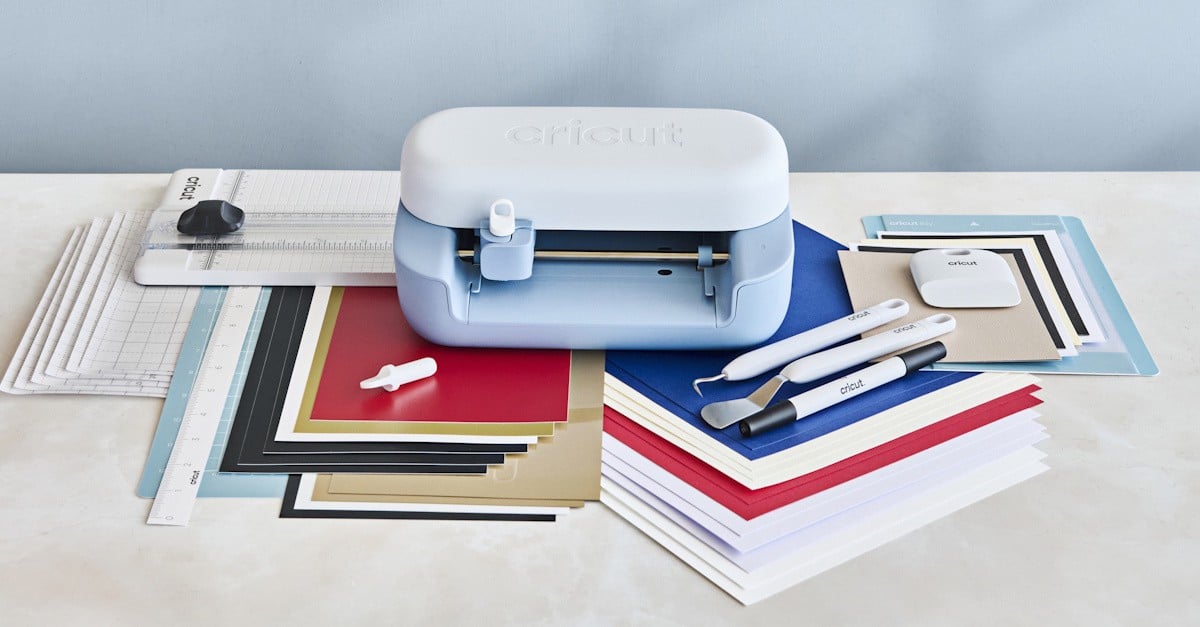
The new compact cutting machine, Cricut Joy 2, is aptly named. Imagine the joy I had when I went from opening a box to having a birthday card printed and cut in under ten minutes.
And once the setup is complete, you can have some projects done in almost no time.
There are, of course, different projects, some simple (like my card) and some complex (like a colour-printed tattoo), but the resulting satisfaction is the same.
Cricut managed to pack a lot on such a small package. The Cricut Joy 2 is ideal for small projects such as colour stickers, cards, decals, labels, and even more complex designs you create, provided the material fits.
The machine itself measures 23 cm x 14 cm x 9 cm and weighs only 1.2 kg. You need some space around it for work, but nothing excessive.
I was surprised at how much stuff is in the Cricut Joy 2 Essential Bundled box. In addition to the Cricut Joy 2, the box also had a fine point cutting tool, a scoring tool, scraper, weeder, spatula, dual-sided marker (0.7 mm and 1 mm), portable trimmer and ruler.
In addition, it packed enough materials to start quite a few craft projects, including four sheets of smart iron-on, six sheets of smart vinyl, ten sheets of card stock, two insert card sets, six sheets of transfer tape and three sheets of printable vinyl.
You also get the light grip mat and a card mat, which was the first tool I used for my initial project. You don’t need to use the mats for some materials, called “smart”. But other materials need to be stuck to these mats so the machine can work out the size and position.
The maximum cut size when using the smart materials is 11.4 cm x 121.9 cm. When using the machine mat, you are limited to 10.6 cm x 29.7 cm.
In all, the Cricut Joy 2 can use more than 75 different materials available from retailers.
To use the machine, you will need to install the Design Space software. With this easy-to-use application, you can create your designs or load from templates. This version connects over Bluetooth only, and the USB connection option is not available.
The first thing was that a firmware update was available for my Cricut Joy 2. Installation was quick, and I was ready for my birthday card.
While I used the Windows-based Design Space, you can also use mobile versions, available on iOS and Android. I just prefer the largest screen on my laptop when working on something with details like these projects.
The Cricut Joy 2 is small. In fact, a lot smaller than the Cricut Maker 4. You can’t fit an A4 wide material through it, so you will need to cut it down to the appropriate size if needed.
Using one of the pre-folded insert cards, I loaded a design and started to cut it. The Cricut Joy 2 doesn’t even need you to push the load button anymore. As soon as you insert the material, auto load kicks in, and it will start pulling the material, measuring it and getting ready to cut the design.
Another interesting use is the print and cut craft. It combines using your inkjet printer to print directly into the material and then inserting it for the final cut. It uses special printed marks to help the Cricut Joy 2 cut around the print, smartly. And if the material you are printing is larger than the machine, the software will print guidelines to help you cut it to the right size to use on the cutting machine.
You can perform almost all the operations the bigger machines can, except for engraving, debossing and perforating materials. It also has limitations on the tools you can use, excluding, for example, scoring stylus, rotary blade, engraving and debossing tips.
This means if you are thinking of using any of these, then you will need to find a different model. Otherwise, for those quick projects, the Cricut Joy 2 is, as I noted before, a joy to use.
The Cricut Joy 2 is available in New Zealand now.


