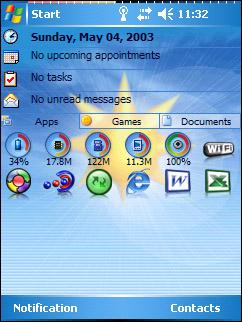
A new major version of iLauncher for Windows Mobile Pocket PC was released, offering new features and changes, including a new menu replacement, shortcut captions support, D-Pad navigation, look and feel customization options and more.
The Captions Support allows users to optionally include captions below shortcuts, activate captions only for certain tabs (designed especially to support document tabs type), control captions display style and many additional caption configurations.
With new D-Pad support added users will be able to fully control and navigate between iLauncher shortcuts and tabs using the D-Pad alone.
The software also add shortcut icons to the "New" context menu options on Today screen, including an optional shortcut icon that will pop-up the actual "New" context menu. While this feature will work on all OS versions, it was designed especially to meet Windows Mobile 5 OS users needs after the removal of the New context menu from the Today screen with the OS version.
New color and font settings were added with the new version, so users can fully customize iLauncher's display.
Other features include context menu enhancemens, True VGA hack, command line parameters support, full screen mode menu.