|
|
|
Referral links: Quic Broadband (free setup code: R587125ERQ6VE) | Samsung | AliExpress | Wise | Sharesies
Support Geekzone by subscribing (browse ads-free), or making a one-off or recurring donation through PressPatron.

Referral links: Quic Broadband (free setup code: R587125ERQ6VE) | Samsung | AliExpress | Wise | Sharesies
Support Geekzone by subscribing (browse ads-free), or making a one-off or recurring donation through PressPatron.
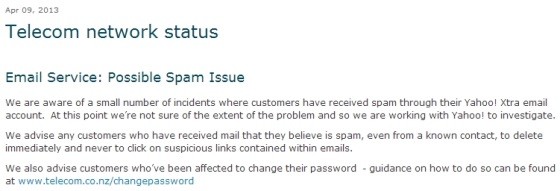
Late Tuesday afternoon Telecom had reports that some Yahoo! Xtra customers were receiving suspicious looking emails. These emails appeared to be from one of their contacts, but contained an embedded link to a potentially malicious website.
We began urgent investigations with our email provider Yahoo! to identify the source of this latest issue. This included submitting examples of these suspicious emails for Yahoo! to analyse and attempt to trace the source. Based on this analysis, Yahoo! implemented some additional security protocols, which it has in place for incidents such as this.
Yahoo! has also provided us with a preliminary assessment of the number of ‘compromised’ accounts – these are customer accounts which have been misused to send suspicious emails. On any normal day, the number of compromised accounts can range from under a hundred to 1000 or so. In this incident, the number appears to be at the higher end of this normal range.
As per Telecom and Yahoo’s established policy, we will require those customers whose accounts we believe have been compromised to change their password. This is recognised as the best way to re-secure their account. Guidance on how to change your password is on our website and can be found here www.telecom.co.nz/changepassword. As we announced last Friday in our review of the Yahoo! Xtra service, we are also urgently working to implement a much simpler process for alerting customers whose accounts have been compromised and helping them re-secure their accounts. This will automatically direct customers to a web page that steps them through how to change their password and make any necessary changes to their account settings. We hope to have this new system in place later today.
It is important for customers to realise that simply receiving a suspicious email does not indicate that their account has been compromised. We’re advising customers who have received mail that they believe is spam, even from a known contact, to delete immediately and never to click on suspicious links contained within emails.
As we announced last Friday, Telecom is continuing to offer its Yahoo! Xtra email service with Yahoo! as our email provider, after receiving strong feedback from customers around the high value they place on the service, and obtaining a commitment from Yahoo! to work with Telecom to improve the customer experience and respond to security issues. In the last 24 hours we have seen this new commitment in action as both Telecom and Yahoo! have worked quickly to contain this latest incident.
All email providers are engaged in a continuous battle against online crime and spam. Yahoo! as one of the biggest global providers of email is at the front line of this battle – blocking more than 600 billion spam messages a month.
In an unrelated matter, some customers with Apple devices have had problems syncing their Yahoo! Xtra accounts. We believe this issue has now been resolved, but customers may need to restart their devices before syncing will occur.
Referral links: Quic Broadband (free setup code: R587125ERQ6VE) | Samsung | AliExpress | Wise | Sharesies
Support Geekzone by subscribing (browse ads-free), or making a one-off or recurring donation through PressPatron.
|
|
|