Geekzone: technology news, blogs, forums
Guest
Welcome Guest.
You haven't logged in yet. If you don't have an account you can register now.


View this topic in a long page with up to 500 replies per page Create new topic
1 | 2 
mrgsm021
1635 posts

Uber Geek
+1 received by user: 367

ID Verified
Trusted

  #3509421 8-Jul-2026 12:49
Send private message quote this post

Probably should have been the first place to check...


CtrlAltKiwi

22 posts

Geek
+1 received by user: 8


  #3509502 8-Jul-2026 16:20
Send private message quote this post

Update:


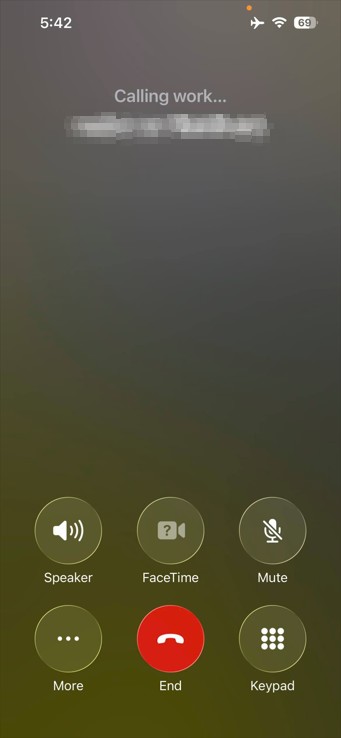
returned home and wifi calling not working. So it appears that by previously resetting network settings to try solve it not working at home it must have turned off wifi calling toggle but the issue remains and is isolated to my home network.


richms
29591 posts

Uber Geek
+1 received by user: 10629

Trusted
Lifetime subscriber

  #3509505 8-Jul-2026 17:27
Send private message quote this post

What connection are you on at home? Any parental control filtering or DNS blocking of things? CG nat or actual IP address?


Richard rich.ms


MadEngineer
4720 posts

Uber Geek
+1 received by user: 2730

Trusted

  #3509555 8-Jul-2026 17:45
Send private message quote this post

Tested OK for me:


You're not on Atlantis anymore, Duncan Idaho.

CtrlAltKiwi

22 posts

Geek
+1 received by user: 8


  #3509557 8-Jul-2026 17:48
Send private message quote this post

richms:


What connection are you on at home? Any parental control filtering or DNS blocking of things? CG nat or actual IP address?


No parental controls or DNS blocking. DNS is set to obtain automatically from my ISP.


I don't believe I'm behind CGNAT, as I can access my TVT NVR remotely via a direct connection (not through a cloud relay service), which requires inbound access to my network.


My IP settings are also obtained automatically from my ISP.


Asteros
421 posts

Ultimate Geek
+1 received by user: 216


  #3509563 8-Jul-2026 19:27
Send private message quote this post

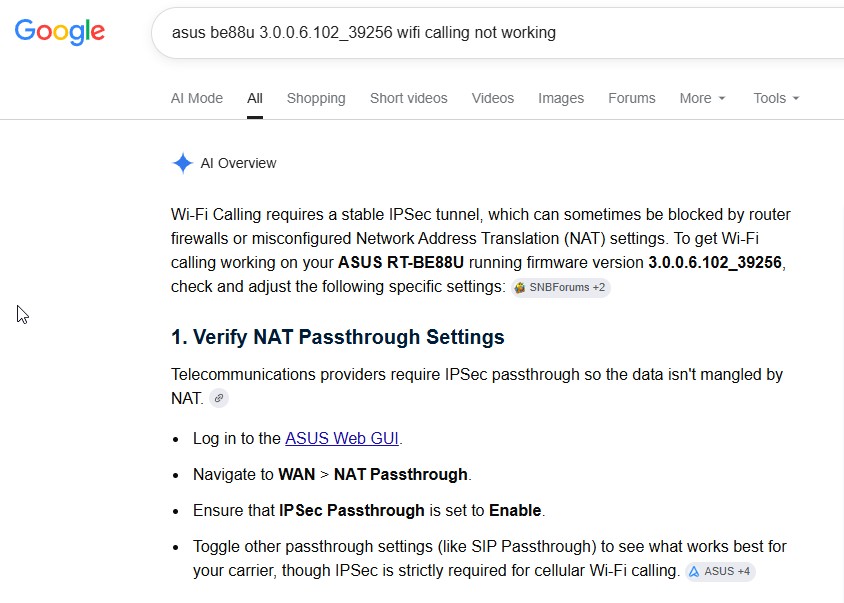
What make/model is your router? What firmware is it using? Can you update router the firmware and have other people reported this problem or found a solution?


Move to New Zealand's best fibre broadband service (affiliate link). Free setup code: R587125ERQ6VE. Note that to use Quic Broadband you must be comfortable with configuring your own router.
CtrlAltKiwi

22 posts

Geek
+1 received by user: 8


  #3509567 8-Jul-2026 19:42
Send private message quote this post


Issue resolved!


I think I might have disabled this setting some months back to try and enhance the security of the router turning off things that


AI said wont break anything and I just never noticed till recently that Wi-Fi calling wasn't working. 


Asteros
421 posts

Ultimate Geek
+1 received by user: 216


  #3509568 8-Jul-2026 20:07
Send private message quote this post

Great result!


MaxineN
Max
2221 posts

Uber Geek
+1 received by user: 1842

ID Verified
Trusted
Subscriber

  #3509569 8-Jul-2026 20:17
Send private message quote this post

Always verify and take time to understand what you’re about to do, especially so if AI says do X y Z.


Ramblings from a mysterious lady who's into tech. Warning I may often create zingers.


richms
29591 posts

Uber Geek
+1 received by user: 10629

Trusted
Lifetime subscriber

  #3509625 9-Jul-2026 10:56
Send private message quote this post

It's really amazing that the Telco industry has managed to make wifi calling a complex mess when other calling apps need none of this being worried about.


Richard rich.ms

1 | 2 
View this topic in a long page with up to 500 replies per page Create new topic


Geekzone Live »

Try automatic live updates from Geekzone directly in your browser, without refreshing the page, with Geekzone Live now.


Are you subscribed to our RSS feed? You can download the latest headlines and summaries from our stories directly to your computer or smartphone by using a feed reader.