Geekzone: technology news, blogs, forums
Guest
Welcome Guest.
You haven't logged in yet. If you don't have an account you can register now.


Filter this topic showing only the reply marked as answer View this topic in a long page with up to 500 replies per page Create new topic
1 | 2 
old3eyes
9158 posts

Uber Geek
+1 received by user: 1365

Subscriber

  #1176346 15-Nov-2014 15:48
Send private message

Zeon: 7zip is the best - winrar isn't open-source?


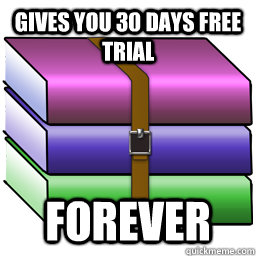
No but it seems free to use.. 


Regards,

Old3eyes


MikeB4
MikeB4
18776 posts

Uber Geek
+1 received by user: 12768

ID Verified
Trusted
Subscriber

  #1176348 15-Nov-2014 16:01
Send private message

Use Windows, no real need for a third party App


Here is a crazy notion, lets give peace a chance.


networkn
Networkn
32872 posts

Uber Geek
+1 received by user: 15471

ID Verified
Trusted
Lifetime subscriber

  #1176351 15-Nov-2014 16:12
Send private message

I'd pay for Winrar rather than use 7zip, it's the best software I spent $29 on 10 years ago, all upgrades have been free in that time. 


adida101
127 posts

Master Geek
+1 received by user: 21


  #1176477 15-Nov-2014 21:46
Send private message

Another +1 for winrar. I used the free version of it for years back when I used windows. Just had to click out of an annoying pop-up reminding you its an evaluation version every time I used it..


Andib
1396 posts

Uber Geek
+1 received by user: 974

ID Verified
Trusted

  #1176486 15-Nov-2014 21:56
Send private message


<# 
       .DISCLAIMER
       Anything I post is my own and not the views of my past/present/future employer.
#>


JWR

JWR
821 posts

Ultimate Geek
+1 received by user: 272


  #1176588 15-Nov-2014 23:16

Andib:


You do get a message if you run the WinRar though. But, if you just use right-click menu then you never see anything about the trial period.


Shop now for Dell laptops and other devices (affiliate link).
Yabanize
2351 posts

Uber Geek
+1 received by user: 583


  #1176592 15-Nov-2014 23:37
Send private message

7zip is great, and open source. Can extract basically any format. Its like the VLC of compressed files


You just rightclick a file and do extract here or whatever


Why buy winzip or winrar?

But if you're just unzipping something use windows

ckc

ckc
321 posts

Ultimate Geek
+1 received by user: 100
Inactive user


  #1176596 15-Nov-2014 23:49
Send private message

Regs: windows can create and open zip files as part of the operating system since vista/7


But not 7z, rar, tarballs, gzip, iso, deb, rpm. Or anything but zip.

Elpie
1304 posts

Uber Geek
+1 received by user: 272


  #1176597 16-Nov-2014 00:13
Send private message

ckc:
Regs: windows can create and open zip files as part of the operating system since vista/7


But not 7z, rar, tarballs, gzip, iso, deb, rpm. Or anything but zip.


Also, if you need to do it, 7-Zip can open exe files, as well as Flash files (swf, flv). It's a handy utility to have and goes way beyond the built-in zip file manager in Windows. 

mattwnz
20520 posts

Uber Geek
+1 received by user: 4797


  #1176598 16-Nov-2014 00:16
Send private message

I use winrar myself, got a free code once when they were running some promo, and just never updated it. Works well 7 zip though is good too.

kiwirock
694 posts

Ultimate Geek
+1 received by user: 141


  #1176602 16-Nov-2014 02:54
Send private message

Regs: windows can create and open zip files as part of the operating system since vista/7


Since XP even. You just right click, new, compressed folder, waa laa. Or double click to open the zipped file.

I have WinRar on here to open the odd compressed rar file however I usually compress everything in to a .cab file using lzx 21. Force of habit from old days of fiddling with Microsoft cab files. Except HeleCABCompressor does lzx support for I think about as higher compression as you can get.

I might check out 7zip too.

1 | 2 
Filter this topic showing only the reply marked as answer View this topic in a long page with up to 500 replies per page Create new topic


Geekzone Live »

Try automatic live updates from Geekzone directly in your browser, without refreshing the page, with Geekzone Live now.


Are you subscribed to our RSS feed? You can download the latest headlines and summaries from our stories directly to your computer or smartphone by using a feed reader.