





 Trusted
MadEngineer: When you double click a word to select it for copying it will be selected along with the space immediately following it.
Pro tip: on the second click of the double click hold it down then move the mouse slightly as if you’re going to drag a larger selection and you’ll find that the space becomes unselected.
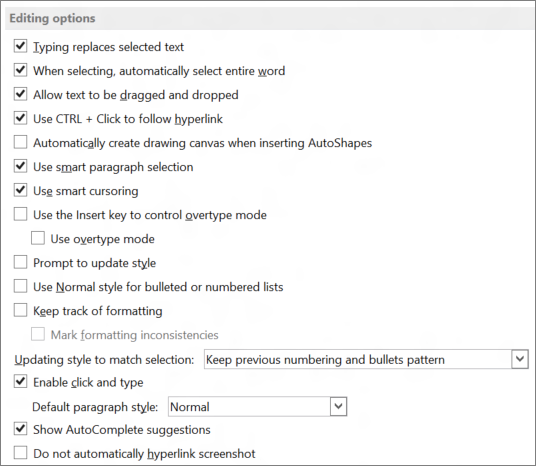
Or try to disable "When selecting, automatically select entire word" as seen here.


 ID Verified


 Administrator
 Geekzone


