Geekzone: technology news, blogs, forums
Guest
Welcome Guest.
You haven't logged in yet. If you don't have an account you can register now.


View this topic in a long page with up to 500 replies per page Create new topic
1 | ... | 17 | 18 | 19 | 20 | 21 | 22 | 23
tnsnx
1 post

Wannabe Geek


  #506288 14-Aug-2011 15:03
Send private message

Mainly use mobile or skype.


JDNorthwest
5 posts

Wannabe Geek


  #506296 14-Aug-2011 15:15
Send private message

Daily tweet... http://mobile.twitter.com/jdnorthwest/status/102578834565627905

tdgeek
30048 posts

Uber Geek
+1 received by user: 9455

Trusted
Lifetime subscriber

  #506333 14-Aug-2011 17:08
Send private message

The more I can centralise activities on my iPhone4 and iPad1 the better. Vonage's Time To Call app will help me continue to do just that.

An iPad2 would be the icing. [crossing fingers]


Drogheda
4 posts

Wannabe Geek


  #506334 14-Aug-2011 17:12
Send private message

TimetoCall looks wicked! I use Skype and depending on the free minutes left on my mobile; then I will on occasion use my Telecom on XT to make calls

nb

nb
9 posts

Wannabe Geek


  #506341 14-Aug-2011 17:37
Send private message

Usually just use the landline, but when out and about, use the cellphone. Have the occasional Skype video call too. Would really 'expand my horizons' to have an ipad2.

aaronraman89
1 post

Wannabe Geek


  #506348 14-Aug-2011 17:47
Send private message

i'm not allowed to post links yet (via green tree) as i'm new...


I use several methods on my phone to call different people. normal GSM calls locally, facetime for video calls in a wifi available area, viber/skype for non-wifi/3G area for different contacts around the world.. 

Will check out Time to Call when I get the Ipad 2! it's downloading as we speak on my iphone.....


Shop now for Lego sets and other gifts (affiliate link).
bachelorno1
7 posts

Wannabe Geek


  #506354 14-Aug-2011 18:05

I use either the free minutes on my XT nokia flip phone, or use my orcon landline - which I am about to replace with VOIP.
I would be interested in trying Vonage's TimeToCall on an iPad 2.

BriAndreasen
1 post

Wannabe Geek


  #506357 14-Aug-2011 18:18
Send private message

I use a Verizon Envy 3 but the problem is it costs extra for long distance to my buddy living in Stockholm. Plus if you've ever used an Envy you would know it turns off by itself all the time! So I used Skype when I can that works okay.

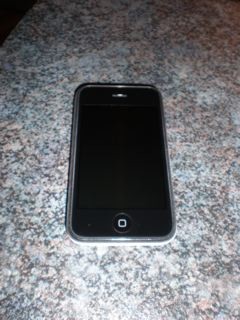
Link to pic of my phone


Thanks for the chance to enter!


forcer
1 post

Wannabe Geek


  #506461 14-Aug-2011 21:07
Send private message

I use an iPhone 4 and also Skype, i use the iphone to answer Skype calls. I am really interested in trying this app. I would take a picture of my phone but thats the only camera i have at the moment lol.

eemoody77
1 post

Wannabe Geek


  #506464 14-Aug-2011 21:11
Send private message

I'm currently using my BlackBerry (no data plan, voice only) for all my calling needs. I would definitely try Time To Call if I won the iPad!

SandyJ
152 posts

Master Geek


  #506484 14-Aug-2011 22:08
Send private message


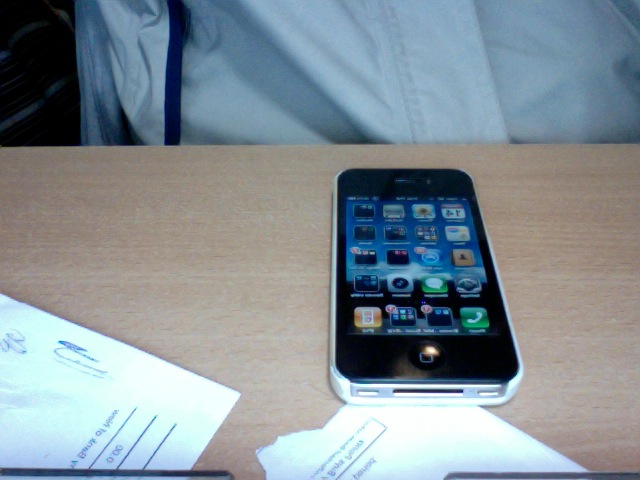
Calling from my landline and iPhone (see pic) Hmm, can I use Vonage while Im travelling overseas?

Get creative?? Honey I have to tell you its just too cold down south to get creative .. will you settle for a cuddle and a promise to use Time To Call? ;)


Shop now at Mighty Ape (affiliate link).
fergus
4 posts

Wannabe Geek


  #506525 14-Aug-2011 23:59
Send private message

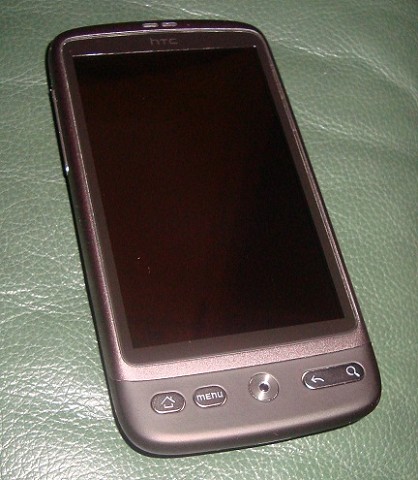
I use my HTC desire mostly, also a home cordless landline.
Here's my mobile :-)


ginette4
6 posts

Wannabe Geek


karen1
2 posts

Wannabe Geek


  #506535 15-Aug-2011 02:11
Send private message

I use my pc to use GoogleVoice features and calling cards to call from my cell. I call my frds at China and Singopore.

karen1
2 posts

Wannabe Geek


  #506536 15-Aug-2011 02:12
Send private message

Tweeted about the contest. http://twitter.com/#!/Neroraptor/status/102511261937442818

1 | ... | 17 | 18 | 19 | 20 | 21 | 22 | 23
View this topic in a long page with up to 500 replies per page Create new topic


Geekzone Live »

Try automatic live updates from Geekzone directly in your browser, without refreshing the page, with Geekzone Live now.


Are you subscribed to our RSS feed? You can download the latest headlines and summaries from our stories directly to your computer or smartphone by using a feed reader.