Geekzone: technology news, blogs, forums
Guest
Welcome Guest.
You haven't logged in yet. If you don't have an account you can register now.


Filter this topic showing only the reply marked as answer View this topic in a long page with up to 500 replies per page Create new topic
1 | 2 
aaristotle

161 posts

Master Geek
+1 received by user: 38


  #3478662 7-Apr-2026 10:25
Send private message quote this post

mclarenaml:


Just tried turning on nord, but no change with the herald app


I used the free Proton VPN which worked.


Also just noticed I am no longer getting the IPv6 green icon on Geekzone via Chrome on a laptop. Only thought to check for it now so no sure how long its been gone.


I managed to get the Starlink support Grok AI to actually log a support case, after it told me that it was great I had found a workaround disabling IPv6 and that the problem was "solved"!


panther2
385 posts

Ultimate Geek
+1 received by user: 143


  #3478852 7-Apr-2026 15:40
Send private message quote this post

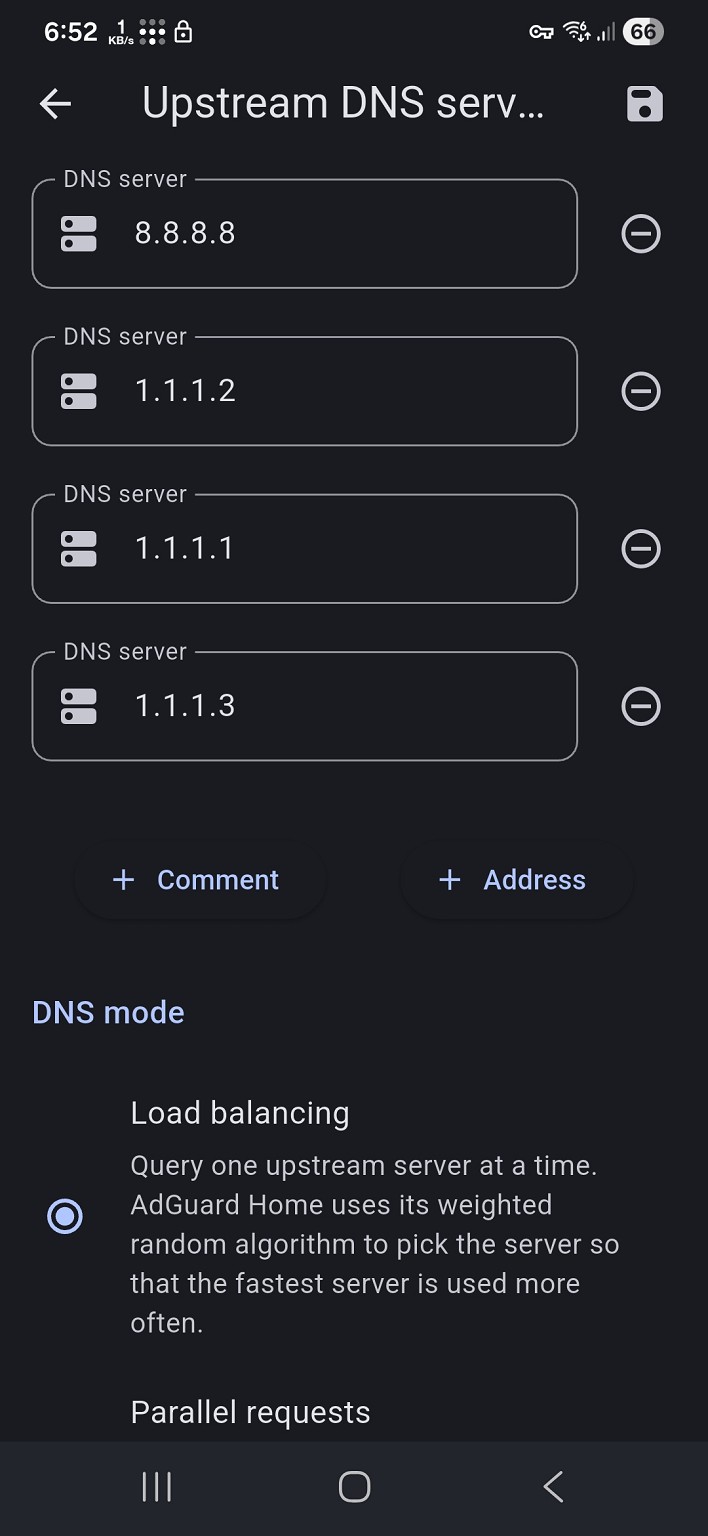
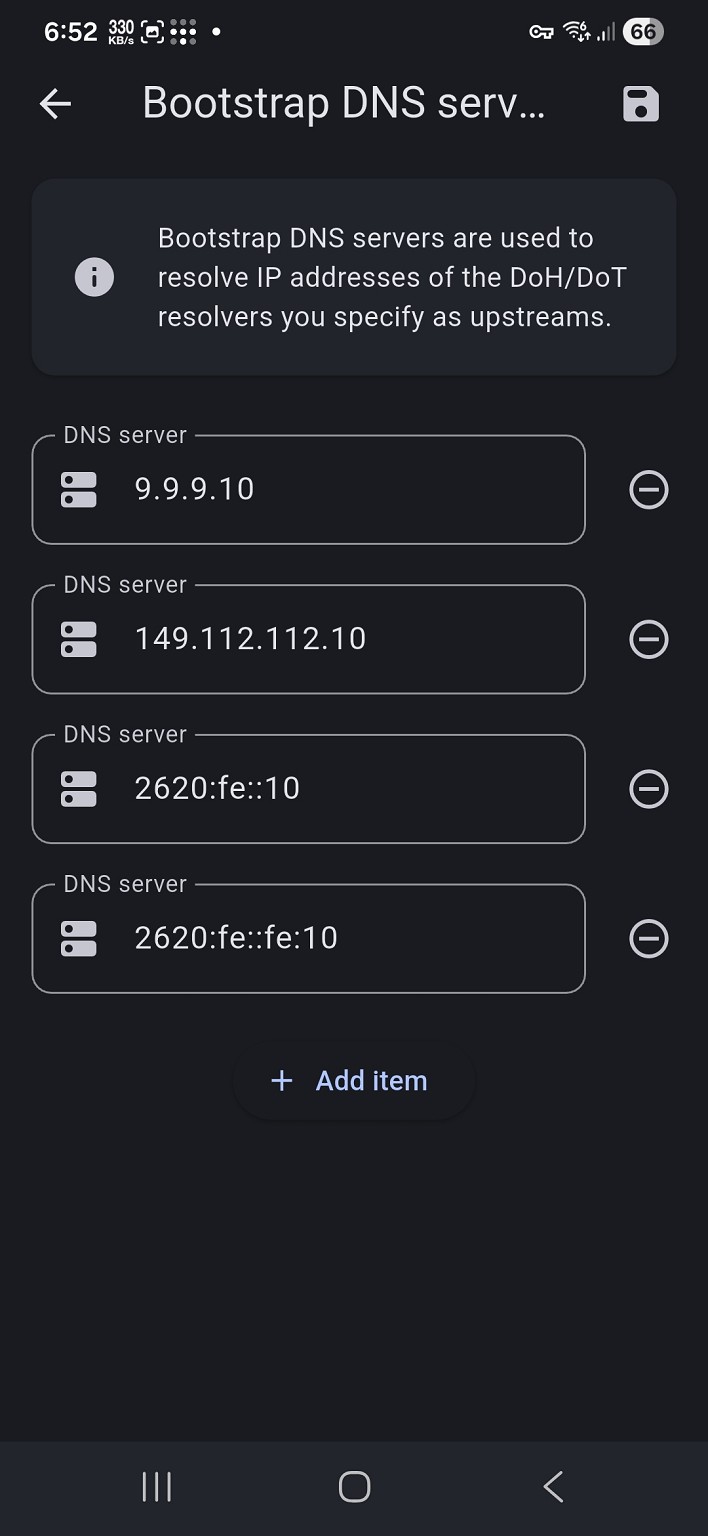
Use adguard home and its running 


8.8.8.8


1.1.1.1


1.1.1.2


1.1.1.3


aaristotle

161 posts

Master Geek
+1 received by user: 38


  #3478854 7-Apr-2026 15:44
Send private message quote this post

Adding the Pak n Save app to the list of apps that won't work on Starlink, but work fine if run as a website in chrome or via mobile data or other internet provider, or by blocking IPv6 on Starlink.


stevenn
32 posts

Geek
+1 received by user: 13


  #3478858 7-Apr-2026 15:52
Send private message quote this post

Same issue here with the TSB mobile banking app. Running Starlink on bypass mode with IPv4 + IPv6. Disabling IPv6 seems to solve the issue. Anyone else on Residential Lite notice their plan switch to Residential 100 today? Could the issues be linked?


aaristotle

161 posts

Master Geek
+1 received by user: 38


  #3478861 7-Apr-2026 15:58
Send private message quote this post

stevenn:


Same issue here with the TSB mobile banking app. Running Starlink on bypass mode with IPv4 + IPv6. Disabling IPv6 seems to solve the issue. Anyone else on Residential Lite notice their plan switch to Residential 100 today? Could the issues be linked?


The issue has been around for at least a week so not directly related.


I just checked and see my plan has also switched to Residential 100 today, and a Speedtest is now 103Mbs/48Mbs, whereas yesterday I was getting 255Mbs/49Mbs


stevenn
32 posts

Geek
+1 received by user: 13


  #3478892 7-Apr-2026 18:26
Send private message quote this post

aaristotle:


stevenn:


Same issue here with the TSB mobile banking app. Running Starlink on bypass mode with IPv4 + IPv6. Disabling IPv6 seems to solve the issue. Anyone else on Residential Lite notice their plan switch to Residential 100 today? Could the issues be linked?


The issue has been around for at least a week so not directly related.


I just checked and see my plan has also switched to Residential 100 today, and a Speedtest is now 103Mbs/48Mbs, whereas yesterday I was getting 255Mbs/49Mbs


Yeah I'm quite disappointed, I was getting 450-500Mbps yesterday and now only getting 100 is a huge blow. Might be better off switching to an unlimited 4g sim in a modem for the same price lol.


HP


Shop now for HP laptops and other devices (affiliate link).
boosacnoodle
1280 posts

Uber Geek
+1 received by user: 862


  #3478896 7-Apr-2026 18:45
Send private message quote this post

Has anyone lodged a ticket with Starlink about IPv6 DNS resolution?


panther2
385 posts

Ultimate Geek
+1 received by user: 143


  #3478897 7-Apr-2026 18:55
Send private message quote this post

Dns from adguard home. Also on starlink 100 now


mclarenaml
13 posts

Geek


  #3479247 8-Apr-2026 15:23
Send private message quote this post

The Starlink Gen3 setup I have dosen't support disabling IPV6, so I've gone and reverted back to the ASUS DSL-AC68U's I was previously using outboard of a Gen 1 system (before the dish unceremoniously died on me). Bit of a fiddle remembering how to set these up, and switching the Starlink to bypass mode seems a bit sensitive to the order you do things in... This was also complicated by these being DSL routers so so needed to be tweaked to support a WAN connection, which means the auto config just don't work!


Anyway, all running now with IPV4, and the Herald and OFX apps seem happy!


As an aside, is there any option to configure these forums to a more friendly format for phones? Doing this on a PC, and sooo much nicer!


Andrew


panther2
385 posts

Ultimate Geek
+1 received by user: 143


  #3479255 8-Apr-2026 15:47
Send private message quote this post

Also running starlink in bypass mode with asus router but dsn on synology adguard


mclarenaml
13 posts

Geek


  #3479265 8-Apr-2026 16:05
Send private message quote this post

Out of curiosity turned IPV6 back on with the ASUS, and the Herad app promptly went AWOL again, so it appears its not just the Starlink connection?


Shop now for Lenovo laptops and other devices (affiliate link).
aaristotle

161 posts

Master Geek
+1 received by user: 38


  #3479345 8-Apr-2026 20:15
Send private message quote this post

boosacnoodle:


Has anyone lodged a ticket with Starlink about IPv6 DNS resolution?


I logged a ticket and got a response from a human earlier today. They escalated it to a specialised team, and someone from the team phoned me earlier this evening. A few tracert's and them looking at diagnostics from the starlink router has them acknowledging there's a problem, and its being bounced to another engineering team to pursue.


Hopefully a resolution will be here soon 😊   


aaristotle

161 posts

Master Geek
+1 received by user: 38


  #3479370 9-Apr-2026 07:36
Send private message quote this post

Update this morning, Starlink have tracked the problem to CloudFlare so are now working with them to find the issue.


aaristotle

161 posts

Master Geek
+1 received by user: 38


  #3479530 9-Apr-2026 14:52
Send private message quote this post

Starlink have been in touch and believe the problem is fixed.


All the website apps I was having issues with all appear to be working.


Added bonus, I now have the IPv6 icon back on the geekzone website 😃


1 | 2 
Filter this topic showing only the reply marked as answer View this topic in a long page with up to 500 replies per page Create new topic


Geekzone Live »

Try automatic live updates from Geekzone directly in your browser, without refreshing the page, with Geekzone Live now.


Are you subscribed to our RSS feed? You can download the latest headlines and summaries from our stories directly to your computer or smartphone by using a feed reader.