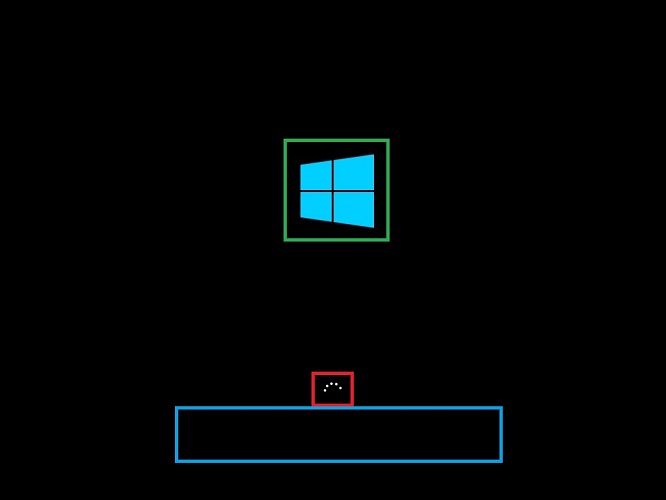
Hi all - I have a new PC from a local system builder. It has their logo on boot-up (before Win 10 loads), is there a way to remove this?
|
|
I have never done it, but you're talking about changing the BIOS splash logo. Might help with googling. Make sure to only follow advice from a reputable website, because you're talking about modifying the BIOS of your PC
Professional Forum Lurker
CruciasNZ:
you're talking about modifying the BIOS of your PC
No this is the shop's logo, not BIOS / motherboard manufacturer. Turns out I was googling for the wrong phrase lol.
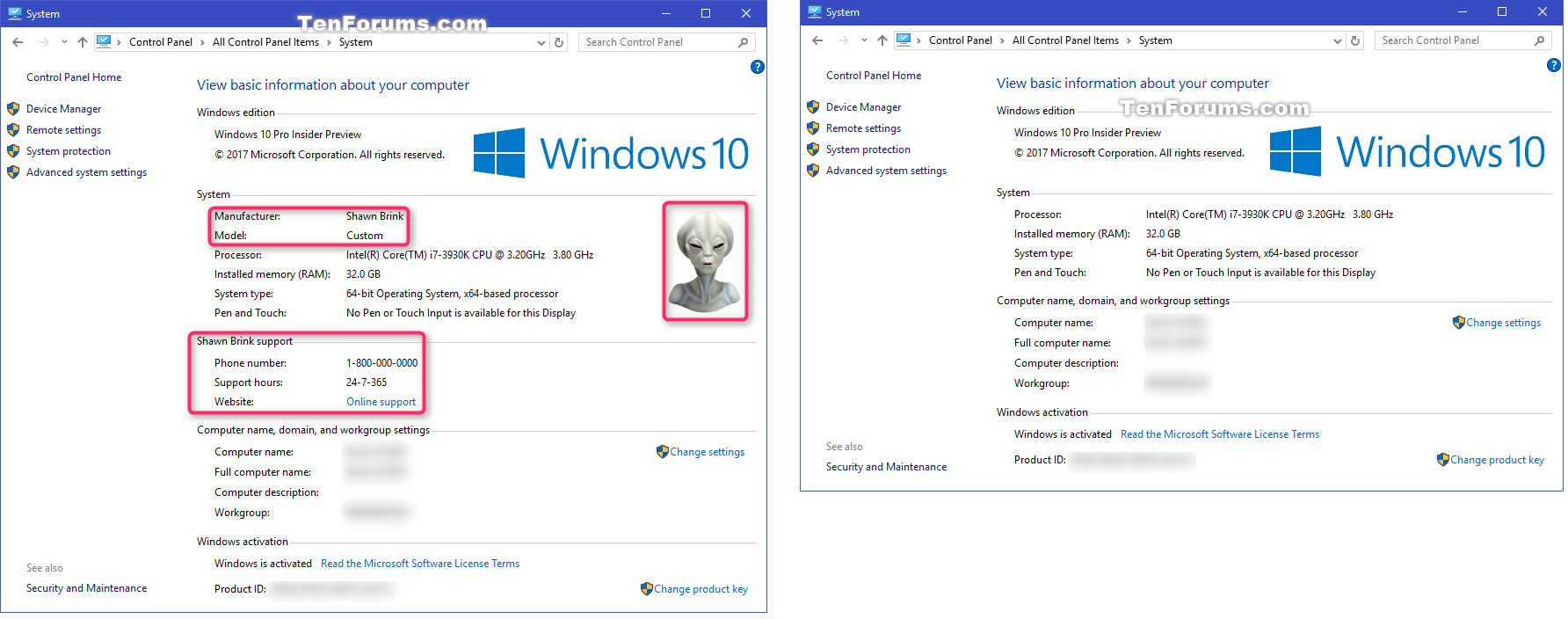
Its in the registry > Computer\HKEY_LOCAL_MACHINE\SOFTWARE\Microsoft\Windows\CurrentVersion\OEMInformation
Can remove or change the picture which displays before the logon screen.
Maybe it's something like this (this was just the first google hit, it could be a different program I guess):
How to Change Windows 10 Boot Logo (Add Custom Boot Logo) (windowsloop.com)
Lurking ...
arcon:
No this is the shop's logo, not BIOS / motherboard manufacturer. Turns out I was googling for the wrong phrase lol.
Its in the registry > Computer\HKEY_LOCAL_MACHINE\SOFTWARE\Microsoft\Windows\CurrentVersion\OEMInformation
Can remove or change the picture which displays before the logon screen.
So actually, you were looking to change the information in the old System Control Panel app pas per this screenshot? Specifically, you are referring to the logo value?

Note that according to Microsoft's documentation, that information & the associated Registry settings are deprecated.
Two other links about editing the Registry for this info
Maybe we should ask the mods to update the subject of this thread?
I thought you were referring to the boot logo as per this Microsoft documentation

Two articles giving instructions on how to change this using HackBGRT
Please keep this GZ community vibrant by contributing in a constructive & respectful manner.
I'd wipe the drive completely & start from a fresh Windows install. It's very easy to do via the Windows media creation tool.
That way, I know there's no custom software/bloatware that might have also been added by the PC shop.
Doesn't sound like it's the case here, but worth noting that on some systems you can actually use a tool to set your own logo at a bios level.
I'm a geek, a gamer, a dad, a Quic user, and an IT Professional. I have a full rack home lab, size 15 feet, an epic beard and Asperger's. I'm a bit of a Cypherpunk, who believes information wants to be free and the Net interprets censorship as damage and routes around it. If you use my Quic signup you can also use the code R570394EKGIZ8 for free setup. Opinions are my own and not the views of my employer.
Mehrts:
I'd wipe the drive completely & start from a fresh Windows install. It's very easy to do via the Windows media creation tool.
That way, I know there's no custom software/bloatware that might have also been added by the PC shop.
I too am very keen on this. Total side conversation to this topic, but if you are starting from scratch it's an ideal time to undertake this.
Does the the media tool handle the license side of things?, as that's often a point of contention.
You don't often get physical media or a shiny license certificate / number etc like the old days when you purchased Windows software separately/ not in a PC bundle.
@Jaxson
The media creation tool only creates a bootable USB drive for Windows. The license is either automatically applied in the background, since the key is now a digital one and usually tied to the motherboard or something, or you simply enter the product key in the box when it asks for it.
Alternatively, you can skip the license activation & still have a pretty much fully functioning copy of Windows, but with a couple of very minor limitations, such as the ability to change desktop background...
|
|