Geekzone: technology news, blogs, forums
Guest
Welcome Guest.
You haven't logged in yet. If you don't have an account you can register now.


xyeovillian

400 posts

Ultimate Geek
+1 received by user: 23

ID Verified

#280969 22-Jan-2021 17:01
Send private message

Hi


I have bought a 2nd hand Huawei HG659 and I'm being switched over 26.01.21 from Trustpower to Voyager.


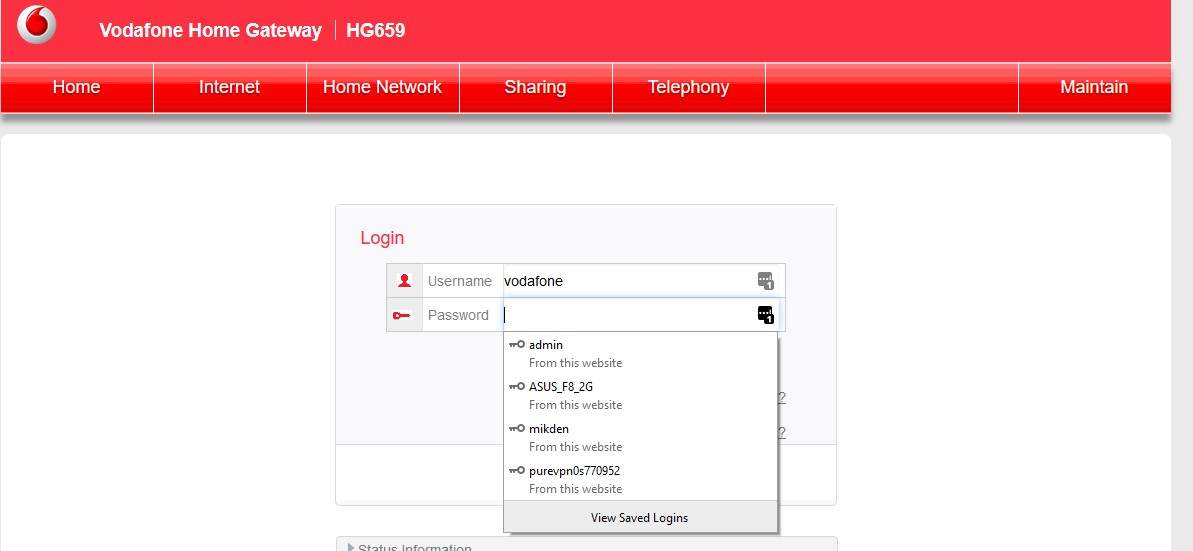
I have connected router to my existing Trustpower fibre and it is showing Vodafone set up,which is I guess it was set up with previous owner.


I tried the reset button but its still asking me to log in to Vodafone.


Just wondered if you help. Hopefully would like to use this router for Voyager


Thanks Mike


Create new topic
mentalinc
3385 posts

Uber Geek
+1 received by user: 1025

Trusted

  #2640196 22-Jan-2021 17:07
Send private message


Admin / VF-NZhg659


If that does not work then it's Admin and @ (last 8 characters of serial number)


CPU: AMD 5900x | RAM: GSKILL Trident Z Neo RGB F4-3600C16D-32GTZNC-32-GB | MB:  Asus X570-E | GFX: EVGA FTW3 Ultra RTX 3080Ti| Monitor: LG 27GL850-B 2560x1440


Quic: https://account.quic.nz/refer/473833 R473833EQKIBX 


xyeovillian

400 posts

Ultimate Geek
+1 received by user: 23

ID Verified

  #2640198 22-Jan-2021 17:18
Send private message

mentalinc:


Admin / VF-NZhg659


If that does not work then it's Admin and @ (last 8 characters of serial number)


Thanks but how do I get it back to stock or this router just for vodafone?


Andib
1396 posts

Uber Geek
+1 received by user: 974

ID Verified
Trusted

  #2640216 22-Jan-2021 18:29
Send private message

This has Vodafone Firmware on it (this will not impact your ability to use it for voyager).

If you want 'stock' Huawei firmware (removes the telecommunications branding) I suggest flashing Bigpipes HG659 firmware. If you search the forum you'll find guides on how to do this.


<# 
       .DISCLAIMER
       Anything I post is my own and not the views of my past/present/future employer.
#>


mentalinc
3385 posts

Uber Geek
+1 received by user: 1025

Trusted

  #2640275 22-Jan-2021 20:08
Send private message

It's just a red skin, doesn't impact the ability to use it for others.


how often are you looking at it? you'll probably spend more time trying to change it over than you will looking at the GUI in the next 3 years.


CPU: AMD 5900x | RAM: GSKILL Trident Z Neo RGB F4-3600C16D-32GTZNC-32-GB | MB:  Asus X570-E | GFX: EVGA FTW3 Ultra RTX 3080Ti| Monitor: LG 27GL850-B 2560x1440


Quic: https://account.quic.nz/refer/473833 R473833EQKIBX 


michaelmurfy
meow
13586 posts

Uber Geek
+1 received by user: 10931

Moderator
ID Verified
Trusted
Lifetime subscriber

  #2640303 22-Jan-2021 20:59
Send private message

The BigPipe firmware is here: https://drive.google.com/file/d/0B0IASZrRfGTibDdzYUVlTWZYSW8/view


Just simply login with the superadmin credentials and flash this to the router then do a factory reset.


You can use this router with Voyager with the Vodafone firmware, but the BigPipe firmware is unlocked so you're also free to use VoIP etc.


Michael Murphy | https://murfy.nz
Referral Links: Quic Broadband (use R122101E7CV7Q for free setup)

Are you happy with what you get from Geekzone? Please consider supporting us by subscribing.
Opinions are my own and not the views of my employer.


Create new topic


Geekzone Live »

Try automatic live updates from Geekzone directly in your browser, without refreshing the page, with Geekzone Live now.


Are you subscribed to our RSS feed? You can download the latest headlines and summaries from our stories directly to your computer or smartphone by using a feed reader.
