Geekzone: technology news, blogs, forums
Guest
Welcome Guest.
You haven't logged in yet. If you don't have an account you can register now.


Finch

2862 posts

Uber Geek
+1 received by user: 195


#324402 4-Apr-2026 14:40
Send private message quote this post

Thought it was worth starting a new post as it's now a different topic. I'm normally good with tech, but routers are something I just don't know about, I just want to be able to plug and play. I only use/want to use wifi, no wired connection as not enough room for me next to the router.


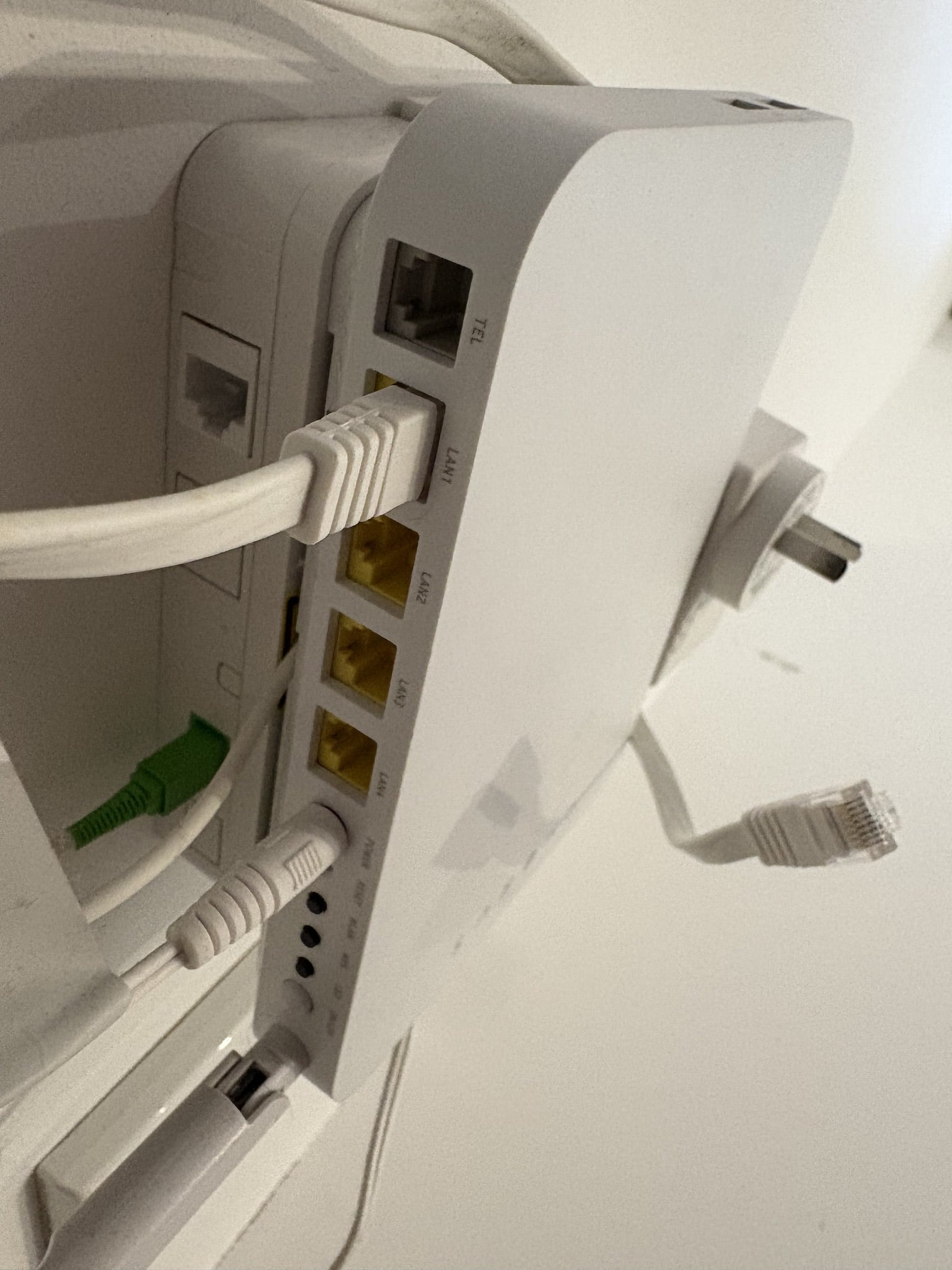
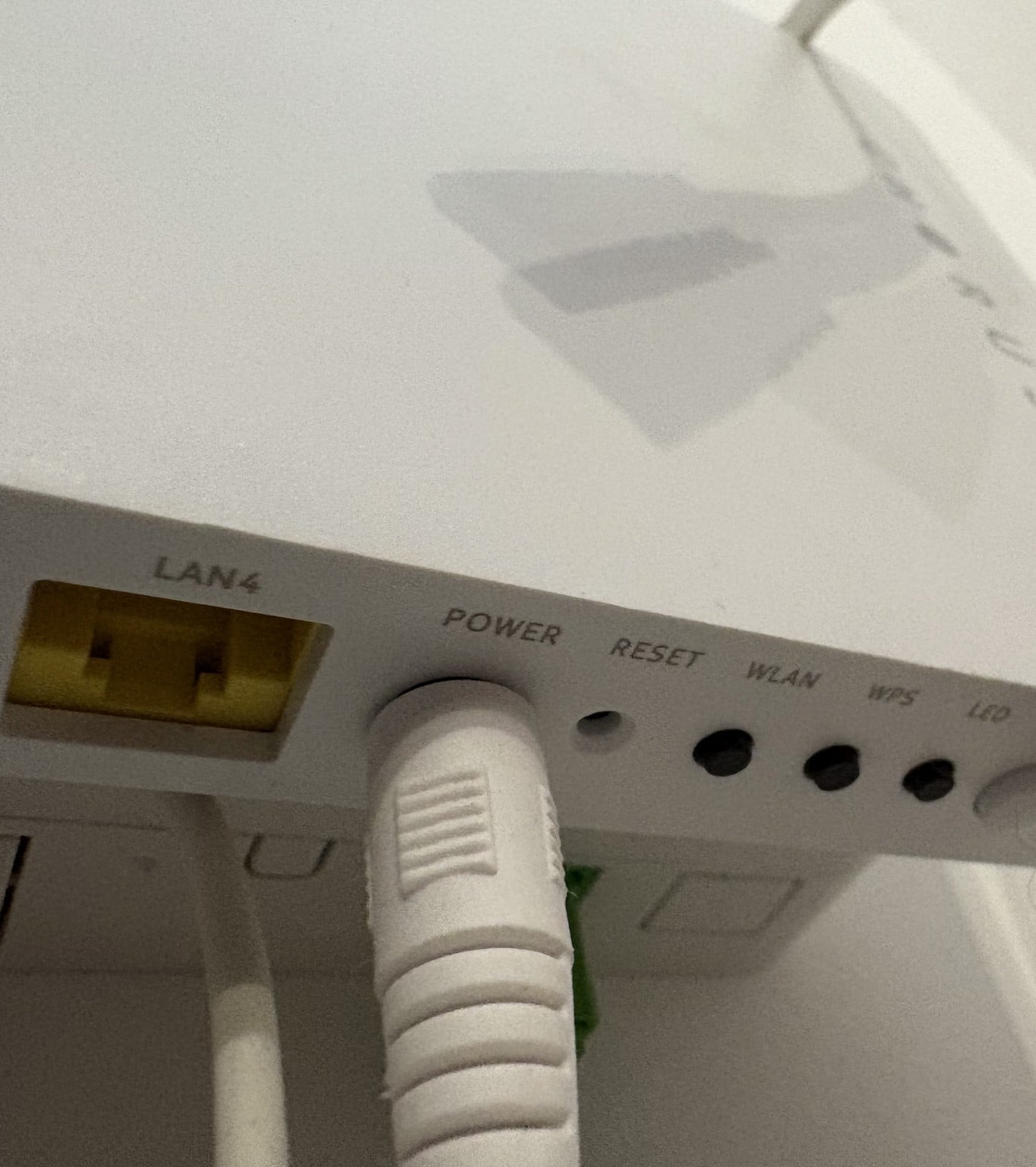
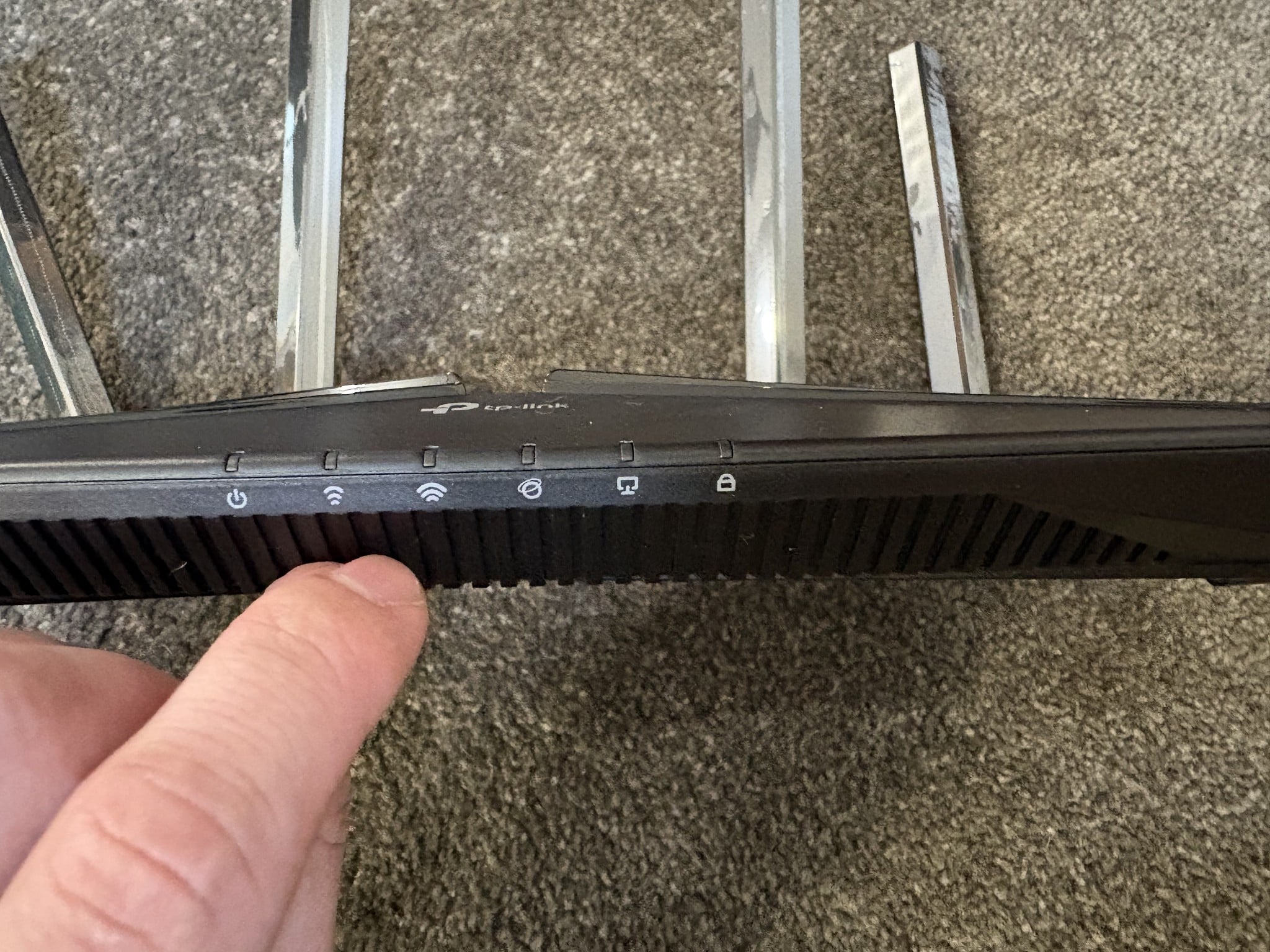
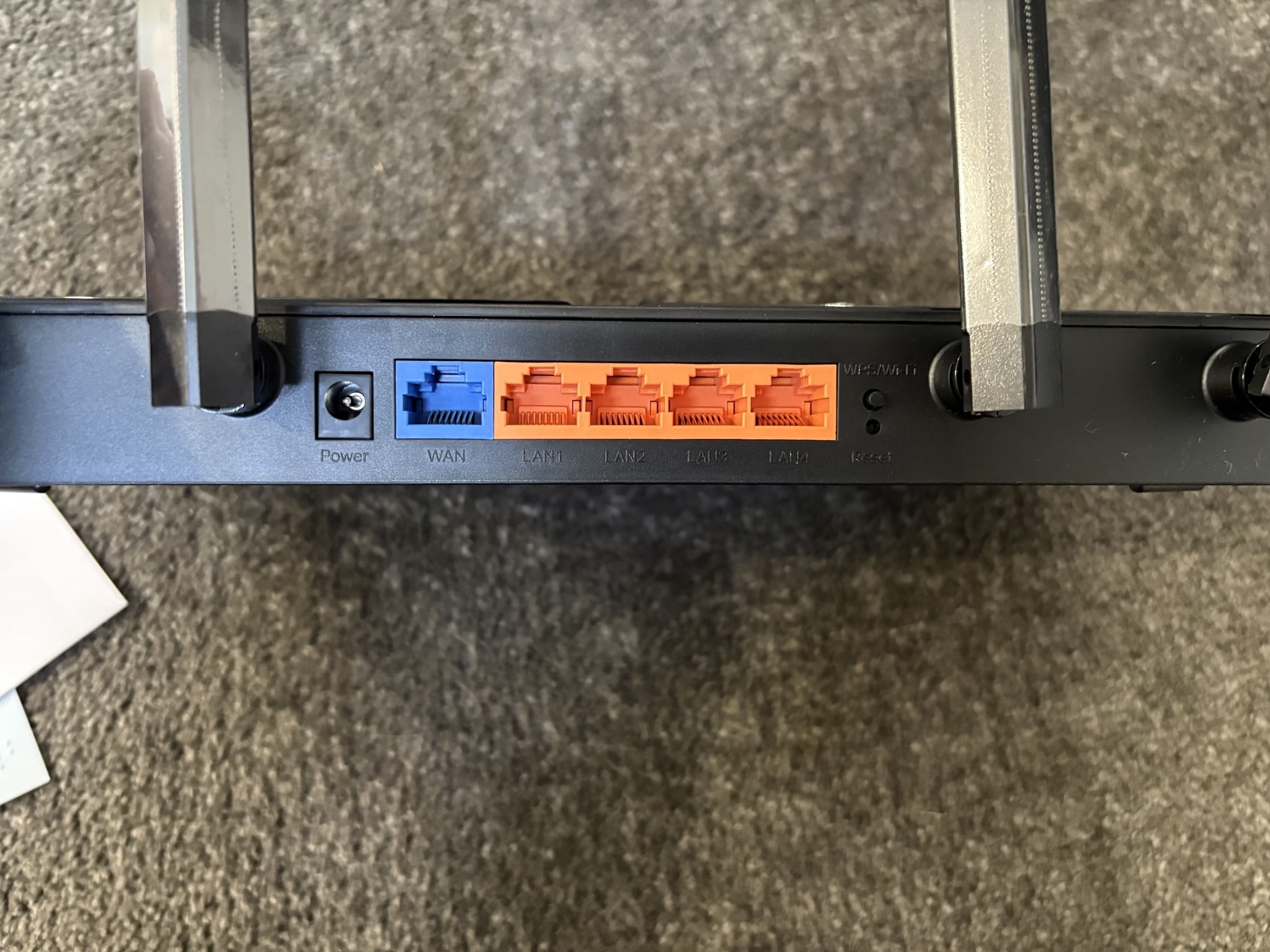
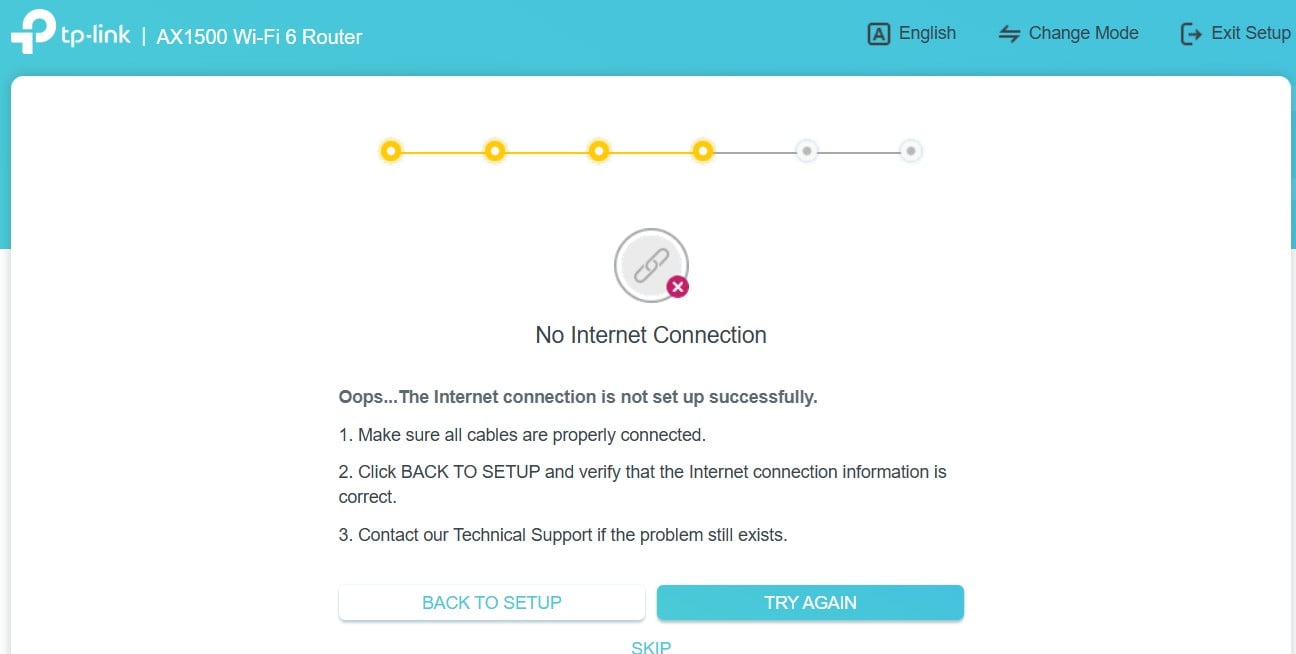
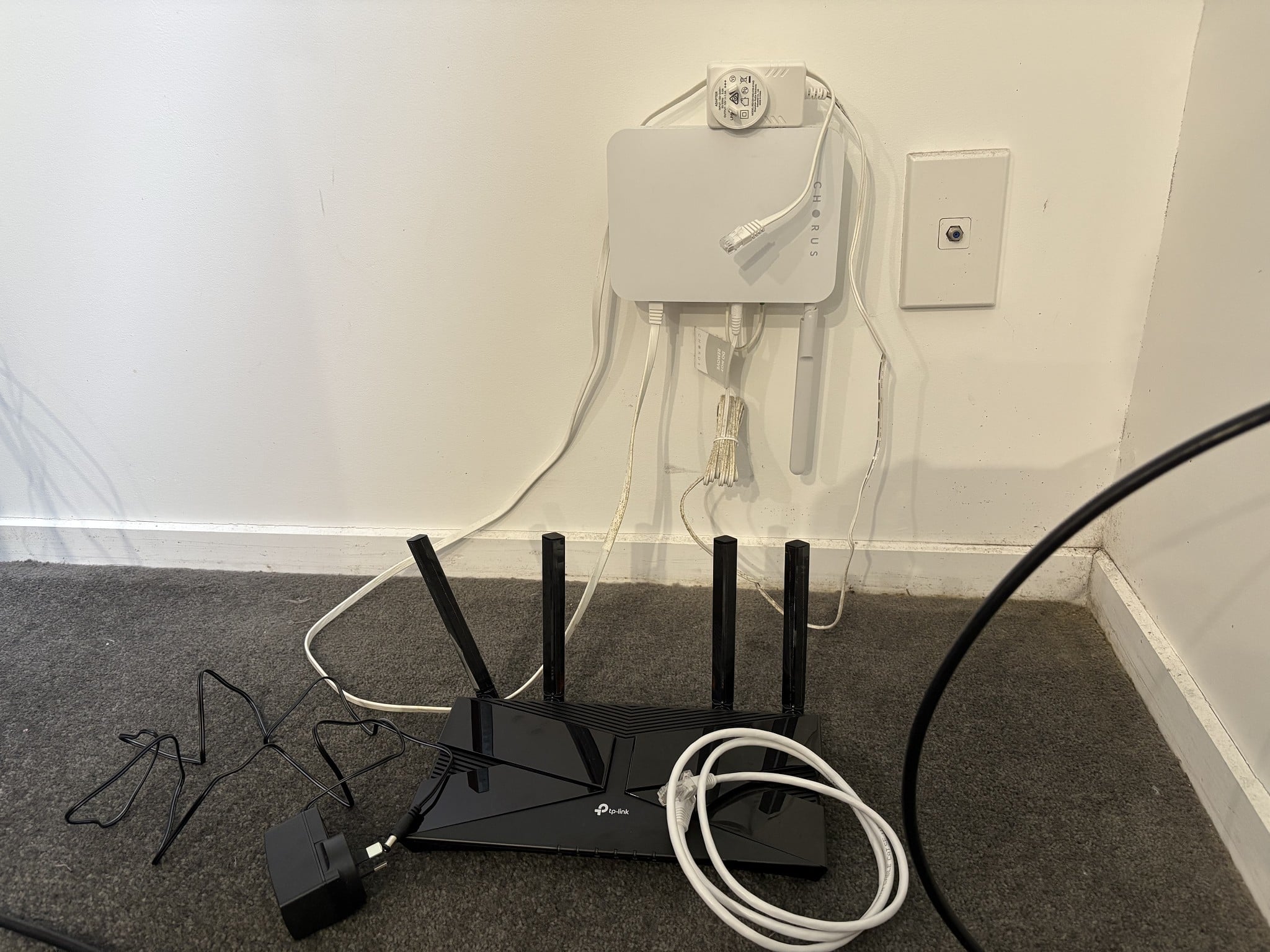
So I bought a new router earlier today, TP-Link ax1500 and I was previously using a FritzBox 7560. I have a white Chorus modem/router/box (Not sure the correct term here, what is it please?) attached to the wall. There is an ethernet cable (I'm 99.% sure it's ethernet) from that into my Fritzbox (Via the Wlan Port) and everything was fine. However, I can't seem to get it to work now with the TP Link. I've been through the setup process two times, watched a couple setup videos, and both times it says there's no internet connection for me. It's showing the symbol on the TP-Link router that the internet is "on", as referenced by an orange light, but its just not working for me. I'm sure this is a simple fix, its likely just something in the wrong spot, but feels like I've moved things around and it just wont work no matter what. I haven't used the ethernet cable that came with it, because well where does it go? Especially as there's already a cable coming from the white Chorus box attached to the wall. I have noticed (As pictured) the cable coming out of the Chorus box is in the "LAN1" slot, however the other end is going into the WAN slot on the TP-Link router, is that okay? I've plugged it into LAN1 on the TP-Link router and no internet icon shows.


Have pictured everything I have. 


Current status is I have everything unplugged, forgotten the network on both my laptop & phone and have reset the TP-Link router.


Please help, many thanks


Filter this topic showing only the reply marked as answer Create new topic
Behodar
11101 posts

Uber Geek
+1 received by user: 6092

Trusted
Lifetime subscriber

  #3477898 4-Apr-2026 14:42
Send private message quote this post

The Chorus box is called an ONT (optical network terminal). You want ONT LAN1 connected to router WAN. Who is your ISP?


Finch

2862 posts

Uber Geek
+1 received by user: 195


  #3477900 4-Apr-2026 14:46
Send private message quote this post

Behodar:


The Chorus box is called an ONT (optical network terminal). You want ONT LAN1 connected to router WAN. Who is your ISP?


2Degrees.


Ok, so currently that's how its setup (LAN1 from the ONT, into Wan TP-Link, but no internet)


Behodar
11101 posts

Uber Geek
+1 received by user: 6092

Trusted
Lifetime subscriber

  #3477901 4-Apr-2026 14:48
Send private message quote this post

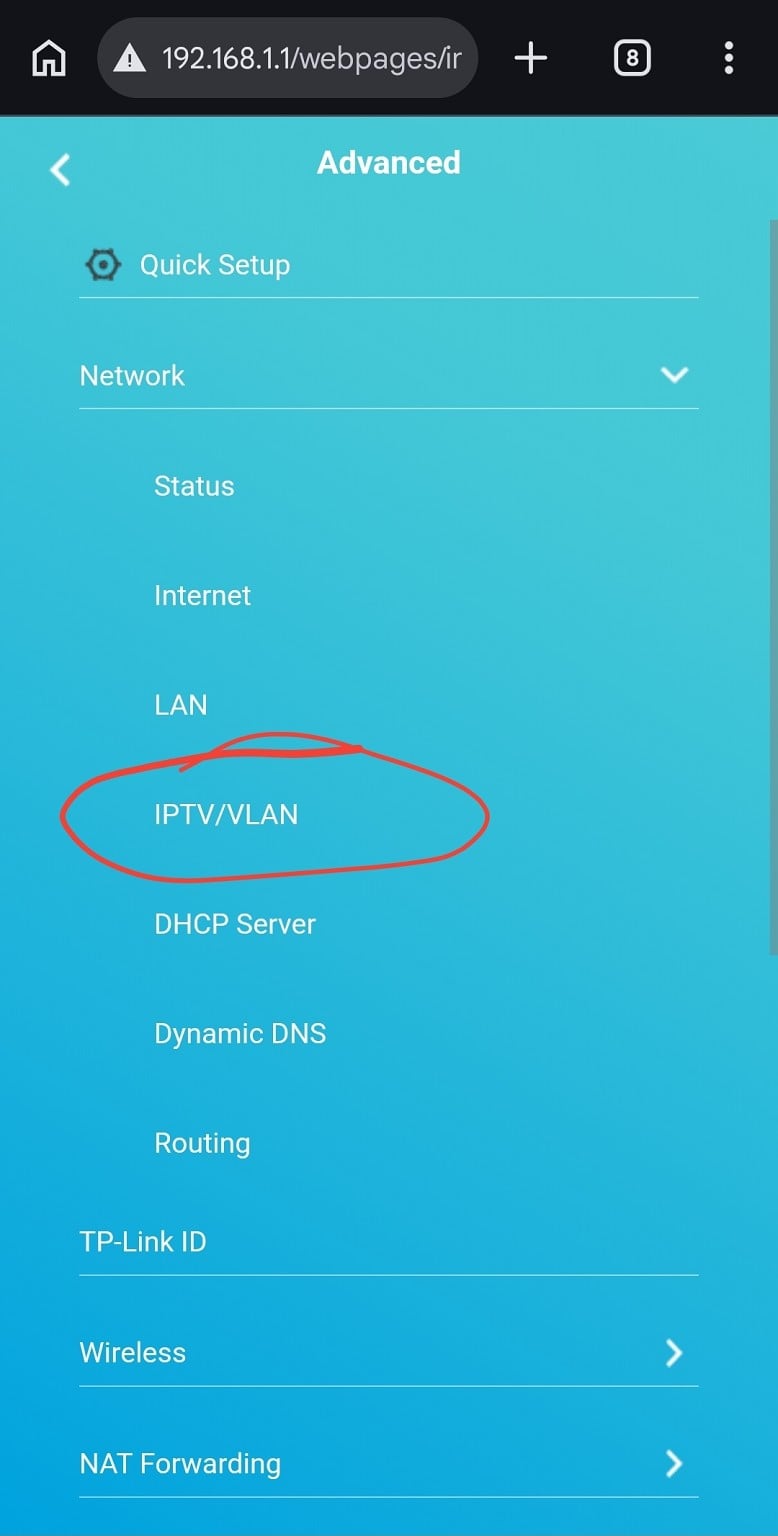
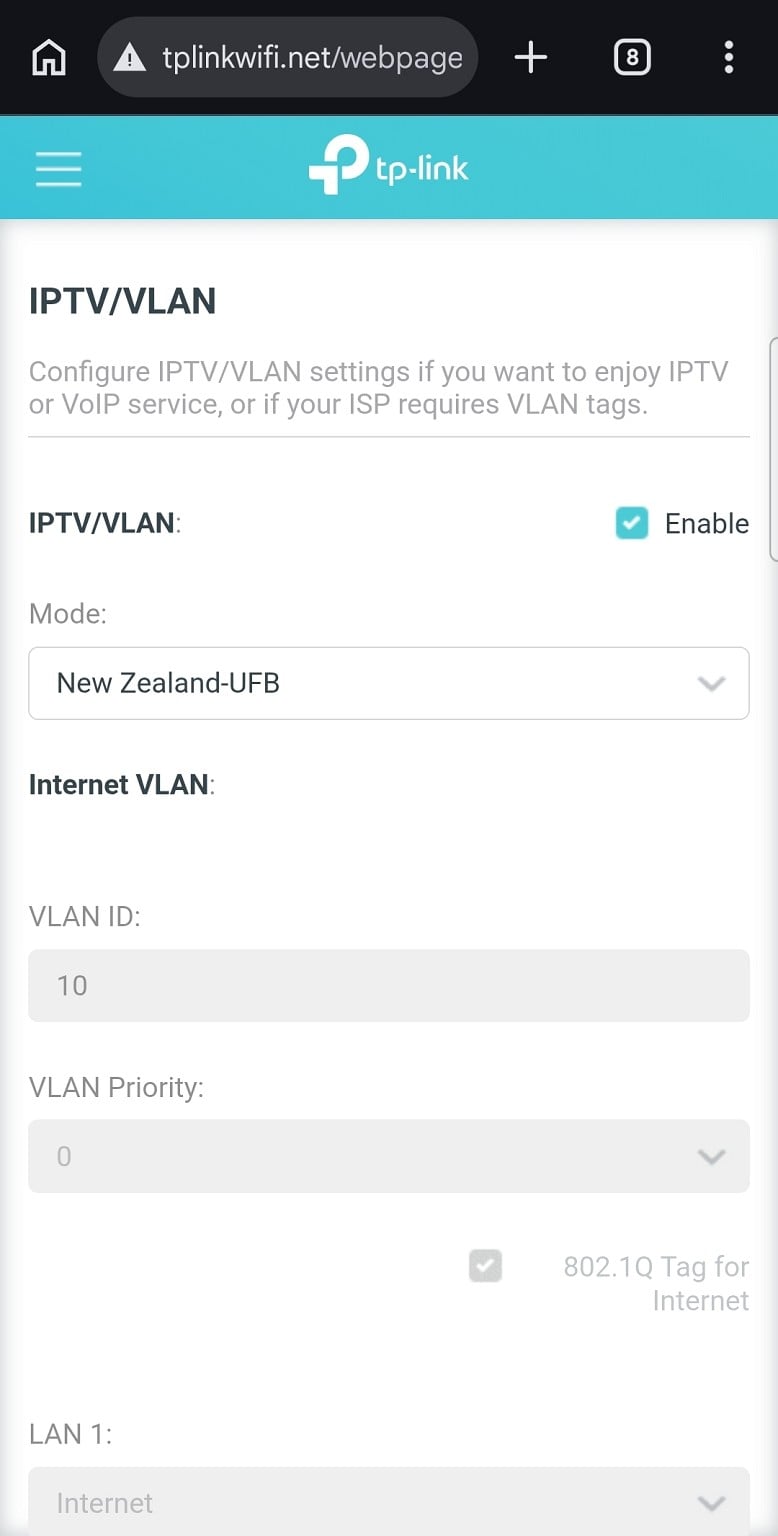
OK, look for a setting called "VLAN ID" or similar (sometimes it's under something like "IPTV setup") and set it to 10.


Finch

2862 posts

Uber Geek
+1 received by user: 195


  #3477902 4-Apr-2026 14:49
Send private message quote this post

Behodar:


OK, look for a setting called "VLAN ID" or similar (sometimes it's under something like "IPTV setup") and set it to 10.


Where am I looking for this setting sorry, on the TP-Link setup/settings page? Or on my laptop?


Behodar
11101 posts

Uber Geek
+1 received by user: 6092

Trusted
Lifetime subscriber

  #3477903 4-Apr-2026 14:51
Send private message quote this post

Somewhere in the TP-Link settings.


kiwiharry
1064 posts

Uber Geek
+1 received by user: 476

ID Verified
Subscriber

  #3477905 4-Apr-2026 15:00
Send private message quote this post

Here you go


If you can't laugh at yourself then you probably shouldn't laugh at others.


Shop now for Lego sets and other gifts (affiliate link).
Finch

2862 posts

Uber Geek
+1 received by user: 195


  #3477972 4-Apr-2026 16:05
Send private message quote this post

Thank you both very much, I now have internet again!


I was doing the setup on laptop, eventually clicking through the setup process I found the option. I didn't necessarily "select" it though, just clicked a drop down list and it seemed to work now, coincidence or not I'm not sure, either way I have internet thanks again. I have now also discovered the speed difference between 2.4GHz and 5GHz, crikey.  


mrgsm021
1538 posts

Uber Geek
+1 received by user: 310

ID Verified
Trusted

  #3478095 4-Apr-2026 21:22
Send private message quote this post

OP might want to look at replacing that white flat ethernet cable that goes between the ONT and the router with normal twisted ethernet cable.


Flat cables aren't the best at preventing interference when data goes through it and may become the cause when there is speed issue.


xpd

xpd
Geek of Coastguard
14116 posts

Uber Geek
+1 received by user: 4579

Retired Mod
ID Verified
Trusted
Lifetime subscriber

  #3478168 5-Apr-2026 07:40
Send private message quote this post

Also changing the white to a red/yellow/orange can be helpful t/shooting :) Its my "critical" color, so if I need the wife/kids to pull it out for any reason, its obvious :) All other cables are grey/black.


XPD / Gavin


LinkTree


SomeoneSomewhere
1882 posts

Uber Geek
+1 received by user: 1086

Lifetime subscriber

  #3478322 5-Apr-2026 18:50
Send private message quote this post

Flat cables are still twisted internally (within each pair), just not the pairs twisted together. They're fine for general use, especially like in OP's situation for a short link not near any other cabling/interference.


What sketches me out a little is the <3mm diameter superthin cables. But the major vendors sell them...


Linux
12188 posts

Uber Geek
+1 received by user: 8480

Trusted
Lifetime subscriber

  #3478328 5-Apr-2026 19:42
Send private message quote this post

SomeoneSomewhere:


What sketches me out a little is the <3mm diameter superthin cables. But the major vendors sell them...


I use them on our Aruba colourless switches


Shop now for Dyson appliances (affiliate link).
SomeoneSomewhere
1882 posts

Uber Geek
+1 received by user: 1086

Lifetime subscriber

  #3478329 5-Apr-2026 19:44
Send private message quote this post

Yeah, I have a handful - nice for laptop bag and sometimes they let you plug into ports that are a bit of a squeeze. 


Groucho
542 posts

Ultimate Geek
+1 received by user: 217


  #3479072 8-Apr-2026 11:07
Send private message quote this post

Behodar:


OK, look for a setting called "VLAN ID" or similar (sometimes it's under something like "IPTV setup") and set it to 10.


A general question as routers aren't my wheelhouse either.  Do fibre routers even need authenticating with the ISP or is it all preconfigured by the ONT?  I know ADSL routers required authentication however my ISP had some wizardry that authenticated the copper line so ADSL routers were more or less plug and play.


I was forced into replacing my 12 year old router a few months ago when one morning I couldn't connect at all via either ethernet or wifi despite all the relevant lights being green.  After some very quick research I also bought a TP-Link Archer.  I started following my ISP's (NOW) BYO router documentation they have for TP-Link which was a little out of date for the firmware that shipped.   I had set the IPTV to NZ-UFB and ID=10.  While trying to locate an account login for the actual broadband which was the next step I found it had already connected, working fine and fast with that instant bump from 100MBs to 300MBs with a compatible router!


mrgsm021
1538 posts

Uber Geek
+1 received by user: 310

ID Verified
Trusted

  #3479074 8-Apr-2026 11:23
Send private message quote this post

Groucho:


A general question as routers aren't my wheelhouse either.  Do fibre routers even need authenticating with the ISP or is it all preconfigured by the ONT?  I know ADSL routers required authentication however my ISP had some wizardry that authenticated the copper line so ADSL routers were more or less plug and play.


I was forced into replacing my 12 year old router a few months ago when one morning I couldn't connect at all via either ethernet or wifi despite all the relevant lights being green.  After some very quick research I also bought a TP-Link Archer.  I started following my ISP's (NOW) BYO router documentation they have for TP-Link which was a little out of date for the firmware that shipped.   I had set the IPTV to NZ-UFB and ID=10.  While trying to locate an account login for the actual broadband which was the next step I found it had already connected, working fine and fast with that instant bump from 100MBs to 300MBs with a compatible router!


For fibre connections, generally speaking these are the comnbinations:


  • DHCP/IPoE/Dynamic IP with or without vlan 10
  • PPPoE with or without vlan 10

Then if PPPoE, also depends on ISP whether an actual username and password is required, some don't need actual username or password but just put something in the username and password field (cannot be left blank) in router config will be fine.


Hope this answers your question


Groucho
542 posts

Ultimate Geek
+1 received by user: 217


  #3479077 8-Apr-2026 11:43
Send private message quote this post

Thanks for that.  I just had a re-read of my ISPs instructions and they do say PPPoE using the account number for both username and password.


Filter this topic showing only the reply marked as answer Create new topic


Geekzone Live »

Try automatic live updates from Geekzone directly in your browser, without refreshing the page, with Geekzone Live now.


Are you subscribed to our RSS feed? You can download the latest headlines and summaries from our stories directly to your computer or smartphone by using a feed reader.