Geekzone: technology news, blogs, forums
Guest
Welcome Guest.
You haven't logged in yet. If you don't have an account you can register now.


Filter this topic showing only the reply marked as answer View this topic in a long page with up to 500 replies per page Create new topic
1 | 2 
gajan
311 posts

Ultimate Geek
+1 received by user: 226

Trusted
Spark NZ
Lifetime subscriber

  #2577508 1-Oct-2020 22:07
Send private message

Agree - its not right. Took me a while to stumble upon this as well.  


Hopefully the software on these improves, its still a bit pre-release in my opinion, coming from an ER4 that never skipped a beat (until it died).


Basic things (in my view) like RFC 4638 (baby jumbos for PPPoE) not being properly implemented (included pppd does indeed support it if you manually change the mtu/mru), and an not being able to do 1Gbps with IDS/IPS), and not being able to have a vlan id on the default network (it can be worked around...). 


My comments and remarks are not necessarily of my employer.


michaelmurfy
meow
13664 posts

Uber Geek
+1 received by user: 11069

Moderator
ID Verified
Trusted
Lifetime subscriber

  #2586856 18-Oct-2020 00:18
Send private message

Just thought I'd add - this is not just you.


I install a UDM Pro today and experienced the same issue - once rebooting the UDM Pro the WAN connection never came online and the ONT didn't indicate an Ethernet connection. This is also on the 2nd generation ONT with integrated WiFi. Changing the WAN port from Auto Negotiation to Gigabit solved this for me (thanks very much for your post about this!). On investigation this is indeed a software issue with the current UDM firmware and I would assume it'll be fixed rather quickly.


But the UDM is a great device! Was really impressed with it in the short time I got to play around with it during the install.


Michael Murphy | https://murfy.nz
Referral Links: Quic Broadband (use R122101E7CV7Q for free setup)

Are you happy with what you get from Geekzone? Please consider supporting us by subscribing.
Opinions are my own and not the views of my employer.


hio77
'That VDSL Cat'
13044 posts

Uber Geek
+1 received by user: 3901

ID Verified
Trusted
Lizard Networks
Subscriber

  #2586860 18-Oct-2020 01:04
Send private message

that seems to be a nasty little bug.


which ont generation are you having the issues with? @BMarquis might be able to pull out some magic...


#include <std_disclaimer>


Any comments made are personal opinion and do not reflect directly on the position my current or past employers may have. 


hio77
'That VDSL Cat'
13044 posts

Uber Geek
+1 received by user: 3901

ID Verified
Trusted
Lizard Networks
Subscriber

  #2586861 18-Oct-2020 01:06
Send private message

michaelmurfy:


Just thought I'd add - this is not just you.


I install a UDM Pro today and experienced the same issue - once rebooting the UDM Pro the WAN connection never came online and the ONT didn't indicate an Ethernet connection. This is also on the 2nd generation ONT with integrated WiFi. Changing the WAN port from Auto Negotiation to Gigabit solved this for me (thanks very much for your post about this!). On investigation this is indeed a software issue with the current UDM firmware and I would assume it'll be fixed rather quickly.


But the UDM is a great device! Was really impressed with it in the short time I got to play around with it during the install.


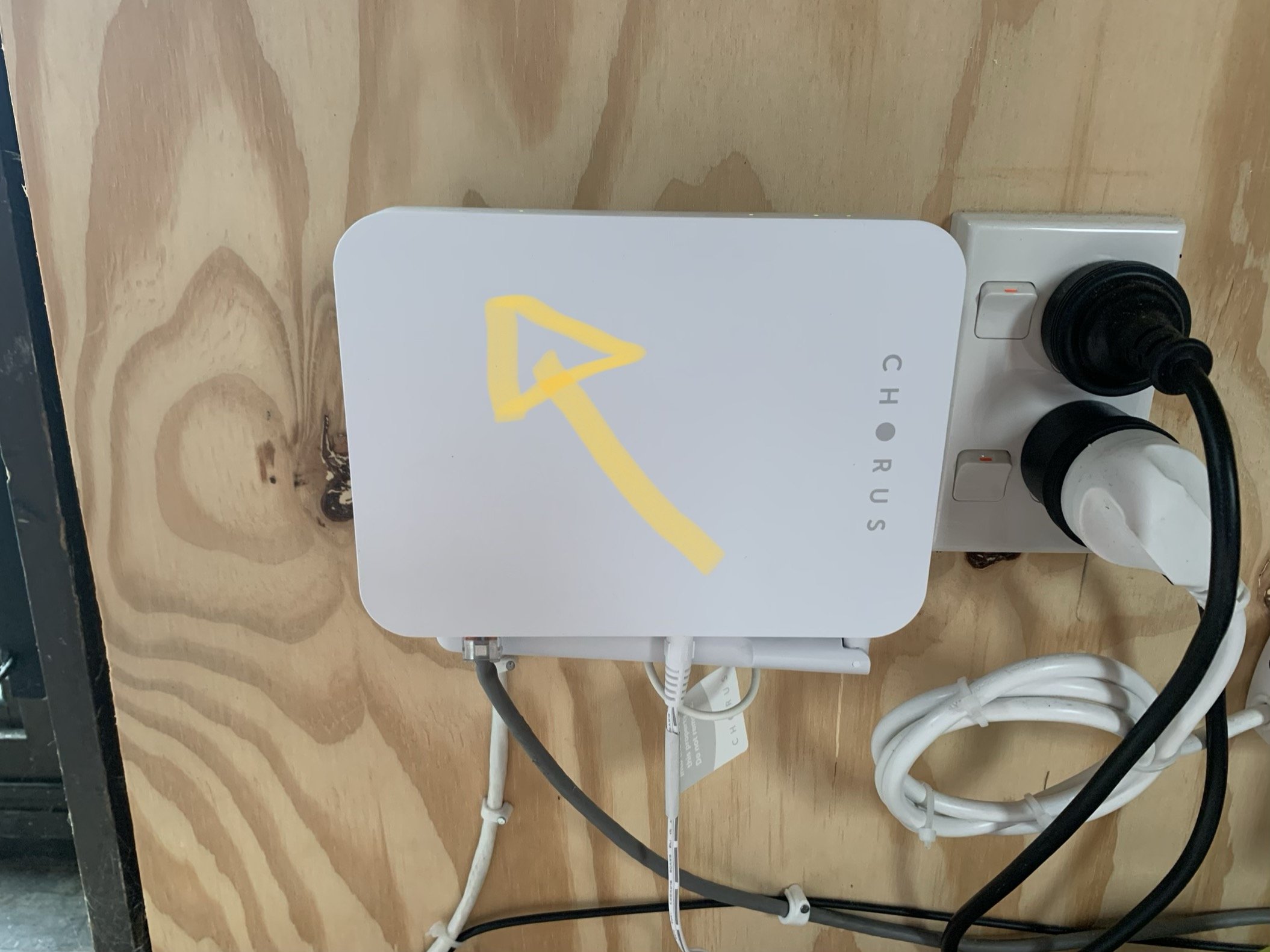
uh...  That 2nd gen sure looks fancy.


#include <std_disclaimer>


Any comments made are personal opinion and do not reflect directly on the position my current or past employers may have. 


michaelmurfy
meow
13664 posts

Uber Geek
+1 received by user: 11069

Moderator
ID Verified
Trusted
Lifetime subscriber

  #2586864 18-Oct-2020 01:13
Send private message

hio77:


uh...  That 2nd gen sure looks fancy.


Using my photo once again ;)


But yes - I mean "Third Gen" in my case (as per your photo). I believe this is a UDM Pro bug and not an ONT bug unless if it negotiates it's ethernet connection weirdly. I was not around long enough to test it.


Michael Murphy | https://murfy.nz
Referral Links: Quic Broadband (use R122101E7CV7Q for free setup)

Are you happy with what you get from Geekzone? Please consider supporting us by subscribing.
Opinions are my own and not the views of my employer.


hio77
'That VDSL Cat'
13044 posts

Uber Geek
+1 received by user: 3901

ID Verified
Trusted
Lizard Networks
Subscriber

  #2587072 18-Oct-2020 13:42
Send private message

michaelmurfy:


hio77:


uh...  That 2nd gen sure looks fancy.


Using my photo once again ;)


But yes - I mean "Third Gen" in my case (as per your photo). I believe this is a UDM Pro bug and not an ONT bug unless if it negotiates it's ethernet connection weirdly. I was not around long enough to test it.


the photo was picked out on purposed, at first i considered the one with your hand, but the arrow seemed more... pointed... ;)


#include <std_disclaimer>


Any comments made are personal opinion and do not reflect directly on the position my current or past employers may have. 


Shop now for Dell laptops and other devices (affiliate link).
gajan
311 posts

Ultimate Geek
+1 received by user: 226

Trusted
Spark NZ
Lifetime subscriber

  #2596515 2-Nov-2020 19:14
Send private message

The latest UDM Pro Beta seems to resolve this issue and need for 'fixed' speed/duplex settings (WAN can be set back to AUTO).


Looks like a couple of issues resolved that may be related :


  • Fix auto-negotiation settings to improve linkup.
  • Fix issue with WAN port not receiving packets after toggling its link state.
  • Fix PHY initialization sequence for the Switch.


My comments and remarks are not necessarily of my employer.


1 | 2 
Filter this topic showing only the reply marked as answer View this topic in a long page with up to 500 replies per page Create new topic


Geekzone Live »

Try automatic live updates from Geekzone directly in your browser, without refreshing the page, with Geekzone Live now.


Are you subscribed to our RSS feed? You can download the latest headlines and summaries from our stories directly to your computer or smartphone by using a feed reader.