RalphFromSnap:johnr: Hi Otagolad
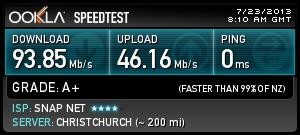
Forget about what speedtest.net shows for your location, This is not a Snap issue and 0ms is false it's not possible
Do you actually have a issue with your connection?
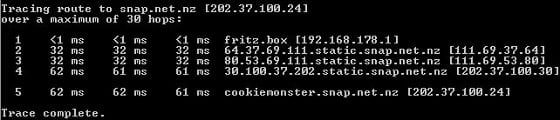
Speedtest.net is a guide line only do your own trace routes and ping tests
Yes johnr is quite right, location databases are really just best guess's for example most of Snap's customers will show as Christchurch as that is where our main IP Subnets are registered at APNIC, sites like Speedtest have no way at all of knowing your exact location - unless they had some sort of backend hook into our network, which they don't. The location listed in Speedtest and other Geo-site lookup's have absolutely no effect at all on your physical network.
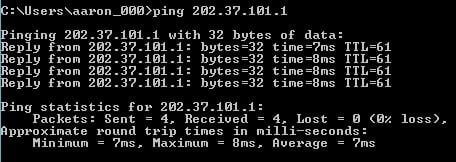
Can you do a ping test from a command prompt to 202.37.101.1 (our anycast DNS) which for most locations in NZ will return a server which is in the closest major centre.
Thanks,
Ralph
So here are my tests and my speedtest result (WJW - I manually select Christchurch as often it defaults to the North Canterbury server):


13ms seems way too long but maybe I'm expecting too much - you will also note, as previously mentioned, that the ping is the same through cmd and speedtest.