Geekzone: technology news, blogs, forums
Guest
Welcome Guest.
You haven't logged in yet. If you don't have an account you can register now.


View this topic in a long page with up to 500 replies per page Create new topic
1 | 2 | 3
quickymart
15005 posts

Uber Geek
+1 received by user: 14072

ID Verified

  #3475637 30-Mar-2026 15:43
Send private message quote this post

andyit:


Also just to clarify your first point — when you say 2degrees got VoLTE added into the profile as part of an update, do you mean 2degrees updated their network provisioning to include the Redmi Note 14, or that Xiaomi/Redmi pushed a firmware update to the handset that enabled it? That distinction is important because if it was a 2degrees provisioning decision for the Note 14 specifically, it raises the question of whether they'd do the same for older Redmi models like the Note 10 Pro — especially given Xiaomi typically only pushes firmware updates for 1-2 years after release.


It wouldn't be from 2degrees's side - and I can assure you it's not a "provisioning issue" on their end. The issue (by the sounds of it) is your handset doesn't have the correct profile for what you want it to do on 2degrees.


Of course, you're quite free to tinker with it (at your own risk) if you want to try and get everything going, but as Linux says don't expect 2degrees to assist you with a handset they didn't sell you - there are just too many variables.


andyit

13 posts

Geek
+1 received by user: 1


  #3475690 30-Mar-2026 17:27
Send private message quote this post

quickymart:


andyit:


Also just to clarify your first point — when you say 2degrees got VoLTE added into the profile as part of an update, do you mean 2degrees updated their network provisioning to include the Redmi Note 14, or that Xiaomi/Redmi pushed a firmware update to the handset that enabled it? That distinction is important because if it was a 2degrees provisioning decision for the Note 14 specifically, it raises the question of whether they'd do the same for older Redmi models like the Note 10 Pro — especially given Xiaomi typically only pushes firmware updates for 1-2 years after release.


It wouldn't be from 2degrees's side - and I can assure you it's not a "provisioning issue" on their end. The issue (by the sounds of it) is your handset doesn't have the correct profile for what you want it to do on 2degrees.


Of course, you're quite free to tinker with it (at your own risk) if you want to try and get everything going, but as Linux says don't expect 2degrees to assist you with a handset they didn't sell you - there are just too many variables.


I appreciate the input but I have to respectfully disagree based on actual evidence from my device rather than theory.


The carrier config on my handset shows carrier_wfc_ims_available_bool = false — this value is not hardcoded into the handset, it is dynamically set by 2degrees' own provisioning server when the device registers on their network. I know this because the same mechanism successfully provisioned VoLTE on my device — a function that also wasn't working until the network recognised my device's IMS capability.


Additionally another commenter in this thread has confirmed that 2degrees did get VoLTE added to the profile for the Redmi Note 14, suggesting 2degrees does actively manage device provisioning on their side.


I'm not disputing that 2degrees may choose not to support non-approved devices — that's a policy decision and entirely their right. But the technical claim that this is purely a handset profile issue and nothing to do with 2degrees' provisioning system is not supported by the evidence. The provisioning values are being set server side, not by the handset


hio77
'That VDSL Cat'
13036 posts

Uber Geek
+1 received by user: 3896

ID Verified
Trusted
Lizard Networks
Subscriber

  #3475713 30-Mar-2026 18:34
Send private message quote this post

andyit:


@hio77


This is really useful, thank you. A few questions if you don't mind:
- Was your Redmi Note 14 purchased from 2degrees or a third party?
- Which dialer code did you use to unlock VoWiFi — was it the same ##86583##* code that enabled VoLTE?*
- Did VoWiFi just start working immediately after the dialer code, or did you need to toggle any settings afterwards?
- Were you already on the 2degrees approved device list, or was this on a non-approved device?
The reason I ask is that I've already used ##86583##* which enabled VoLTE successfully, but VoWiFi still shows carrier_wfc_ims_available_bool = false in the carrier config.


I also tried ##869434## which disables carrier checking, enabled the VoWiFi toggle under SIM settings, and tested with airplane mode on and WiFi connected — but still get the error that I can't make calls. Trying to understand if there's a different code or additional step I'm missing that got VoWiFi actually registering on the network for you.


Also just to clarify your first point — when you say 2degrees got VoLTE added into the profile as part of an update, do you mean 2degrees updated their network provisioning to include the Redmi Note 14, or that Xiaomi/Redmi pushed a firmware update to the handset that enabled it? That distinction is important because if it was a 2degrees provisioning decision for the Note 14 specifically, it raises the question of whether they'd do the same for older Redmi models like the Note 10 Pro — especially given Xiaomi typically only pushes firmware updates for 1-2 years after release.


The device was from PB, 2D put out the update (via standard device updates) that pushed VoLTE profile out so no code was required there.


VoWiFi did not get pushed out, so the devices profile had to be bypassed for that with the dialer code 


*#*#869434#*#*


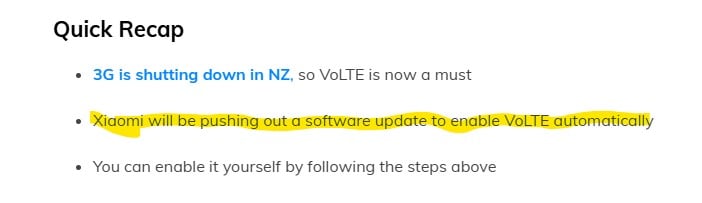
Here’s How to Enable VoLTE on Your Xiaomi Phone - 3G Network Shutdown | Hardwired


As to how 2D VoLTE got added, I dont have the link handy but i recall mention that 2D joined one of the many alliances that are out there to try to unify profiles. Highly likely that was how the profile got added.


#include <std_disclaimer>


Any comments made are personal opinion and do not reflect directly on the position my current or past employers may have. 


andyit

13 posts

Geek
+1 received by user: 1


  #3475725 30-Mar-2026 19:21
Send private message quote this post

@hio77


This is incredibly helpful, thank you.


So to summarise what I'm understanding: 2degrees pushed a VoLTE profile update through standard device updates for the Note 14, likely via an industry alliance agreement. VoWiFi however was NOT included in that update, and you had to use ##869434##* to bypass the device profile to enable it.*


This is really interesting because that's exactly the code I've already tried — I used ##869434##* to disable carrier checking, the VoWiFi toggle is enabled under SIM settings, but calls still fail with the airplane mode error. The carrier config still shows carrier_wfc_ims_available_bool = false.*


Two questions:


- After using ##869434##* did VoWiFi work immediately on your Note 14, or did you need a reboot or anything else?*


- Do you know if the dialer code worked because the Note 14 was already partially provisioned via the VoLTE profile update, and therefore the Note 10 Pro might need that base provisioning first before the bypass code can work?


That last point might explain why the same code works on your device but not mine.


MrGadget
211 posts

Master Geek
+1 received by user: 126

ID Verified
Lifetime subscriber

  #3475755 30-Mar-2026 21:24
Send private message quote this post

You only ever say you dialled the code - you do not suggest (in fact the opposite) that you followed the remainder of the instructions.  Did you?


Any comment made here is my own and should not be taken as that of my employer. 


hio77
'That VDSL Cat'
13036 posts

Uber Geek
+1 received by user: 3896

ID Verified
Trusted
Lizard Networks
Subscriber

  #3475758 30-Mar-2026 21:45
Send private message quote this post

andyit:


Two questions:


- After using ##869434##* did VoWiFi work immediately on your Note 14, or did you need a reboot or anything else?*


- Do you know if the dialer code worked because the Note 14 was already partially provisioned via the VoLTE profile update, and therefore the Note 10 Pro might need that base provisioning first before the bypass code can work?


That last point might explain why the same code works on your device but not mine.


I still had to tick to enable it, removing the check simply makes that visible as such. 


In my case I also set my device to prefer VoWiFi over VoLTE, Although with 3G shut down LTE is getting a bit better, so i may revert that. VoWiFi to VoLTE handover often has a few quirks...


It's worth remembering that VoWiFi essentially goes over a ipsec tunnel, on some networks it can actually be that part that stops VoWiFi from working.


Just a correction from that article too..


#include <std_disclaimer>


Any comments made are personal opinion and do not reflect directly on the position my current or past employers may have. 


Shop now at Mighty Ape (affiliate link).
andyit

13 posts

Geek
+1 received by user: 1


  #3475799 31-Mar-2026 07:01
Send private message quote this post

MrGadget:


You only ever say you dialled the code - you do not suggest (in fact the opposite) that you followed the remainder of the instructions.  Did you?


Yes I followed the PBtech website page instructions which actually matches what I found elsewhere. The voLTE code worked fine hence my phone working for 4G calls.


I then used the second code for VoWiFi which showed the pop up that VoWiFi carrier check disabled. This then enabled display of mahr calls via WiFi, which I enabled.


Then turned on airplane mode, tried making a call and got the error as described before.


It's easy to get lost in the details but the primary issue is this:


The carrier config on my handset shows carrier_wfc_ims_available_bool = false — this value is not hardcoded into the handset, it is dynamically set by 2degrees' own provisioning server when the device registers on their network. I know this because the same mechanism successfully provisioned VoLTE on my device — a function that also wasn't working until the network recognised my device's IMS capability.


andyit

13 posts

Geek
+1 received by user: 1


  #3475800 31-Mar-2026 07:04
Send private message quote this post

hio77:


andyit:


Two questions:


- After using ##869434##* did VoWiFi work immediately on your Note 14, or did you need a reboot or anything else?*


- Do you know if the dialer code worked because the Note 14 was already partially provisioned via the VoLTE profile update, and therefore the Note 10 Pro might need that base provisioning first before the bypass code can work?


That last point might explain why the same code works on your device but not mine.


I still had to tick to enable it, removing the check simply makes that visible as such. 


In my case I also set my device to prefer VoWiFi over VoLTE, Although with 3G shut down LTE is getting a bit better, so i may revert that. VoWiFi to VoLTE handover often has a few quirks...


It's worth remembering that VoWiFi essentially goes over a ipsec tunnel, on some networks it can actually be that part that stops VoWiFi from working.


Just a correction from that article too..


Thanks again, I really appreciate the information your giving it's very helpful to understand what's happening.


The IPsec tunnel point is interesting — are you suggesting that 2degrees may not have the VoWiFi IPsec gateway configured to accept connections from non-approved devices, even if the device side is fully enabled? That would explain why the dialer code worked on your Note 14 (which had base provisioning via the VoLTE profile update) but fails on my Note 10 Pro — the tunnel endpoint on 2degrees' side may simply reject the connection from an unrecognised device regardless of what the handset is doing.


If that's the case it would confirm this is absolutely a network side issue and not a handset profile issue as others have suggested.


On your setup — when you enabled VoWiFi with the dialer code, did you see a VoWiFi or WiFi Calling icon appear in your status bar when connected to WiFi? That would confirm the IPsec tunnel actually established successfully on your end. On my device no such icon appears, which suggests the tunnel is never even attempting to connect.


MaxineN
Max
2070 posts

Uber Geek
+1 received by user: 1681

ID Verified
Trusted
Subscriber

  #3475802 31-Mar-2026 07:17
Send private message quote this post

Did we leave the device off for 5 minutes and then turning it back on? Sequential bad registration attempts would cause a 401/403 to be returned to the UE.


Also is VoLTE enabled and working at the very least?


And is Wifi Calling preferred on the handset or is it VoLTE?


And is it really really up to date? 


Ramblings from a mysterious lady who's into tech. Warning I may often create zingers.


hio77
'That VDSL Cat'
13036 posts

Uber Geek
+1 received by user: 3896

ID Verified
Trusted
Lizard Networks
Subscriber

  #3475851 31-Mar-2026 09:13
Send private message quote this post

andyit:


Thanks again, I really appreciate the information your giving it's very helpful to understand what's happening.


The IPsec tunnel point is interesting — are you suggesting that 2degrees may not have the VoWiFi IPsec gateway configured to accept connections from non-approved devices, even if the device side is fully enabled? That would explain why the dialer code worked on your Note 14 (which had base provisioning via the VoLTE profile update) but fails on my Note 10 Pro — the tunnel endpoint on 2degrees' side may simply reject the connection from an unrecognised device regardless of what the handset is doing.


If that's the case it would confirm this is absolutely a network side issue and not a handset profile issue as others have suggested.


On your setup — when you enabled VoWiFi with the dialer code, did you see a VoWiFi or WiFi Calling icon appear in your status bar when connected to WiFi? That would confirm the IPsec tunnel actually established successfully on your end. On my device no such icon appears, which suggests the tunnel is never even attempting to connect.


VoWiFi tunnels follow a very standard spec, as far as the tunnel side is concerned that's probably the most universal part IMO.


The Wifi Calling icon only shows up if VoLTE is unavalible OR the device is set to prefer wifi calling AND the ipsec tunnel is up AND it's established a full connection into the IMS core over that tunnel.


As Max has pointed out there is a backoff mechanic that operates to avoid thrashing of authentication, Rapidly switching wireless networks for example can trigger this.


If i toggle my wifi off, VoLTE connection is re-established as confirmed by the VoLTE icon. when i toggle wifi back on, it takes about 1 min before the phone switches back to wifi calling.
in a pcap while this happens i can see the tunnel standing up and then traffic going across it.


#include <std_disclaimer>


Any comments made are personal opinion and do not reflect directly on the position my current or past employers may have. 


andyit

13 posts

Geek
+1 received by user: 1


  #3475920 31-Mar-2026 11:07
Send private message quote this post

hio77:


andyit:


Thanks again, I really appreciate the information your giving it's very helpful to understand what's happening.


The IPsec tunnel point is interesting — are you suggesting that 2degrees may not have the VoWiFi IPsec gateway configured to accept connections from non-approved devices, even if the device side is fully enabled? That would explain why the dialer code worked on your Note 14 (which had base provisioning via the VoLTE profile update) but fails on my Note 10 Pro — the tunnel endpoint on 2degrees' side may simply reject the connection from an unrecognised device regardless of what the handset is doing.


If that's the case it would confirm this is absolutely a network side issue and not a handset profile issue as others have suggested.


On your setup — when you enabled VoWiFi with the dialer code, did you see a VoWiFi or WiFi Calling icon appear in your status bar when connected to WiFi? That would confirm the IPsec tunnel actually established successfully on your end. On my device no such icon appears, which suggests the tunnel is never even attempting to connect.


VoWiFi tunnels follow a very standard spec, as far as the tunnel side is concerned that's probably the most universal part IMO.


The Wifi Calling icon only shows up if VoLTE is unavalible OR the device is set to prefer wifi calling AND the ipsec tunnel is up AND it's established a full connection into the IMS core over that tunnel.


As Max has pointed out there is a backoff mechanic that operates to avoid thrashing of authentication, Rapidly switching wireless networks for example can trigger this.


If i toggle my wifi off, VoLTE connection is re-established as confirmed by the VoLTE icon. when i toggle wifi back on, it takes about 1 min before the phone switches back to wifi calling.
in a pcap while this happens i can see the tunnel standing up and then traffic going across it.


Thanks again for the knowledgeable response, much appreciated.


The backoff mechanic is interesting — I haven't been rapidly switching networks but it's worth knowing about. My test method has been airplane mode on, WiFi on, then attempting a call which fails immediately with the error message. No prior network switching involved.


The key thing I'm taking from your reply is that on your device the IPsec tunnel visibly establishes in a pcap and traffic flows across it before the VoWiFi icon appears. On my device I'm seeing none of that — no icon, immediate call failure, suggesting the tunnel isn't even attempting to establish.


Given your pcap visibility — would you be able to tell from the traffic whether the tunnel initiation is coming from the device side or whether 2degrees' IPsec gateway is responding at all? That would confirm definitively whether the block is on the device side failing to initiate, or 2degrees' gateway rejecting the connection from an unrecognised device.


I'm increasingly convinced it's the latter given the carrier_wfc_ims_available_bool = false in my carrier config, but a pcap showing a gateway rejection would be definitive proof.


Shop on-line at New World now for your groceries (affiliate link).
aj6828
180 posts

Master Geek
+1 received by user: 50

ID Verified
Trusted

  #3477782 3-Apr-2026 22:11
Send private message quote this post

im on the same boat as you on a honor 400 pro .. works fine on other networks not 2d.. tried Pixel IMS and Shizuku patch etc 


Exclusive for Geekzone Members!
Dynamic IP & Bring Your Own Device Hyperfibre & Fibre plans & NO Contracts with Hyperline.co.nz powered by ASN 9790 Network


Chrous areas only HYPERLINE.co.nz  


andyit

13 posts

Geek
+1 received by user: 1


  #3477793 4-Apr-2026 07:13
Send private message quote this post

aj6828:


im on the same boat as you on a honor 400 pro .. works fine on other networks not 2d.. tried Pixel IMS and Shizuku patch etc 


That's interesting. So exact same phone and sim work on other networks than 2D or is it same phone different sims?


I'm discussing this with someone from 2D in the background so will what we find.


MrGadget
211 posts

Master Geek
+1 received by user: 126

ID Verified
Lifetime subscriber

  #3477829 4-Apr-2026 10:46
Send private message quote this post

aj6828:


im on the same boat as you on a honor 400 pro .. works fine on other networks not 2d.. tried Pixel IMS and Shizuku patch etc 


Other networks that still have not closed down their 3G networks by chance?


Any comment made here is my own and should not be taken as that of my employer. 


MaxineN
Max
2070 posts

Uber Geek
+1 received by user: 1681

ID Verified
Trusted
Subscriber

  #3477851 4-Apr-2026 11:05
Send private message quote this post

MrGadget:


aj6828:


im on the same boat as you on a honor 400 pro .. works fine on other networks not 2d.. tried Pixel IMS and Shizuku patch etc 


Other networks that still have not closed down their 3G networks by chance?


Uhh...


There is no 3G network anymore. And no 2G network as well.


So they would have working VoLTE configurations. 2D is the exception here supposedly.


Ramblings from a mysterious lady who's into tech. Warning I may often create zingers.


1 | 2 | 3
View this topic in a long page with up to 500 replies per page Create new topic


Geekzone Live »

Try automatic live updates from Geekzone directly in your browser, without refreshing the page, with Geekzone Live now.


Are you subscribed to our RSS feed? You can download the latest headlines and summaries from our stories directly to your computer or smartphone by using a feed reader.