Geekzone: technology news, blogs, forums
Guest
Welcome Guest.
You haven't logged in yet. If you don't have an account you can register now.


MurrayM

2503 posts

Uber Geek
+1 received by user: 743

ID Verified
Trusted
Lifetime subscriber

#312431 16-Apr-2024 09:45
Send private message

I'm trying to clean up my email set-up to ensure that I'm meeting best practises. Some background:


For years I've used the Gmail for my email (the free version, not GSuite or Workspace or whatever it's called today), I signed up pretty much right from the very start when you had to get an invite to join. I have my own domain name and therefore like to send / receive via name@domain.co.nz. Back in the early days of Gmail they allowed people to set up any From address that they liked, so I set up my From address in Gmail to be name@domain.co.nz and then set up mail forwarding at my web hosting company to forward all email that came to name@domain.co.nz on to my Gmail address. This set-up has worked fine for years.


Most of my sending of email is done via the Gmail website or Gmail app on my phone, I don't use an email client on my desktop. My website has a contact form that sends email to me (eg it uses my web host's mail server to send these emails) and my desktop PC at home is also set up to send some stuff to me (eg cron job reports) which it does by using mSMTP and sending to smtp.gmail.com.


I have an SPF record set up that looks like this: v=spf1 ip4:103.121.35.30 ip4:103.121.34.8 +a +mx +include:_spf.google.com +include:spf.mailrelay.prodigi.nz ~all


As you can see I've included Google and my web host (Prodigi), the rest was created by cPanel.


I have a DMARC record set up that looks like this: v=DMARC1; p=none


cPanel also automatically set up a DKIM record for me.


My understanding of DKIM is that the there's a public key (in the DKIM DNS record) and a private key. The private key is used by the sending SMTP server to sign the email, and therefore the sending SMTP server has to have the private key. This is fine for my web host, they have the private key (I can see it in cPanel) and therefore any emails sent via my website should be automatically signed.


And now we come to my question: how do I give my private key to Gmail so it can sign outgoing emails?


I've found plenty of articles explaining how to set up DKIM within Google Workspace, but they're no good to me as I don't use Workspace. I can't see anywhere in the free version of Gmail where you can set this up.


I did find one article that provides a work-around: https://www.kavalier.tv/blog/send-e-mail-from-gmail-with-your-personal-domain-without-g-suite Their solution is you set Gmail up to send all outgoing email via your web host's SMTP server. I guess this would work, but it seems weird to me that the free version of Gmail doesn't allow you to set up DKIM within it. Maybe they don't want people using their own domain name with the free version of Gmail?


Filter this topic showing only the reply marked as answer Create new topic
fearandloathing
538 posts

Ultimate Geek
+1 received by user: 207

ID Verified
Lifetime subscriber

  #3219023 16-Apr-2024 10:07
Send private message

You don’t share dkim private keys between ‘email servers’’. Each forwarding ‘email server’ should have a unique dkim signing key, so a delivered email could be signed with multiple dkim keys.

It’s probably time to look at how you send email. Additionally using an email forwarder to Gmail, Gmail is more than likely rejecting messages due to failing dmarc.


muppet
2649 posts

Uber Geek
+1 received by user: 1672

Trusted

  #3219071 16-Apr-2024 12:22
Send private message

"Maybe they don't want people using their own domain name with the free version of Gmail?"


Pretty sure that's the answer right there.  Can you even set this up anymore?  I know you used to be able to and I think it's grandfathered in, but you can't do it for new acounts anymore (can you?)


MurrayM

2503 posts

Uber Geek
+1 received by user: 743

ID Verified
Trusted
Lifetime subscriber

  #3219082 16-Apr-2024 12:43
Send private message

muppet:


"Maybe they don't want people using their own domain name with the free version of Gmail?"


Pretty sure that's the answer right there.  Can you even set this up anymore?  I know you used to be able to and I think it's grandfathered in, but you can't do it for new acounts anymore (can you?)


You're right, I'm pretty sure you can't do this any more and the only reason I'm able to is that they allowed accounts that previously had this set up to keep using it (grandfathered in, as you said).


I've had a quick look at migrating to Google Workspace, but this doesn't appear to be simple. My understanding is that I have to set up a Workspace account and then migrate my old messages from my Gmail account to a user in my Workspace account, and that it can't import contacts, etc. I'm pretty well entrenched in the whole free Google ecosystem, with contacts, docs, photos, etc all set up; moving all of this to Workspace looks like a big job. There's also things like my phone, Chromecast, Google Home, etc all set up under my free Google account.


nztim
4023 posts

Uber Geek
+1 received by user: 2724

ID Verified
Trusted
TEAMnetwork
Subscriber

  #3219092 16-Apr-2024 13:32
Send private message

with dmarc/dkim/spf you can no longer forward as the outgoing mailserver (your hosting provider) is sending messages from a domain that authprised to send from (and cannot sign for that domain as the records are specific to a domain)


long and short of it for 6$ for an exchange online P1 I would move my email there and put the whole situation to bed.


Auto forwarding days are done and dusted


Any views expressed on these forums are my own and don't necessarily reflect those of my employer. 


ANglEAUT
altered-ego
2436 posts

Uber Geek
+1 received by user: 842

Trusted
Lifetime subscriber

  #3219094 16-Apr-2024 13:48
Send private message

MurrayM: ... For years I've used the Gmail for my email (the free version, not GSuite or Workspace or whatever it's called today), I signed up pretty much right from the very start when you had to get an invite to join. I have my own domain name and therefore like to send / receive via name@domain.co.nz. ...


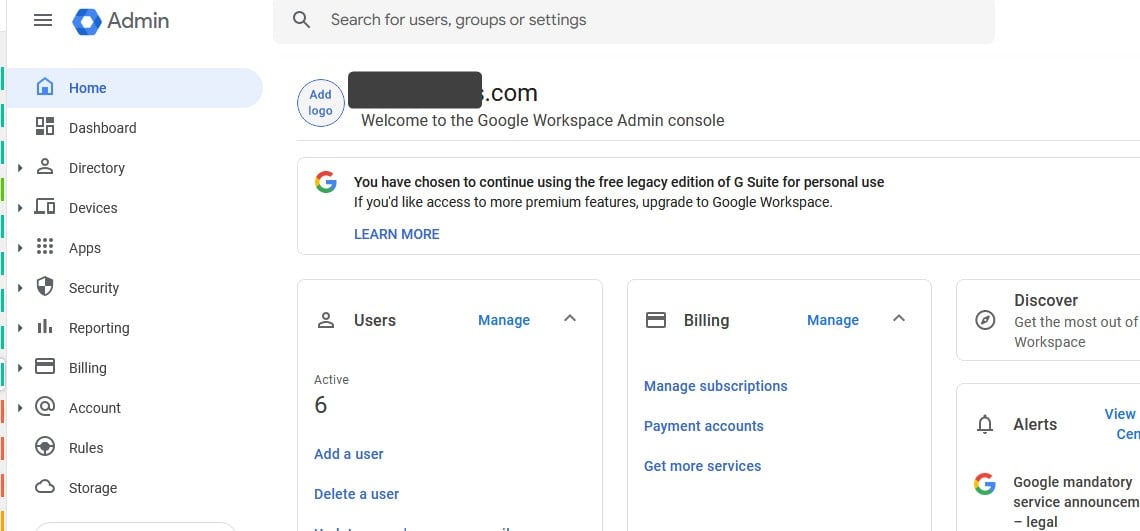
Do you have any Google account that can browse to https://admin.google.com/ ? If you have an account that can access that console, then you have a Google Workspace account, even if it is the old free version of GSuite that is now limited to 10 accounts.


Admittedly, the way you describe your situation, this is now what you have.


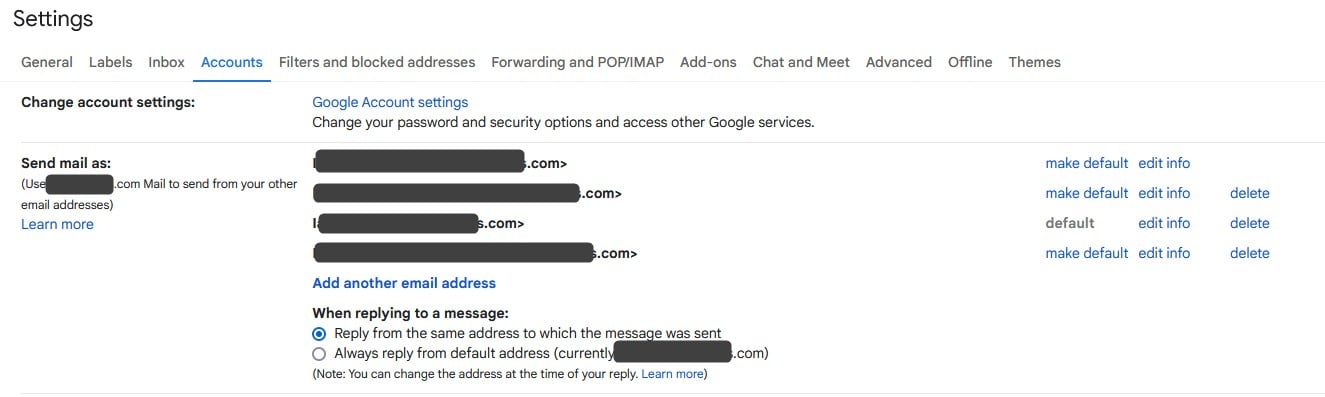
If you go into your Gmail settings, under the Accounts tab you can set a default "Send mail as" email address. If you are already receiving emails sent to name@domain.co.nz, then it should be as easy as adding the address here, verifying it & then setting it as the default.


Please keep this GZ community vibrant by contributing in a constructive & respectful manner.


danfaulknor
975 posts

Ultimate Geek
+1 received by user: 536

Trusted
Prodigi
Subscriber

  #3219095 16-Apr-2024 13:48
Send private message

nztim:


with dmarc/dkim/spf you can no longer forward as the outgoing mailserver (your hosting provider) is sending messages from a domain that authprised to send from (and cannot sign for that domain as the records are specific to a domain)


long and short of it for 6$ for an exchange online P1 I would move my email there and put the whole situation to bed.


Auto forwarding days are done and dusted


While I totally agree that 365 is the way to go these days, our servers are configured for Sender Rewriting Scheme which enables mail forwarding to work most of the time without just dumping to spam.


they/them


Prodigi - Optimised IT Solutions
WebOps/DevOps, Managed IT, Hosting and Internet/WAN.


Shop now for Lego sets and other gifts (affiliate link).
MurrayM

2503 posts

Uber Geek
+1 received by user: 743

ID Verified
Trusted
Lifetime subscriber

  #3219097 16-Apr-2024 14:03
Send private message

ANglEAUT:


Do you have any Google account that can browse to https://admin.google.com/ ? If you have an account that can access that console, then you have a Google Workspace account, even if it is the old free version of GSuite that is now limited to 10 accounts.


Unfortunately not. When I try to access that URL I get told to sign in as an administrator.


However as a bit of a test I've told Gmail to use my web host's SMTP server for sending messages and now I'm sending messages with a DKIM header and the spam test sites (eg mail-tester.com) are now reporting they're happy with my emails.


MurrayM

2503 posts

Uber Geek
+1 received by user: 743

ID Verified
Trusted
Lifetime subscriber

  #3219100 16-Apr-2024 14:07
Send private message

danfaulknor:


While I totally agree that 365 is the way to go these days, our servers are configured for Sender Rewriting Scheme which enables mail forwarding to work most of the time without just dumping to spam.


Thanks for chipping in here Dan. I don't think I've ever had anyone tell me in the last couple of years that they sent me an email and I didn't receive it, so looks like your servers are forwarding nicely. Good to know!


nztim
4023 posts

Uber Geek
+1 received by user: 2724

ID Verified
Trusted
TEAMnetwork
Subscriber

  #3219138 16-Apr-2024 15:54
Send private message

danfaulknor:


While I totally agree that 365 is the way to go these days, our servers are configured for Sender Rewriting Scheme which enables mail forwarding to work most of the time without just dumping to spam.


That will get round SPF but if the dmarc record is set for hard bounce in the originators domain it won't.


and no dmarc record will soon be an automatic junk for google/yahoo soon.


Any views expressed on these forums are my own and don't necessarily reflect those of my employer. 


SirHumphreyAppleby
2943 posts

Uber Geek
+1 received by user: 1866


  #3219198 16-Apr-2024 17:30
Send private message

fearandloathing: You don’t share dkim private keys between ‘email servers’’. Each forwarding ‘email server’ should have a unique dkim signing key, so a delivered email could be signed with multiple dkim keys.


On a related note. If you do use a third party for relaying e-mail, very few allow you to do so without using their DKIM and SPF records. Some form of SPF entry is required, but if you want to maintain control over keys that can sign on behalf of your domain (and you should), then there are very few options out there that don't force you to hand over the keys to your domain (create keys for you). If you need VERP support, there are even fewer options.


Most services are now geared towards e-mail APIs, where they must sign on your behalf because it's the constructed e-mail that gets signed. SMTP relay services seems to be an afterthought.


Filter this topic showing only the reply marked as answer Create new topic


Geekzone Live »

Try automatic live updates from Geekzone directly in your browser, without refreshing the page, with Geekzone Live now.


Are you subscribed to our RSS feed? You can download the latest headlines and summaries from our stories directly to your computer or smartphone by using a feed reader.