Geekzone: technology news, blogs, forums
Guest
Welcome Guest.
You haven't logged in yet. If you don't have an account you can register now.


View this topic in a long page with up to 500 replies per page Create new topic
1 | 2 | 3 | 4 | 5 | 6 | 7 | 8
lchiu7
6521 posts

Uber Geek
+1 received by user: 543

Trusted

  #2391170 13-Jan-2020 19:04
Send private message

muppet:


I know it's working because Do Not Distrub turns on.


I don't have those bottom two settings on Android Auto.


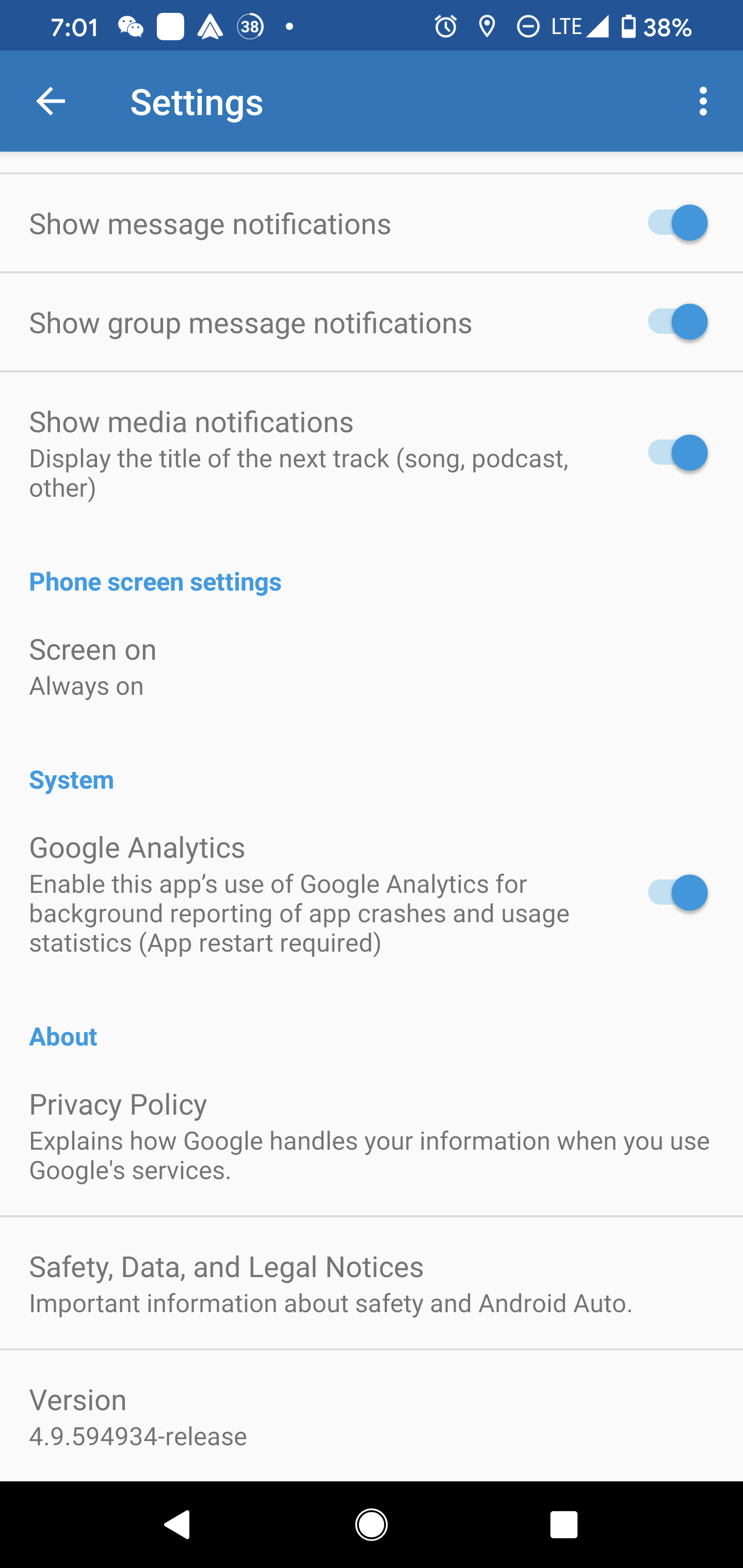
Okay I got driving mode to work because the do not disturb icon comes up. But Android Auto still doesn't start for me. I am using this version


Note it does seem to take a long time for the do not disturb to turn off once driving is complete


Staying in Wellington. Check out my AirBnB in the Wellington CBD.  https://www.airbnb.co.nz/h/wellycbd  PM me and mention GZ to get a 15% discount and no AirBnB charges.


GoogleGeek88
124 posts

Master Geek
+1 received by user: 51


  #2391289 13-Jan-2020 20:52
Send private message

I just have the AA icon on my home screen and I start it when I put the phone in the wireless charging mount.

Or you could set up a shortcut for Assistant to start AA.

lchiu7
6521 posts

Uber Geek
+1 received by user: 543

Trusted

  #2391415 13-Jan-2020 22:23
Send private message

GoogleGeek88: I just have the AA icon on my home screen and I start it when I put the phone in the wireless charging mount.

Or you could set up a shortcut for Assistant to start AA.


I can do that but what AA can do is startup automatically when the phone connects to BT and/or Driving Mode is detected. Starting when connected to BT is what used to happen on my previous phone but it appears to be partially broken on the Pixel 4, based on numerous posts in the AA support forum and on Reddit.


It's this option in AA


Click to see full size


Staying in Wellington. Check out my AirBnB in the Wellington CBD.  https://www.airbnb.co.nz/h/wellycbd  PM me and mention GZ to get a 15% discount and no AirBnB charges.


matisyahu
1639 posts

Uber Geek
+1 received by user: 355

Trusted

  #2407665 27-Jan-2020 17:12
Send private message

My Pixel 4 XL has finally arrived after being in customs for a month - everything is working perfectly; got my custom domain email sorted out, phone all setup; receiving and sending texts/phone calls all working perfectly. Disappointing that one is required to order it from overseas but I'm happy now that I have it.


"When the people are being beaten with a stick, they are not much happier if it is called 'the People's Stick'"


lchiu7
6521 posts

Uber Geek
+1 received by user: 543

Trusted

  #2411037 1-Feb-2020 10:06
Send private message

There don't appear to be many Pixel 4 users on this forum. Out of interest do you use Android Auto? And if so would you be able to check to see if you have a Bluetooth enabled head unit does connecting the phone to that head unit over Bluetooth automatically start up driving mode and or Android Auto? 


This is something I cannot get working at all on my Pixel 4 XL

Thanks


Staying in Wellington. Check out my AirBnB in the Wellington CBD.  https://www.airbnb.co.nz/h/wellycbd  PM me and mention GZ to get a 15% discount and no AirBnB charges.


lchiu7
6521 posts

Uber Geek
+1 received by user: 543

Trusted

  #2422200 17-Feb-2020 08:47
Send private message

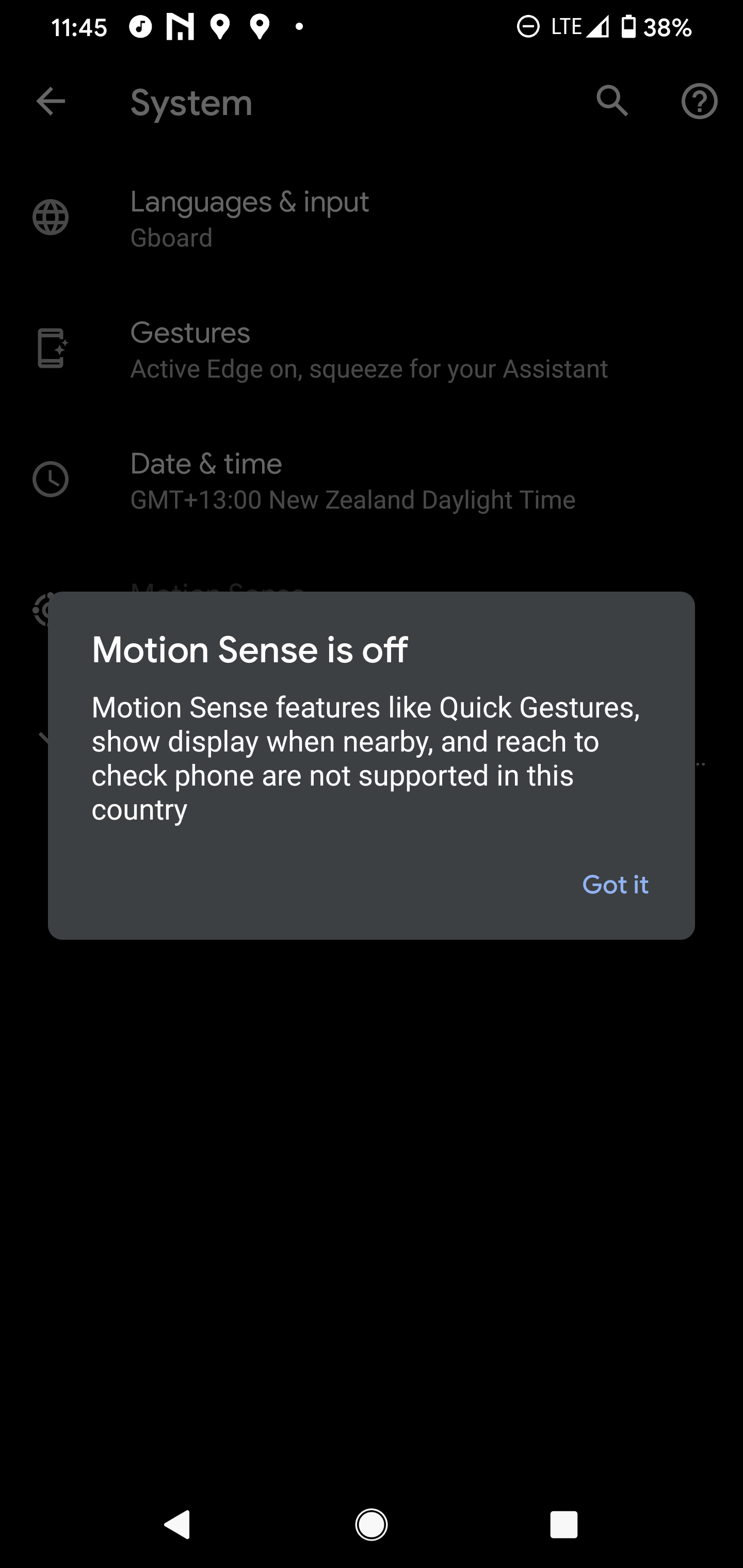
Just returned from a quick trip to Australia. Since Soli is supported in Australia I turned it on and tried out its features.

Didn't seem to be anything earth-shattering. It was interesting being able to wave my hand to stop and start playing tracks using a media player and face unlock appeared to be a bit faster because it unlocked the phone camera as soon as I got near the phone itself but hardly earth-shattering.

Plus I was able to do Google play on my watch without a hack.

Interestingly when I landed in New Zealand and turned on the phone again I received the following alert.


Staying in Wellington. Check out my AirBnB in the Wellington CBD.  https://www.airbnb.co.nz/h/wellycbd  PM me and mention GZ to get a 15% discount and no AirBnB charges.


Want to support Geekzone and browse the site without the ads? Subscribe to Geekzone now (monthly, annual and lifetime options).
muppet
2642 posts

Uber Geek
+1 received by user: 1660

Trusted

  #2422202 17-Feb-2020 09:07
Send private message

Yea I had Soli when I bought the phone in Australia for about a week, and got the same message in NZ.


I really don't miss it at all, Face Unlock is still super fast and I have only a few times wished I could wave at it.


A great idea.  I do wonder if in one of these "Feature Drops" they'll do something to make it much more exciting, then I'll wish I had it.


But I can't fathom what it'd do that I'd want.


My biggest gripe at the moment is that something has changed so that "Ok Google" stops working after about 3-4 hours.  You have to "wake it up" with a squeeze, or pressing the assistant button.  Then it works again for another 3-4 hours before stopping again.  It's affecting a lot of other people too, so it's not just me.  People have all sorts of dumb suggestions (that don't work) to fix it, mostly around the "battery saving" feature of the phone.  But my old Pixel 1 has never required any app/battery tweaks and it'll respond 24/7.


Hopefully it can be ironed out, because I *do* use "Ok Google, skip this song" quite a bit while cooking.


lchiu7
6521 posts

Uber Geek
+1 received by user: 543

Trusted

  #2435548 10-Mar-2020 11:22
Send private message

There's been a new feature drop for the Pixel phones. Be

https://support.google.com/pixelphone/thread/32077388?hl=en

I can see why NZ isn't in the group for crash protection but why we don't get Google Pay shortcut on the power menu is strange when Google Pay is supported here on phones.


Staying in Wellington. Check out my AirBnB in the Wellington CBD.  https://www.airbnb.co.nz/h/wellycbd  PM me and mention GZ to get a 15% discount and no AirBnB charges.


muppet
2642 posts

Uber Geek
+1 received by user: 1660

Trusted

  #2435579 10-Mar-2020 12:48
Send private message

lchiu7: There's been a new feature drop for the Pixel phones. Be

https://support.google.com/pixelphone/thread/32077388?hl=en

I can see why NZ isn't in the group for crash protection but why we don't get Google Pay shortcut on the power menu is strange when Google Pay is supported here on phones.


Yup. Typical stupid Google.  I can't fathom why we don't get access to a convenience feature.


ShinyChrome

1603 posts

Uber Geek
+1 received by user: 686

ID Verified
Trusted

  #2436622 12-Mar-2020 08:56
Send private message

Apologies if it has been mentioned before, but MightyApe is retailing the Pixel 4 and XL phones now.


I'm gonna say they are parallel imported, but at least you would have a NZ based warranty with a reputable company.


GoogleGeek88
124 posts

Master Geek
+1 received by user: 51


  #2436783 12-Mar-2020 13:02
Send private message

Well that's rather good news for people who want one!

No buggering around with overseas shipping etc.


Shop on-line at New World now for your groceries (affiliate link).
GoogleGeek88
124 posts

Master Geek
+1 received by user: 51


  #2475826 3-May-2020 15:08
Send private message

For anyone wanting to purchase from the Australian Google Store, I am currently using ausff.com.au as a freight forwarder for a Pixel Stand in order to use up my $150 store credit from buying my Pixel 4XL (since the buds aren't out in Aus and it expired on 30 April). So far so good, Google shipped my item no problem and I have paid my 30 aussie bucks for shipping to NZ with tracking.


Hopefully the process on this side of the border goes just as smoothly!


ashnizzle
196 posts

Master Geek
+1 received by user: 6


  #2487252 20-May-2020 16:13
Send private message

GoogleGeek88:


For anyone wanting to purchase from the Australian Google Store, I am currently using ausff.com.au as a freight forwarder for a Pixel Stand in order to use up my $150 store credit from buying my Pixel 4XL (since the buds aren't out in Aus and it expired on 30 April). So far so good, Google shipped my item no problem and I have paid my 30 aussie bucks for shipping to NZ with tracking.


Hopefully the process on this side of the border goes just as smoothly!


how was your experience with ausff go? I see they do have an option where they remove invoice? just wanting to see if you get pinged with GST as well. looking at getting some items from Uniqlo. sucks they don't ship to NZ anymore :( 


GoogleGeek88
124 posts

Master Geek
+1 received by user: 51


  #2488812 21-May-2020 16:32
Send private message

It went well! They shipped it without any fuss and I didn't get pinged for GST when it passed through the border.

I was actually surprised how easy it was, and better than youshop.

Of course, the value was $120 Australian so not exactly drawing a lot of attention!

OVER
111 posts

Master Geek
+1 received by user: 21


  #2492653 27-May-2020 11:09
Send private message

Anyone having issues with their Pixel 4 XL? Mine has a battery fault where it displays the battery percentage at 50%, no matter what level of battery the phone actually has. It's well documented on XDA, Reddit and Google forums and seems to be an unfixable battery related hardware problem. People report getting replacement refurb units, with some of those also developing the same fault.


I bought mine from JB Hi-fi AU and JB Hi-fi NZ are helping me out with a refund, but now I'm not sure whether to swing for another Pixel 4 and risk the same problem. Trouble is, what else would I get that comes close to the Pixel 4's experience? The phone market in NZ is pretty terrible.


1 | 2 | 3 | 4 | 5 | 6 | 7 | 8
View this topic in a long page with up to 500 replies per page Create new topic


Geekzone Live »

Try automatic live updates from Geekzone directly in your browser, without refreshing the page, with Geekzone Live now.


Are you subscribed to our RSS feed? You can download the latest headlines and summaries from our stories directly to your computer or smartphone by using a feed reader.