Geekzone: technology news, blogs, forums
Guest
Welcome Guest.
You haven't logged in yet. If you don't have an account you can register now.


ubernoob

576 posts

Ultimate Geek
+1 received by user: 84

Trusted
Lifetime subscriber

#272609 5-Jul-2020 11:46
Send private message

As subject, but still works with speakers and headphones

Sony Xperia Z5 Android 7.1.1

Tried turning it off and back on again

Any other suggestions welcome

Filter this topic showing only the reply marked as answer Create new topic
freitasm
BDFL - Memuneh
80652 posts

Uber Geek
+1 received by user: 41035

Administrator
ID Verified
Trusted
Geekzone
Lifetime subscriber

  #2517537 5-Jul-2020 13:49
Send private message

Perhaps check if the default payment option is correct?


Referral links: Quic Broadband (free setup code: R587125ERQ6VE) | Samsung | AliExpress | Wise | Sharesies 


Support Geekzone by subscribing (browse ads-free), or making a one-off or recurring donation through PressPatron.



freitasm
BDFL - Memuneh
80652 posts

Uber Geek
+1 received by user: 41035

Administrator
ID Verified
Trusted
Geekzone
Lifetime subscriber

  #2517539 5-Jul-2020 13:50
Send private message


Referral links: Quic Broadband (free setup code: R587125ERQ6VE) | Samsung | AliExpress | Wise | Sharesies 


Support Geekzone by subscribing (browse ads-free), or making a one-off or recurring donation through PressPatron.


muppet
2642 posts

Uber Geek
+1 received by user: 1660

Trusted

  #2517545 5-Jul-2020 14:09
Send private message

Is the phone rooted?


There's been recent changes to Google Play Services so that phones, even those hacked with Magisk, can be "found" out that they're rooted and refuse to do payments.


freitasm
BDFL - Memuneh
80652 posts

Uber Geek
+1 received by user: 41035

Administrator
ID Verified
Trusted
Geekzone
Lifetime subscriber

  #2517577 5-Jul-2020 15:43
Send private message

In these cases, it would show an error message when trying to pay. You can install Safetynet Attest to check it.


Referral links: Quic Broadband (free setup code: R587125ERQ6VE) | Samsung | AliExpress | Wise | Sharesies 


Support Geekzone by subscribing (browse ads-free), or making a one-off or recurring donation through PressPatron.


ubernoob

576 posts

Ultimate Geek
+1 received by user: 84

Trusted
Lifetime subscriber

  #2518841 8-Jul-2020 06:19
Send private message

Thanks all
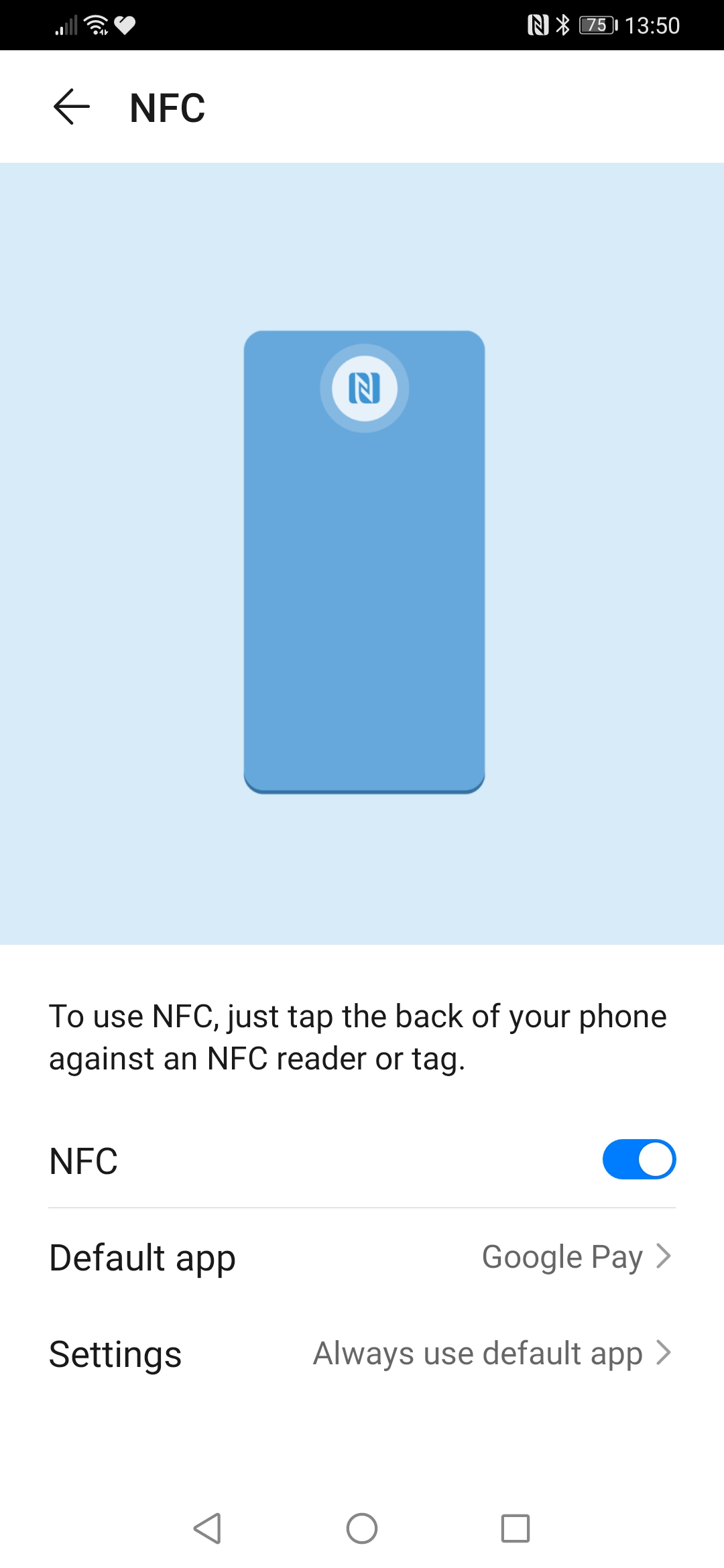
Default set, NFC on, screen active.

No error message, no vibration, no nothing.
Just doesn't seem to register anymore.


sbiddle
30853 posts

Uber Geek
+1 received by user: 9996

Retired Mod
Trusted
Biddle Corp
Lifetime subscriber

  #2518895 8-Jul-2020 08:31
Send private message

Is NFC itself actually working? You can test this just by trying to read a card.


Shop now for Lego sets and other gifts (affiliate link).
jamesrt
1663 posts

Uber Geek
+1 received by user: 941

ID Verified
Trusted
Lifetime subscriber

  #2518926 8-Jul-2020 08:52
Send private message

What does the Google Pay app have to say about installed cards?


Oblivian
7345 posts

Uber Geek
+1 received by user: 2117

ID Verified

  #2518930 8-Jul-2020 08:56
Send private message

^^


Get a NFC reader app and tap your credit card.


The other trick to resetting was to show system apps in the apps manager and flush the cache and reboot. BT/NFC combos Use to get hung up on older OS versions. Not sure if it is still a thing with NFC now.


Or if it is one like my old S3, the NFC was in the battery and could die independently.


ubernoob

576 posts

Ultimate Geek
+1 received by user: 84

Trusted
Lifetime subscriber

  #2519869 9-Jul-2020 10:25
Send private message

sbiddle:

Is NFC itself actually working? You can test this just by trying to read a card.


I assume so, just tried to read my work swipe card and it came up with "card read error" and it connects to speakers with NFC

ubernoob

576 posts

Ultimate Geek
+1 received by user: 84

Trusted
Lifetime subscriber

  #2519874 9-Jul-2020 10:27
Send private message

jamesrt:

What does the Google Pay app have to say about installed cards?


Default card ASB Visa

ubernoob

576 posts

Ultimate Geek
+1 received by user: 84

Trusted
Lifetime subscriber

  #2519876 9-Jul-2020 10:29
Send private message

Oblivian:

^^


Get a NFC reader app and tap your credit card.


The other trick to resetting was to show system apps in the apps manager and flush the cache and reboot. BT/NFC combos Use to get hung up on older OS versions. Not sure if it is still a thing with NFC now.


Or if it is one like my old S3, the NFC was in the battery and could die independently.


Thanks will give clear cache a go. Should have thought of that myself


Shop on-line at New World now for your groceries (affiliate link).
jamesrt
1663 posts

Uber Geek
+1 received by user: 941

ID Verified
Trusted
Lifetime subscriber

  #2519888 9-Jul-2020 10:48
Send private message

ubernoob:
jamesrt:


What does the Google Pay app have to say about installed cards?


Default card ASB Visa


I'm assuming it also had the contactless/paywave symbol ?


Also, any chance you've blocked the card via the ASB app?  I think the app has a "lost card" or "hold" function, from memory (don't have an ASB paywave card myself).


ubernoob

576 posts

Ultimate Geek
+1 received by user: 84

Trusted
Lifetime subscriber

  #2520307 9-Jul-2020 19:43
Send private message

Ah ha I had left my card in an ATM and when I went back of course it was gone so I blocked the card with my phone.
Luckily the machine took the card in and as it was in the foyer of a bank I could get it back.
Maybe when I unlocked the card it hasn't unlocked the electronic version
I'll check with the bank

Thanks alot

ubernoob

576 posts

Ultimate Geek
+1 received by user: 84

Trusted
Lifetime subscriber

  #2521680 13-Jul-2020 09:30
Send private message

Thanks all
Uninstall and reinstall app
Now working again

Filter this topic showing only the reply marked as answer Create new topic


Geekzone Live »

Try automatic live updates from Geekzone directly in your browser, without refreshing the page, with Geekzone Live now.


Are you subscribed to our RSS feed? You can download the latest headlines and summaries from our stories directly to your computer or smartphone by using a feed reader.