Geekzone: technology news, blogs, forums
Guest
Welcome Guest.
You haven't logged in yet. If you don't have an account you can register now.


Aitchy

55 posts

Master Geek
+1 received by user: 4


#311285 2-Jan-2024 17:06
Send private message

My mum’s beloved TiVo is showing a successful connection and updating when I unplugged it and plugged it back in, but when we go to find programs it is saying there is no program data. It then displays an orange light and the background to the menu screens goes pink and she cannot use her remote to scroll. Is her TiVo dying or is there a fix? I’ve had it unplugged for the last couple of days, yet to retry it after that as I haven’t been back to her place, but just wanted to see if this was a known issue at all. Thanks



Create new topic
Spong
1016 posts

Uber Geek
+1 received by user: 341

Trusted

  #3177162 2-Jan-2024 18:14
Send private message

I don't see this as being a common problem. When you say a "successful connection" have you actually manually gone to the network menu, then connected and monitored each stage of the EPG connection and download? What happens?  Are you confident that it's still connected to your WiFi or ethernet network? Haven't seen a pink background before? Things don't sound good overall. 


Tivo upgrades to operate with the new OzTivo EPG, support and service. Over 400 performed here so far. See: www.hillcrest.net.nz


Aitchy

55 posts

Master Geek
+1 received by user: 4


  #3177188 2-Jan-2024 19:37
Send private message

Spong:


I don't see this as being a common problem. When you say a "successful connection" have you actually manually gone to the network menu, then connected and monitored each stage of the EPG connection and download? What happens?  Are you confident that it's still connected to your WiFi or ethernet network? Haven't seen a pink background before? Things don't sound good overall. 


Yes, I watched each step of the connection and observed it downloading to 100% - Mum said it hadn’t been working for a couple of weeks so I assume there was a lot of data as it took some time. 


Spong
1016 posts

Uber Geek
+1 received by user: 341

Trusted

  #3177201 2-Jan-2024 21:36
Send private message

Aitchy:


Spong:


I don't see this as being a common problem. When you say a "successful connection" have you actually manually gone to the network menu, then connected and monitored each stage of the EPG connection and download? What happens?  Are you confident that it's still connected to your WiFi or ethernet network? Haven't seen a pink background before? Things don't sound good overall. 


Yes, I watched each step of the connection and observed it downloading to 100% - Mum said it hadn’t been working for a couple of weeks so I assume there was a lot of data as it took some time. 


A Tivo can download 100% but fail to add the data correctly, which by the sound of it has happened? If you go back and check the network menu, the result of the last download should be there and maybe a failure code. 


Tivo upgrades to operate with the new OzTivo EPG, support and service. Over 400 performed here so far. See: www.hillcrest.net.nz


Aitchy

55 posts

Master Geek
+1 received by user: 4


  #3177541 4-Jan-2024 12:58
Send private message

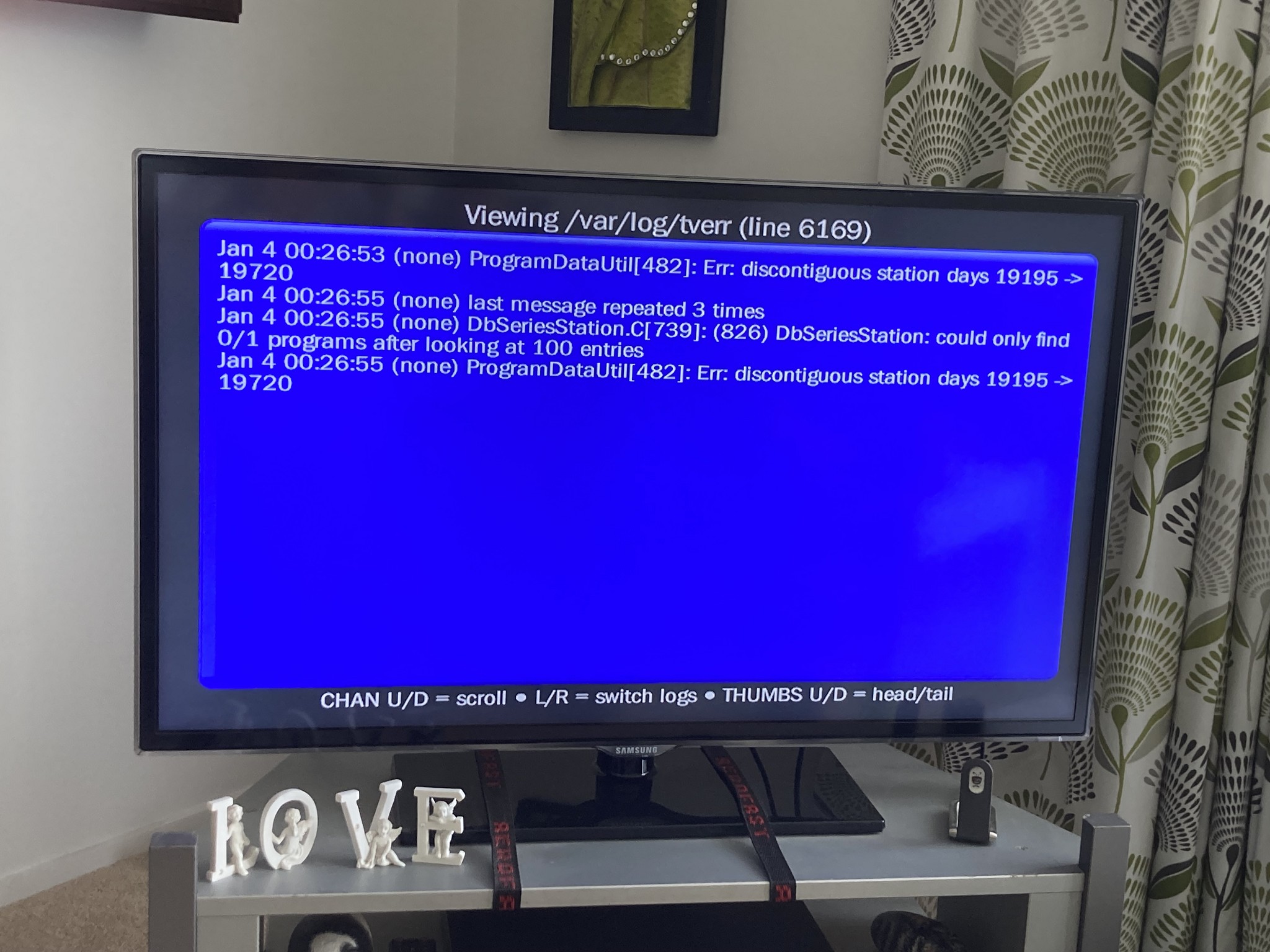
Swapped over to our old TiVo, connects but still no program data. In the logs it says

Spong
1016 posts

Uber Geek
+1 received by user: 341

Trusted

  #3177655 4-Jan-2024 16:19
Send private message

That wasn't really what I meant. 


Press the Tivo key


Choose Messages & Settings


Choose Network


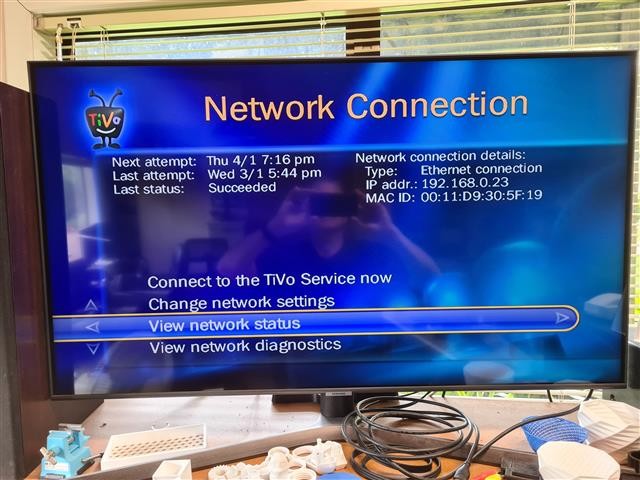
Choose Network Connection (Should see Picture below)


What does the "Last Status" field report? 


Tivo upgrades to operate with the new OzTivo EPG, support and service. Over 400 performed here so far. See: www.hillcrest.net.nz


Spong
1016 posts

Uber Geek
+1 received by user: 341

Trusted

  #3177656 4-Jan-2024 16:20
Send private message

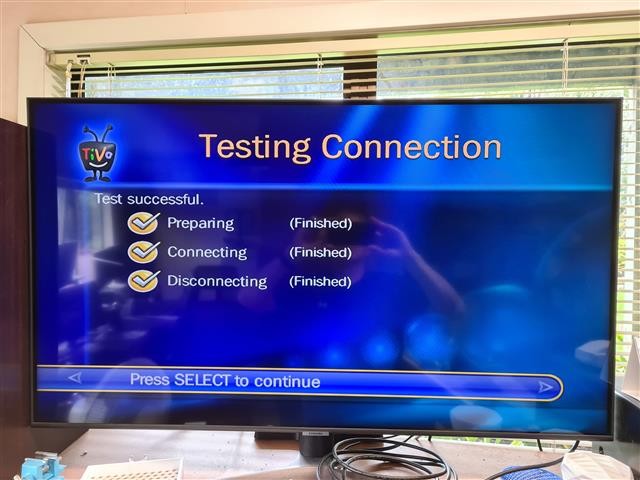
What about the following test?


Tivo upgrades to operate with the new OzTivo EPG, support and service. Over 400 performed here so far. See: www.hillcrest.net.nz


Stream your favourite shows now on Apple TV (affiliate link).
Aitchy

55 posts

Master Geek
+1 received by user: 4


  #3177715 4-Jan-2024 17:02
Send private message

Yeah it said successful connection. It is appearing to load information, gets to 100% but still no EPG. I snipped the log in case that was useful information.

Aitchy

55 posts

Master Geek
+1 received by user: 4


  #3177718 4-Jan-2024 17:13
Send private message

It is showing the wrong time though, 5:50pm at 5:13pm.

Aitchy

55 posts

Master Geek
+1 received by user: 4


  #3177726 4-Jan-2024 17:25
Send private message

Now it’s saying 4:00pm at 5:23 and all the guide information onscreen is wrong ie 4;00pm one news at 6.

Spong
1016 posts

Uber Geek
+1 received by user: 341

Trusted

  #3177781 4-Jan-2024 18:10
Send private message

Aitchy: Now it’s saying 4:00pm at 5:23 and all the guide information onscreen is wrong ie 4;00pm one news at 6.


Ok, so it appears you at least have EPG data in the guide now? If the current time is incorrect in the "System Information" page, one or two restarts will normally resolve this. 


Tivo upgrades to operate with the new OzTivo EPG, support and service. Over 400 performed here so far. See: www.hillcrest.net.nz


Aitchy

55 posts

Master Geek
+1 received by user: 4


  #3177933 5-Jan-2024 11:48
Send private message

Spong:
Ok, so it appears you at least have EPG data in the guide now? If the current time is incorrect in the "System Information" page, one or two restarts will normally resolve this. 

Ok, will try that, have data in the ‘guide’ but nothing comes up in the Find Programs search?


Shop now for Dyson appliances (affiliate link).
Wombat1
586 posts

Ultimate Geek
+1 received by user: 409
Inactive user


  #3177955 5-Jan-2024 12:29
Send private message

 I have seen this issue before, it happened to me when I changed post code when we moved from NZ to AUs.. It will just fixed itself on its own after a couple of days if you data is being downloaded. 


Nice to see fellow Tivo users out there. Mine has been going non stop since 2012. Only thing changed is the mod and a big 2TB drive. 


Aitchy

55 posts

Master Geek
+1 received by user: 4


  #3177978 5-Jan-2024 13:38
Send private message

Wombat1:


 I have seen this issue before, it happened to me when I changed post code when we moved from NZ to AUs.. It will just fixed itself on its own after a couple of days if you data is being downloaded. 


Nice to see fellow Tivo users out there. Mine has been going non stop since 2012. Only thing changed is the mod and a big 2TB drive. 


Good to know thanks, yeah my mum loves her TiVo, a much easier interface than the other set top box she bought when TiVo was discontinued in NZ. We don’t watch tv anymore so I’m glad I held on to ours to give her, hopefully the time and Find Programs issue will resolve so she can set season passes etc with confidence.


Create new topic


Geekzone Live »

Try automatic live updates from Geekzone directly in your browser, without refreshing the page, with Geekzone Live now.


Are you subscribed to our RSS feed? You can download the latest headlines and summaries from our stories directly to your computer or smartphone by using a feed reader.