|
|
|
Running it on the Apple TV I now always exit the app (under settings) - not log out, before using it. Say after using YouTube app.
Haven’t had any issues since doing that. Never had to do that previously but there you go.
Renaissance Man (in training), Apple addict (no recovery possible)
ascroft:
Running it on the Apple TV I now always exit the app (under settings) - not log out, before using it. Say after using YouTube app.
Haven’t had any issues since doing that. Never had to do that previously but there you go.
A quicker way is to force-close the app then re-open it - avoids having to go into Settings.
Sometimes I just sit and think. Other times I just sit.
Interestingly, watching Sully movie on the ATV, bitrate looks to be just over 7Mb/s, which would correlate with
Stream #0:7: Video: h264 (High) (avc1 / 0x31637661), yuv420p, 1920x1080 [SAR 1:1 DAR 16:9], 6066 kb/s, 100 tbr, 50k tbn, start 1776680938.040000 (default)
Metadata:
variant_bitrate : 6000000
id : video-1080p50-6000
Side data:
Encryption initialization data: (102 bytes)
Interesting, if it is 50p. Audio is only 2.0 though.
Now wanting a code when logging in on both Windows laptop and iPhone. Not received for either. Grrrr.
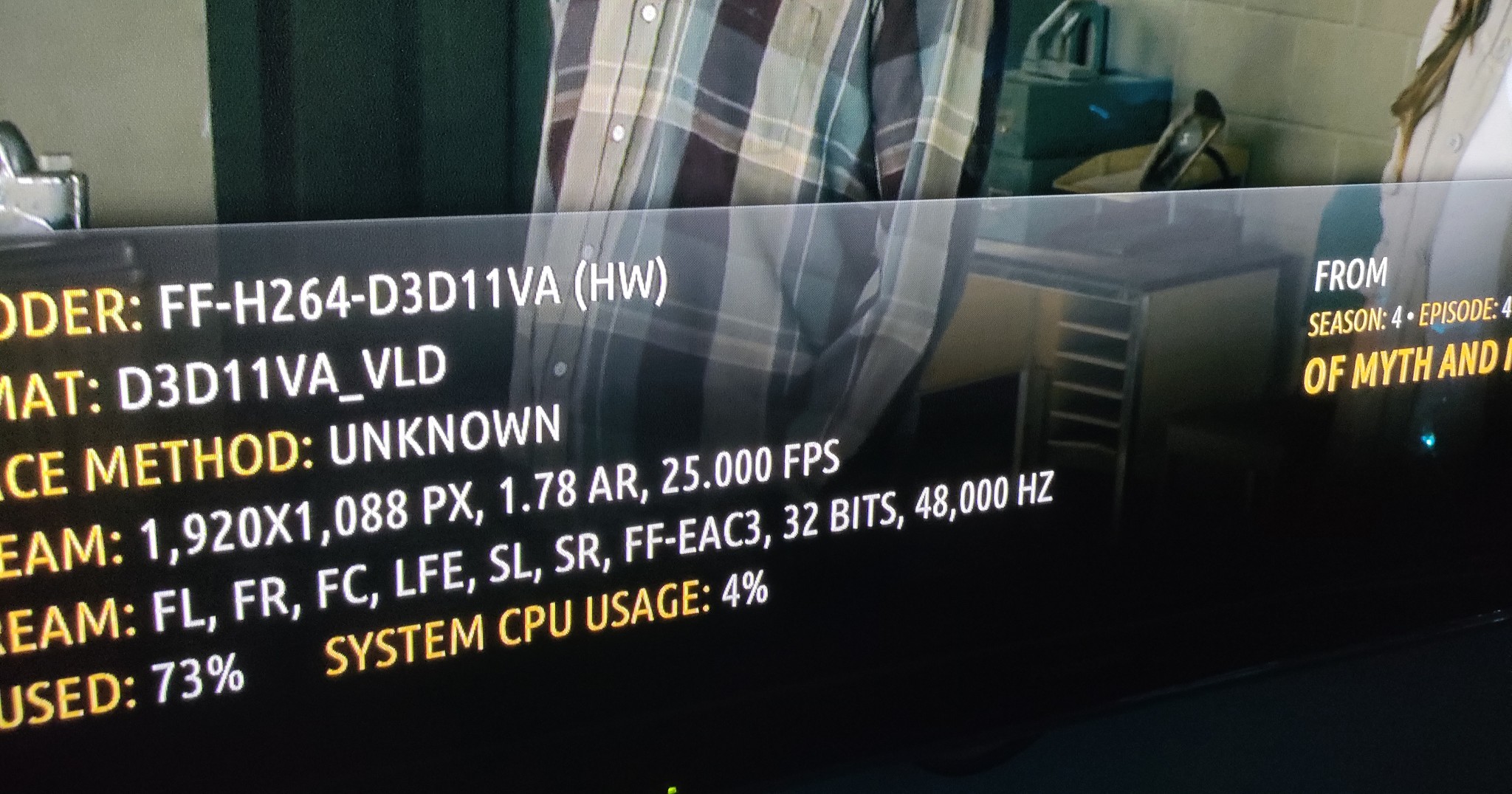
Not the most crisp image on my old pany plasma. But there you go. It must be up to the firmware/config of the various media players to catch up and change default streams/dynamic now. Claims to be 4000000 BPS

ascroft:
Running it on the Apple TV I now always exit the app (under settings) - not log out, before using it. Say after using YouTube app.
Haven’t had any issues since doing that. Never had to do that previously but there you go.
I'll have to try this. I've been finding every evening we go to watch something I have to restart the whole Apple TV for it to work. If I don't restart I go in, find the program to watch and play it and I just get a black screen with a spinning wheel. Showing what I've already watched is woeful too. I've tried force closing the app and that doesn't work but maybe closing it via settings is a bit more polite and the app with work better.
I don't use it often but we're watching Celebrity Treasure Island and Grand Designs at present.
Matt Beechey Mobius Network Solutions
The Fire TV app is back to a slow start. I think the whole platform seems to have problems with ID and account management, as well as content tracking.
It may be that some of ID data is not correctly indexed, the database is not correctly tuned, or some other stuff getting in the way.
Certainly need some checking.
Referral links: Quic Broadband (free setup code: R587125ERQ6VE) | Samsung | AliExpress | Wise | Sharesies
Support Geekzone by subscribing (browse ads-free), or making a one-off or recurring donation through PressPatron.
eracode:
@mobiusnz Force closing the app works well for me. Quicker and easier than via settings.
Hmmm - It didn't for me last time I tried. I'll give it another whirl tonight if we watch something on it - We will in the next few days. Its stopped doing any sort of watched / New which is a PITA too.
Hopefully at some point there will be a new version of the app tackling some of the issues. I might just do it on ipad in the mean time and Airplay it to the Apple TV.
Matt Beechey Mobius Network Solutions
freitasm:
The Fire TV app is back to a slow start. I think the whole platform seems to have problems with ID and account management, as well as content tracking.
It may be that some of ID data is not correctly indexed, the database is not correctly tuned, or some other stuff getting in the way.
Certainly need some checking.
Interesting - So you think its more back end platform issues than app/device issues. I've only used it on Apple TV recently but sounds like the whole platform is a disaster. That would explain why there haven't been any more app updates - Because the work is happening behind the scenes trying to fix the platform.
Matt Beechey Mobius Network Solutions
I think it's a mix. But no one outside TVNZ will know for sure.
Referral links: Quic Broadband (free setup code: R587125ERQ6VE) | Samsung | AliExpress | Wise | Sharesies
Support Geekzone by subscribing (browse ads-free), or making a one-off or recurring donation through PressPatron.

Oblivian:
Not the most crisp image on my old pany plasma. But there you go. It must be up to the firmware/config of the various media players to catch up and change default streams/dynamic now. Claims to be 4000000 BPS
Nice. I wish my Panasonic OLED with provide similar information for streaming services. The only one with decent data is Netflix.
Generally known online as OpenMedia, now working for Red Hat APAC as a Technology Evangelist and Portfolio Architect. Still playing with MythTV and digital media on the side.
Reading between the lines possibly an acct session token primary based on email, and a device(s) token pairing. With possible intent to stop you using more than one (hello world cup feed sharing avoidance...). Using it across a few devices may Invalidate the session and likely 'where was I' states' being updated until next check-in?
openmedia:
Nice. I wish my Panasonic OLED with provide similar information for streaming services. The only one with decent data is Netflix.
Transparency - this is a PC+player+plugin through the TV, not the native app.(Too old for those now). But since the changes the streams are multi option selectable. This grabs the highest.
So any still in AAC and >720 need to be tweaked and up their game.
Oblivian:
Reading between the lines possibly an acct session token primary based on email, and a device(s) token pairing. With possible intent to stop you using more than one (hello world cup feed sharing avoidance...). Using it across a few devices may Invalidate the session and likely 'where was I' states' being updated until next check-in?
Apple app seems to be remembering my progress between ATV & iPhone on different networks now. Was a PITA getting code for iPhone though- either there was a delay in them sending or delay in my email. They all came dribbling through an hour or so later.
|
|
|