Geekzone: technology news, blogs, forums
Guest
Welcome Guest.
You haven't logged in yet. If you don't have an account you can register now.


kiwifidget

"Cookie"
3641 posts

Uber Geek
+1 received by user: 1969

Lifetime subscriber

#277196 1-Oct-2020 11:41
Send private message

Hi,


I have a basic Google Drive account, 15GB.


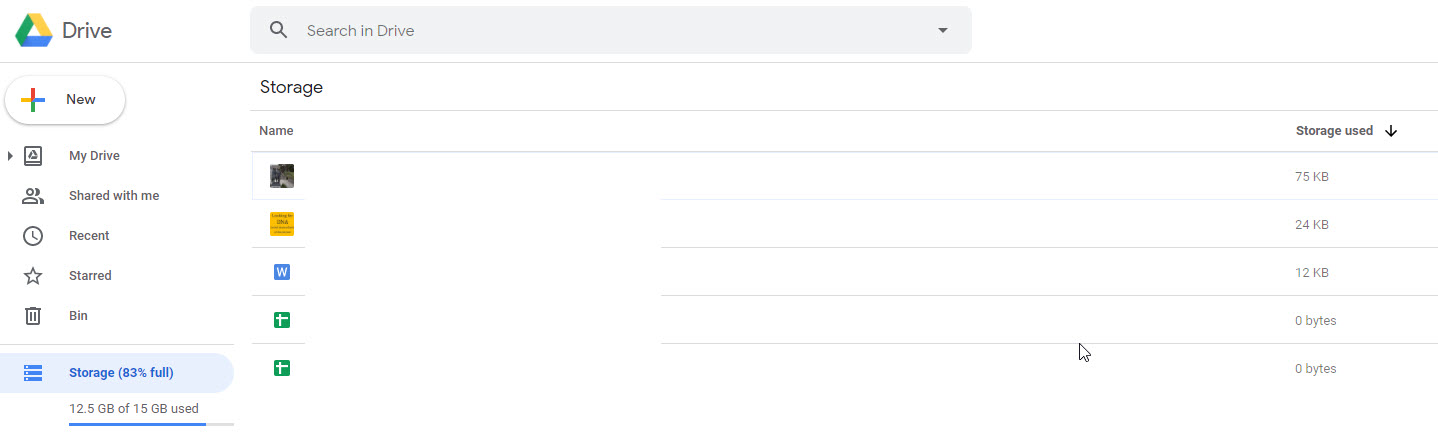
It says I have used 83% of this but I have hardly anything in it.


Where could the all the data be hiding?


This is what Google shows me when I click on Storage. 


Delete cookies?! Are you insane?!


Create new topic
Yakcall
17 posts

Geek
+1 received by user: 6


  #2577189 1-Oct-2020 12:10
Send private message

Do you use Gmail with the same account and just never deleted emails? That will be counting towards that quota as well. You can go through your gmail and remove the large attachments that you don't need.


Also are you using Google Photos, that uses up storage if you are saving them in original quality? Doesn't if just saving in High. 


From Gmail, Drive or photos, make sure bins are empty as well.


Last is remove hidden data from apps in Google Drive:


On your computer, go to Google Drive
Click Settings   Settings.
On the left, click Manage apps.
If there's hidden data, you can find the amount under the app's description.
To delete this data, click Options  Delete hidden app data.


kiwifidget

"Cookie"
3641 posts

Uber Geek
+1 received by user: 1969

Lifetime subscriber

  #2577191 1-Oct-2020 12:18
Send private message

@yakcall  Thanks so much, I had no idea!


So yes, Gmail I've probably never deleted any, and under Apps I see WhatsApp backup is there.


I dont see any amounts under any of the Apps descriptions though.


I imagine those 2 things alone would be space hoggers. 


Delete cookies?! Are you insane?!


Yakcall
17 posts

Geek
+1 received by user: 6


  #2577194 1-Oct-2020 12:23
Send private message

Sweet, that should hopefully clear up some room for you.


They like to say you don't ever have to delete an email but at some point, you always get a limit.


timmmay
20859 posts

Uber Geek
+1 received by user: 5350

Trusted
Lifetime subscriber

  #2577198 1-Oct-2020 12:33
Send private message

Also empty the Google Drive trash. They just announced that it will empty automatically soon, but at the moment it's manual AFAIK.


kiwifidget

"Cookie"
3641 posts

Uber Geek
+1 received by user: 1969

Lifetime subscriber

  #2577215 1-Oct-2020 13:19
Send private message

@timmmay On account of me never having deleted anything, the bin was already empty.


But will remember to do that once I start "the purge".


Delete cookies?! Are you insane?!


MurrayM
2502 posts

Uber Geek
+1 received by user: 742

ID Verified
Trusted
Lifetime subscriber

  #2577792 2-Oct-2020 09:04
Send private message

Also, if you get asked to do a security audit of your account you should do so as Google rewards you with more storage. That's how I got my Drive storage lifted to 19GB (currently using 1.3GB because I delete Gmail emails when I have no need for them, why keep junk forever?).


Create new topic


Geekzone Live »

Try automatic live updates from Geekzone directly in your browser, without refreshing the page, with Geekzone Live now.


Are you subscribed to our RSS feed? You can download the latest headlines and summaries from our stories directly to your computer or smartphone by using a feed reader.
