Geekzone: technology news, blogs, forums
Guest
Welcome Guest.
You haven't logged in yet. If you don't have an account you can register now.


hobsonlea

314 posts

Ultimate Geek
+1 received by user: 51


#322716 15-Sep-2025 15:06
Send private message

Hi,
I’m now at my 2nd home, trying to get quic working at this location having switched over from Bigpipe today.
Been using Bigpipe for 3 years at this address.

Deco TP-Link x55 router modem.

I had issues in Akl and eventually resolved them, but struggling again.

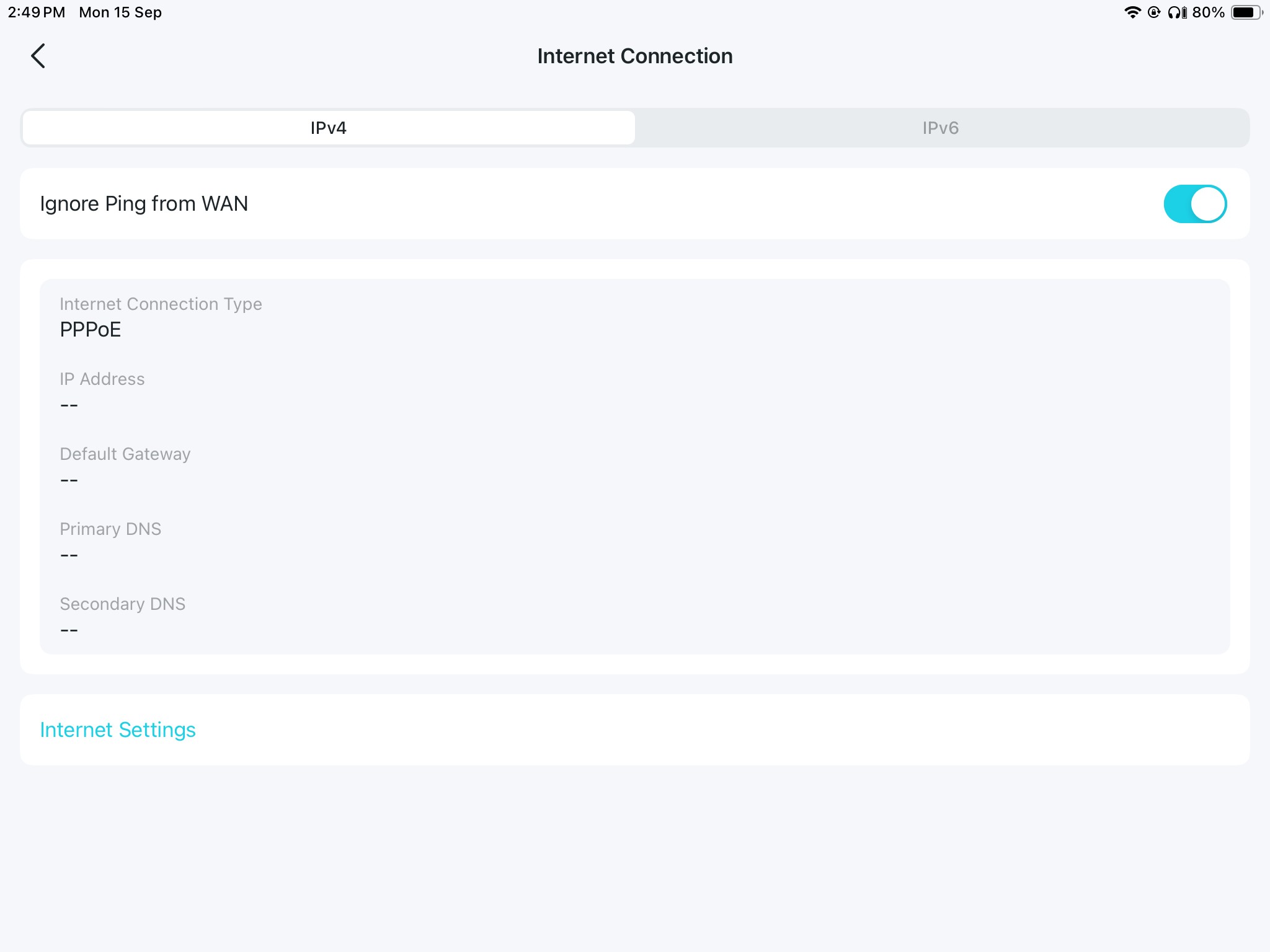
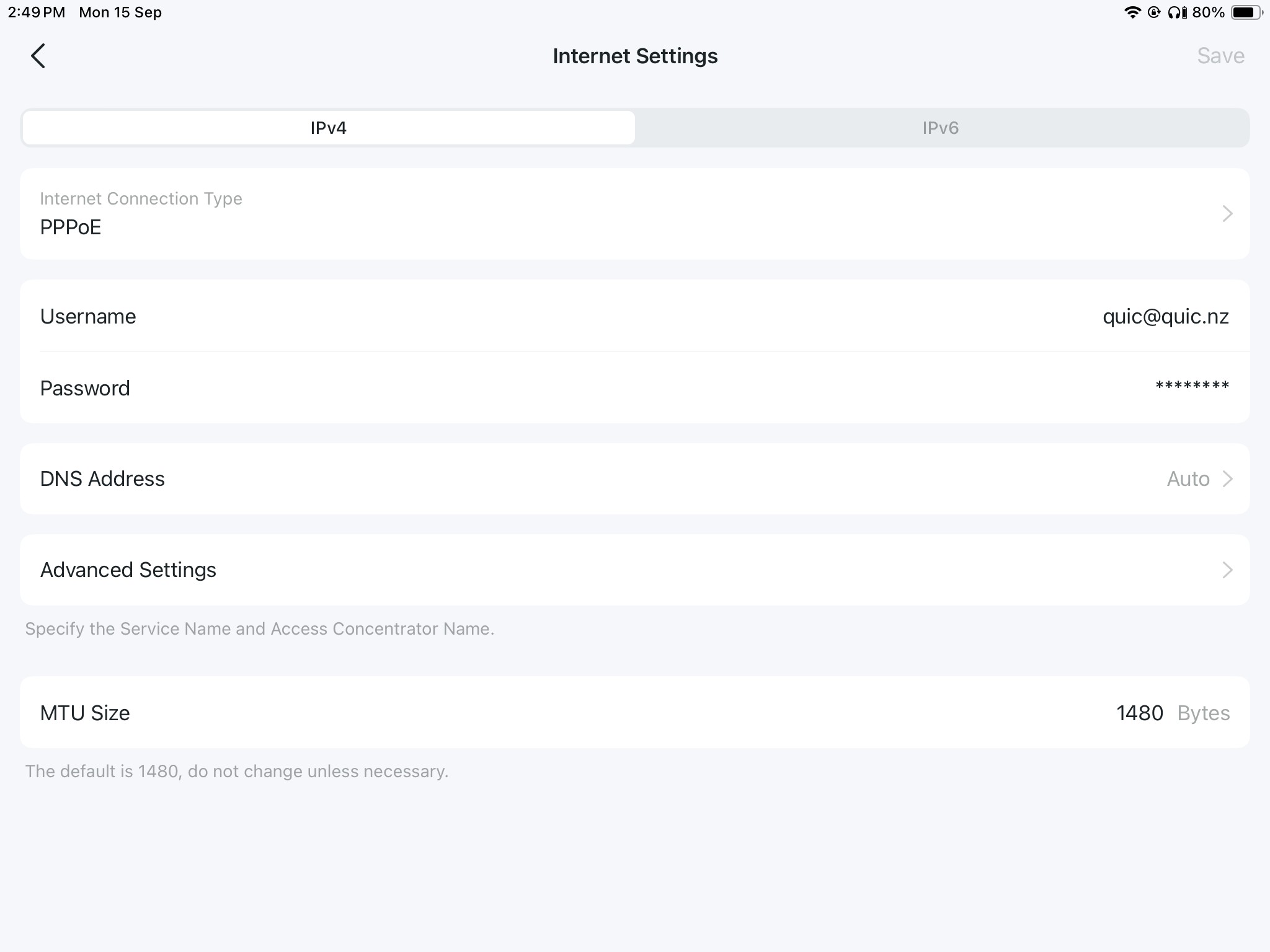
It’s not clear to me how I configure for PPoE and DHCP and VLAN..

In Auckland I reset my modem and started again.

Tried same in this house, but no luck, still a red light.

I have turned off dhcp authentication at quic web console , same as Auckland location. That was an hour ago.

The connection go live email says

You'll need to ensure you configure your router for Quic's settings below
PPPoE Configuration
VLAN: Untagged
Connection Type: PPPoE
Username: quic@quic.nz
Password: quic
Setup Guide: https://quic.nz/setup
DHCP Configuration
VLAN: Untagged
Connection Type: DHCP / IPoE
Setup Guide: https://quic.nz/setup



Create new topic
Behodar
11116 posts

Uber Geek
+1 received by user: 6116

Trusted
Lifetime subscriber

  #3415183 15-Sep-2025 15:16
Send private message

Is your router plugged into the correct port on the ONT? If you're plugged into port 1 then try 2, and vice versa.


freitasm
BDFL - Memuneh
80678 posts

Uber Geek
+1 received by user: 41133

Administrator
ID Verified
Trusted
Geekzone
Lifetime subscriber

  #3415184 15-Sep-2025 15:17
Send private message

Log into your Quic account and disabled DHCP login.


Then wait 22 minutes, and power everything off and on again.


Also set the MTU to 1500.


Referral links: Quic Broadband (free setup code: R587125ERQ6VE) | Samsung | AliExpress | Wise | Sharesies 


Support Geekzone by subscribing (browse ads-free), or making a one-off or recurring donation through PressPatron.


ssamjh
358 posts

Ultimate Geek
+1 received by user: 174

ID Verified
Trusted

  #3415185 15-Sep-2025 15:17
Send private message

In theory that should work. One thing to try, actually disconnect the TPLink from your ONT for at least 22 minutes (do 25 just to be safe). I recall a while ago once I disabled DHCP on the portal but the lease didn't properly go until I had disconnected my router. Possibly just a coincidence but worth a try.


If you go into the portal, can you see any active DHCP lease?


Whitianga, Coromandel - Quic Rocket1G - Ref (free setup): R893192EGADLZ


Smokeping: Quic / Voyager / Starlink


Coromandel Webcam Network


hobsonlea

314 posts

Ultimate Geek
+1 received by user: 51


  #3415194 15-Sep-2025 15:39
Send private message

Thx all, turned off ont and router.
Waited a min restarted , and it’s all good now..
thx for help.

Peter

Create new topic


Geekzone Live »

Try automatic live updates from Geekzone directly in your browser, without refreshing the page, with Geekzone Live now.


Are you subscribed to our RSS feed? You can download the latest headlines and summaries from our stories directly to your computer or smartphone by using a feed reader.
