Geekzone: technology news, blogs, forums
Guest
Welcome Guest.
You haven't logged in yet. If you don't have an account you can register now.


Deftpunker

2 posts

Wannabe Geek


#311844 19-Feb-2024 16:23
Send private message

Greetings,


I was just upgraded to the Nokia XS-250WX-A to hopefully take advantage of the Rocket 2G plan on Quic. On the old box I was able to get around 500mbps down and 150mbps up now I have been unable to get above 250mbps down and some times it will fall down to 10mbps. I am using the same router Netgear RAX43 all of these speeds are hard wired in as well. I have factory reset the router multiple times and the Chorus box to no avail. Also I am unable to view the data for the "ONT to RGW Connectivity" 


Any advice would be greatly appreciated.


Create new topic
mentalinc
3384 posts

Uber Geek
+1 received by user: 1023

Trusted

  #3197599 19-Feb-2024 16:25
Send private message

Raise a ticket in the quic portal.


What does the portal show you?


May have had the wrong profile provisioned?


CPU: AMD 5900x | RAM: GSKILL Trident Z Neo RGB F4-3600C16D-32GTZNC-32-GB | MB:  Asus X570-E | GFX: EVGA FTW3 Ultra RTX 3080Ti| Monitor: LG 27GL850-B 2560x1440


Quic: https://account.quic.nz/refer/473833 R473833EQKIBX 


michaelmurfy
meow
13579 posts

Uber Geek
+1 received by user: 10910

Moderator
ID Verified
Trusted
Lifetime subscriber

  #3197606 19-Feb-2024 16:53
Send private message

The question though. What are you really hoping to achieve here?


The Netgear RAX43 only has Gigabit ports so you're not going to be able to get any extra speed. As you were getting 500Mbit before it appears you already had issues and to me it sounds like your router is really not suited or something is going wrong here.


Michael Murphy | https://murfy.nz
Referral Links: Quic Broadband (use R122101E7CV7Q for free setup)

Are you happy with what you get from Geekzone? Please consider supporting us by subscribing.
Opinions are my own and not the views of my employer.


Johnk
837 posts

Ultimate Geek
+1 received by user: 192

ID Verified
Trusted
Lifetime subscriber

  #3197607 19-Feb-2024 16:57
Send private message

Doesn't that router only have 1Gb ports? 


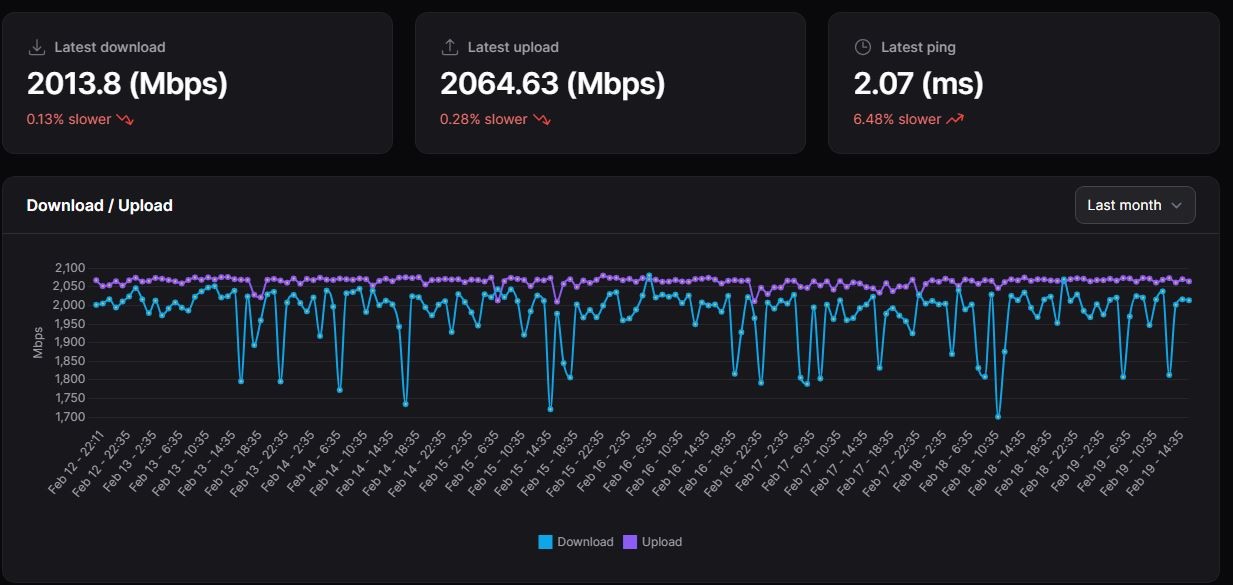
I have had Quic hyperfibre for a week now, safe to say its running a treat. 


Deftpunker

2 posts

Wannabe Geek


  #3197610 19-Feb-2024 17:25
Send private message

I appreciate the reply's  I will update my router and see if things change. 


SavageNZL
52 posts

Master Geek
+1 received by user: 7


  #3198546 21-Feb-2024 20:20
Send private message

From: https://www.quic.nz/hello-speed-demons/


  • All Quic Hyperfibre services will be provisioned with a “standard ONT” profile, meaning you will need a router capable of both negotiating its WAN port on at least a 2.5Gbps speed, and being able to perform at this speed.
  • Speedtests can vary significantly depending on the server you’re testing to.
  • Your computers/devices behind your router may not be able to reach the 2Gbps speed depending on a number of factors, including if the network adapter can support over 1Gbps, internal cabling etc.
  • Hyperfibre orders require a Hyperfibre ONT. If you don’t already have a Hyperfibre ONT, these do take a while to be installed, as the LFC may be required to swap the GPON splitter supplying your area to one capable with XGSPON (the technology behind Hyperfibre). We don’t receive updates while this is happening, so please be patient and we’ll let you know an install date as soon as we hear!
    (this isn’t helped by current field workforce shortages! 😬)
  • Currently we display any address within UFB coverage as being eligible for Hyperfibre. We’re working on updating our backend systems to make this more accurate, however due to the data we receive, orders will be manually checked for feasibility of Hyperfibre once received. If we’re unable to supply Hyperfibre to your address, we’ll let you know and refund your order in full.


Quic Broadband Referal Code: https://account.quic.nz/refer/8901 
Use the link above if you want to help me out.
Use this unique promo code at checkout for free setup ($29 value): R8901EZZNPI
Thank you!


Linux
12182 posts

Uber Geek
+1 received by user: 8475

Trusted
Lifetime subscriber

  #3198547 21-Feb-2024 20:23
Send private message

@JohnK that looks amazing :)


Create new topic


Geekzone Live »

Try automatic live updates from Geekzone directly in your browser, without refreshing the page, with Geekzone Live now.


Are you subscribed to our RSS feed? You can download the latest headlines and summaries from our stories directly to your computer or smartphone by using a feed reader.