Geekzone: technology news, blogs, forums
Guest
Welcome Guest.
You haven't logged in yet. If you don't have an account you can register now.


puggy

66 posts

Master Geek
+1 received by user: 4


#312043 11-Mar-2024 09:18
Send private message

Has anyone got any ideas how to get international traffic back? Even streaming would make the kids happy.


Last Thursday night the router(Asus AX6600) updated to DHCP connection, no warnings or updates this was happening, Quic definitely need to work on communicating updates like this to customers.


Since then I have been unable to get any web traffic, NZ sites work very very occasionally, eg Trademe homepage takes about 25 minutes to fully load.


What have I done to try and resolve....


Set router back to PPOE, will not connect or authenticate any more, this is now dead it seems.


Turned on/off ONT


Factory reset the router, connected via DHCP as per all Quic's instructions and still no luck


Factory reset, tested on neighbours connection all worked fine, so know its not the router


Tried 2 other routers, same issue they are connecting and saying connection up and authenticated - at this stage I am not happy and wanting to send some bills for time wasted to Quic


Factory reset and connected to Quic yesterday morning using DHCP as this seems to be the only method they support now, and been 24 hours and still data yet shows connection is fine, login to Quic account and everything shows as fine.


Using a fall back wireless router and everything is working fine, minute you turn off the wireless router all net traffic stops, yet still showing connected and authenticated to Quic.


All up have spent just over 17 hours trying to sort this, have come to the conclusion Quic is not going to work


The issue has to be with the ISP as the router is working 100% great Saturday and Sunday plugged into other ISP's, and is working fine with the wireless  fall back, it only fails when connecting to Quic.


As they have no support has anyone else got any ideas other than moving ISP's? 



Create new topic
michaelmurfy
meow
13579 posts

Uber Geek
+1 received by user: 10910

Moderator
ID Verified
Trusted
Lifetime subscriber

  #3205247 11-Mar-2024 09:20
Send private message

Right down the bottom of their support page: https://www.quic.nz/support/ 


Disable it. They don't just switch you to DHCP, this is a change on your router.


Also on that page "How can I swap between PPPoE & DHCP" - follow that if you wish to switch back to PPPoE. They support both.


Michael Murphy | https://murfy.nz
Referral Links: Quic Broadband (use R122101E7CV7Q for free setup)

Are you happy with what you get from Geekzone? Please consider supporting us by subscribing.
Opinions are my own and not the views of my employer.


michaelmurfy
meow
13579 posts

Uber Geek
+1 received by user: 10910

Moderator
ID Verified
Trusted
Lifetime subscriber

  #3205253 11-Mar-2024 09:27
Send private message

More information on IPoE also - they have not enabled this last Thursday: https://www.geekzone.co.nz/forums.asp?forumid=194&topicid=311869 


Michael Murphy | https://murfy.nz
Referral Links: Quic Broadband (use R122101E7CV7Q for free setup)

Are you happy with what you get from Geekzone? Please consider supporting us by subscribing.
Opinions are my own and not the views of my employer.


RunningMan
9185 posts

Uber Geek
+1 received by user: 4838


  #3205256 11-Mar-2024 09:29
Send private message

puggy: Set router back to PPOE, will not connect or authenticate any more, this is now dead it seems.


No, you just need to wait 30 mins for the DHCP lease to time out, as per the support info.


puggy

66 posts

Master Geek
+1 received by user: 4


  #3205257 11-Mar-2024 09:32
Send private message

This is why it is so frustrating as has followed these instruction exactly as they say, but still no luck.


puggy

66 posts

Master Geek
+1 received by user: 4


  #3205264 11-Mar-2024 09:35
Send private message

RunningMan:


puggy: Set router back to PPOE, will not connect or authenticate any more, this is now dead it seems.


No, you just need to wait 30 mins for the DHCP lease to time out, as per the support info.


Waited 3 hours while I went out shopping..... as I say even tried other routers and they were the same and not Asus, I just wanted to make sure it was not the router. They all connect and auth but no data


michaelmurfy
meow
13579 posts

Uber Geek
+1 received by user: 10910

Moderator
ID Verified
Trusted
Lifetime subscriber

  #3205269 11-Mar-2024 09:42
Send private message

puggy: Waited 3 hours while I went out shopping..... as I say even tried other routers and they were the same and not Asus, I just wanted to make sure it was not the router. They all connect and auth but no data


You need to wait without anything connected ideally.


And what does it say in your Quic control panel?


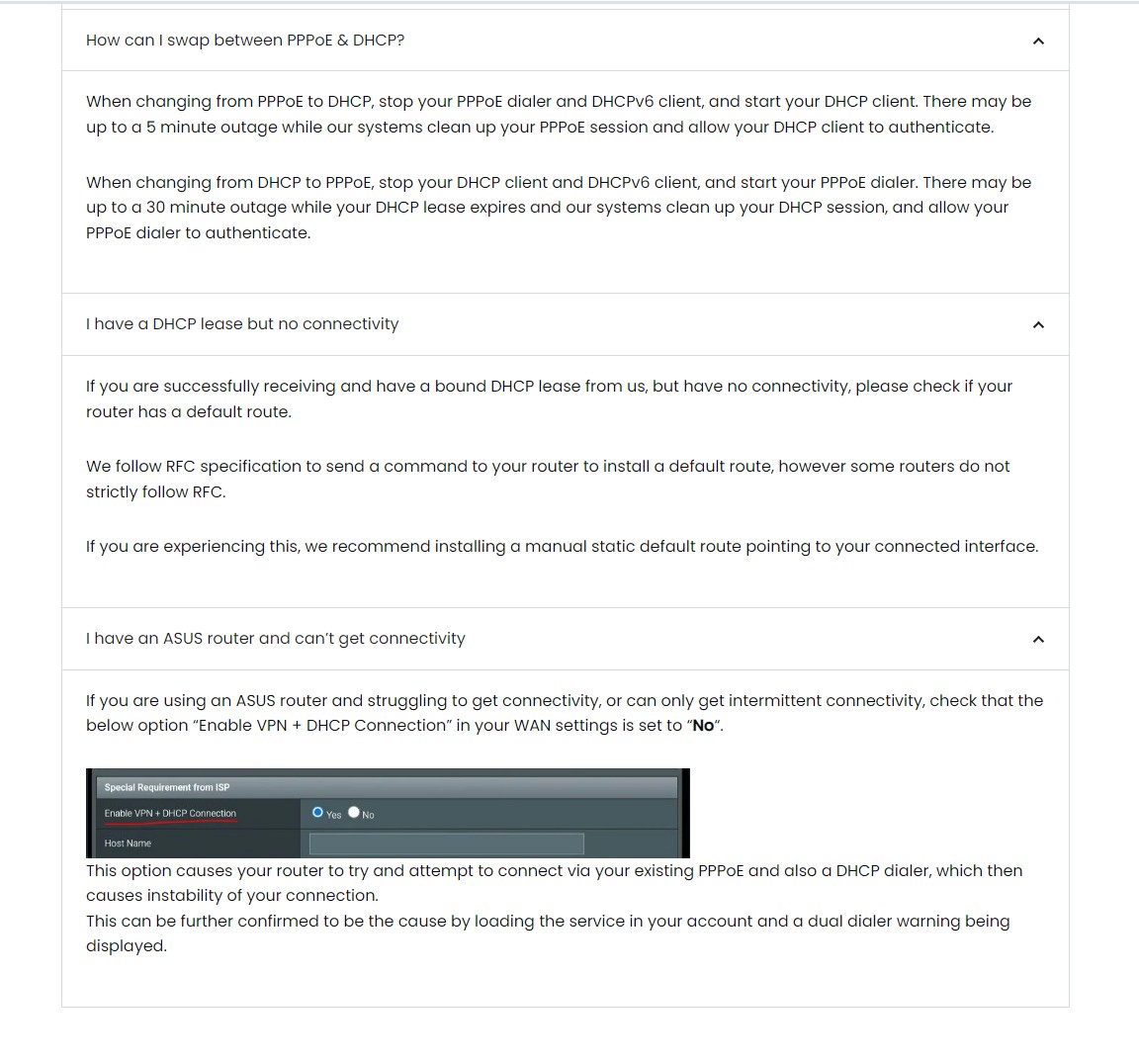
So to confirm, you've turned off "Enable VPN + DHCP Connection"? Have you also blocked DHCP in the control panel to force PPPoE going forward?


Michael Murphy | https://murfy.nz
Referral Links: Quic Broadband (use R122101E7CV7Q for free setup)

Are you happy with what you get from Geekzone? Please consider supporting us by subscribing.
Opinions are my own and not the views of my employer.


Shop now on AliExpress (affiliate link).
Dodgeyboye
28 posts

Geek
+1 received by user: 7


  #3205407 11-Mar-2024 14:59
Send private message

I have been having issues accessing some websites too, tried 3 different routers on pppoe with DHCP disabled. Websites work when going through a VPN though?


michaelmurfy
meow
13579 posts

Uber Geek
+1 received by user: 10910

Moderator
ID Verified
Trusted
Lifetime subscriber

  #3205427 11-Mar-2024 15:11
Send private message

Dodgeyboye:


I have been having issues accessing some websites too, tried 3 different routers on pppoe with DHCP disabled. Websites work when going through a VPN though?


What websites and what troubleshooting have you done outside of this (eg - MTR's, traceroutes etc).


Michael Murphy | https://murfy.nz
Referral Links: Quic Broadband (use R122101E7CV7Q for free setup)

Are you happy with what you get from Geekzone? Please consider supporting us by subscribing.
Opinions are my own and not the views of my employer.


dapples
51 posts

Master Geek


  #3206559 15-Mar-2024 10:51
Send private message

I am also having issues with some websites / services not working :(

mentalinc
3384 posts

Uber Geek
+1 received by user: 1023

Trusted

  #3206562 15-Mar-2024 10:53
Send private message

@dapples, what have you tried, what's your setup, is your MTU correct, are you PPPoE or DHCP (quic portal will tell you). 


CPU: AMD 5900x | RAM: GSKILL Trident Z Neo RGB F4-3600C16D-32GTZNC-32-GB | MB:  Asus X570-E | GFX: EVGA FTW3 Ultra RTX 3080Ti| Monitor: LG 27GL850-B 2560x1440


Quic: https://account.quic.nz/refer/473833 R473833EQKIBX 


michaelmurfy
meow
13579 posts

Uber Geek
+1 received by user: 10910

Moderator
ID Verified
Trusted
Lifetime subscriber

  #3206563 15-Mar-2024 10:56
Send private message

Guys posting "I'm having issues" without posting examples along with your troubleshooting steps is not at all helpful for people reading this thread.


@dapples What sites, what troubleshooting steps have you done? Traceroutes? Done a WinMTR? Checked the MTU on your router is set to 1500?


Also @Dodgeyboye still awaiting information if you're still having issues.


Michael Murphy | https://murfy.nz
Referral Links: Quic Broadband (use R122101E7CV7Q for free setup)

Are you happy with what you get from Geekzone? Please consider supporting us by subscribing.
Opinions are my own and not the views of my employer.


Want to support Geekzone and browse the site without the ads? Subscribe to Geekzone now (monthly, annual and lifetime options).
dapples
51 posts

Master Geek


  #3206653 15-Mar-2024 12:47
Send private message

Apologies for the lack of details. I was connected via PPPoE until the other night I had a power outage and when the power came back on my connection did not even after rebooting everything. I was then for some reason unable to log in to my router (it wasn't responding) so I reset it and when I set it up again I chose the DHCP option.


I was able to access most things but was not able to use Disney Plus for example, I could load google.com but not google.co.nz, found I could often use messaging apps but not be able to send images etc and some other weirdness. I could load TVNZ+ but it would take significantly longer to start playing.


I am using a Ubiquiti EdgeRouterX


I checked the MTU was set to 1500


I switched back to PPPoE and the issues seem to have disappeared.


Looks like I was going through bng1 before and now bng3


michaelmurfy
meow
13579 posts

Uber Geek
+1 received by user: 10910

Moderator
ID Verified
Trusted
Lifetime subscriber

  #3206664 15-Mar-2024 13:19
Send private message

@dapples You're actually better to stay on PPPoE given the Edgerouter X has PPPoE offloading. Set your base WAN interface with a MTU of 1508 and your PPPoE dialer to 1500. Ensure you also disable TCP MSS Clamping (especially important if you're trying IPoE).


Also attempt to get IPv6 running. All information for this is in the Edgerouter Guide here: https://www.geekzone.co.nz/forums.asp?forumid=66&topicid=205740 


Michael Murphy | https://murfy.nz
Referral Links: Quic Broadband (use R122101E7CV7Q for free setup)

Are you happy with what you get from Geekzone? Please consider supporting us by subscribing.
Opinions are my own and not the views of my employer.


dapples
51 posts

Master Geek


  #3206667 15-Mar-2024 13:28
Send private message

@michaelmurfy Thanks for the advice :)

Create new topic


Geekzone Live »

Try automatic live updates from Geekzone directly in your browser, without refreshing the page, with Geekzone Live now.


Are you subscribed to our RSS feed? You can download the latest headlines and summaries from our stories directly to your computer or smartphone by using a feed reader.