Geekzone: technology news, blogs, forums
Guest
Welcome Guest.
You haven't logged in yet. If you don't have an account you can register now.


hobsonlea

314 posts

Ultimate Geek
+1 received by user: 51


#321518 24-Aug-2025 11:58
Send private message

Hi am moving from Huawei hg659b to a tplink be65

Its a switch from bigpipe to quic last week which went seamlessly.. ie the hauwei didnt need any changes.. the connection seamlessly switched over the day I requested..

Needed to update router/ modem and can't get my new be65 tplink to work..

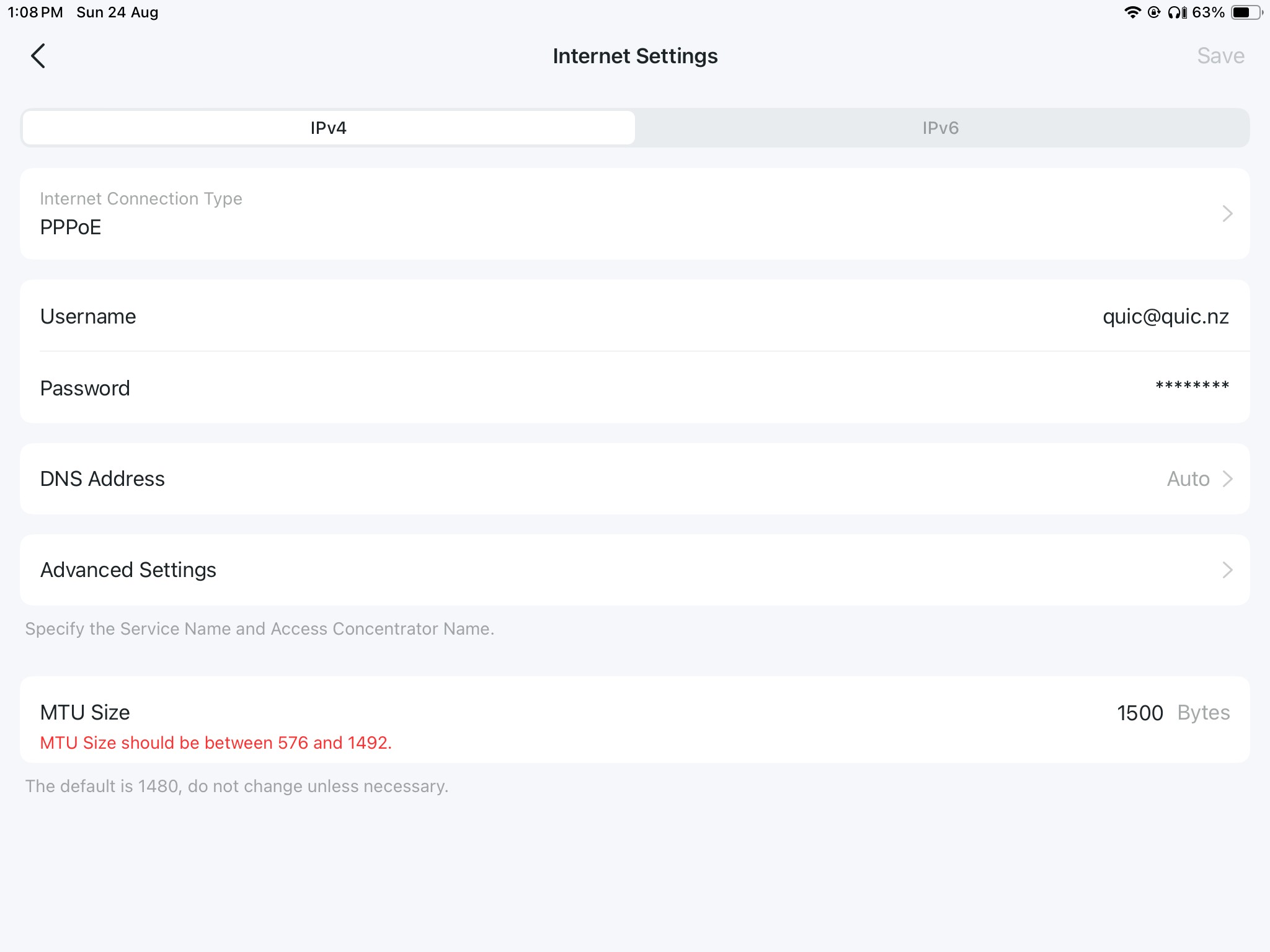
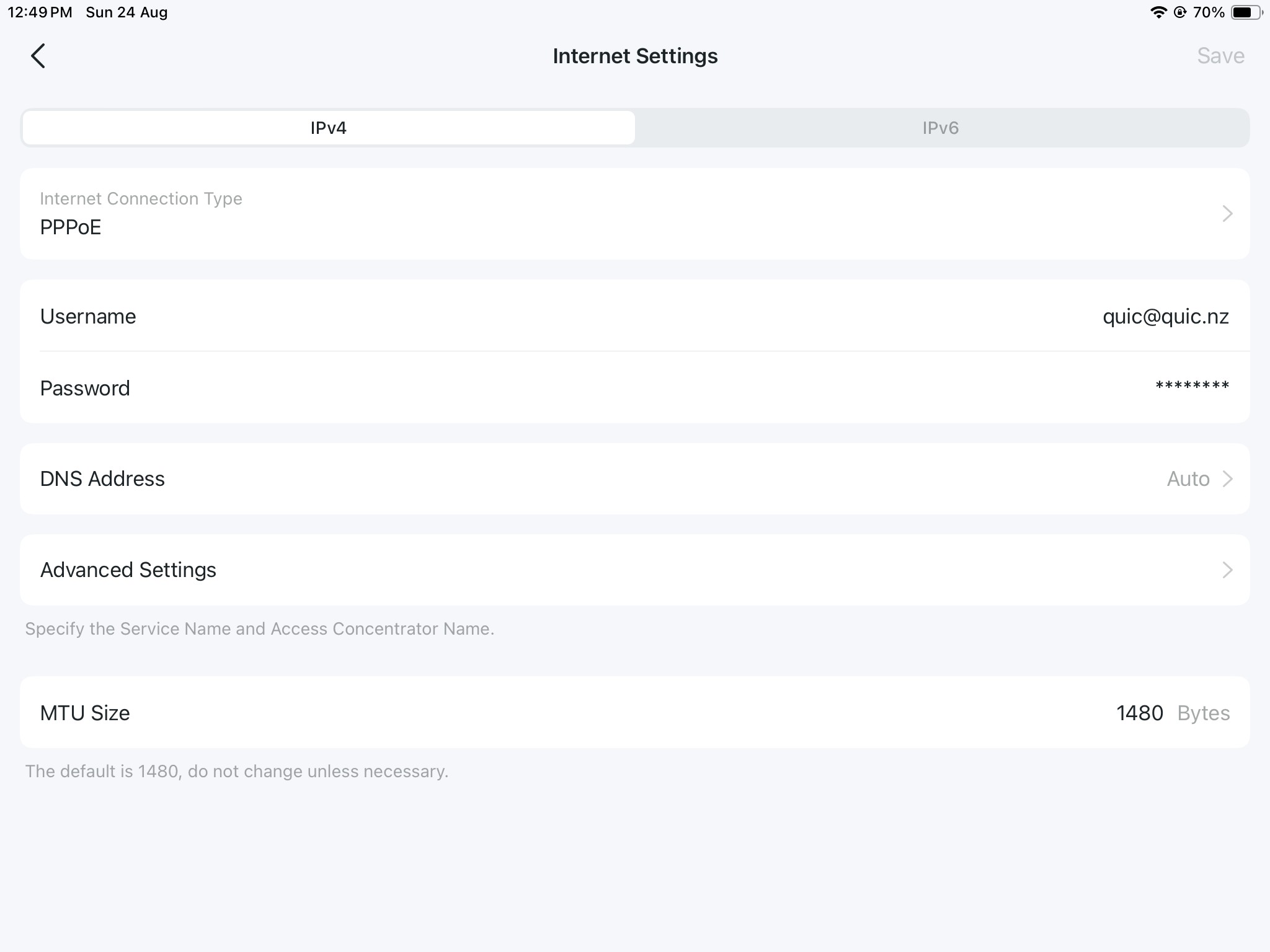
Set to ppoe and quic@quic.nz and quic pw..

Not sure how to progress.. existing Huawei still works if I replug the ont cable back into it..


Wrong image…


And


Filter this topic showing only the reply marked as answer View this topic in a long page with up to 500 replies per page Create new topic
 1 | 2
freitasm
BDFL - Memuneh
80660 posts

Uber Geek
+1 received by user: 41077

Administrator
ID Verified
Trusted
Geekzone
Lifetime subscriber

  #3407002 24-Aug-2025 12:03
Send private message

The screenshot is about a third party DNS. That service requires you to specify an IP address.


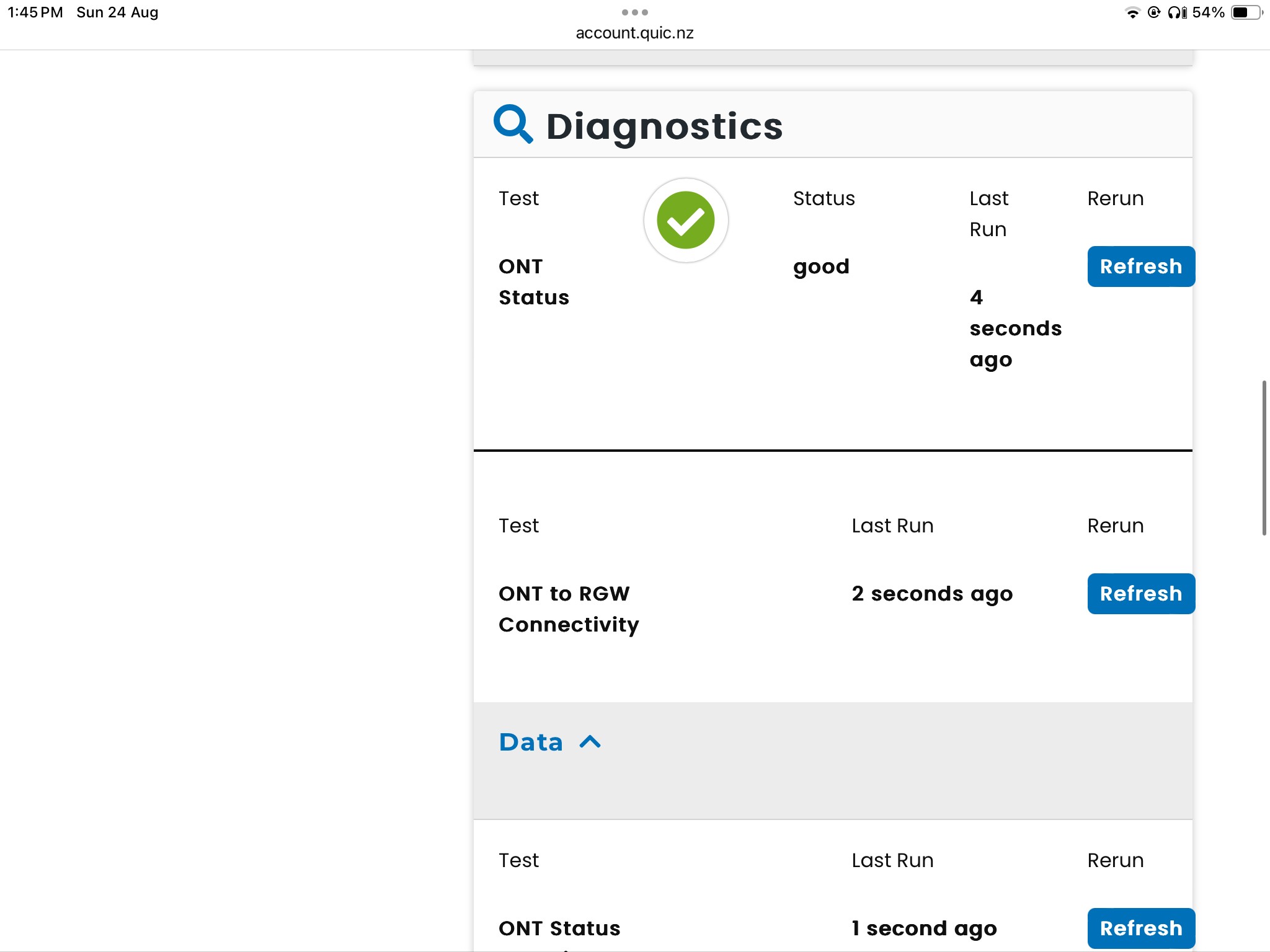
Have you checked on Quic website to see if the connection is up?


Does the router show the connection is up? 


Are you using that DNS service? Have you tried it with the default DNS or 1.1.1.1 or 8.8.8.8 instead to rule out DNS?


Referral links: Quic Broadband (free setup code: R587125ERQ6VE) | Samsung | AliExpress | Wise | Sharesies 


Support Geekzone by subscribing (browse ads-free), or making a one-off or recurring donation through PressPatron.


hobsonlea

314 posts

Ultimate Geek
+1 received by user: 51


  #3407005 24-Aug-2025 12:52
Send private message

freitasm:

The screenshot is about a third party DNS. That service requires you to specify an IP address.


Have you checked on Quic website to see if the connection is up?


Does the router show the connection is up? 


Are you using that DNS service? Have you tried it with the default DNS or 1.1.1.1 or 8.8.8.8 instead to rule out DNS?


Apologies, wrong image

And yes my huawei is working fine, and my account on quic confirms connect up and all good.

mentalinc
3385 posts

Uber Geek
+1 received by user: 1024

Trusted

  #3407010 24-Aug-2025 13:02
Send private message

Your MTU should be set to 1500.


Check all the settings here: 


https://www.quic.nz/setup/


CPU: AMD 5900x | RAM: GSKILL Trident Z Neo RGB F4-3600C16D-32GTZNC-32-GB | MB:  Asus X570-E | GFX: EVGA FTW3 Ultra RTX 3080Ti| Monitor: LG 27GL850-B 2560x1440


Quic: https://account.quic.nz/refer/473833 R473833EQKIBX 


hobsonlea

314 posts

Ultimate Geek
+1 received by user: 51


  #3407012 24-Aug-2025 13:11
Send private message

mentalinc:

Your MTU should be set to 1500.


Check all the settings here: 


https://www.quic.nz/setup/


mentalinc
3385 posts

Uber Geek
+1 received by user: 1024

Trusted

  #3407013 24-Aug-2025 13:17
Send private message

What happens when you set it to 1492?


CPU: AMD 5900x | RAM: GSKILL Trident Z Neo RGB F4-3600C16D-32GTZNC-32-GB | MB:  Asus X570-E | GFX: EVGA FTW3 Ultra RTX 3080Ti| Monitor: LG 27GL850-B 2560x1440


Quic: https://account.quic.nz/refer/473833 R473833EQKIBX 


hobsonlea

314 posts

Ultimate Geek
+1 received by user: 51


  #3407015 24-Aug-2025 13:29
Send private message

mentalinc:

What happens when you set it to 1492?


No change still a red light and no internet connection.


Shop now for Dell laptops and other devices (affiliate link).
freitasm
BDFL - Memuneh
80660 posts

Uber Geek
+1 received by user: 41077

Administrator
ID Verified
Trusted
Geekzone
Lifetime subscriber

  #3407016 24-Aug-2025 13:33
Send private message

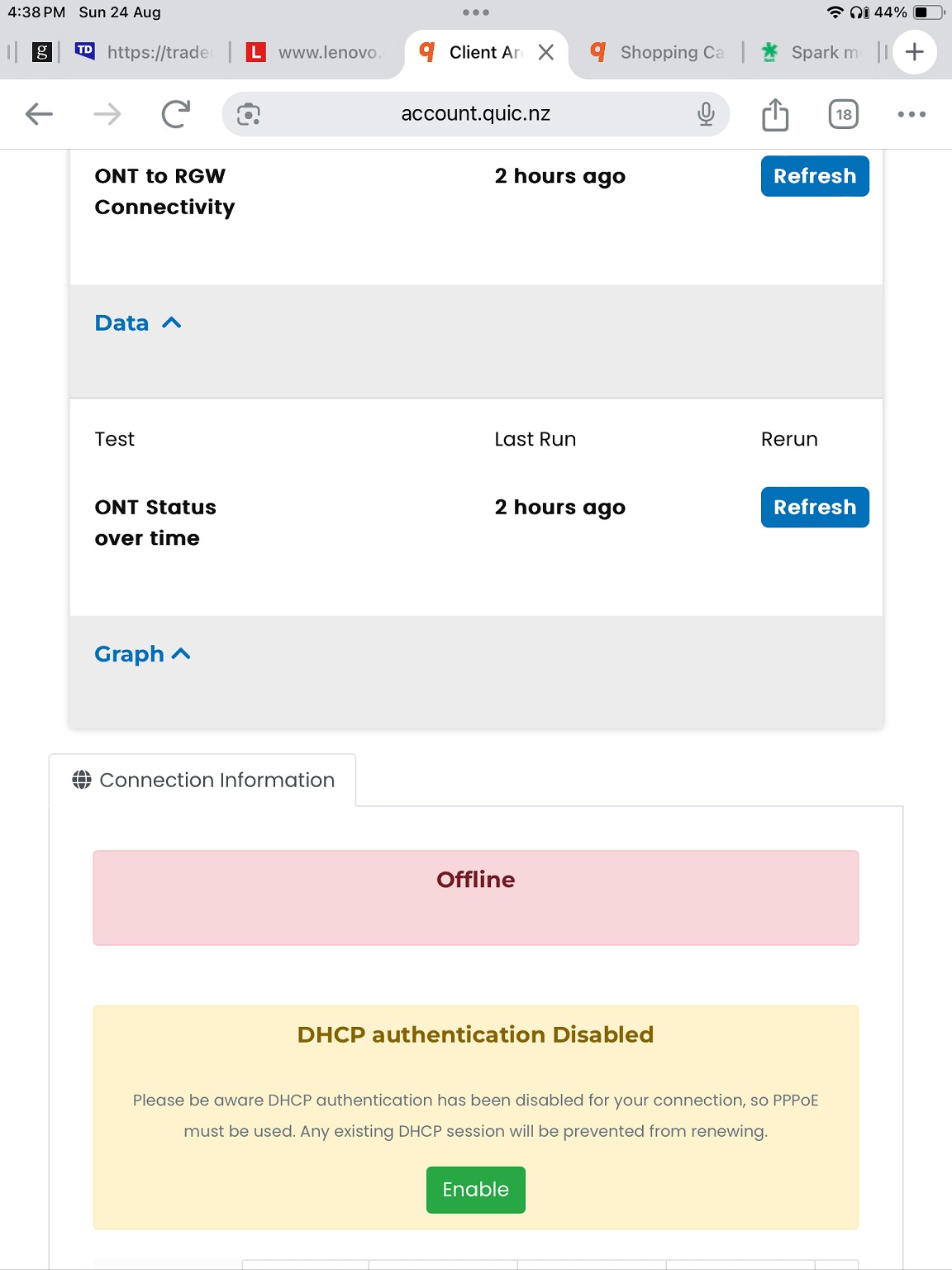
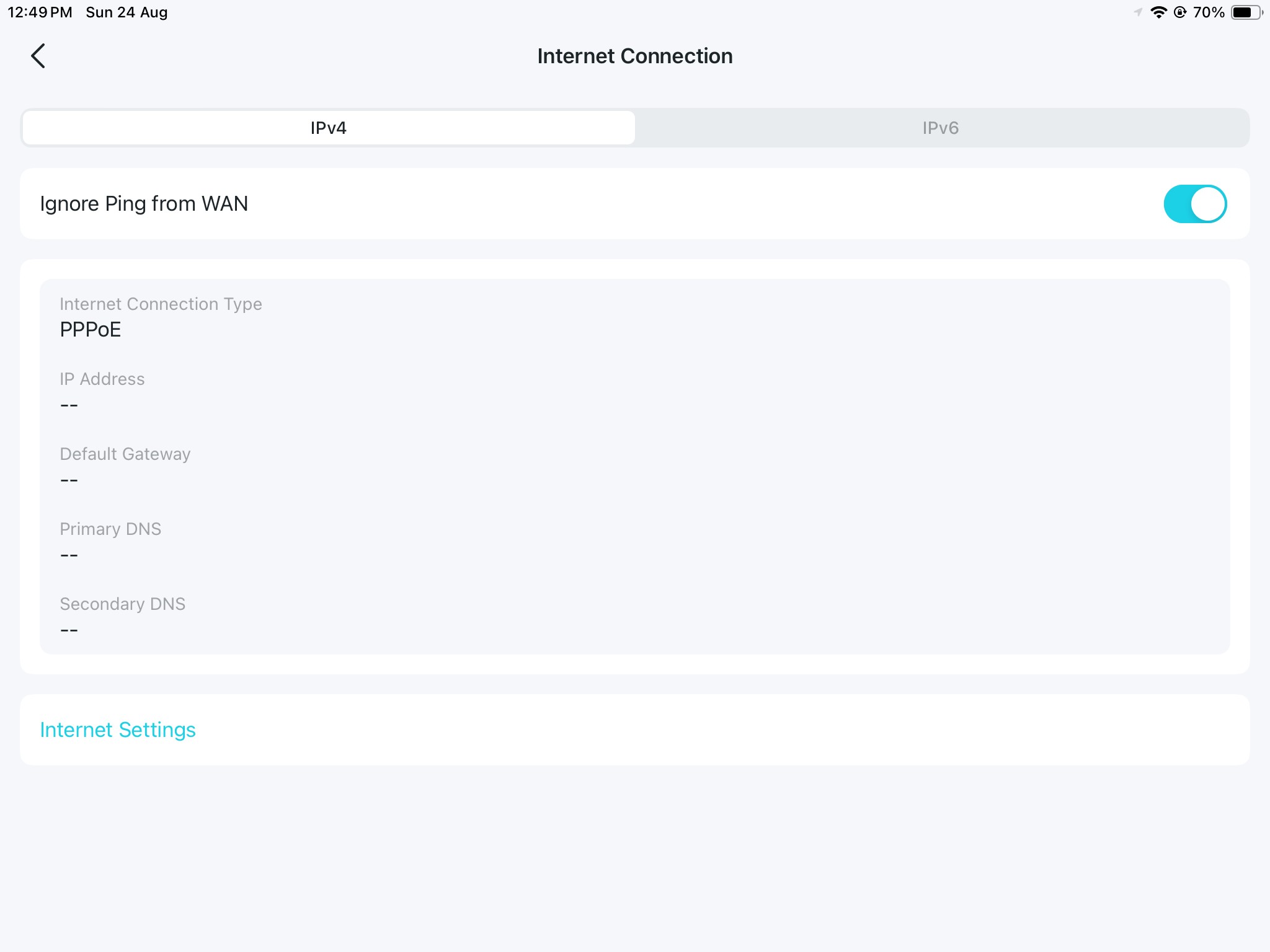
Ok, so no red light means the router doesn't have a connection (answering my question if the router was working),


Is the WAN connection set with correct VLAN ID (or no VLAN if not required)?


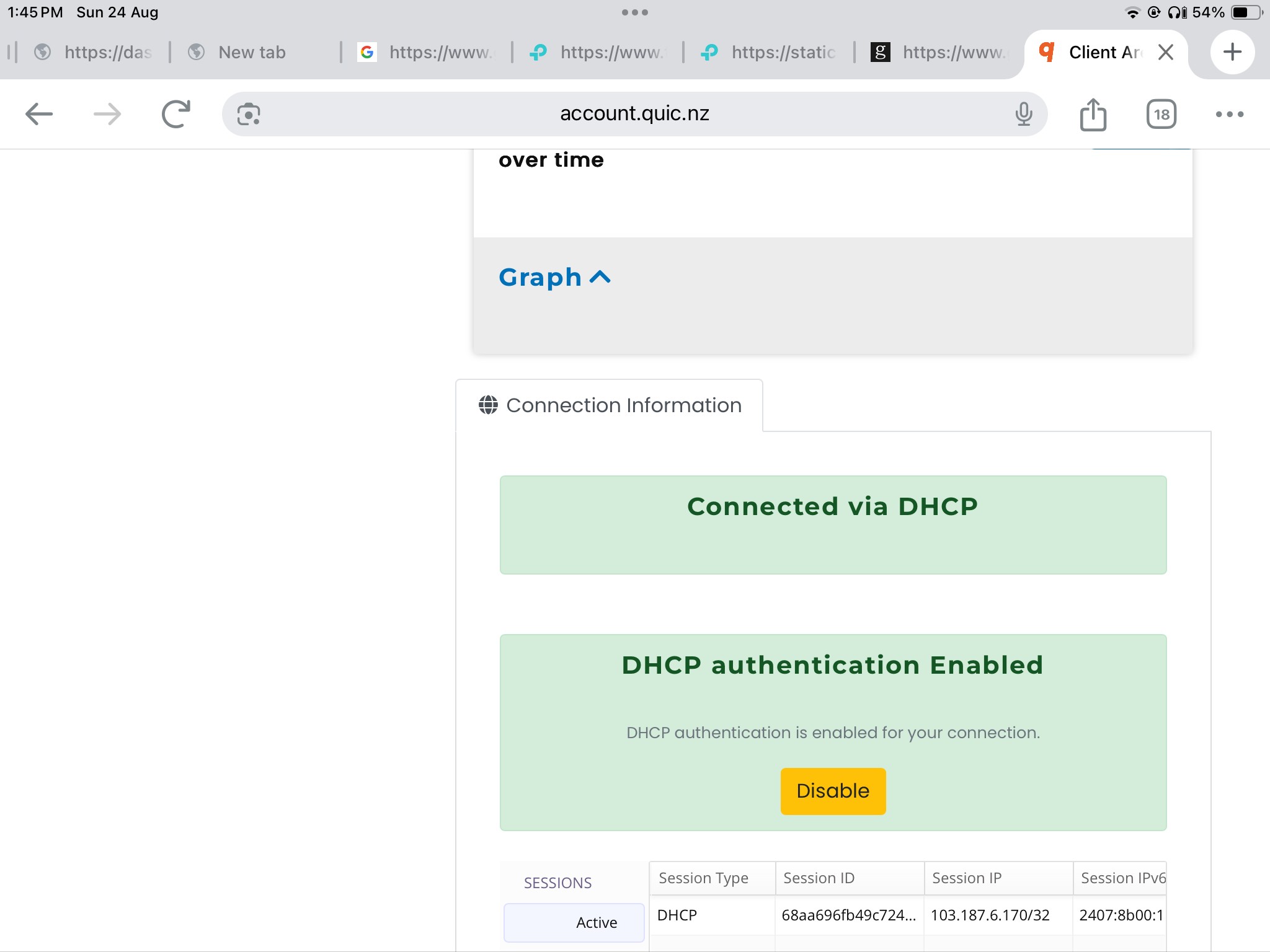
You say the Quic portal shows a connection. Maybe it worked briefly with DHCP and a session is still open? Have you disabled DHCP authentication on the portal, and waited 22 minutes to try again with PPPoE?


Referral links: Quic Broadband (free setup code: R587125ERQ6VE) | Samsung | AliExpress | Wise | Sharesies 


Support Geekzone by subscribing (browse ads-free), or making a one-off or recurring donation through PressPatron.


hobsonlea

314 posts

Ultimate Geek
+1 received by user: 51


  #3407020 24-Aug-2025 13:53
Send private message

freitasm:

Ok, so no red light means the router doesn't have a connection (answering my question if the router was working),


When you say router the be65 is connected to the ONT

Is the WAN connection set with correct VLAN ID (or no VLAN if not required)?


?

You say the Quic portal shows a connection. Maybe it worked briefly with DHCP and a session is still open? Have you disabled DHCP authentication on the portal, and waited 22 minutes to try again with PPPoE?


The huawei on standby and am using it now while I troubleshoot.

Should I try again using your suggestion of disabling dhcp at quic portal and waiting 22mins ?


There were no instructions on disabling dhcp for set up, and it works fine with my huawei where I have set my dns servers for dns4me.
I’ve not set up the dns4me servers on the be65 until I have connected.


freitasm
BDFL - Memuneh
80660 posts

Uber Geek
+1 received by user: 41077

Administrator
ID Verified
Trusted
Geekzone
Lifetime subscriber

  #3407022 24-Aug-2025 14:03
Send private message

Let's backup a minute please.


You are saying a different router works?


This is important information.


How was the other router configured? PPPoE or DHCP? When we the last time you used it?


Referral links: Quic Broadband (free setup code: R587125ERQ6VE) | Samsung | AliExpress | Wise | Sharesies 


Support Geekzone by subscribing (browse ads-free), or making a one-off or recurring donation through PressPatron.


mentalinc
3385 posts

Uber Geek
+1 received by user: 1024

Trusted

  #3407023 24-Aug-2025 14:18
Send private message

If you use DHCP instead of PPPoe on the BE65 it should work.


Or disable the DHCP on the quic portal and wait the time for the DHCP from the working router to expire and connet the BE65 with pppoe


OP was clear that had a working device when the switch occurred, they are trying to move to the BE65


CPU: AMD 5900x | RAM: GSKILL Trident Z Neo RGB F4-3600C16D-32GTZNC-32-GB | MB:  Asus X570-E | GFX: EVGA FTW3 Ultra RTX 3080Ti| Monitor: LG 27GL850-B 2560x1440


Quic: https://account.quic.nz/refer/473833 R473833EQKIBX 


hobsonlea

314 posts

Ultimate Geek
+1 received by user: 51


  #3407026 24-Aug-2025 14:26
Send private message

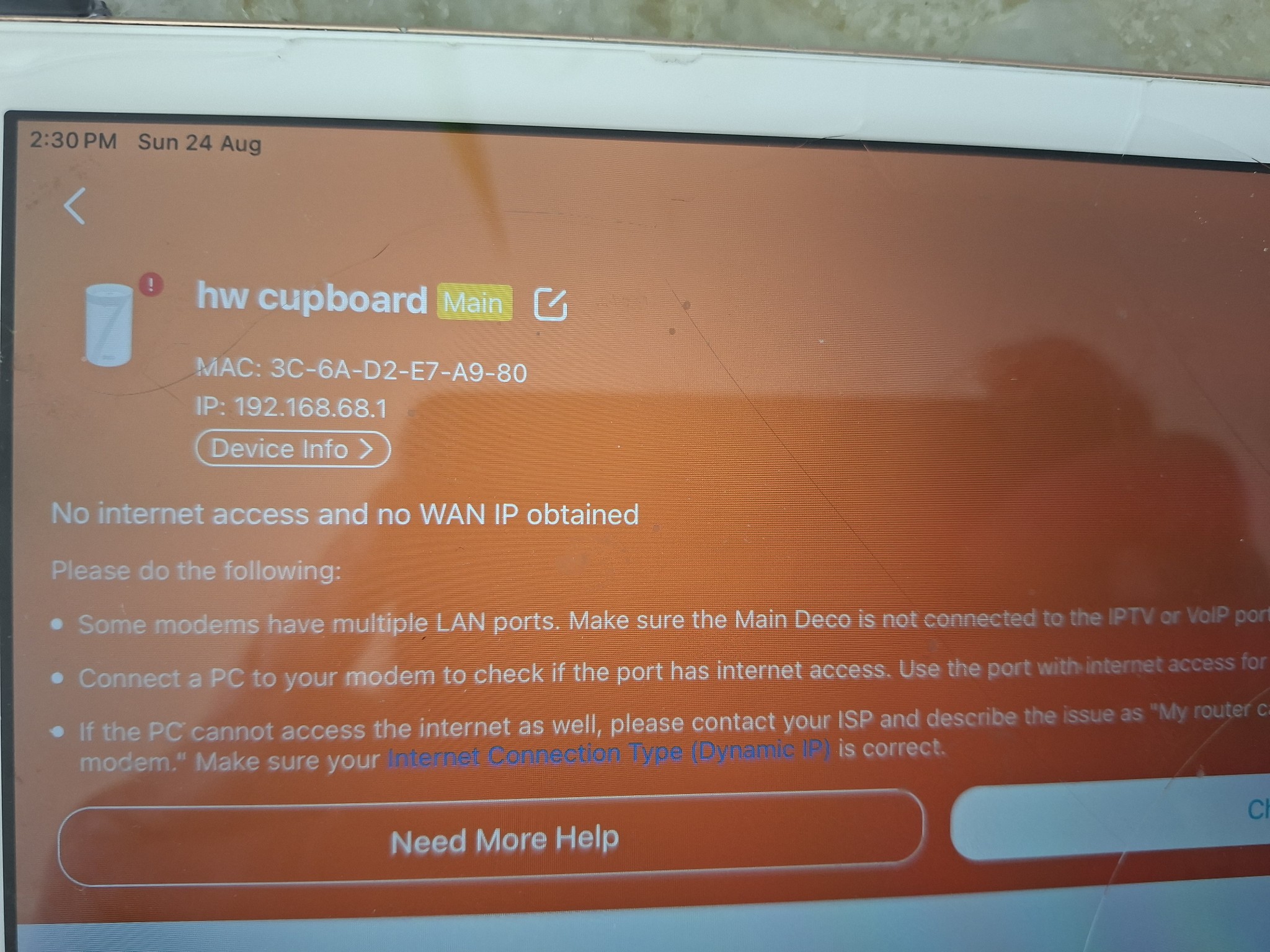
Thx trying the option that says Dynamic IP

Options are Dynamic IP, static ip , PPPoE, L2TP, PPTP, DD-Lite, V6 Plus and MAP-E (OCN)


This is the error msg I got previously


Move to New Zealand's best fibre broadband service (affiliate link). Free setup code: R587125ERQ6VE. Note that to use Quic Broadband you must be comfortable with configuring your own router.
michaelmurfy
meow
13581 posts

Uber Geek
+1 received by user: 10914

Moderator
ID Verified
Trusted
Lifetime subscriber

  #3407037 24-Aug-2025 15:09
Send private message

Your other router is configured with DHCP.


Unplug this, disable DHCP in the Quic portal and wait at-least 22mins then plug in your TP-Link router. It should work from then.


Michael Murphy | https://murfy.nz
Referral Links: Quic Broadband (use R122101E7CV7Q for free setup)

Are you happy with what you get from Geekzone? Please consider supporting us by subscribing.
Opinions are my own and not the views of my employer.


hobsonlea

314 posts

Ultimate Geek
+1 received by user: 51


  #3407055 24-Aug-2025 16:55
Send private message

Ok,
Have disabled dhcp in quic control panel


When I do this is says PPoE must be enabled..

I tried with the Dynamic IP, then I switched from Dynamic IP to PPoE on my router, but still no connection, just the red light,

Peter


RunningMan
9189 posts

Uber Geek
+1 received by user: 4842


  #3407056 24-Aug-2025 16:58
Send private message

Have you waited 22 minutes since disabling DHCP?


hobsonlea

314 posts

Ultimate Geek
+1 received by user: 51


  #3407057 24-Aug-2025 16:59
Send private message

I have yes.. about 40 mins

 1 | 2
Filter this topic showing only the reply marked as answer View this topic in a long page with up to 500 replies per page Create new topic


Geekzone Live »

Try automatic live updates from Geekzone directly in your browser, without refreshing the page, with Geekzone Live now.


Are you subscribed to our RSS feed? You can download the latest headlines and summaries from our stories directly to your computer or smartphone by using a feed reader.