Geekzone: technology news, blogs, forums
Guest
Welcome Guest.
You haven't logged in yet. If you don't have an account you can register now.


thequark

14 posts

Geek
+1 received by user: 9


#324763 21-May-2026 17:08
Send private message quote this post

Hi! 🙂


At the bottom of the quic.nz/support page, there's this FAQ entry:


How do I use the Quic customer API?


[...]


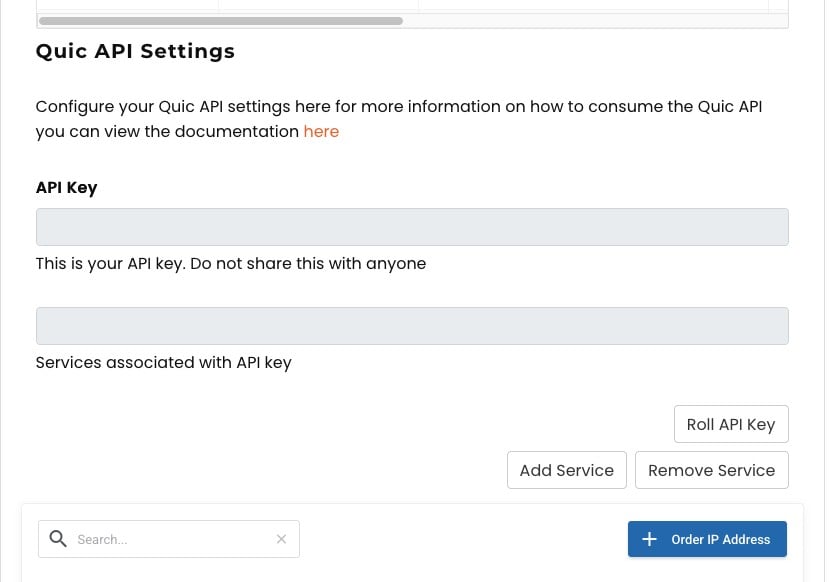
Within a service in your Quic customer account, you will be able to see a section about Quic API Settings


[...]


But when I open a service in my Quic customer account, I don't see any Quic API Settings section. I searched really hard, in every service I have (1 cancelled, 2 active).


Please tell me how to get an API key. 🙏


Filter this topic showing only the reply marked as answer Create new topic
michaelmurfy
meow
13666 posts

Uber Geek
+1 received by user: 11075

Moderator
ID Verified
Trusted
Lifetime subscriber

  #3494586 21-May-2026 19:30
Send private message quote this post

It is literally on your broadband service page near the bottom just below your session details:


API documentation is also there.


Edit: Actually there may be a bug here. I note it is not displaying on another broadband service. Just take a look through your active + inactive services.


Michael Murphy | https://murfy.nz
Referral Links: Quic Broadband (use R122101E7CV7Q for free setup)

Are you happy with what you get from Geekzone? Please consider supporting us by subscribing.
Opinions are my own and not the views of my employer.


thequark

14 posts

Geek
+1 received by user: 9


  #3494594 21-May-2026 20:15
Send private message quote this post

Yeah, that's exactly where I looked, across all 3 services (1 cancelled, 2 active), it's not there for me.


I'm looking at the bottom of the page with this URL: https://account.quic.nz/clientarea.php?action=productdetails&id=123456


I suppose it's a bug. Is this the right place to report bugs?


As a temporary workaround, could you please give me the URL for the Roll API Key button (replacing your ID with 123456, like I did above)? Perhaps this will fix my problem.


Thanks for your kind help.


SimplePotato
37 posts

Geek
+1 received by user: 59

Trusted
Vetta Group
Subscriber

  #3494646 22-May-2026 08:42
Send private message quote this post

Drop in a problem report from within your Quic Portal and it will be investigated. Forums are not the best place for bug reports, we don't always check them :) 


Views and comments are my own unless otherwise stated.


Behodar
11210 posts

Uber Geek
+1 received by user: 6237

Trusted
Lifetime subscriber

  #3494647 22-May-2026 08:46
Send private message quote this post

For what it's worth, it's not there for me either.


thequark

14 posts

Geek
+1 received by user: 9


  #3494648 22-May-2026 08:53
Send private message quote this post

SimplePotato:


Drop in a problem report from within your Quic Portal and it will be investigated. Forums are not the best place for bug reports, we don't always check them :) 


Thanks. Is that the "Lodge fault" button?


Edit: oh nevermind, I found Submit Problem Report under Support.


SimplePotato
37 posts

Geek
+1 received by user: 59

Trusted
Vetta Group
Subscriber

  #3494650 22-May-2026 08:58
Send private message quote this post

Ok whoops 😅 should be resolved now. 


Views and comments are my own unless otherwise stated.


HP


Shop now for HP laptops and other devices (affiliate link).
CYaBro
4734 posts

Uber Geek
+1 received by user: 1195

ID Verified
Trusted

  #3494654 22-May-2026 09:13
Send private message quote this post

I see the API section but it the fields are empty too, and the 3 buttons do nothing except refresh the page.


Opinions are my own and not the views of my employer.


michaelmurfy
meow
13666 posts

Uber Geek
+1 received by user: 11075

Moderator
ID Verified
Trusted
Lifetime subscriber

  #3494700 22-May-2026 12:26
Send private message quote this post

SimplePotato: Ok whoops 😅 should be resolved now.


Working for me now!

@thequark you should be set now :)


Michael Murphy | https://murfy.nz
Referral Links: Quic Broadband (use R122101E7CV7Q for free setup)

Are you happy with what you get from Geekzone? Please consider supporting us by subscribing.
Opinions are my own and not the views of my employer.


thequark

14 posts

Geek
+1 received by user: 9


  #3494703 22-May-2026 12:44
Send private message quote this post

SimplePotato:


Ok whoops 😅 should be resolved now. 


It works for me now, thanks a lot, you guys rock! 🎉🙏


thequark

14 posts

Geek
+1 received by user: 9


  #3494740 22-May-2026 15:56
Send private message quote this post

Just built a little Python library to query the API.


More details here: https://github.com/ageron/quicnz


mentalinc
3404 posts

Uber Geek
+1 received by user: 1036

Trusted

  #3494795 22-May-2026 16:16
Send private message quote this post

@thequark the Home Assistant integration isn't published yet?


CPU: AMD 5900x | RAM: GSKILL Trident Z Neo RGB F4-3600C16D-32GTZNC-32-GB | MB:  Asus X570-E | GFX: EVGA FTW3 Ultra RTX 3080Ti| Monitor: LG 27GL850-B 2560x1440


Quic: https://account.quic.nz/refer/473833 R473833EQKIBX 


Shop now for Dell laptops and other devices (affiliate link).
thequark

14 posts

Geek
+1 received by user: 9


  #3494801 22-May-2026 16:34
Send private message quote this post

mentalinc:


@thequark the Home Assistant integration isn't published yet?


I just published it. I tested the quicnz library, but I haven't tested the integration yet.


thequark

14 posts

Geek
+1 received by user: 9


  #3494807 22-May-2026 17:08
Send private message quote this post

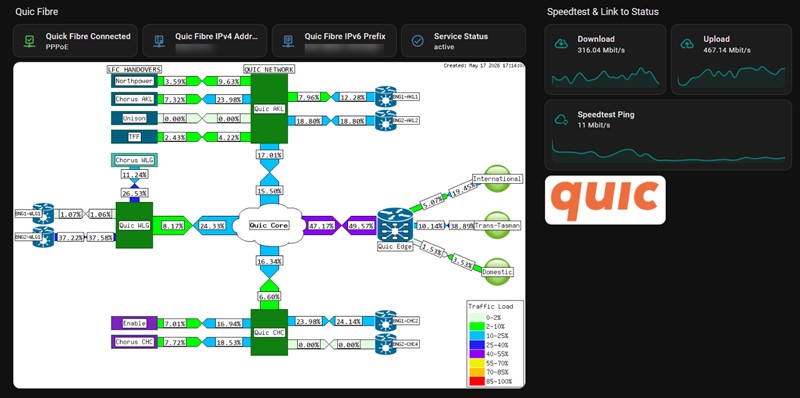
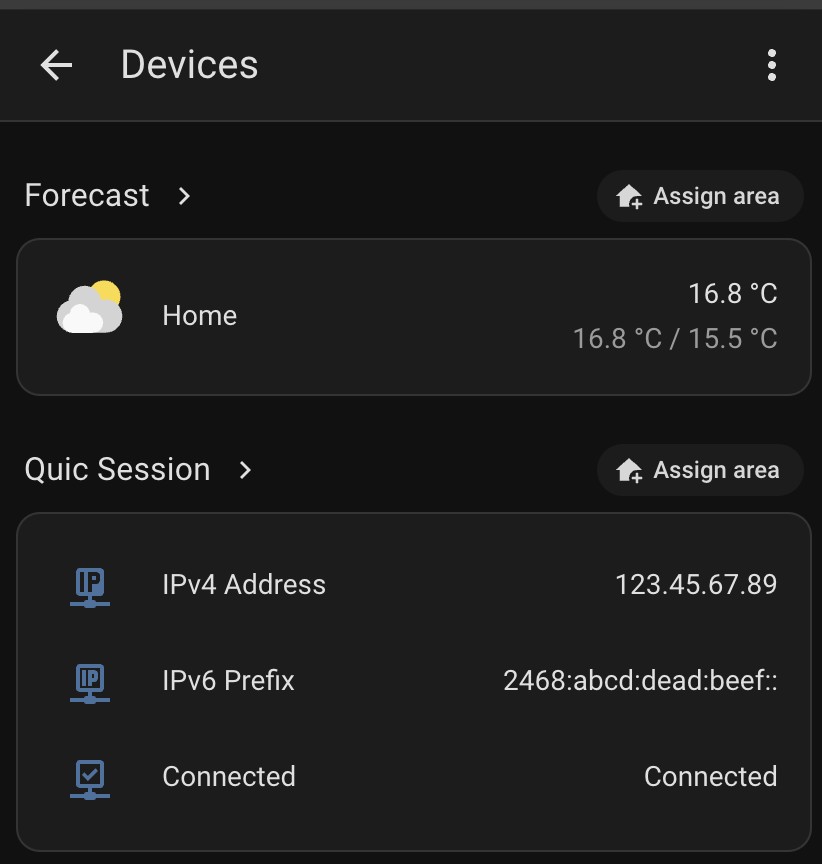
Looks like the Home Assistant Integration works just fine! 😁


thequark

14 posts

Geek
+1 received by user: 9


  #3494818 22-May-2026 18:17
Send private message quote this post

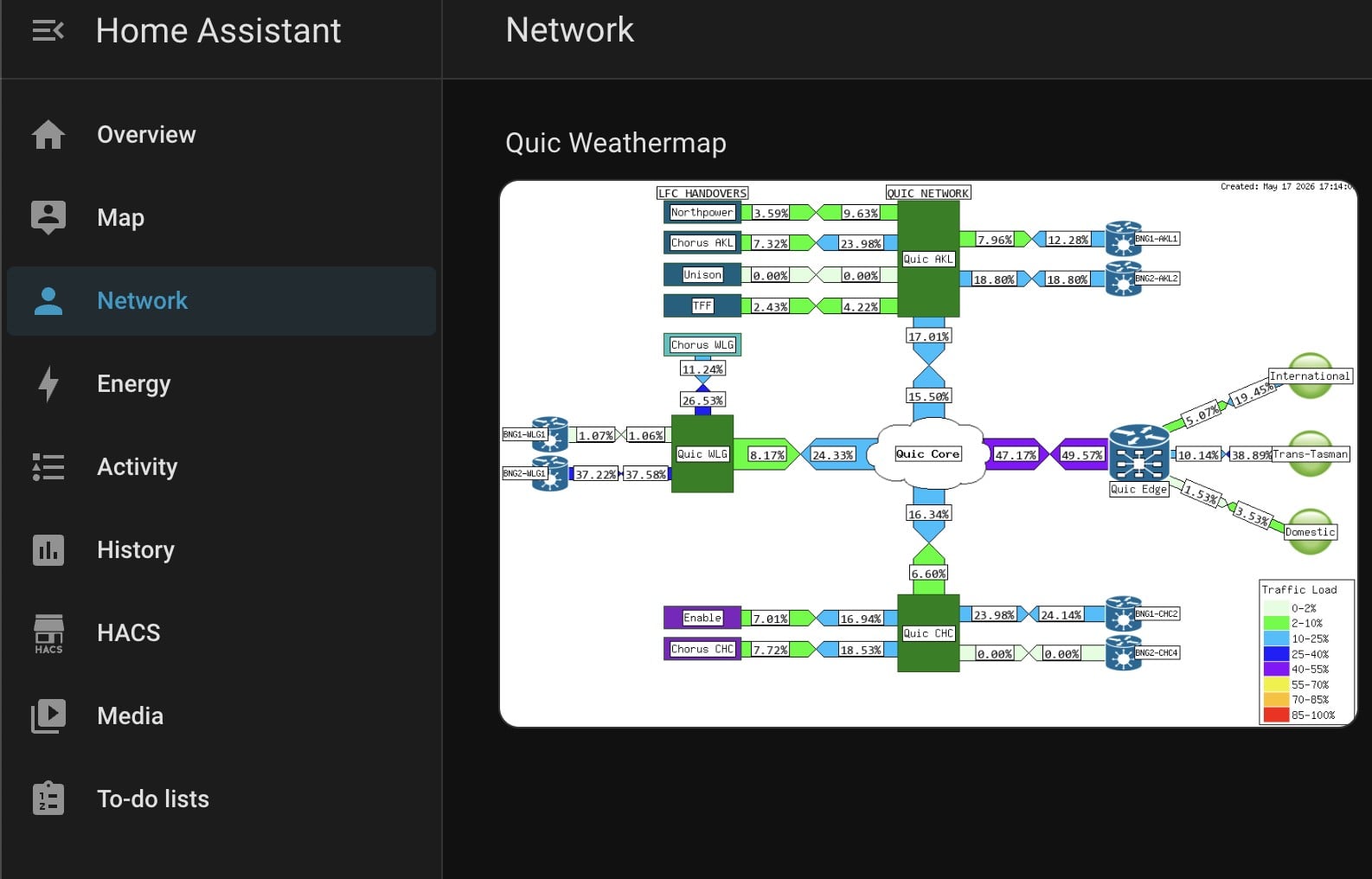
The integration now fetches the weathermap every 6 minutes as well.


bigreddog
248 posts

Master Geek
+1 received by user: 123

Subscriber

  #3494866 23-May-2026 12:15
Send private message quote this post

Nice - should probably change the "click on the logo" to be click on the map that takes me to the status page


Tauranga
Quic Fibre (use R213449EPZJ3R for free setup)


Filter this topic showing only the reply marked as answer Create new topic


Geekzone Live »

Try automatic live updates from Geekzone directly in your browser, without refreshing the page, with Geekzone Live now.


Are you subscribed to our RSS feed? You can download the latest headlines and summaries from our stories directly to your computer or smartphone by using a feed reader.