Geekzone: technology news, blogs, forums
Guest
Welcome Guest.
You haven't logged in yet. If you don't have an account you can register now.


jords12

146 posts

Master Geek
+1 received by user: 13


#324768 22-May-2026 09:14
Send private message

Hi


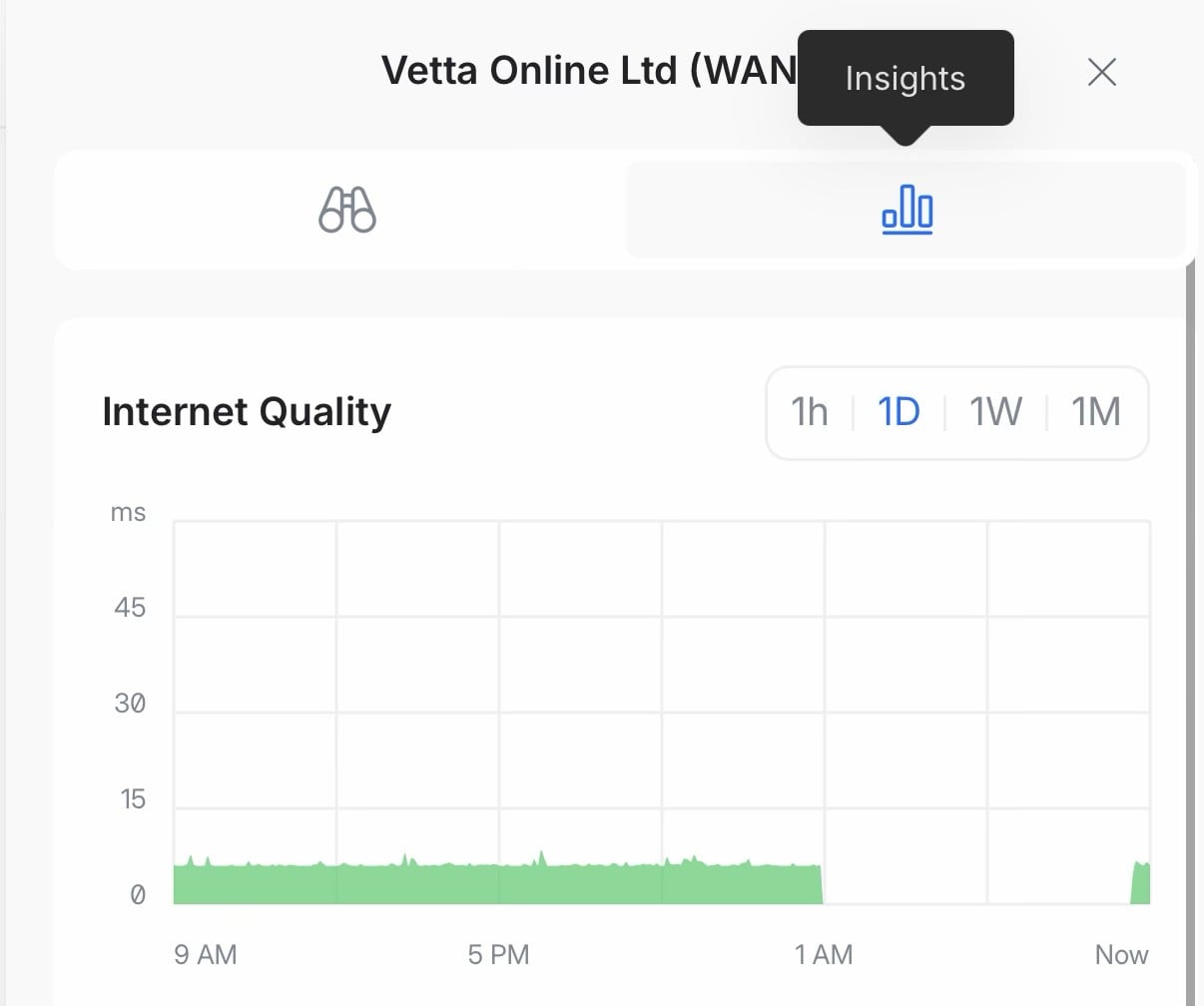
I’ve been on Quic for a while, and it’s been great - but I have had a strange intermittent issue (happens once every few months or so) where I lose IPv4 connectivity - but IPv6 continues to work! When it’s in this state I’m unable to ping any IPv4 addresses, 1.1.1.1 or 8.8.8.8 etc, however DNS resolution and ping for IPv6 sites still works.


This has happened a few times now, the most recent instance started at 3:17am this morning and was resolved at 9am when I rebooted my router. I’m using a UDM Pro Max with IPoE and hyperfibre through the Nokia ONT, with a static IP from Quic.


Has anyone seen an issue like this? I’m not sure if it’s on the ISP side or another Ubiquiti bug…


Create new topic
stevenn
49 posts

Geek
+1 received by user: 20


  #3494666 22-May-2026 09:39
Send private message

You aren’t alone same thing has been happening to me for a while too! Im using a UDM SE with quic 2G hyperfibre. Ive been having to restart my ONT every time it happens. I was starting to think I had a faulty ONT and then I saw your post!


also happened to me this morning too.


Linux
12463 posts

Uber Geek
+1 received by user: 8791

Trusted
Lifetime subscriber

  #3494668 22-May-2026 09:45
Send private message

1am could be planned work


stevenn
49 posts

Geek
+1 received by user: 20


  #3494671 22-May-2026 09:53
Send private message

Linux:


1am could be planned work


Just looked into it more it was a UniFi firmware update, but the connection still didn’t come back up like usual until I rebooted my ONT? This random disconnection thing has been happening for a while now over probably about the past month or so, every time it happens (about once or twice a week) I only have ipv6 connectivity, and no matter how many times I reboot my UDM, the only fix seems to be manually rebooting the ONT.


lxsw20
3789 posts

Uber Geek
+1 received by user: 2297

Subscriber

  #3494676 22-May-2026 10:07
Send private message

I have similar, ill have an o/night drop for something, and the only way to get a connection back quickly is to switch from PPPoE to DHCP or the other way. I have a WAN port configured on each so its simple to swap. Slightly annoying all the same. On a UDM-Pro so sounds like its Unifi/Quic issue.


michaelmurfy
meow
13732 posts

Uber Geek
+1 received by user: 11152

Moderator
ID Verified
Trusted
Lifetime subscriber

  #3494699 22-May-2026 12:24
Send private message

This sounds like a UniFi bug to me.


Not seeing any drops myself on either mine, or friends connections all on Mikrotik.


Michael Murphy | https://murfy.nz
Referral Links: Quic Broadband (use R122101E7CV7Q for free setup) | Starlink


NZ Politics 2026 Tracking & Quiz: https://nzpol.nz 

Are you happy with what you get from Geekzone? Please consider supporting us by subscribing.
Opinions are my own and not the views of my employer.


hio77
'That VDSL Cat'
13050 posts

Uber Geek
+1 received by user: 3906

ID Verified
Trusted
Lizard Networks
Subscriber

  #3494736 22-May-2026 15:45
Send private message

I route a ton of my traffic through vettas core, cant say i have noticed any issues like this.


stick a mikrotik infront of the unifi ;)


#include <std_disclaimer>


Any comments made are personal opinion and do not reflect directly on the position my current or past employers may have. 


Move to New Zealand's best fibre broadband service (affiliate link). Free setup code: R587125ERQ6VE. Note that to use Quic Broadband you must be comfortable with configuring your own router.
boosacnoodle
1552 posts

Uber Geek
+1 received by user: 1033


  #3494743 22-May-2026 16:02
Send private message

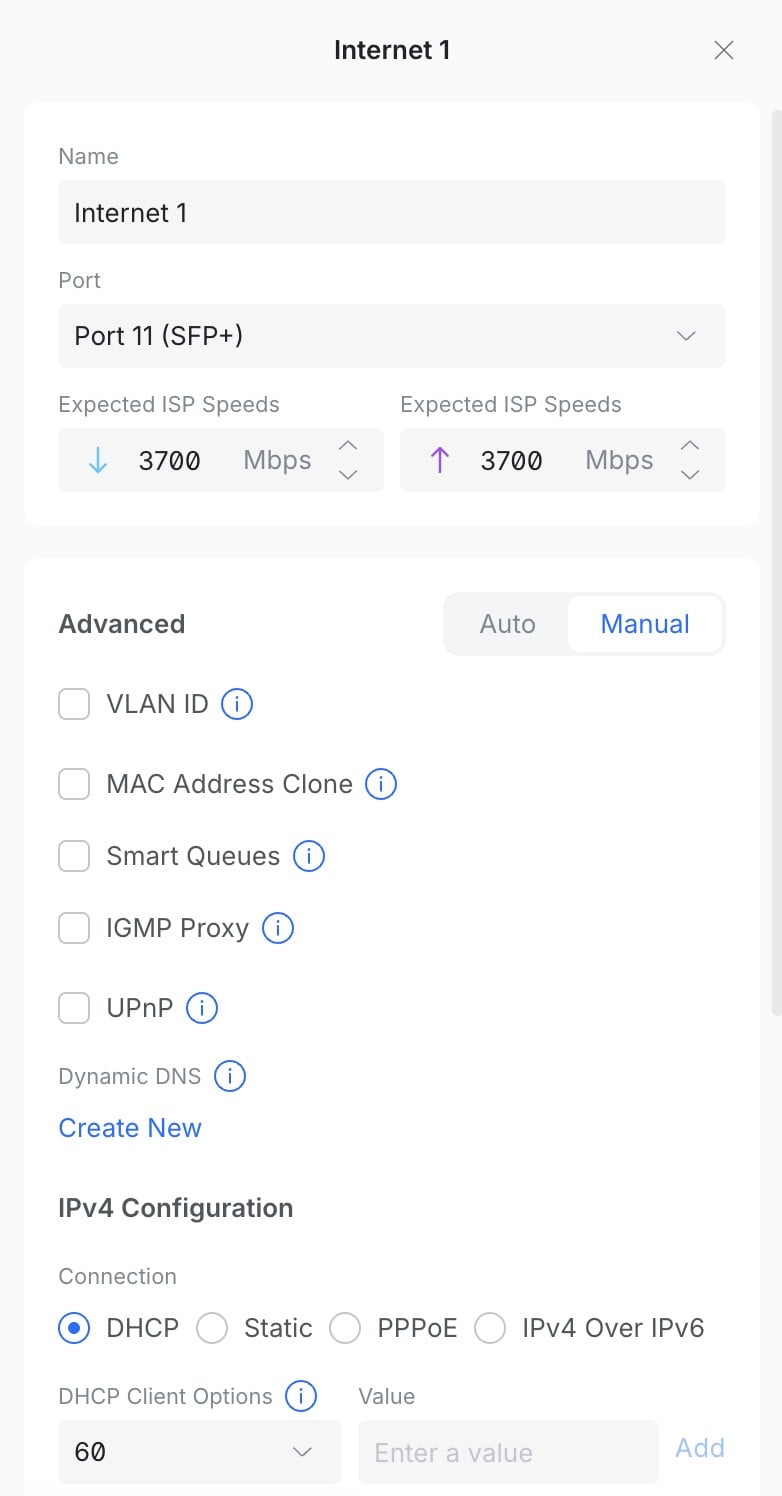
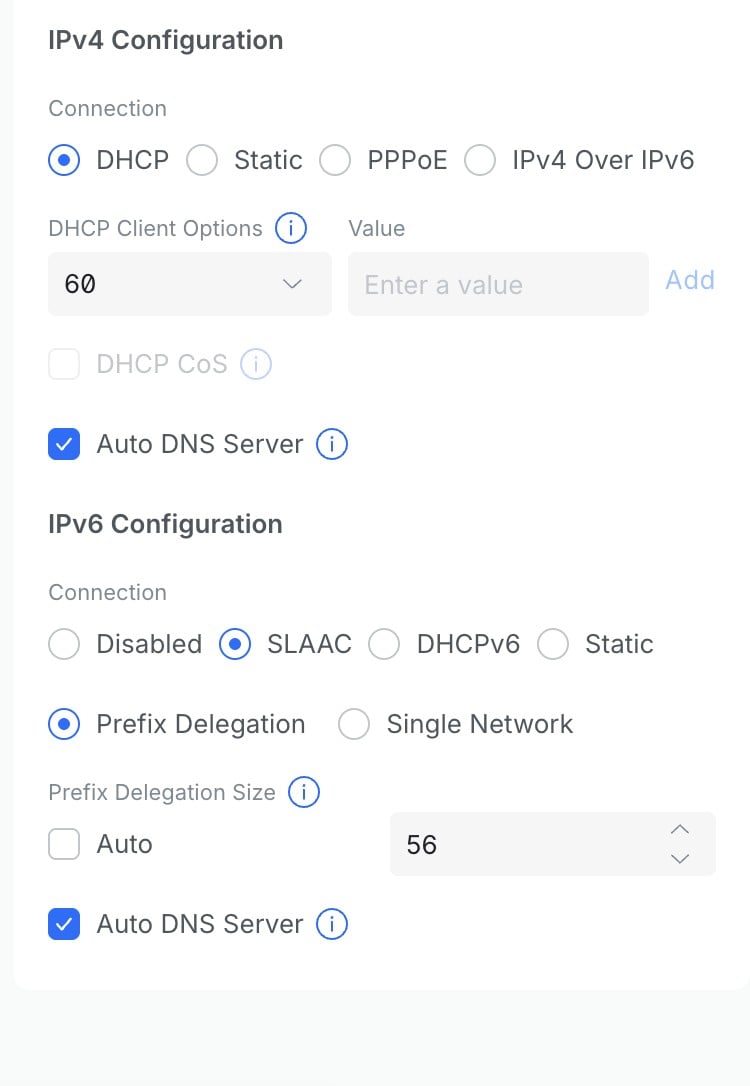
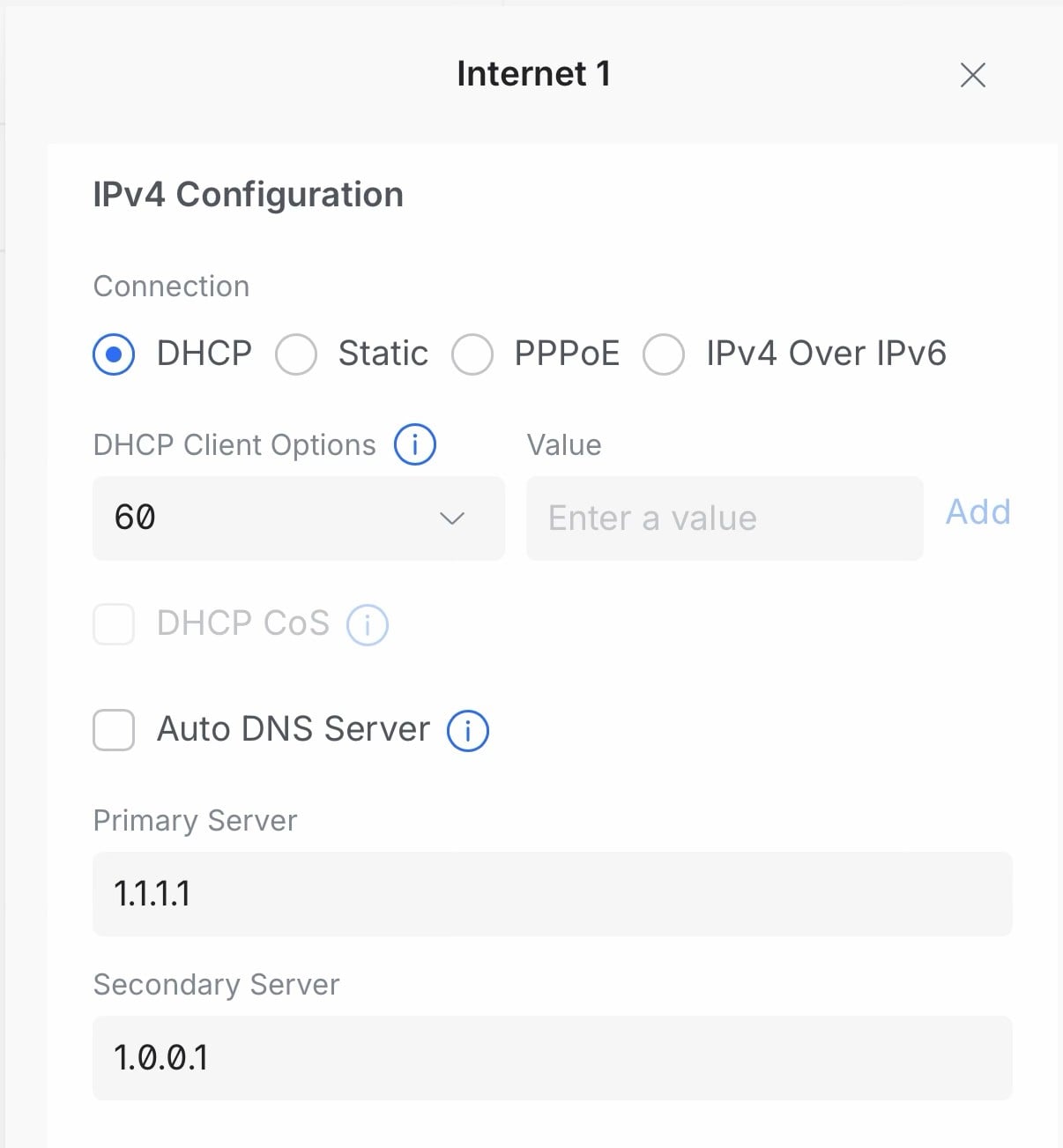
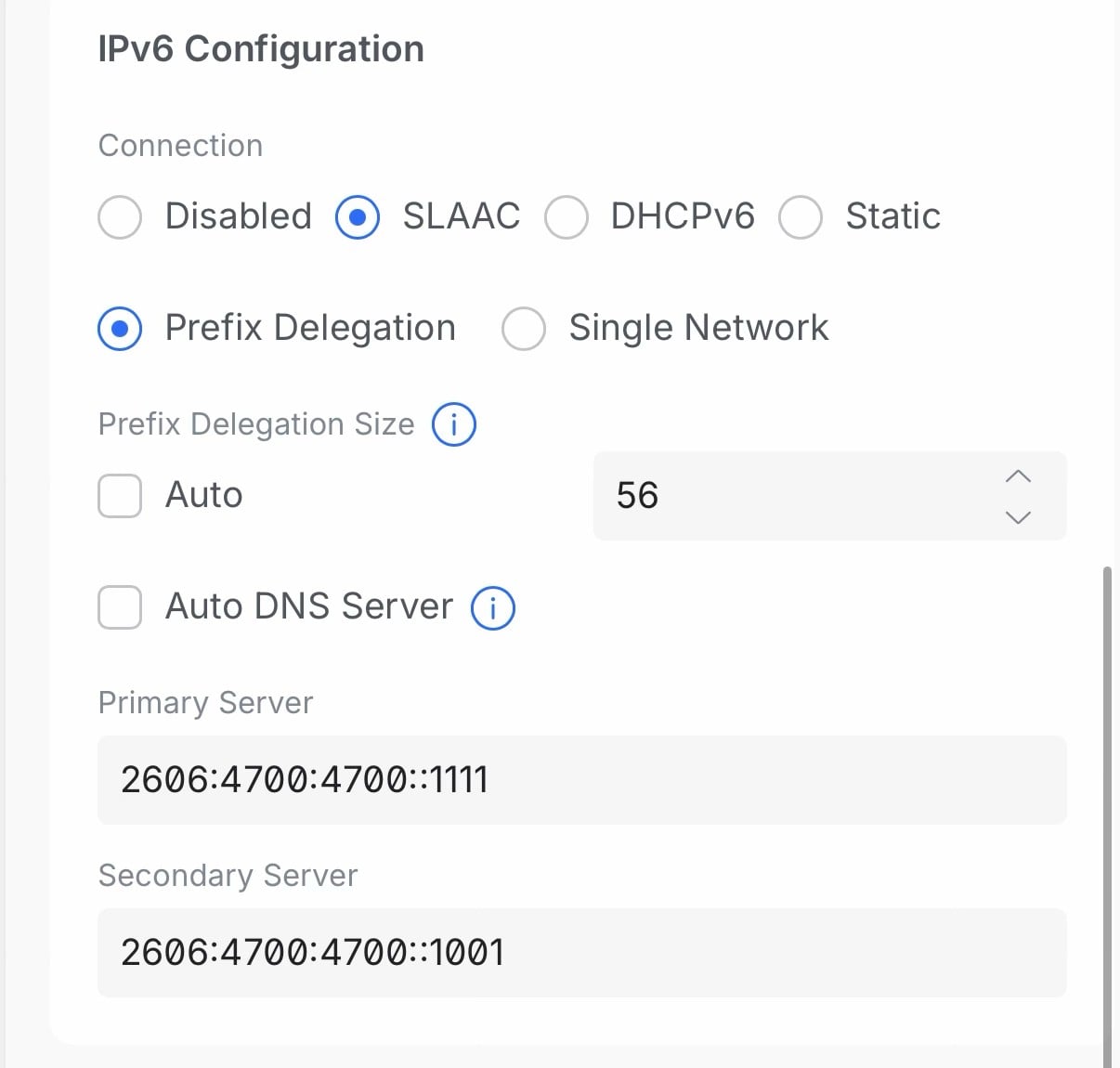
How is your UniFi gateway configured? Share screenshot. 


jords12

146 posts

Master Geek
+1 received by user: 13


  #3494805 22-May-2026 17:03
Send private message

Here's my configuration:


stevenn
49 posts

Geek
+1 received by user: 20


  #3494811 22-May-2026 17:37
Send private message

This is my Config if anyone wants to see:


Preetpatel
7 posts

Wannabe Geek


  #3494838 22-May-2026 22:03
Send private message

Yeah same for me. A unifi network reboot either manually or after an update causes full ipv4 dropout. 


If i change the WAN interface on the unifi console to another port and then switch back to the WAN port, it sorts itself out


Create new topic


Geekzone Live »

Try automatic live updates from Geekzone directly in your browser, without refreshing the page, with Geekzone Live now.


Are you subscribed to our RSS feed? You can download the latest headlines and summaries from our stories directly to your computer or smartphone by using a feed reader.