Geekzone: technology news, blogs, forums
Guest
Welcome Guest.
You haven't logged in yet. If you don't have an account you can register now.


Kookoo

869 posts

Ultimate Geek
+1 received by user: 407

Trusted

#295873 30-Apr-2022 23:45
Send private message

I haven't really thought this one through.


What I want to do: play karaoke youtube videos on the TV and output the mics audio at the same time.


Components:


- 5.1 amp. Relevant inputs: coax, RCA, Phono


- Android TV. Relevant inputs: none really


- UHF transmitter and mics https://www.trademe.co.nz/a/marketplace/music-instruments/cds/karaoke/listing/3569378075 (Mandarin manual)


- Desktop PC with a spare DP and 3.5 headset jack.


What I'm missing - a blimmin' karaoke machine.


Improvisation time.


Option 1: Run it via the PC. Hook up the UHF receiver to the 3.5mm jack on the PC. Use the DP to connect PC to the TV via the amp (no spare HDMI's left on the TV). Playback Youtube on the PC to the TV screen.


Option 2: Split the UHF transmitter output into RCA (I'm assuming it's analogue, the instructions are all in Mandarin). Plug into the amp, switch Input to RCA while TV is on. This will hopefully disconnect ARC and turn on the TV speakers. Meaning I can play Youtube videos on the TV using TV speakers, while the mics are going to the amp speakers.


Questions:


1) Are either of the 2 options likely to work? I guess they'll produce sound, but am I likely to struggle with delay, echo, who knows what else? Is it even worth trying?


2) Is there an easier way of doing it, aside from getting a karaoke machine such as this one https://www.amazon.com/Sound-Town-Microphone-Bluetooth-SWM15-PROS/dp/B083H43MKM?th=1



Hello, Ground!

Create new topic

gzt

gzt
18678 posts

Uber Geek
+1 received by user: 7809

Lifetime subscriber

  #2909036 1-May-2022 23:33
Send private message

Number one is worth a go at least. That will allow you to mix mic and music levels. Because you may want to tweak bass and treble for luck and mic separately you may find yourself looking for a more sophisticated channel mixer software for the PC.


gzt

gzt
18678 posts

Uber Geek
+1 received by user: 7809

Lifetime subscriber

  #2909037 1-May-2022 23:40
Send private message

A cheap end option is to buy different box to use as a separate vocal channel. Behind or in front of your existing speakers. This is more than adequate for vocals

https://www.thewarehouse.co.nz/p/veon-party-speaker-with-led-lights-vnw142020bk/R2665762.html?lang=default

There is a smaller model too. The radio and Bluetooth will be terrible, as a vocal amp should be ok. Take your mics to the store and find out ; ).

Kookoo

869 posts

Ultimate Geek
+1 received by user: 407

Trusted

  #2909616 3-May-2022 11:59
Send private message

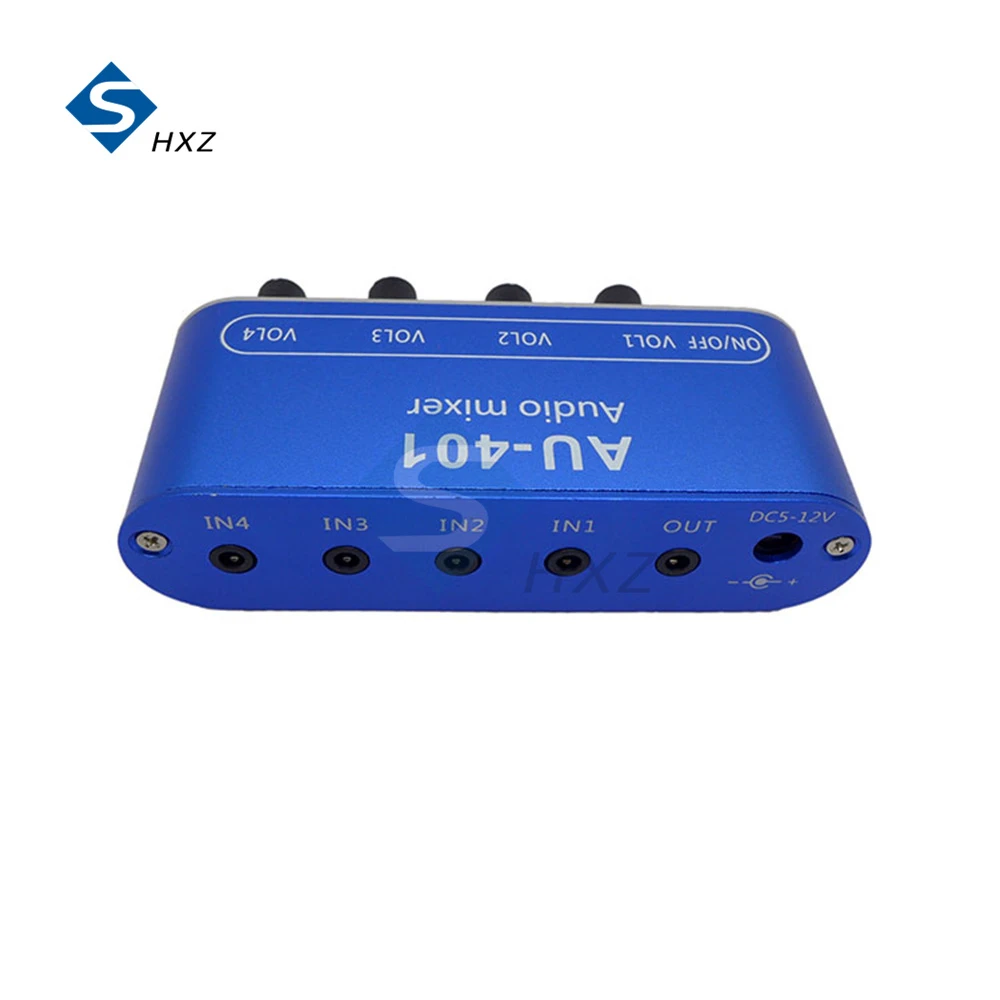
Option 3. I wonder if I can use something like this. Plug the UHF transmitter into one channel, the 3.5 mm headset output from the TV into another, and then connect the mixer output to an RCA input of the amp?


Cheap stereo mixer


Hello, Ground!


Kookoo

869 posts

Ultimate Geek
+1 received by user: 407

Trusted

  #2916059 19-May-2022 20:10
Send private message

Mostly replying to myself, but problem sorted with a cheap pre-amp from Jaycar.


So:


UHF receiver 6.35mm TS output plugged into the pre-amp


Pre-amp RCA output converted into a 3.5mm TRS and plugged into a $20 stereo mixer from Aliexpress


3.5mm audio output from the TV connected to the same stereo mixer


3.5mm output from the mixer split into RCA and connected to the RCA input of a/v receiver


Yes, there's a bit of noise and the quality isn't amazing. But it works. :) That's good enough for me.


Hello, Ground!

Create new topic


Geekzone Live »

Try automatic live updates from Geekzone directly in your browser, without refreshing the page, with Geekzone Live now.


Are you subscribed to our RSS feed? You can download the latest headlines and summaries from our stories directly to your computer or smartphone by using a feed reader.