Geekzone: technology news, blogs, forums
Guest
Welcome Guest.
You haven't logged in yet. If you don't have an account you can register now.


jbard

1377 posts

Uber Geek
+1 received by user: 17


#233394 14-Apr-2018 12:31
Send private message

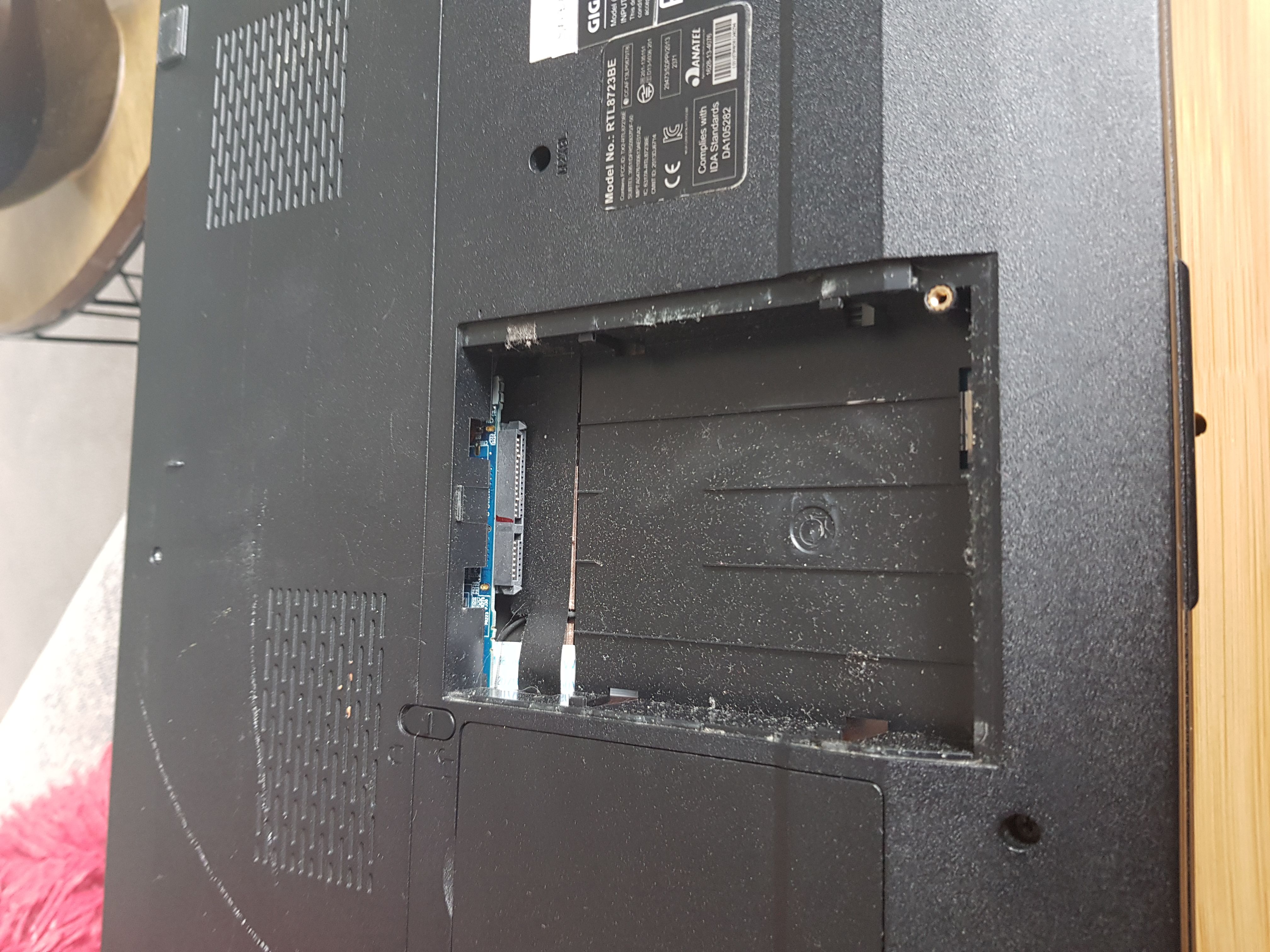
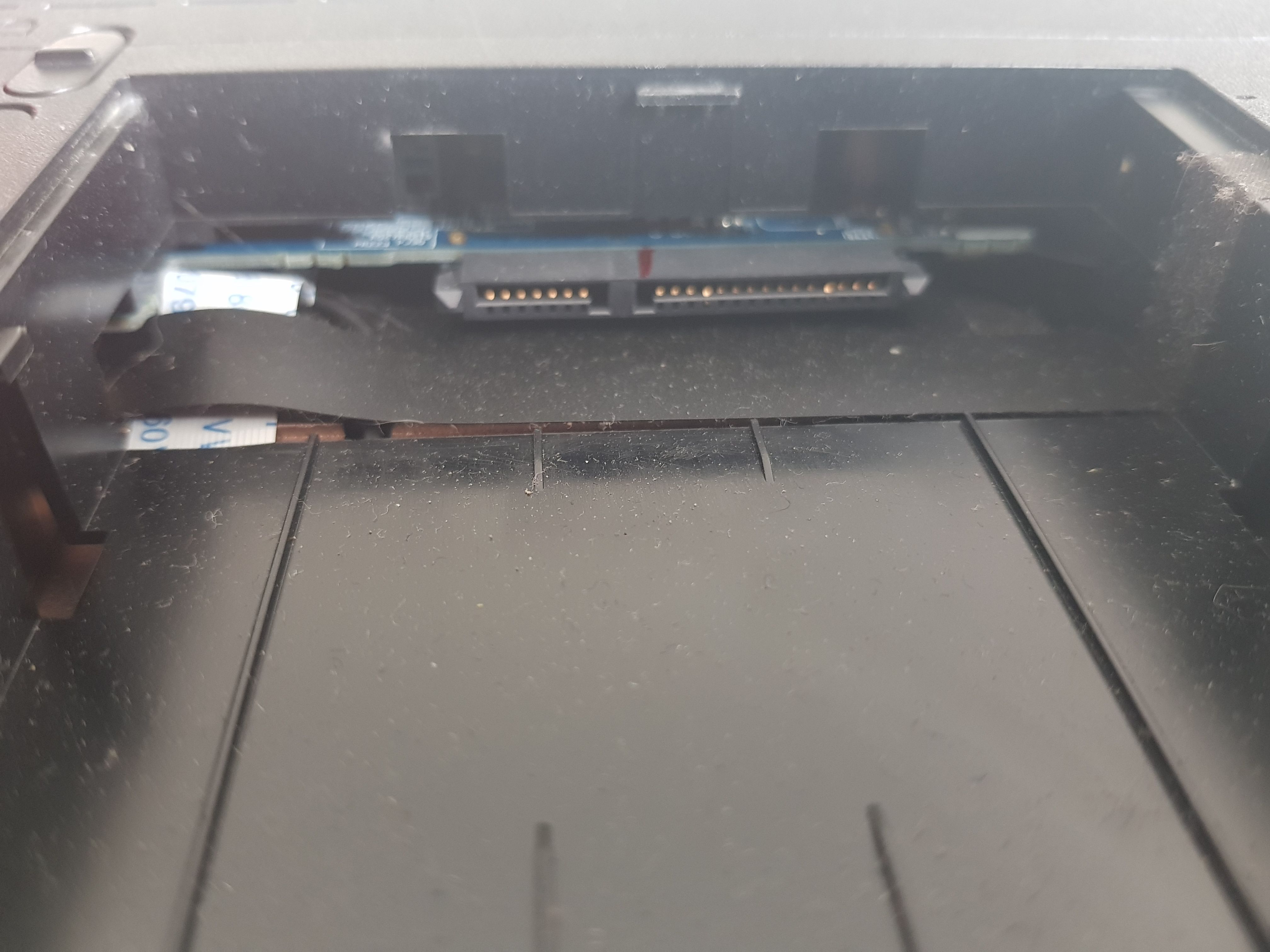
Some Googling seems to suggest this is an mSata port I can plug an additional SSD into? I'm unsure though as the specs for my laptop (Gigabyte P27v2) mention nothing about an additional SSD port.


Filter this topic showing only the reply marked as answer Create new topic
Spyware
3818 posts

Uber Geek
+1 received by user: 1366

Lifetime subscriber

  #1996013 14-Apr-2018 12:47
Send private message

2.5" HDD bay, SATA interface


jbard

1377 posts

Uber Geek
+1 received by user: 17


  #1996037 14-Apr-2018 13:39
Send private message

Thanks, so I would be able to plug in a 2.5" SSD to that?


Spyware
3818 posts

Uber Geek
+1 received by user: 1366

Lifetime subscriber

  #1996042 14-Apr-2018 13:50
Send private message

Yes.


jbard

1377 posts

Uber Geek
+1 received by user: 17


  #1996081 14-Apr-2018 15:07
Send private message

Thanks for your help :)


Lias
5655 posts

Uber Geek
+1 received by user: 3978

ID Verified
Trusted
Lifetime subscriber

  #1996354 15-Apr-2018 10:48
Send private message

It appears to be missing the cradle. I'm guessing it came from the factory as standard with a M2/MSATA SSD, so they didn't ship it with the cradle. You'll need to find a way of keeping the SSD in place (probably sellotape and some foam cutouts).


I'm a geek, a gamer, a dad, a Quic user, and an IT Professional. I have a full rack home lab, size 15 feet, an epic beard and Asperger's. I'm a bit of a Cypherpunk, who believes information wants to be free and the Net interprets censorship as damage and routes around it. If you use my Quic signup you can also use the code R570394EKGIZ8 for free setup. Opinions are my own and not the views of my employer.


Filter this topic showing only the reply marked as answer Create new topic


Geekzone Live »

Try automatic live updates from Geekzone directly in your browser, without refreshing the page, with Geekzone Live now.


Are you subscribed to our RSS feed? You can download the latest headlines and summaries from our stories directly to your computer or smartphone by using a feed reader.
