Geekzone: technology news, blogs, forums
Guest
Welcome Guest.
You haven't logged in yet. If you don't have an account you can register now.


danepak

1124 posts

Uber Geek
+1 received by user: 85


#323574 17-Dec-2025 09:00
Send private message

Got myself an HP laptop (HP 15 FC1025AU).This laptop has two USB A ports and one USB C port.


Ideally I would like to use the two USB A ports for other things and then use the USB C port for a USB flash drive.


I therefore got myself a Lexar Dual Drive D400 (32GB) which has both USB A and USB C. The USB A works with no issues, but when I plug the USB C into the USB C port on my laptop, nothing happens. I would have assumed that it would have loaded up the drive in Windows like it does when I use the USB A end.
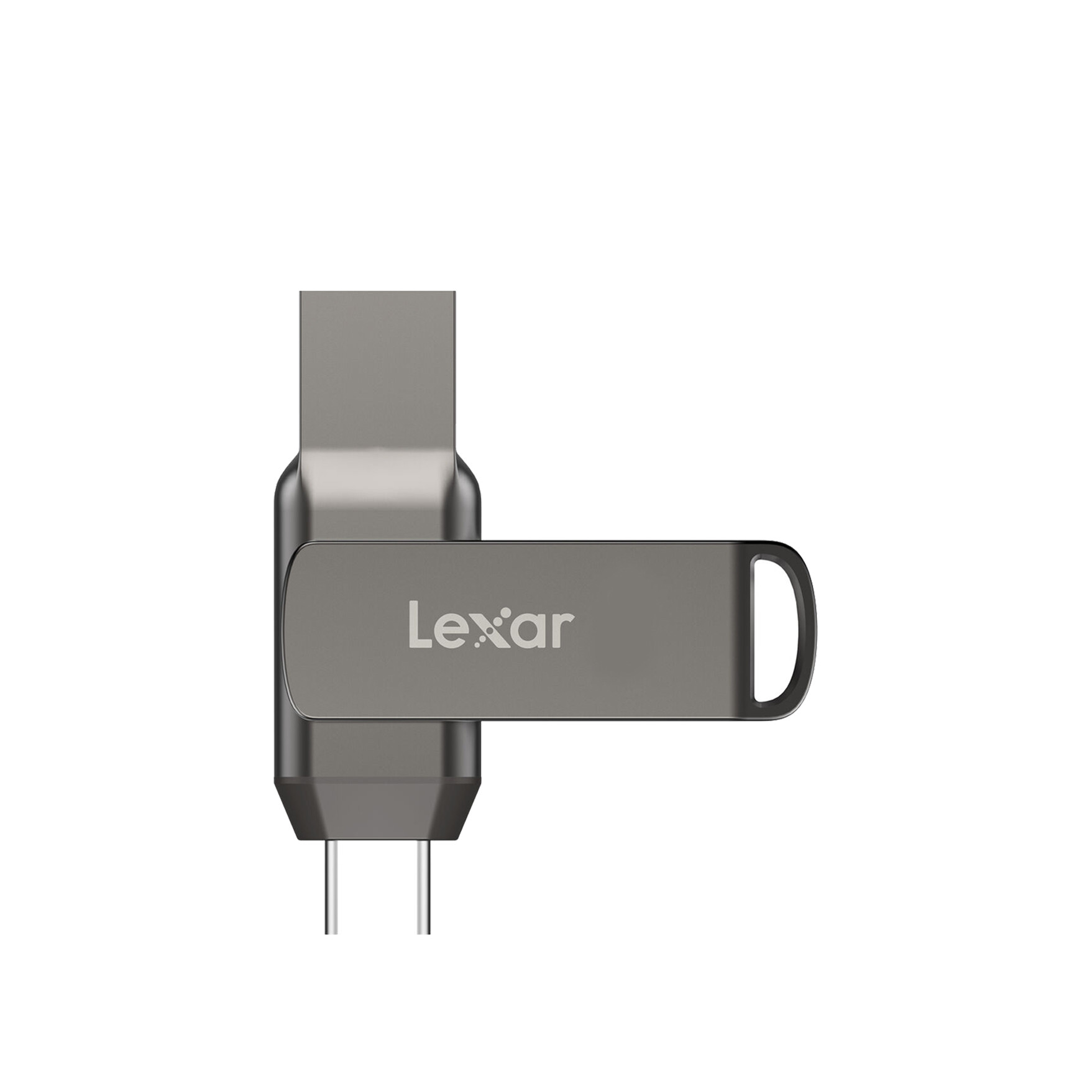


Lexar® JumpDrive® 32GB /64GB / 128GB Dual Drive D400 USB 3.1 Type-C ...


Filter this topic showing only the reply marked as answer View this topic in a long page with up to 500 replies per page Create new topic
 1 | 2
CYaBro
4708 posts

Uber Geek
+1 received by user: 1182

ID Verified
Trusted

  #3444846 17-Dec-2025 09:09
Send private message

Do you have any other USB-C devices you can plug in to check if the USB-C port is working?


Any issues in Device Manager?


Opinions are my own and not the views of my employer.


danepak

1124 posts

Uber Geek
+1 received by user: 85


  #3444856 17-Dec-2025 09:55
Send private message

CYaBro:


Do you have any other USB-C devices you can plug in to check if the USB-C port is working?


Any issues in Device Manager?


I’ll give it a go later today. Also, it has the trident icon, so should work.


I guess I can try to charge a phone. Unsure if I have other USB C things to check 


Stu

Stu
Hammered
8738 posts

Uber Geek
+1 received by user: 2390

Moderator
ID Verified
Trusted
Lifetime subscriber

  #3444858 17-Dec-2025 10:09
Send private message

Merely charging a phone won't test the data side of things. But plugging the phone in you should be able to access the phone's storage.


People often mistake me for an adult because of my age.


Keep calm, and carry on posting.


Referral Links: Sharesies


Are you happy with what you get from Geekzone? If so, please consider supporting us by subscribing.


No matter where you go, there you are.


gehenna
8667 posts

Uber Geek
+1 received by user: 3883

Moderator
Trusted
Lifetime subscriber

  #3444886 17-Dec-2025 11:38
Send private message

Is it a USB-C port or a Thunderbolt port, or maybe just a PD port??  Not all USB-C is created equal.  It's kind of dumb and made life worse than it was with USB-A tbh. 


CYaBro
4708 posts

Uber Geek
+1 received by user: 1182

ID Verified
Trusted

  #3444906 17-Dec-2025 12:13
Send private message

Looking at the specs for that family of laptops and it says this:


(1) USB 3.2 Gen 1.0 Type-C port; 5 Gbps signalling rate (data transfer only; charging or external monitors not supported)


So no reason why that USB drive shouldn't work.


I have some Adata USB drives with both USB A & C plugs on them and they just work regardless of which port you plug them into so yours should too.


Open the Device Manager and check if there's any issues in there and plug in the USB drive and see if anything changes in the Device Manager.


Opinions are my own and not the views of my employer.


gehenna
8667 posts

Uber Geek
+1 received by user: 3883

Moderator
Trusted
Lifetime subscriber

  #3445003 17-Dec-2025 15:20
Send private message

if you open Disk Management does the USB device appear there?  It might just need to be formatted.


Shop now for Lego sets and other gifts (affiliate link).
Behodar
11093 posts

Uber Geek
+1 received by user: 6070

Trusted
Lifetime subscriber

  #3445004 17-Dec-2025 15:25
Send private message

If it works via USB-A then it must already be formatted.


danepak

1124 posts

Uber Geek
+1 received by user: 85


  #3445023 17-Dec-2025 17:38
Send private message

OK, I got home and tried to plug the USB-C into the USB-C port on my work laptop. Worked fine.


I then plugged my phone into my new laptop - nothing happens. I also tried the USB-C again - nothing happens.


In regards to Device Manager, as I supposed to look for an error? Sorry if it's a daft question.


ANglEAUT
altered-ego
2436 posts

Uber Geek
+1 received by user: 841

Trusted
Lifetime subscriber

  #3445026 17-Dec-2025 17:54
Send private message

danepak: ... In regards to Device Manager, as I supposed to look for an error? Sorry if it's a daft question.


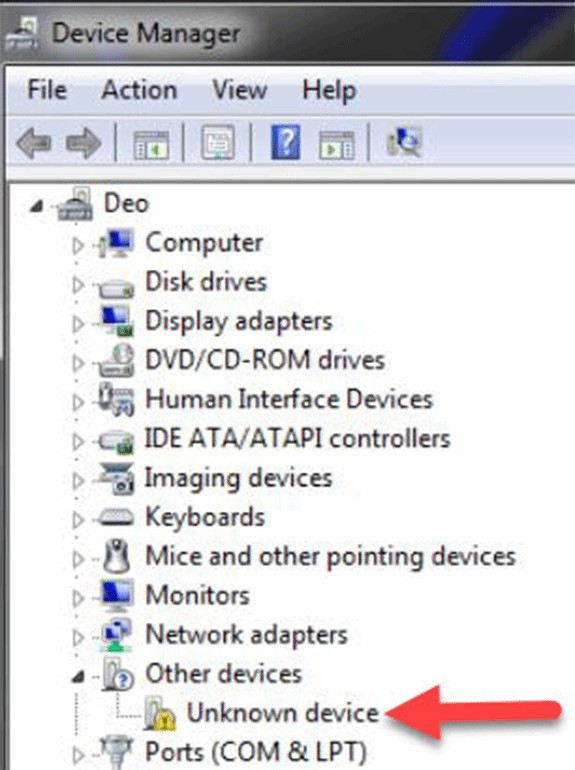
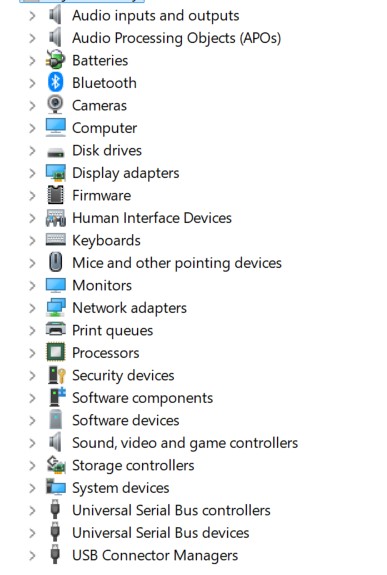
Look for any yellow triangles with exclamation marks, or question marks or other disabled devices. Especially as you plug your USB drive in. Especially at the bottom, under System Devices or USB Bus Controllers.


Image thanks to https://www.techtarget.com/searchenterprisedesktop/tip/How-to-manage-Windows-10-device-drivers


Please keep this GZ community vibrant by contributing in a constructive & respectful manner.


danepak

1124 posts

Uber Geek
+1 received by user: 85


  #3445028 17-Dec-2025 18:06
Send private message

ANglEAUT:


danepak: ... In regards to Device Manager, as I supposed to look for an error? Sorry if it's a daft question.


Look for any yellow triangles with exclamation marks, or question marks or other disabled devices. Especially as you plug your USB drive in. Especially at the bottom, under System Devices or USB Bus Controllers.


Image thanks to https://www.techtarget.com/searchenterprisedesktop/tip/How-to-manage-Windows-10-device-drivers


I don't see any errors.


Nothing at all happens when I plug it in. It's like the USB port isn't active. 


When I plug it in as USB-A, it shows under Disk drives. But it doesn't, when I plyg in as USB-C.


trig42
5889 posts

Uber Geek
+1 received by user: 2094

ID Verified

  #3445124 18-Dec-2025 07:38
Send private message

It is either a dud USB port, or it's somehow turned off in BIOS.


If you leave the USB-C flash drive connected and reboot into BIOS, does it see it in there (should show as a disk drive in BIOS).


Any options in there (probably under Integrated peripherals or similar) for disabling USB/Thunderbolt ports?


Shop now for Lenovo laptops and other devices (affiliate link).
fe31nz
1294 posts

Uber Geek
+1 received by user: 423


  #3445492 18-Dec-2025 23:38
Send private message

You could also try booting a live Linux image and seeing if it will work with that.


Goosey
3014 posts

Uber Geek
+1 received by user: 866

Subscriber

  #3445496 19-Dec-2025 07:25
Send private message

You gotta, right click on the system tray icon and click on “eject”.


hahaha, I’m just being cheeky….


good luck.


richms
29098 posts

Uber Geek
+1 received by user: 10207

Trusted
Lifetime subscriber

  #3445506 19-Dec-2025 08:49
Send private message

I have one drive like that but different brand, and its slightly too short on its USB side to make contact with some ports. Try it thru a hub or something and see if its any better.


Richard rich.ms

gehenna
8667 posts

Uber Geek
+1 received by user: 3883

Moderator
Trusted
Lifetime subscriber

  #3445511 19-Dec-2025 09:25
Send private message

That's mind blowing considering USB is supposed to be a consistent standard 🤯


 1 | 2
Filter this topic showing only the reply marked as answer View this topic in a long page with up to 500 replies per page Create new topic


Geekzone Live »

Try automatic live updates from Geekzone directly in your browser, without refreshing the page, with Geekzone Live now.


Are you subscribed to our RSS feed? You can download the latest headlines and summaries from our stories directly to your computer or smartphone by using a feed reader.