Geekzone: technology news, blogs, forums
Guest
Welcome Guest.
You haven't logged in yet. If you don't have an account you can register now.


defaterman

4 posts

Wannabe Geek


#315546 24-Jul-2024 14:35
Send private message

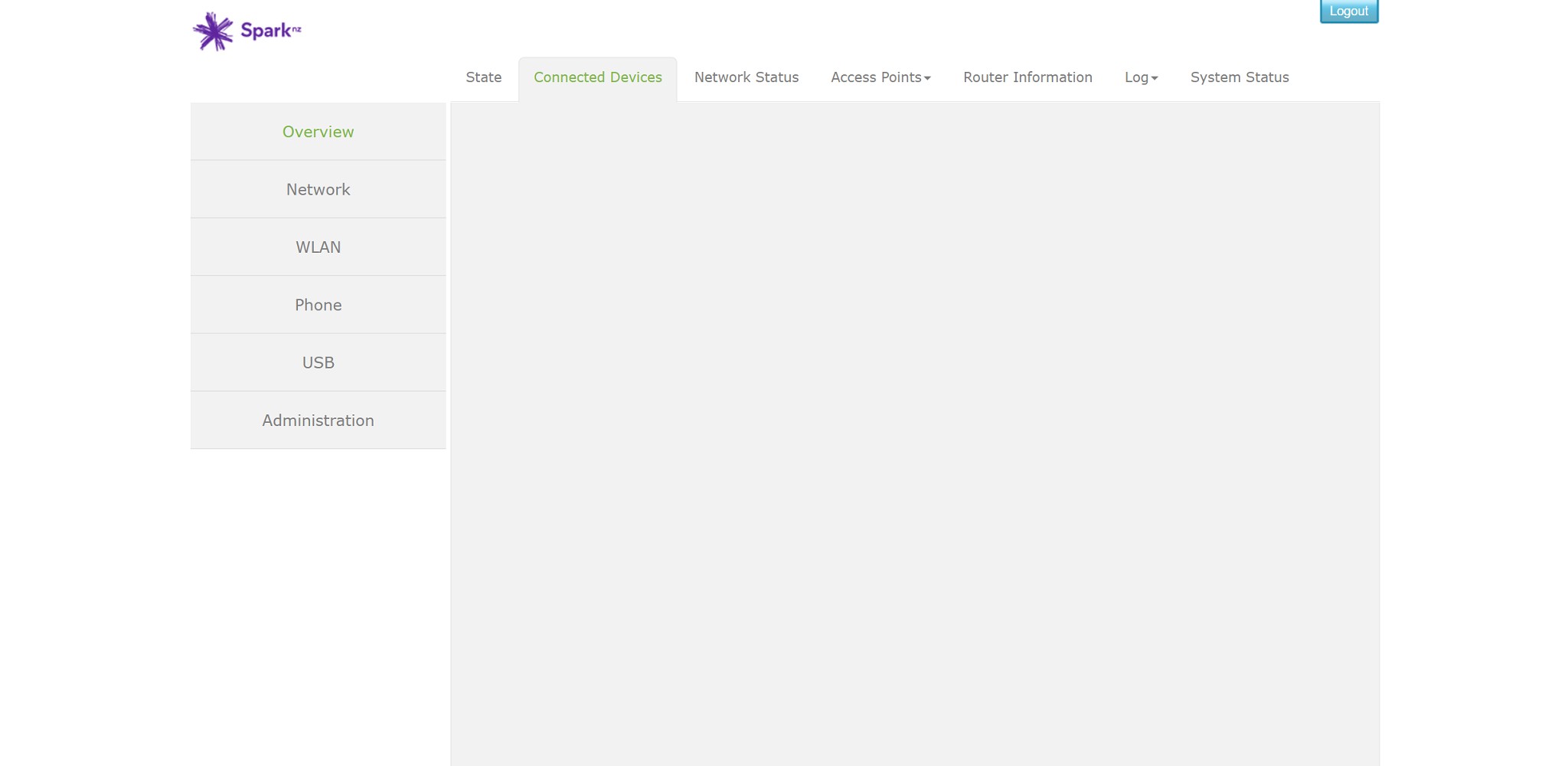
I wanted to rename the "connected devices" list in the UI just to make it easier for me to see what was connected to my network and identify them. I have 24 different connections with most just having an ip address, with no description of what they are. I have identified what they are but when I start to rename the devices after the third entry/line the page goes blank, nothing on the page (screen Shot Attached). I tried unplugging everything from the Modem powering up again ... no change. I finally did a factory reset and the list returned👍, but once I got to the 3rd entry again the page and all info disappeared. Firmware is up to date, I don't believe there has ever been an update since I have had it. 


Is this a known issue and any advice would be appreciated, Cheers Phil.


Create new topic
WellyGeek
14 posts

Geek


  #3265569 28-Jul-2024 15:43
Send private message

I had the same problem a few months back.   It turned out to be Chrome Browser issue.  Firefox showed the page populated with all the devices.  Try different browsers.


defaterman

4 posts

Wannabe Geek


  #3265771 29-Jul-2024 10:00
Send private message

Thanks for the reply WellyGeek. I only use Edge and Chrome with the same problem reoccurring, so it looks as though I will just have to live with it until someone from Spark reads this thread and offer some help, Cheers Phil out.


lxsw20
3689 posts

Uber Geek
+1 received by user: 2174

Subscriber

  #3265779 29-Jul-2024 10:24
Send private message

Edge and Chrome are the same browser behind the scenes, so try Firefox as above.


Create new topic


Geekzone Live »

Try automatic live updates from Geekzone directly in your browser, without refreshing the page, with Geekzone Live now.


Are you subscribed to our RSS feed? You can download the latest headlines and summaries from our stories directly to your computer or smartphone by using a feed reader.
