Geekzone: technology news, blogs, forums
Guest
Welcome Guest.
You haven't logged in yet. If you don't have an account you can register now.


Filter this topic showing only the reply marked as answer View this topic in a long page with up to 500 replies per page Create new topic
1 | 2 | 3
RunningMan
9185 posts

Uber Geek
+1 received by user: 4838


  #2548399 23-Aug-2020 19:54
Send private message

That's a pretty good start then, as extra jacks and wiring (even if unused) can play havoc with VDSL. That's also a pretty old jackpoint with the components for the ringer circuit - any corrosion visible? Have you tried a new cable from the jackpoint to the modem?


Basically, from your modem line stats, it does look like a physical wiring issue, however these are more often inside the premises rather than outside, so good to rule that out first.


Sven99

14 posts

Geek
+1 received by user: 3


  #2548405 23-Aug-2020 20:12
Send private message

RunningMan:

That's a pretty good start then, as extra jacks and wiring (even if unused) can play havoc with VDSL. That's also a pretty old jackpoint with the components for the ringer circuit - any corrosion visible? Have you tried a new cable from the jackpoint to the modem?


I've tried 3 or 4 different dsl cables, same result. No corrosion that I can see at all. I've tried a different modem as well.


RunningMan
9185 posts

Uber Geek
+1 received by user: 4838


  #2548406 23-Aug-2020 20:16
Send private message

You don't happen to have a record of your modem line stats from the past do you, for comparison?


Bung
6733 posts

Uber Geek
+1 received by user: 2926

Subscriber

  #2548407 23-Aug-2020 20:17
Send private message

RunningMan: That's also a pretty old jackpoint with the components for the ringer circuit - any corrosion visible?


Part of the change to 2 wire jackpoints was giving more separation to the tracks on the circuit board to reduce the amount of corrosion. If the OP can get hold of a terminating tool it would be worthwhile swapping that jack with the other currently unused jack.

SATTV
1670 posts

Uber Geek
+1 received by user: 658

ID Verified

  #2548408 23-Aug-2020 20:23
Send private message

Bung:
RunningMan: That's also a pretty old jackpoint with the components for the ringer circuit - any corrosion visible?


Part of the change to 2 wire jackpoints was giving more separation to the tracks on the circuit board to reduce the amount of corrosion. If the OP can get hold of a terminating tool it would be worthwhile swapping that jack with the other currently unused jack.


Remove the BT jack all together and replace with RJ45, just connect to the blue pair on the socket with the red and white cable.  ( punch from the inside out, unlike the BT which is outside in )


John


I know enough to be dangerous


Sven99

14 posts

Geek
+1 received by user: 3


  #2548409 23-Aug-2020 20:29
Send private message

I would definitely install a new jackpoint if you guys think that will solve the issue. 
I don't have the a screenshot of the modem stats from before the issue - It worked fine, so I didnt think to do it. Best I have is this speedtest from april. 


Cheers!


Shop now on Samsung phones, tablets, TVs and more (affiliate link).
josephhinvest
1550 posts

Uber Geek
+1 received by user: 322

ID Verified
Trusted

  #2548410 23-Aug-2020 20:31
Send private message

We had a VERY odd situation a couple of years ago, VDSL for several years with adequate performance then suddenly dead. Took two whole weeks to resolve, several visits by Chorus. A cabinet 1km up the road had been water damaged and the replacement involved so much extra cable length that we were then too far away from exchange for VDSL and had to downgrade to ADSL. Very frustrating. Hopefully it’s not something weird like that.

Cheers,
Joseph

xpd

xpd
Geek of Coastguard
14116 posts

Uber Geek
+1 received by user: 4578

Retired Mod
ID Verified
Trusted
Lifetime subscriber

  #2548420 23-Aug-2020 21:19
Send private message

Whereabouts are you located? A local geek might be able to loan you the punch-down tool as mentioned, def won't hurt.


XPD / Gavin


LinkTree


RunningMan
9185 posts

Uber Geek
+1 received by user: 4838


  #2548421 23-Aug-2020 21:21
Send private message

Sven99:. Best I have is this speedtest from april.


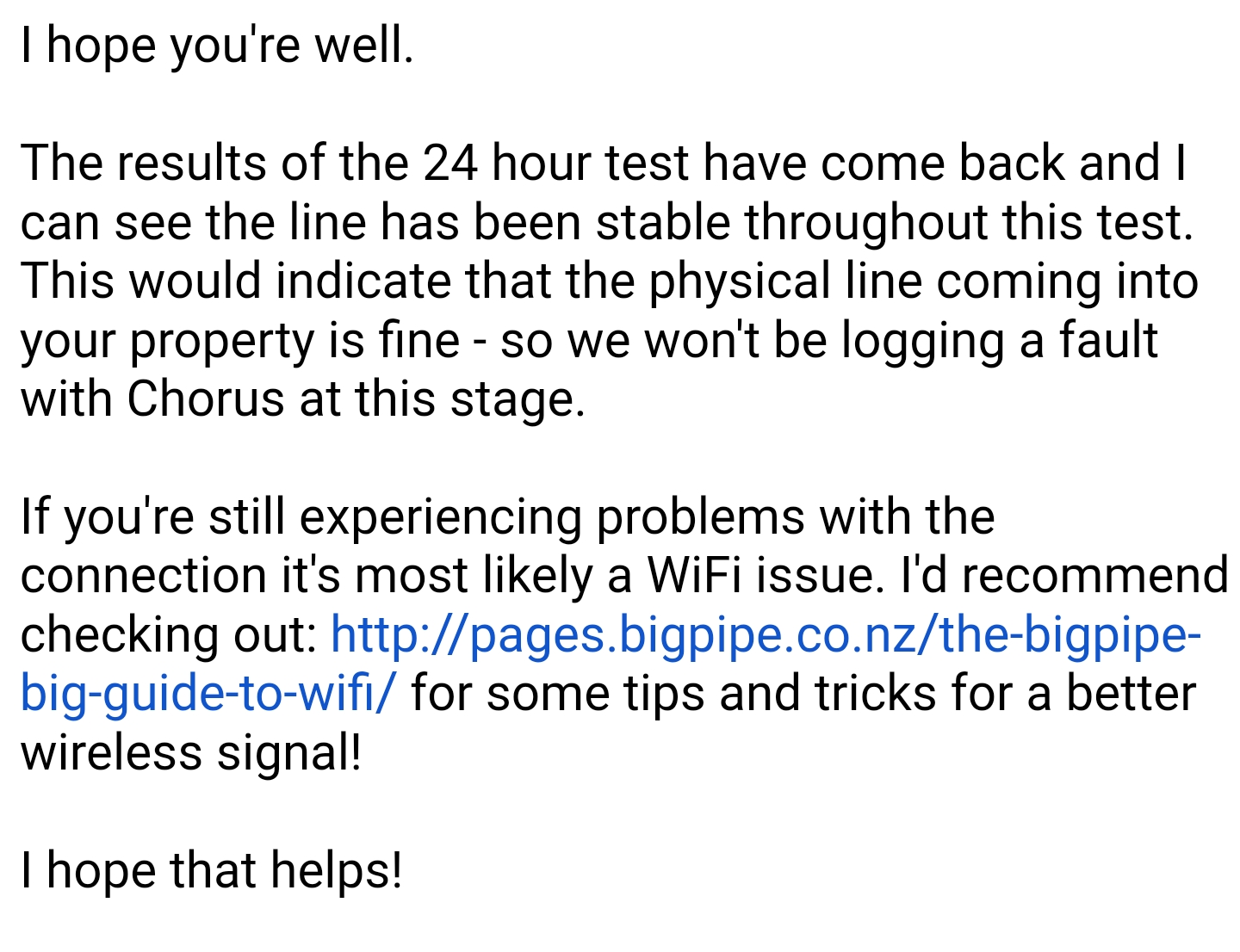
Really wanted to know if the attenuation had changed with time. Either way, you've probably done everything you reasonably can at this stage. From the error and sync rates it certainly looks like a physical line fault. This clearly isn't a wifi issue as suggested in the OP.


As already mentioned, you haven't said how far north of Auckland you are, but if you are in the lockdown zone I expect this will be influencing a truck roll for anything other than a totally dead connection.


I'd go back to Bigpipe and ask them to escalate to the next support tier.


quickymart
14940 posts

Uber Geek
+1 received by user: 13954

ID Verified

  #2548428 23-Aug-2020 21:50
Send private message

Maybe something @coffeebaron could help with?


coffeebaron
6304 posts

Uber Geek
+1 received by user: 3567

Trusted
Lifetime subscriber

  #2548430 23-Aug-2020 21:56
Send private message

quickymart:

Maybe something @coffeebaron could help with?


Feel free to get in touch. I probably won't be in Auckland until after this week sometime; unless I get anything classed as "essential ' that I need to do.


Rural IT and Broadband support.


Broadband troubleshooting and master filter installs.
Starlink installer - one month free: https://www.starlink.com/?referral=RC-32845-88860-71 
Wi-Fi and networking
Cel-Fi supply and installer - boost your mobile phone coverage legally


Need help in Auckland, Waikato or BoP? Click my email button, or email me direct: [my user name] at geekzonemail dot com


Shop now for Lenovo laptops and other devices (affiliate link).
hio77
'That VDSL Cat'
13036 posts

Uber Geek
+1 received by user: 3896

ID Verified
Trusted
Lizard Networks
Subscriber

  #2548469 24-Aug-2020 07:20
Send private message

based on those error rates, looks like a fault.


i'd probably comment on the loss of upstream speed as a way to get through on this one.


Given it's on the bigpipe side little more i can do here apart from sholdertap. so try the above first :)


#include <std_disclaimer>


Any comments made are personal opinion and do not reflect directly on the position my current or past employers may have. 


Sven99

14 posts

Geek
+1 received by user: 3


  #2548500 24-Aug-2020 08:54
Send private message

Hey guys,
So I sent bigpipe the screen shot of the modem dsl stats
And the speed test.
I made special note of the upload speed.
I told them confidently our issues still exist via Ethernet.

Their reply.


I'm not sure how to make them believe I'm not an idiot.

Spyware
3818 posts

Uber Geek
+1 received by user: 1366

Lifetime subscriber

  #2548503 24-Aug-2020 08:59
Send private message

Point out that the 546 kbps upstream sync speed is sub spec. Then ask them how any wifi issue could possibly cause this sub spec sync. Keep pushing.


Spark Max Fibre using Mikrotik CCR1009-8G-1S-1S+, CRS125-24G-1S, Unifi UAP, U6-Pro, UAP-AC-M-Pro, Apple TV 4K (2022), Apple TV 4K (2017), iPad Air 1st gen, iPad Air 4th gen, iPhone 13, SkyNZ3151 (the white box). If it doesn't move then it's data cabled.


Jase2985
13730 posts

Uber Geek
+1 received by user: 6202

ID Verified
Lifetime subscriber

  #2548512 24-Aug-2020 09:28
Send private message

ask them how wifi issues can affect you sync speed? the speed test matches the sync speed.


1 | 2 | 3
Filter this topic showing only the reply marked as answer View this topic in a long page with up to 500 replies per page Create new topic


Geekzone Live »

Try automatic live updates from Geekzone directly in your browser, without refreshing the page, with Geekzone Live now.


Are you subscribed to our RSS feed? You can download the latest headlines and summaries from our stories directly to your computer or smartphone by using a feed reader.