Geekzone: technology news, blogs, forums
Guest
Welcome Guest.
You haven't logged in yet. If you don't have an account you can register now.


lachlanw

232 posts

Master Geek
+1 received by user: 96

ID Verified
Lifetime subscriber

#231963 22-Mar-2018 22:54
Send private message

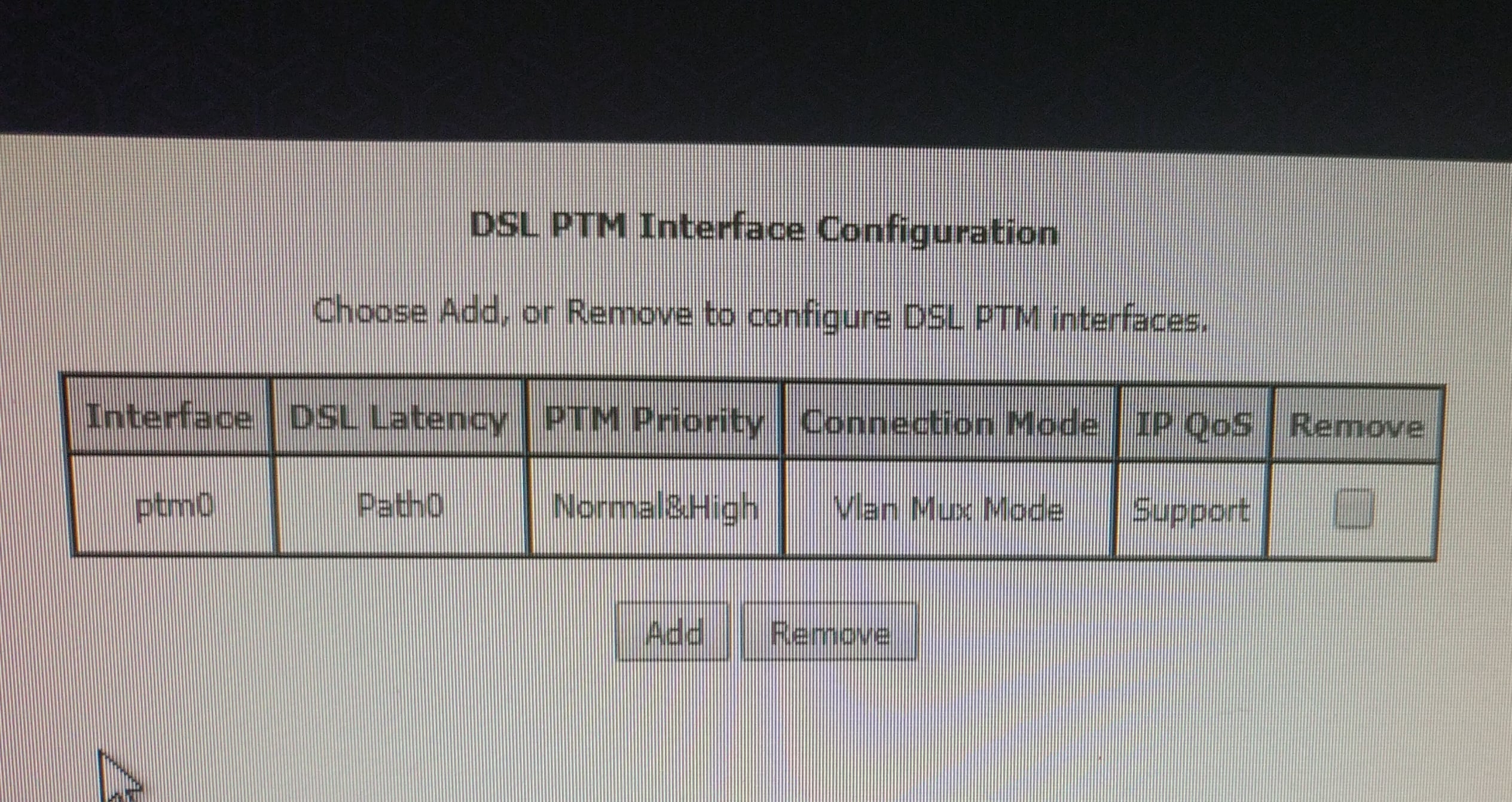
Evening all. After changing from Bigpipe ADSL to VDSL I had the awkward realisation that my DLink Dsl2900al won't support Vdsl. I have an Orcon Netcom NF4V sitting around and have been trying to set this up using the instructions on the Bigpipe router setup page. So far this has been unsuccessful as I get green lights for DSL and Internet but no Wan light and am unable to access the net. I've done a factory reset and followed the instructions but no go.

Any thoughts or suggestions?

Filter this topic showing only the reply marked as answer Create new topic
hio77
'That VDSL Cat'
13036 posts

Uber Geek
+1 received by user: 3896

ID Verified
Trusted
Lizard Networks
Subscriber

  #1981764 22-Mar-2018 23:01
Send private message

Almost certainly your missing the Vlan tag or assigning the PPPoE interface to the Vlan interference.  


#include <std_disclaimer>


Any comments made are personal opinion and do not reflect directly on the position my current or past employers may have. 


lachlanw

232 posts

Master Geek
+1 received by user: 96

ID Verified
Lifetime subscriber

  #1981770 22-Mar-2018 23:17
Send private message

Thanks for taking the time to reply. So the instructions say to set the 802.1P priority to 0 and the 802.1Q Vlan ID to 10


lachlanw

232 posts

Master Geek
+1 received by user: 96

ID Verified
Lifetime subscriber

  #1981872 23-Mar-2018 10:25
Send private message

Click to see full size


lachlanw

232 posts

Master Geek
+1 received by user: 96

ID Verified
Lifetime subscriber

  #1981874 23-Mar-2018 10:25
Send private message

Click to see full size

yitz
2238 posts

Uber Geek
+1 received by user: 594


  #1981899 23-Mar-2018 10:47
Send private message

During PPPoE WAN setup make sure you leave the 'Service Name' field empty.

Sounddude
I fix stuff!
1935 posts

Uber Geek
+1 received by user: 640

Trusted
2degrees
Lifetime subscriber

  #1981908 23-Mar-2018 10:54
Send private message

The Orcon router out of the box should just work (assuming Bigpipe do Port auth and not username/password auth).


In saying that the Orcon NF4V is still technically owned by Orcon. If you have just churned they will be making contact to get the modem back at some point soon.


Shop now on AliExpress (affiliate link).
lachlanw

232 posts

Master Geek
+1 received by user: 96

ID Verified
Lifetime subscriber

  #1981916 23-Mar-2018 11:02
Send private message

Thanks everyone for the replies. @ifixstuff this is just a temp fix and understand it needs to go back. Did a factory reboot when starting out but still had the wan light not showing.

@yitz thanks will redo with no service name and see how I get on.

lachlanw

232 posts

Master Geek
+1 received by user: 96

ID Verified
Lifetime subscriber

  #1981964 23-Mar-2018 11:14
Send private message

Hmm still no go

imgthumb]https://cdn.geekzone.co.nz/imagessubs/ccfe796462b94bf2dbcafaf136b4034c.jpg[/imgthumb]

lachlanw

232 posts

Master Geek
+1 received by user: 96

ID Verified
Lifetime subscriber

  #1981965 23-Mar-2018 11:15
Send private message

Click to see full size

yitz
2238 posts

Uber Geek
+1 received by user: 594


  #1982014 23-Mar-2018 12:10
Send private message

Might be a provisioning issue then if neither manual or Quick Setup Wizard works.


Just to confirm you are connecting in VDSL mode under Device Info -> Statistics -> xDSL.


lachlanw

232 posts

Master Geek
+1 received by user: 96

ID Verified
Lifetime subscriber

  #1982030 23-Mar-2018 12:30
Send private message

Thanks for the reply. Mode is vdsl 2 annex b
I've just updated the firmware to the latest from the netcom site and have gone through setup from scratch.


Want to support Geekzone and browse the site without the ads? Subscribe to Geekzone now (monthly, annual and lifetime options).
lachlanw

232 posts

Master Geek
+1 received by user: 96

ID Verified
Lifetime subscriber

  #1982038 23-Mar-2018 12:43
Send private message

Thanks everyone for your help and suggestions. Ended up going through the setup wizard with the new firmware and I'm back online. Not entirely clear on what settings were different but here is a link to the firmware for anyone else. 


https://support.netcommwireless.com/product/nf4v


Filter this topic showing only the reply marked as answer Create new topic


Geekzone Live »

Try automatic live updates from Geekzone directly in your browser, without refreshing the page, with Geekzone Live now.


Are you subscribed to our RSS feed? You can download the latest headlines and summaries from our stories directly to your computer or smartphone by using a feed reader.