Geekzone: technology news, blogs, forums
Guest
Welcome Guest.
You haven't logged in yet. If you don't have an account you can register now.


GEOMAX

450 posts

Ultimate Geek
+1 received by user: 11


#28046 16-Nov-2008 16:34
Send private message


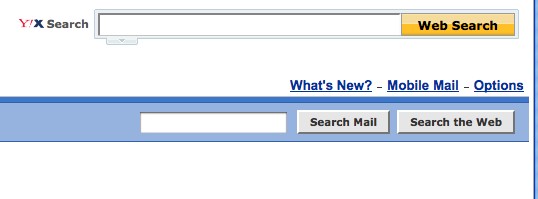
my web mail has lost the option to swap views.....any ideas how to fix it? cheers George

Create new topic
zocster
1994 posts

Uber Geek
+1 received by user: 105

ID Verified
Trusted
Lifetime subscriber

  #178259 16-Nov-2008 18:00
Send private message

little more information please, what browser? have you cleared cache and reboot your pc etc etc?


GEOMAX

450 posts

Ultimate Geek
+1 received by user: 11


  #178265 16-Nov-2008 19:09
Send private message

Hi, same with IE7 or Opera. I have cleared all temp files etc and tried rebooting etc. My ISP is World Exchange and I get my email with POP3 but use Web mail to check SPAM etc. It worked OK since Xtra went to Yahoo until this week. cheers George

zocster
1994 posts

Uber Geek
+1 received by user: 105

ID Verified
Trusted
Lifetime subscriber

  #178266 16-Nov-2008 19:13
Send private message

Hmm you might want to raise this in the WXC forum instead then? I have no issues with yahoo.co.nz email ... through telstra clear cable.


manhinli
2483 posts

Uber Geek
+1 received by user: 4

Trusted

  #178270 16-Nov-2008 19:23
Send private message

Do you mean that Yahoo!Xtra Webmail went into Classic View? (where it's not interactive, you can't drag and drop... etc)


Find me on Twitter!

I posted 1, 2 x 10^3 times!

cokemaster
Exited
4937 posts

Uber Geek
+1 received by user: 1089

Retired Mod
Trusted
Lifetime subscriber

#178271 16-Nov-2008 19:23
Send private message

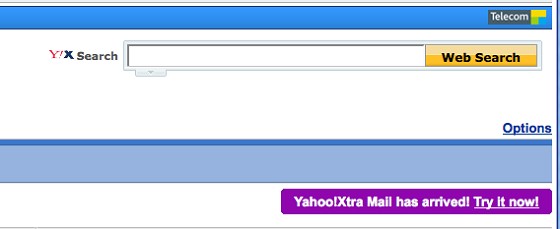
If its a Yahoo!Xtra account, from the webmail:
Click Options

Click Try it now


It should load the new interface. If it doesn't load, try using Internet Explorer or Firefox.

zocster, this is a webmail setting - not an ISP fault.


webhosting

Loose lips may sink ships - Be smart - Don't post internal/commercially sensitive or confidential information!


zocster
1994 posts

Uber Geek
+1 received by user: 105

ID Verified
Trusted
Lifetime subscriber

  #178273 16-Nov-2008 19:27
Send private message

cokemaster:

zocster, this is a webmail setting - not an ISP fault.


Eh thanks, I just thought since the option has gone (from what I see from the OP), it may be an ISP fault Embarassed


Move to New Zealand's best fibre broadband service (affiliate link). Free setup code: R587125ERQ6VE. Note that to use Quic Broadband you must be comfortable with configuring your own router.
GEOMAX

450 posts

Ultimate Geek
+1 received by user: 11


  #178278 16-Nov-2008 20:07
Send private message


Hi, I also  have a firefox browser installed  and it worked  OK. After logging out and changing back to Internet explorer (IE7) it also works OK!!!
I am confused but it is now working. Thanks George.

Create new topic


Geekzone Live »

Try automatic live updates from Geekzone directly in your browser, without refreshing the page, with Geekzone Live now.


Are you subscribed to our RSS feed? You can download the latest headlines and summaries from our stories directly to your computer or smartphone by using a feed reader.