Geekzone: technology news, blogs, forums
Guest
Welcome Guest.
You haven't logged in yet. If you don't have an account you can register now.


timmmay

20858 posts

Uber Geek
+1 received by user: 5350

Trusted
Lifetime subscriber

#135158 16-Nov-2013 11:59
Send private message

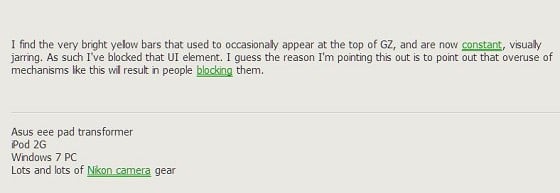
I find the very bright yellow bars that used to occasionally appear at the top of GZ, and are now constant, visually jarring. As such I've blocked that UI element. I guess the reason I'm pointing this out is to point out that overuse of mechanisms like this will result in people blocking them.

Filter this topic showing only the reply marked as answer View this topic in a long page with up to 500 replies per page Create new topic
 1 | 2
vexxxboy
4336 posts

Uber Geek
+1 received by user: 2072


  #934853 16-Nov-2013 12:15
Send private message

slight side note , is there anyway to get rid of those bright green underlined words other than turning on adblock, that appear in every post. it makes reading posts really annoying.


Common sense is not as common as you think.


Goosey
3016 posts

Uber Geek
+1 received by user: 870

Subscriber

  #934855 16-Nov-2013 12:17
Send private message

vexxxboy: slight side note , is there anyway to get rid of those bright green underlined words other than turning on adblock, that appear in every post. it makes reading posts really annoying.


Where are these bright green underlined words you speak of in every post?
Maybey its not visable to subscribers?


timmmay

20858 posts

Uber Geek
+1 received by user: 5350

Trusted
Lifetime subscriber

  #934859 16-Nov-2013 12:25
Send private message

Never seen anything bright screen. Post a screenshot?


freitasm
BDFL - Memuneh
80652 posts

Uber Geek
+1 received by user: 41042

Administrator
ID Verified
Trusted
Geekzone
Lifetime subscriber

  #934861 16-Nov-2013 12:46
Send private message

We don't have anything with bright green underline links. You must have some toolbar installed or something else in your PC causing it.

As for the yellow bar at the top, it will disappear soon from next week.


Referral links: Quic Broadband (free setup code: R587125ERQ6VE) | Samsung | AliExpress | Wise | Sharesies 


Support Geekzone by subscribing (browse ads-free), or making a one-off or recurring donation through PressPatron.



vexxxboy
4336 posts

Uber Geek
+1 received by user: 2072


  #934864 16-Nov-2013 12:55
Send private message

ok here's what im talking about , just appeared a couple of weeks ago. anyone know how to stop it.


Common sense is not as common as you think.


freitasm
BDFL - Memuneh
80652 posts

Uber Geek
+1 received by user: 41042

Administrator
ID Verified
Trusted
Geekzone
Lifetime subscriber

  #934865 16-Nov-2013 12:58
Send private message

You have either a toolbar causing it, or you have some adware installed in your system. We haven't changed anything in months so it's likely to be your PC.


Referral links: Quic Broadband (free setup code: R587125ERQ6VE) | Samsung | AliExpress | Wise | Sharesies 


Support Geekzone by subscribing (browse ads-free), or making a one-off or recurring donation through PressPatron.


Shop now for Lego sets and other gifts (affiliate link).
RunningMan
9186 posts

Uber Geek
+1 received by user: 4838


  #934867 16-Nov-2013 13:00
Send private message

Never seen the green before...

RunningMan
9186 posts

Uber Geek
+1 received by user: 4838


  #934871 16-Nov-2013 13:07
Send private message

The green underline appears to be a common issue, associated with either advertising links in the page (not in this case), or other plugins in your browser.

https://www.google.co.nz/#q=green+underlined+ads

vexxxboy
4336 posts

Uber Geek
+1 received by user: 2072


  #934879 16-Nov-2013 13:25
Send private message

well it was a extension that i added, luckily i only had 2 to check so both went and problem solved.


Common sense is not as common as you think.


freitasm
BDFL - Memuneh
80652 posts

Uber Geek
+1 received by user: 41042

Administrator
ID Verified
Trusted
Geekzone
Lifetime subscriber

  #934884 16-Nov-2013 13:50
Send private message

Thanks for confirming that.


Referral links: Quic Broadband (free setup code: R587125ERQ6VE) | Samsung | AliExpress | Wise | Sharesies 


Support Geekzone by subscribing (browse ads-free), or making a one-off or recurring donation through PressPatron.


old3eyes
9158 posts

Uber Geek
+1 received by user: 1364

Subscriber

  #934985 16-Nov-2013 19:11
Send private message

timmmay: I find the very bright yellow bars that used to occasionally appear at the top of GZ, and are now constant, visually jarring. As such I've blocked that UI element. I guess the reason I'm pointing this out is to point out that overuse of mechanisms like this will result in people blocking them.


Until you mentioned it I never really noticed it.  Not a problem with me though as I usually  look further down the page.


Regards,

Old3eyes


Move to New Zealand's best fibre broadband service (affiliate link). Free setup code: R587125ERQ6VE. Note that to use Quic Broadband you must be comfortable with configuring your own router.
Inphinity
2780 posts

Uber Geek
+1 received by user: 1184


  #935008 16-Nov-2013 20:47
Send private message

freitasm: We don't have anything with bright green underline links. You must have some toolbar installed or something else in your PC causing it.

As for the yellow bar at the top, it will disappear soon from next week.


Since they seem to usually be used for information type purposes, any chance of a "Thanks, seen it, don't show it again" type option for these banners - at least for subscribers?

michaelmurfy
meow
13579 posts

Uber Geek
+1 received by user: 10910

Moderator
ID Verified
Trusted
Lifetime subscriber

  #935010 16-Nov-2013 20:57
Send private message

Meh I don't notice it when I scroll down, so am not worried about it. As a side note if you're complaining about these because it blinds you at night or something maybe it's time to install F.lux or Redshift?


Michael Murphy | https://murfy.nz
Referral Links: Quic Broadband (use R122101E7CV7Q for free setup)

Are you happy with what you get from Geekzone? Please consider supporting us by subscribing.
Opinions are my own and not the views of my employer.


AidanS
458 posts

Ultimate Geek
+1 received by user: 135


  #935042 16-Nov-2013 22:40
Send private message

I agree, I find the yellow bars quite distracting.

freitasm
BDFL - Memuneh
80652 posts

Uber Geek
+1 received by user: 41042

Administrator
ID Verified
Trusted
Geekzone
Lifetime subscriber

  #935055 16-Nov-2013 23:34
Send private message

Inphinity:
freitasm: We don't have anything with bright green underline links. You must have some toolbar installed or something else in your PC causing it.

As for the yellow bar at the top, it will disappear soon from next week.


Since they seem to usually be used for information type purposes, any chance of a "Thanks, seen it, don't show it again" type option for these banners - at least for subscribers?


That's a good idea. As it's planned to be taken down sometime this coming week I won't do anything for now, but probably change for the next time it's used.


Referral links: Quic Broadband (free setup code: R587125ERQ6VE) | Samsung | AliExpress | Wise | Sharesies 


Support Geekzone by subscribing (browse ads-free), or making a one-off or recurring donation through PressPatron.


 1 | 2
Filter this topic showing only the reply marked as answer View this topic in a long page with up to 500 replies per page Create new topic


Geekzone Live »

Try automatic live updates from Geekzone directly in your browser, without refreshing the page, with Geekzone Live now.


Are you subscribed to our RSS feed? You can download the latest headlines and summaries from our stories directly to your computer or smartphone by using a feed reader.