Geekzone: technology news, blogs, forums
Guest
Welcome Guest.
You haven't logged in yet. If you don't have an account you can register now.


View this topic in a long page with up to 500 replies per page Create new topic
1 | 2 
Wheelbarrow01
1784 posts

Uber Geek
+1 received by user: 2638

Trusted
Chorus

  #3374214 17-May-2025 21:44
Send private message

Hi @xpd,


Flick me a private message with the address you think it is, and I'll see if I can locate it from my list of units for that street address.


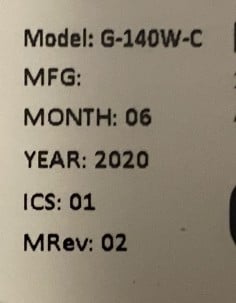
I think (from memory) the G-140W-C is the Type 300 ONT, so the serial number sticker will be located on the side panel (when looking at it mounted on the wall). 


[EDIT: just noticed the post 3 minutes before this saying it's resolved. Sweet!]


The views expressed by me are not necessarily those of my employer Chorus NZ Ltd


tripper1000
1648 posts

Uber Geek
+1 received by user: 1176


  #3375008 20-May-2025 16:19
Send private message

xpd: All sorted now.... thanks to a certain person at another ISP ;) They found it in 30s flat via the Chorus system, so why One couldnt find it, who knows.......


Surely such helpfulness and competence from the other ISP has earned the opportunity to provide internet services? 


BMarquis
466 posts

Ultimate Geek
+1 received by user: 581

Trusted
Chorus
Lifetime subscriber

  #3375145 21-May-2025 07:56
Send private message

xpd:


For future reference those ONTs (G-140W-C which is the Type 300) have a label on the side which has QR codes, the serial (starting with ALCL) etc, etc.

All ONTs except the very first one (Type 100) and the Hyperfibre ONT have a serial on the front or side so they don’t need to be removed from the bracket to read them.
The Hyperfibre ONT isn't attached to the wall and the serial is on the bottom.

And yes, RSPs can place an order by using the serial number if there is any confusion over address, etc.


1 | 2 
View this topic in a long page with up to 500 replies per page Create new topic


Geekzone Live »

Try automatic live updates from Geekzone directly in your browser, without refreshing the page, with Geekzone Live now.


Are you subscribed to our RSS feed? You can download the latest headlines and summaries from our stories directly to your computer or smartphone by using a feed reader.