Geekzone: technology news, blogs, forums
Guest
Welcome Guest.
You haven't logged in yet. If you don't have an account you can register now.


PaulL

91 posts

Master Geek
+1 received by user: 16


#293139 31-Dec-2021 22:07
Send private message

Fibre installed yesterday.  Using the USG3 with VLAN tagging etc.  Works well IPv4.  My settings for IPv6 look as per the recommendation, but it appears to me I'm not getting any delegation at the USG/WAN level, and no allocation of IPv6 at the LAN level either.


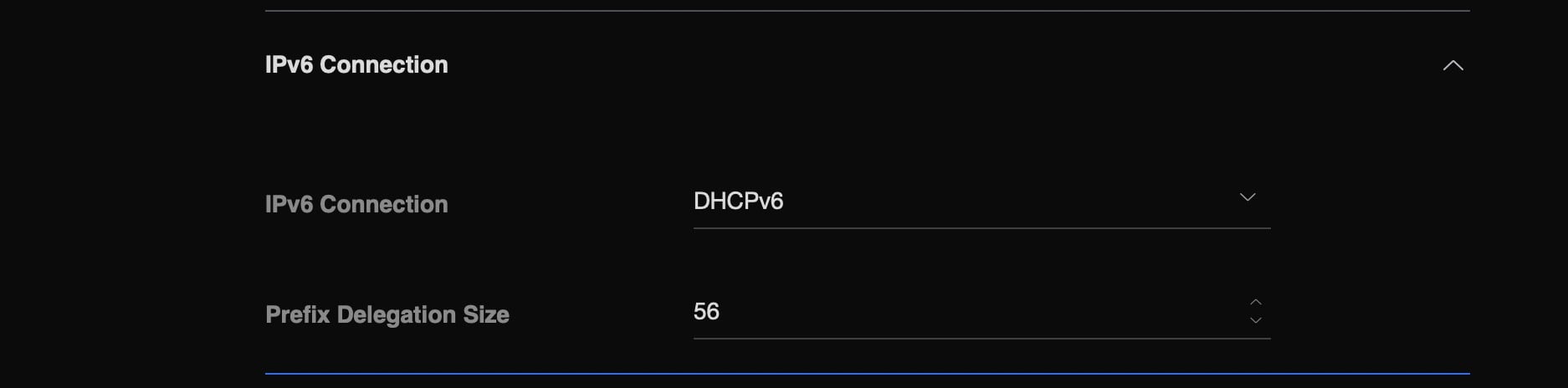
I've set the WAN interface to DHCPv6, and prefix delegation size to 56.  As noted it's getting an IPv4 address and working fine, so I assume it's only the IPv6 config I have an issue with.


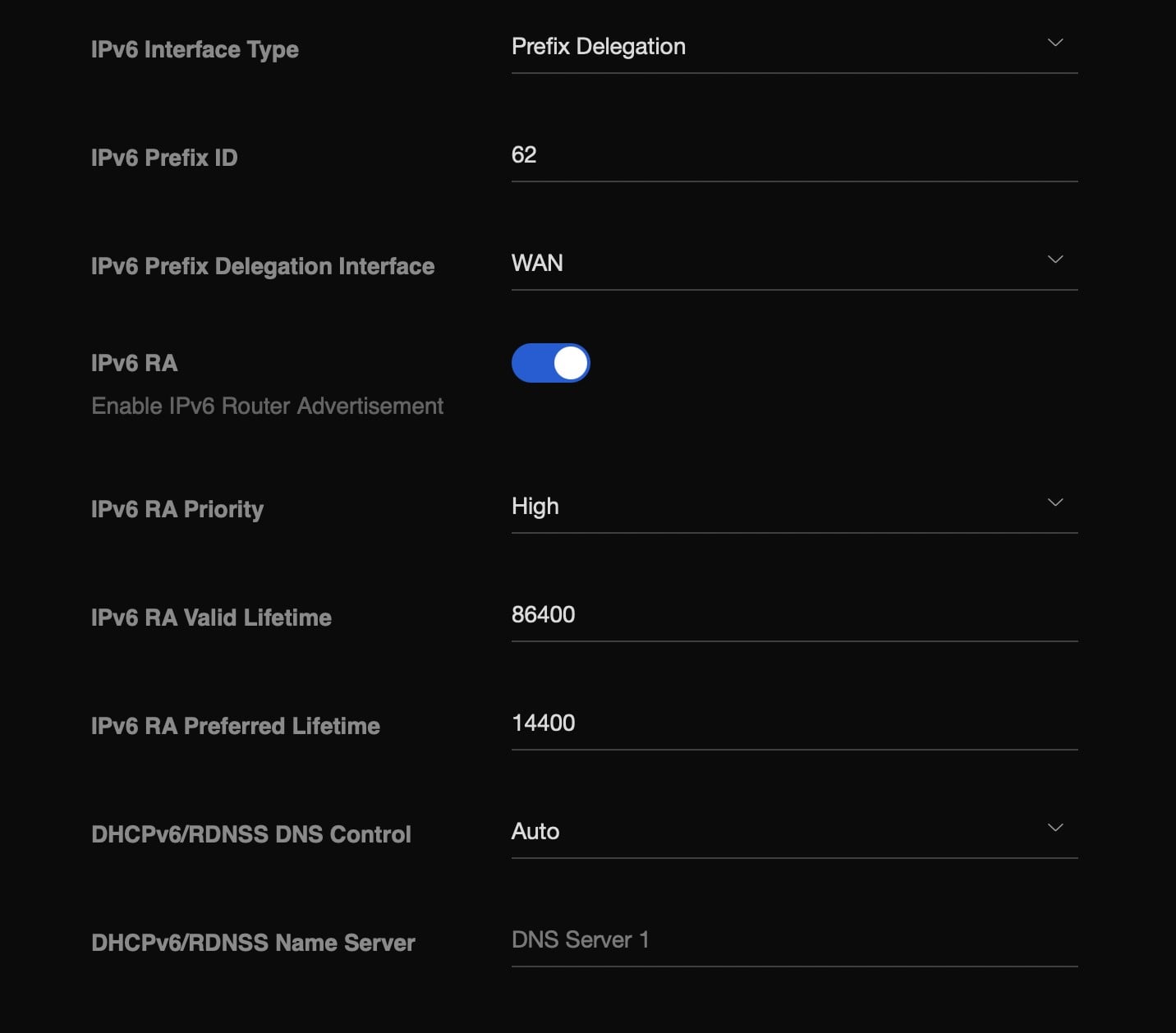
On the LAN side, I see that you need a proper delegation configuration that connects to the WAN setup - I have a LAN configuration with prefix delegation set, prefix id 62, everything else pretty much as per defaults. There is a second LAN, with a different prefix id, I don't think that's causing the problem.


I can see the configuration file on the USG itself: /var/run/dhcp6c-eth0.10-pd.conf
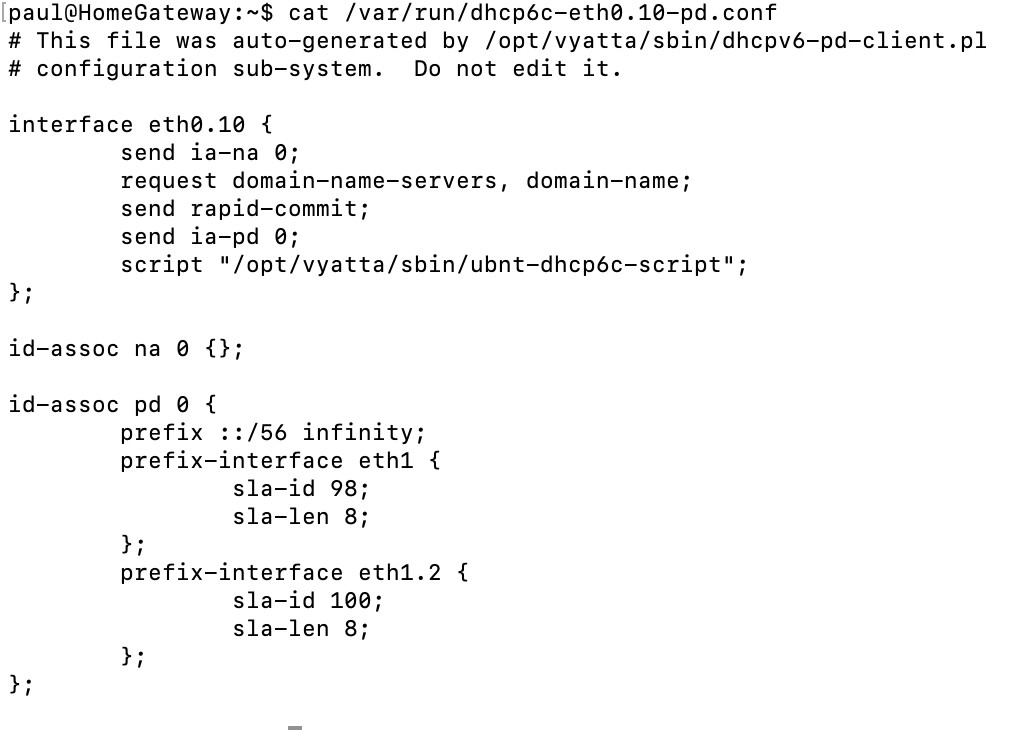


Nothing I can obviously see wrong, but I seem to have no IPv6 on the WAN interface, and nothing obviously wrong in the logs.


To me it's a bit worrying that /var/log/dhcp6c.log is consistently empty.  I occasionally see in there a message about exiting, but the process is still running.  I tried running with -D to see any logging, but still nothing material in the logs.


Is there anything obvious I should be doing here to debug?  Ideally I'd see a dhcp request and some sort of reply, but short of Wireshark I'm seeing nothing at the moment. Hoping there's an obvious misconfiguration.



Create new topic
PaulL

91 posts

Master Geek
+1 received by user: 16


  #2841156 1-Jan-2022 07:11
Send private message

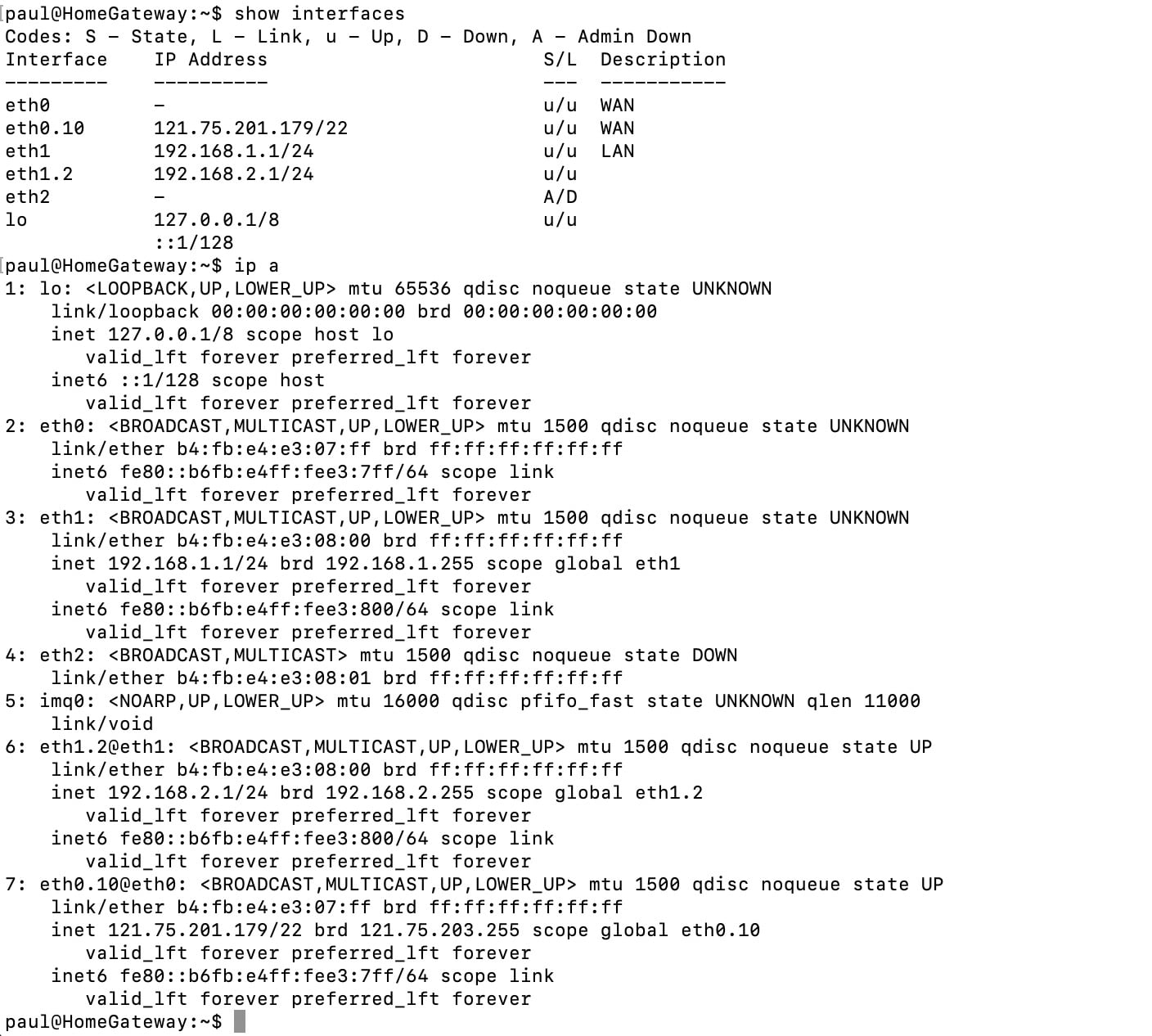
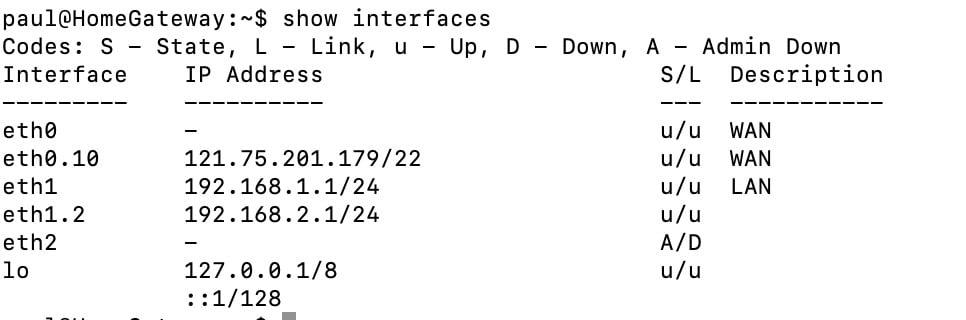
I also see this when logged on to the USG, which I believe shows no IPv6 address, other than a link local address fe80:::.  My understanding is that I should expect to see both the link local address and also a DHCP address, potentially one with scope global.   


insane
3329 posts

Uber Geek
+1 received by user: 1009

ID Verified
Trusted
2degrees
Subscriber

  #2841166 1-Jan-2022 07:54
Send private message

I'm guessing you did'nt get the VF router to check that it's not perhaps on their end and not yours?

Benoire
2888 posts

Uber Geek
+1 received by user: 699


  #2841208 1-Jan-2022 09:27
Send private message

I'm on 2degrees and my USG passes IPv6 to my network.  The only difference between mine and yours is that my prefix ID on the lan side is set to 1... I think this is simply segmentation in sequence, i.e. if I had a second lan then its prefix ID would be 2 etc. but I don't think it needs to start at 1 but you could try it?  Otherwise, as noted check that the VF router is giving you IPv6 as well.


PaulL

91 posts

Master Geek
+1 received by user: 16


  #2841252 1-Jan-2022 10:43
Send private message

Yeah, I didn't get the Vodafone router.  Saved a little money, but knew this could be a risk.  The IPv4 goes though, so not as bad as it could be.


Seems to me that there should be a log somewhere I can get to on the USG.  I'm used to a DHCP client giving relatively verbose messages, so my gut tells me there's something in the USG config that means it's not even trying.


PaulL

91 posts

Master Geek
+1 received by user: 16


  #2841438 1-Jan-2022 14:12
Send private message

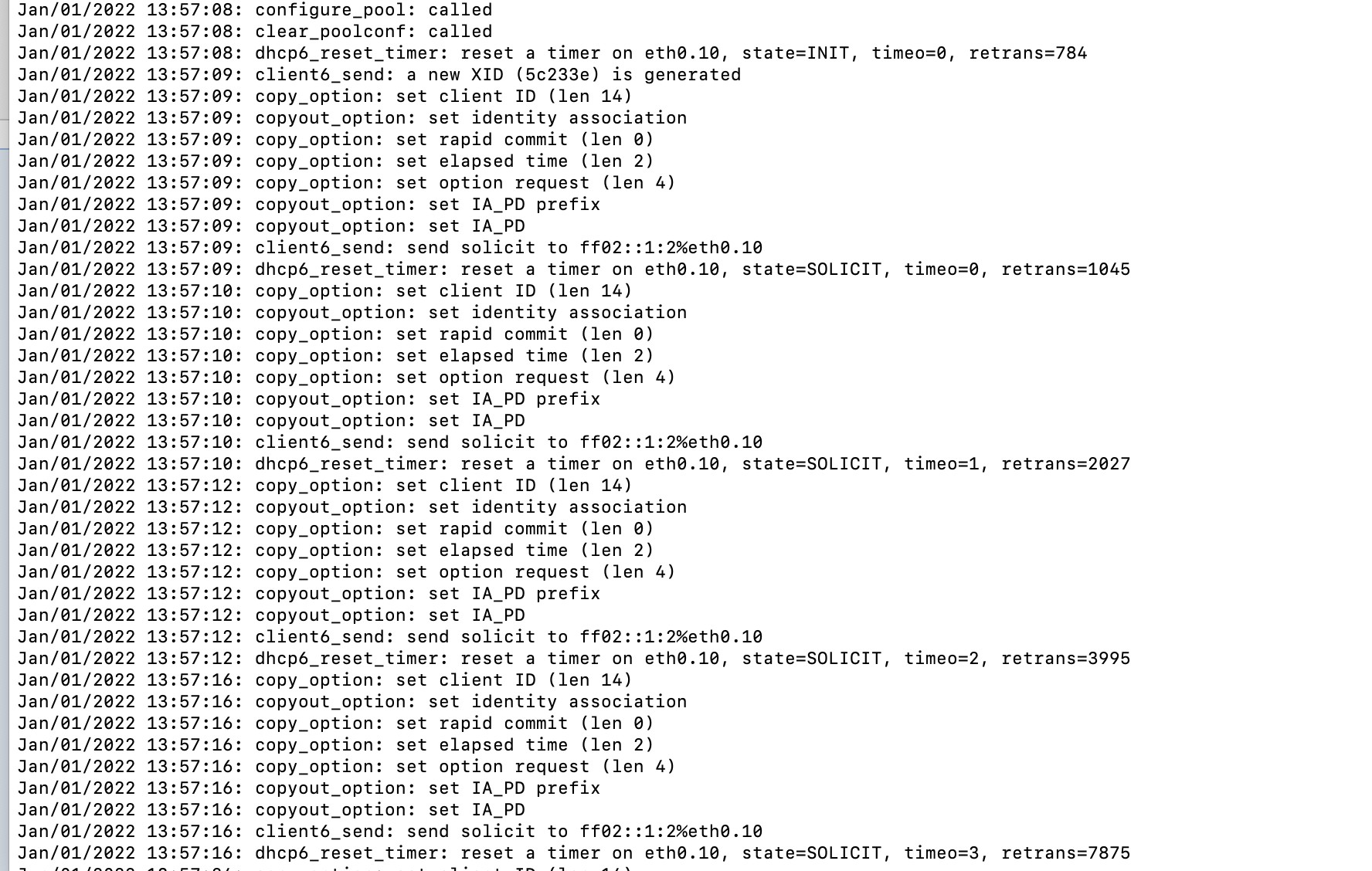
OK, a little more time available and a bit more thinking.  Pushing the dhc6c client into interactive mode gave me debug messages:


There are a bunch of parsing messages from the config file, then these, which look much more like I'd expect.  Basically it thinks it's sending a solicit request, and not getting a reply.  


FF02::1:2 looks like a legit link-local multicast address that is sending a request to all DHCP servers (according to this page)


The flow from this page seems to be:


  • client sends a SOLICIT
  • server(s) respond with ADVERTISE
  • client sends a REQUEST to an individual server that it picks
  • server sends a REPLY

So it looks to me like the USG is sending a SOLICIT and not getting an ADVERTISE back.  I guess the next step is to see if I can run wire shark on the USG and check whether there is actually some sort of ADVERTISE coming back that is being ignored.


PaulL

91 posts

Master Geek
+1 received by user: 16


  #2841447 1-Jan-2022 14:19
Send private message

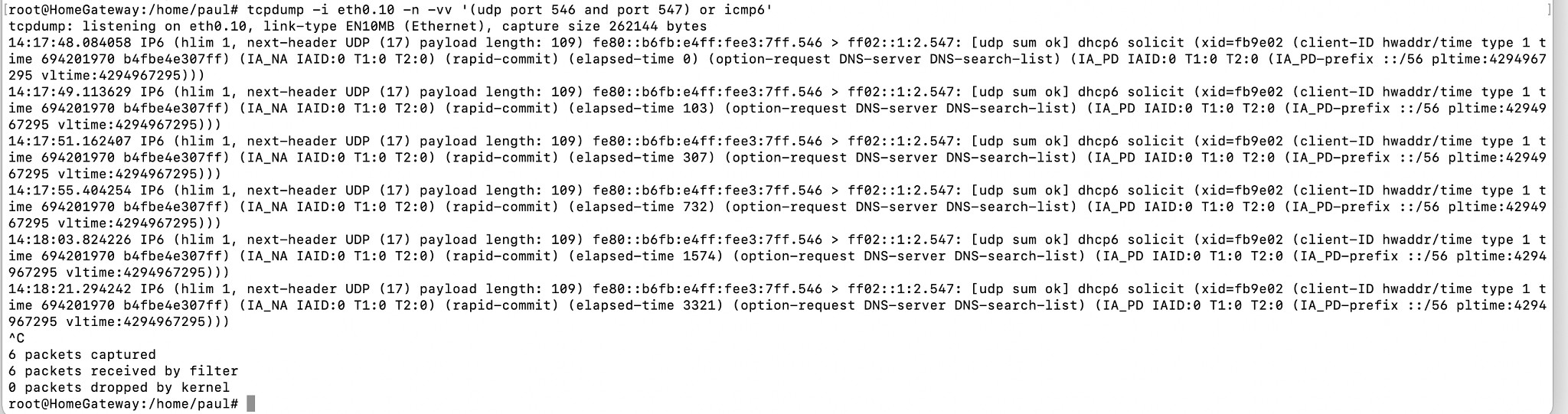
Or, apparently, tcpdump.


I think I'm waiting for @nickr1 to come back from leave and give some tips.


Support Geekzone with one-off or recurring donations Donate via PressPatron.
PaulL

91 posts

Master Geek
+1 received by user: 16


  #2841496 1-Jan-2022 17:42
Send private message

(I might not have been clear enough - I interpret that as there being no advertise returning - so either no DHCP6 server listening, or it doesn't like the format of the request so isn't replying.


Create new topic


Geekzone Live »

Try automatic live updates from Geekzone directly in your browser, without refreshing the page, with Geekzone Live now.


Are you subscribed to our RSS feed? You can download the latest headlines and summaries from our stories directly to your computer or smartphone by using a feed reader.