Geekzone: technology news, blogs, forums
Guest
Welcome Guest.
You haven't logged in yet. If you don't have an account you can register now.


nzpilot1181

138 posts

Master Geek
+1 received by user: 10


#318319 6-Jan-2025 20:15
Send private message

Hi All,

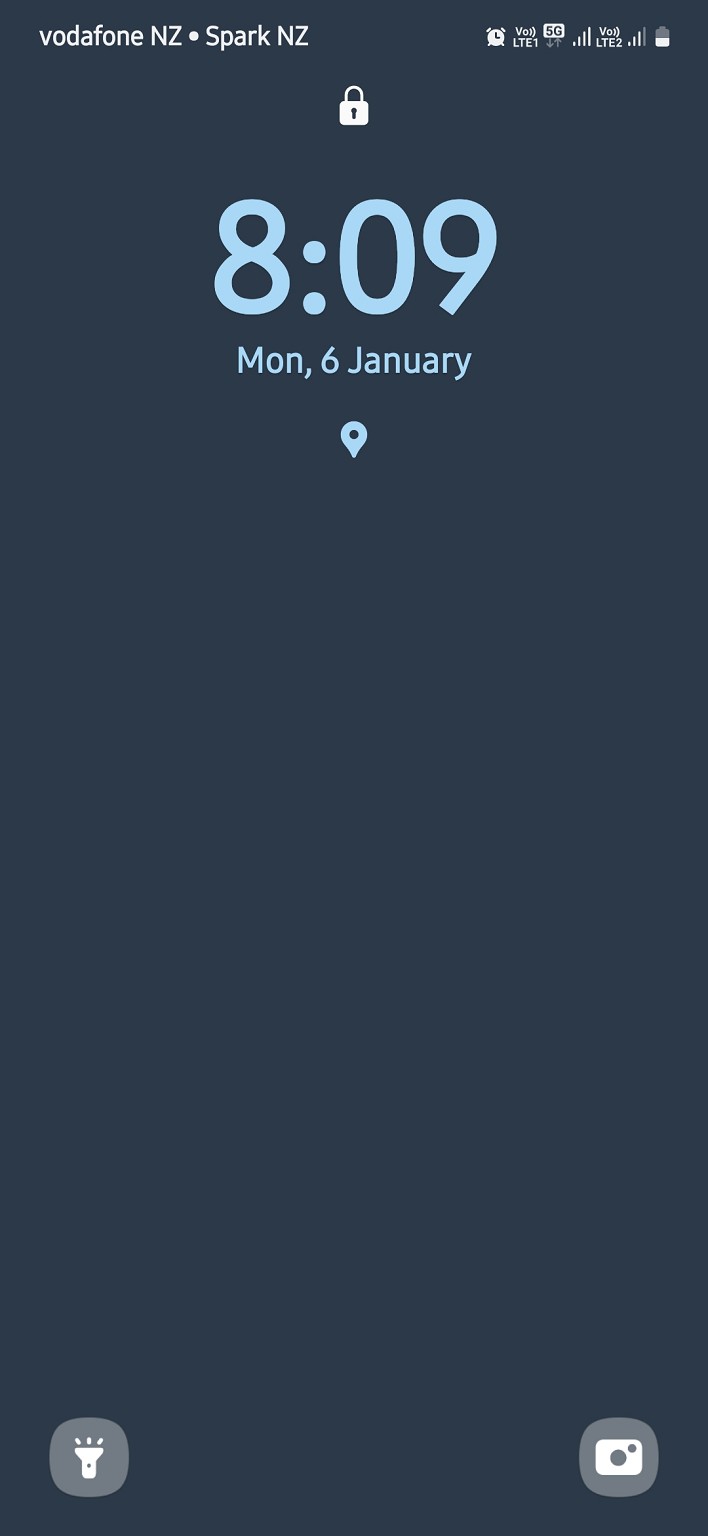
More curious than anything. My newly acquired Samsung A55 shows my network banner as vodafone nz not One. My previous phone A53 showed up as One NZ.
This new A55 has latest software downloaded and installed. It was purchased from a Spark shop but I wouldnt have thought that would have anything to do with it.
Would anyone know why it shows as this?



NZCPL(A) Category B Flight Instructor

Create new topic
MadEngineer
4591 posts

Uber Geek
+1 received by user: 2570

Trusted

  #3328477 6-Jan-2025 21:43
Send private message

Is it 2nd hand with an esim?


You've got two active connections showing at the top right


You're not on Atlantis anymore, Duncan Idaho.


nzpilot1181

138 posts

Master Geek
+1 received by user: 10


  #3328519 7-Jan-2025 06:12
Send private message

No purchased brand new.
Both connections are from physical Sims and even with the Spark sim off it will still show as Voda


NZCPL(A) Category B Flight Instructor

Goosey
3014 posts

Uber Geek
+1 received by user: 867

Subscriber

  #3328528 7-Jan-2025 07:41
Send private message

Whilst you are using the active OneNZ sim,have you tried resetting the carrier settings?


https://devices.vodafone.com.au/samsung/galaxy-a55-5g-android-14/connectivity/reset-network-settings/


Linux
12173 posts

Uber Geek
+1 received by user: 8469

Trusted
Lifetime subscriber

  #3328529 7-Jan-2025 07:43
Send private message

This is cause the handset manufacture has messed up - I am sure a software update will be required to the handset 


nzpilot1181

138 posts

Master Geek
+1 received by user: 10


  #3328531 7-Jan-2025 07:52
Send private message

Yes even after the network settings reset it still shows.
Maybe when the next software update comes through? Showing as up to date currently


NZCPL(A) Category B Flight Instructor

Create new topic


Geekzone Live »

Try automatic live updates from Geekzone directly in your browser, without refreshing the page, with Geekzone Live now.


Are you subscribed to our RSS feed? You can download the latest headlines and summaries from our stories directly to your computer or smartphone by using a feed reader.