Geekzone: technology news, blogs, forums
Guest
Welcome Guest.
You haven't logged in yet. If you don't have an account you can register now.


kingsaadi

1 post

Wannabe Geek


#293307 12-Jan-2022 23:35
Send private message

Hi guys,


So I'm setting up VOIP for Slingshot through Grandstream HT802. My router is ASUS DSL-AC68U. I'm using my router as the Slingshot one's WIFI doesn't work too well. Get weak connection which drops.


Using my router internet seems to be working fine.


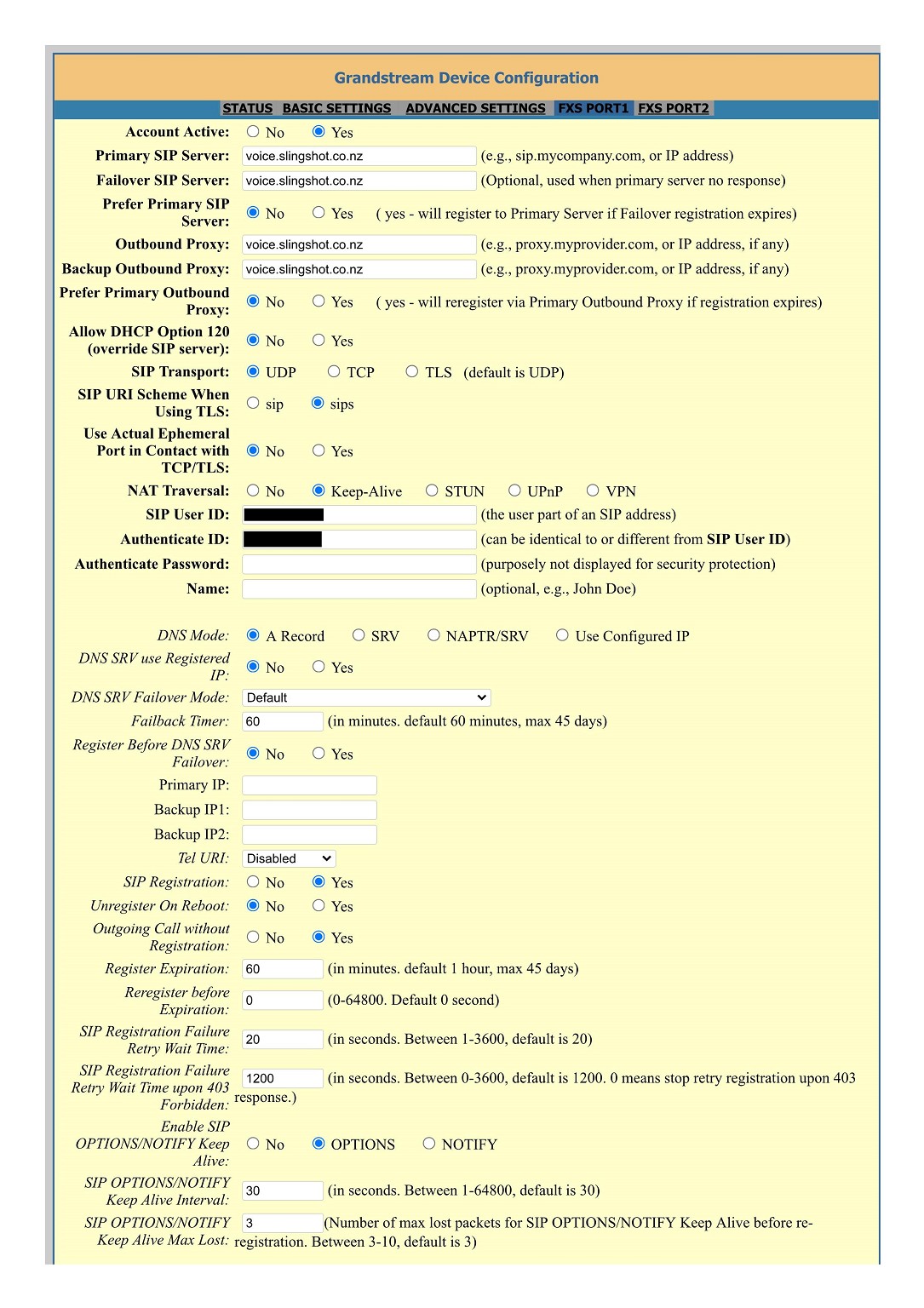
I've tried copying the same VOIP/SIP settings from Slingshot router settings over to the GS HT802. It's saying it's registered. I can make outgoing calls, I can receive calls. 


What I am having trouble with is - I have Local DID number setup on siptalk.com.au for Sydney, Australia which is then forwarded to my landline here in NZ (see more details here - https://siptalk.com.au/voip-pabx/local-numbers/) so when family who live in Australia call that local number it is forwarded to our landline in NZ. It was working Ok with Slingshot router VOIP, but doesn't seem to be working with the GS HT802.


I can receive normal international calls (I've checked by getting people to call our landline from Australia - they used their mobile phone).


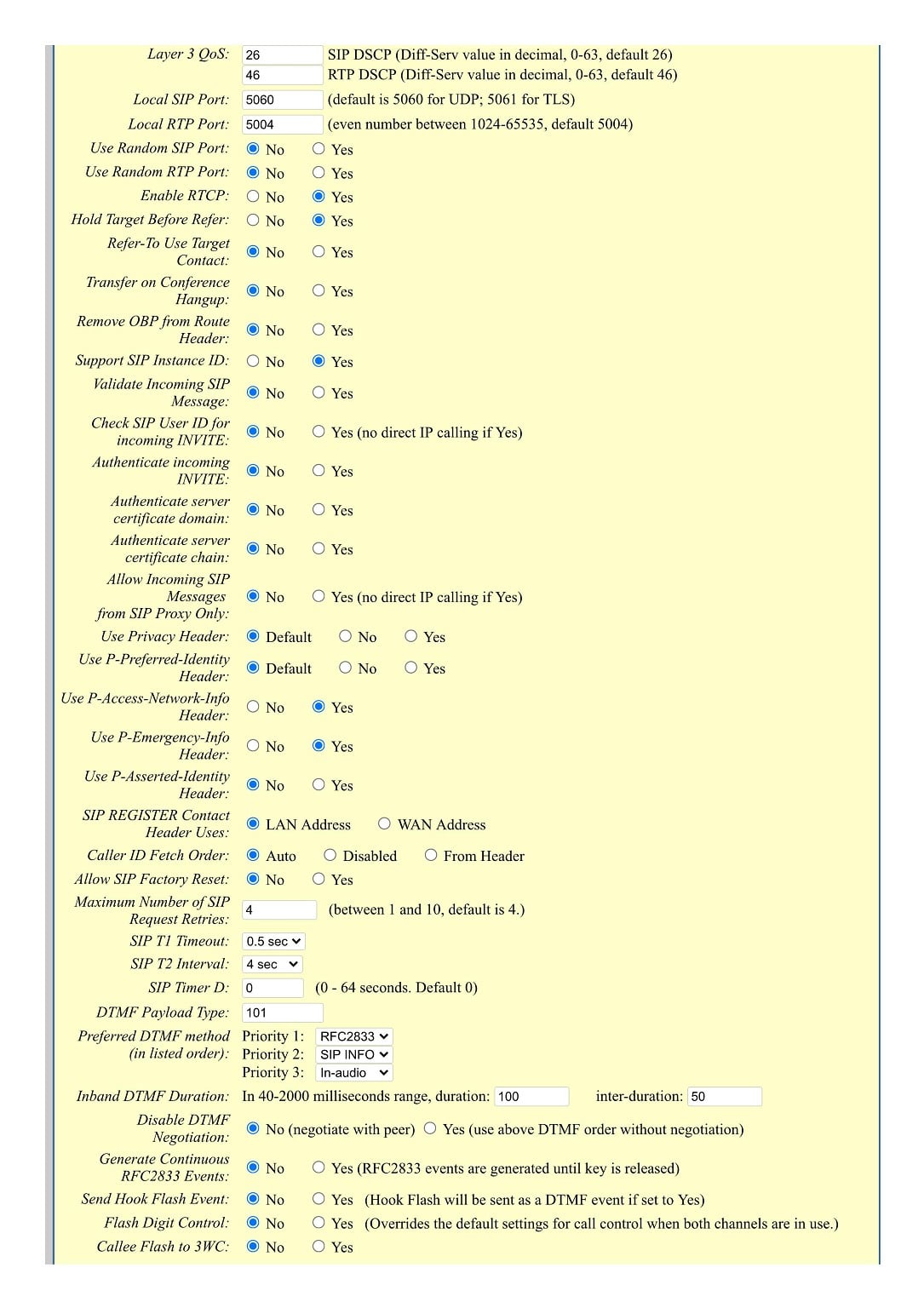
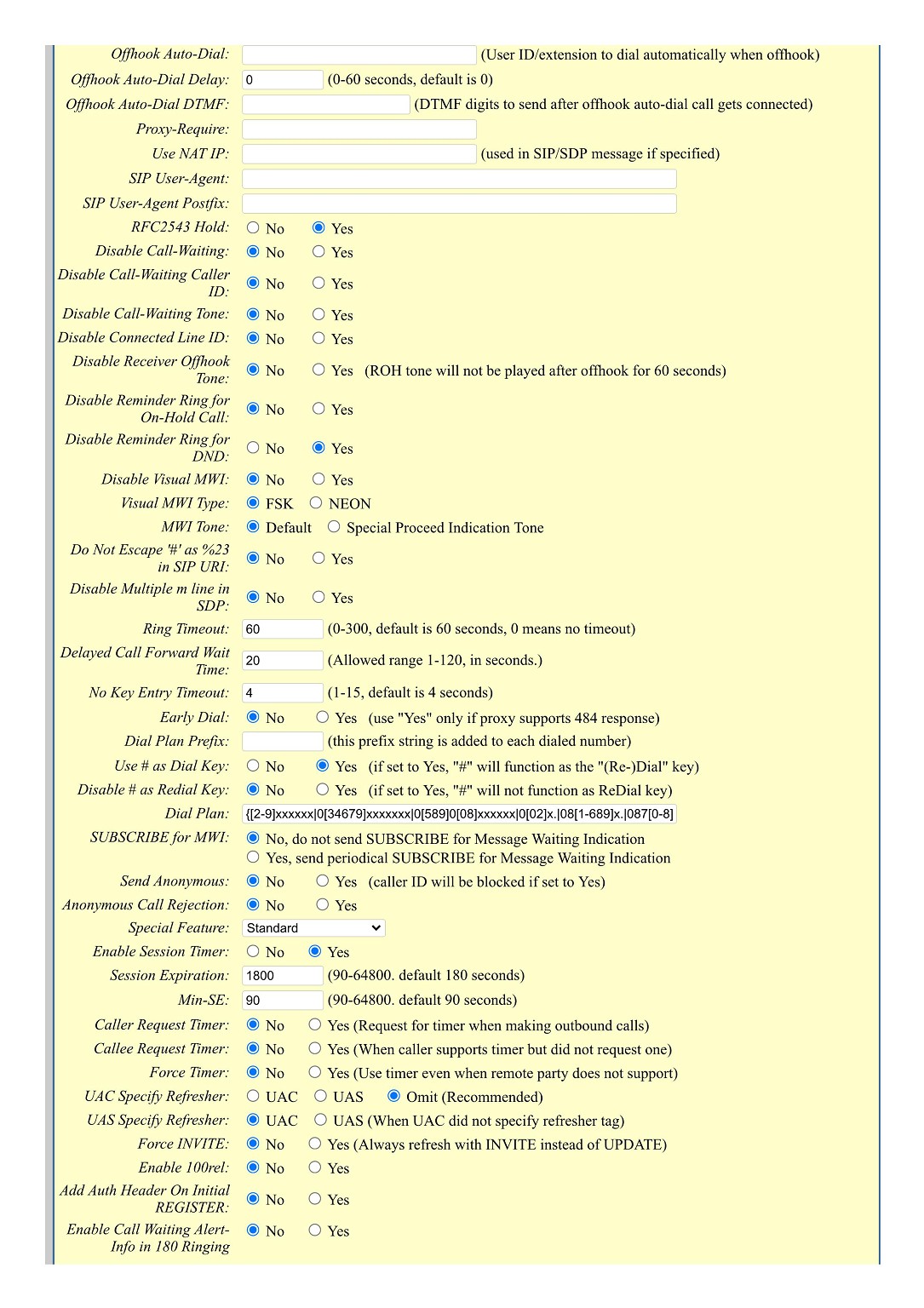
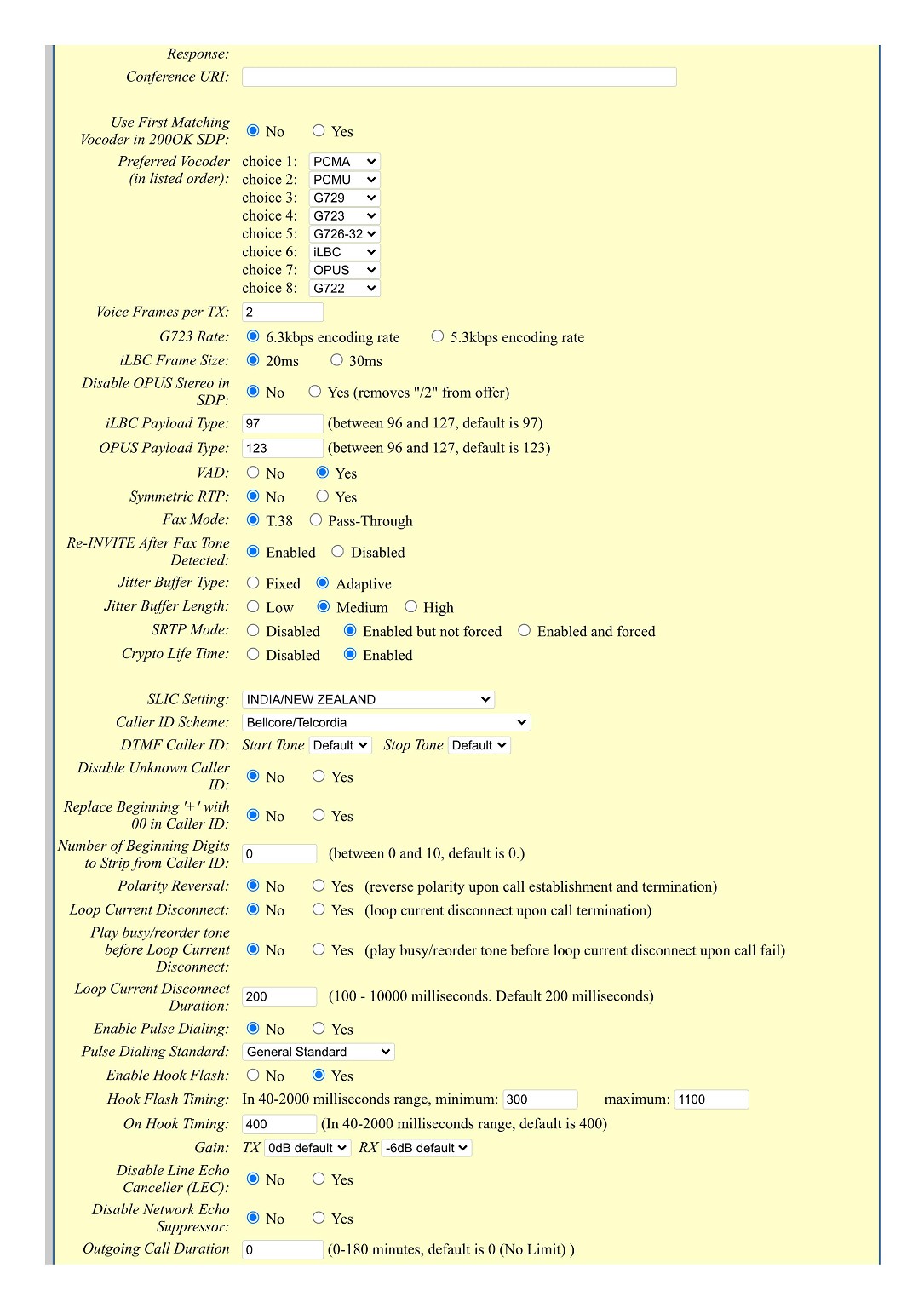
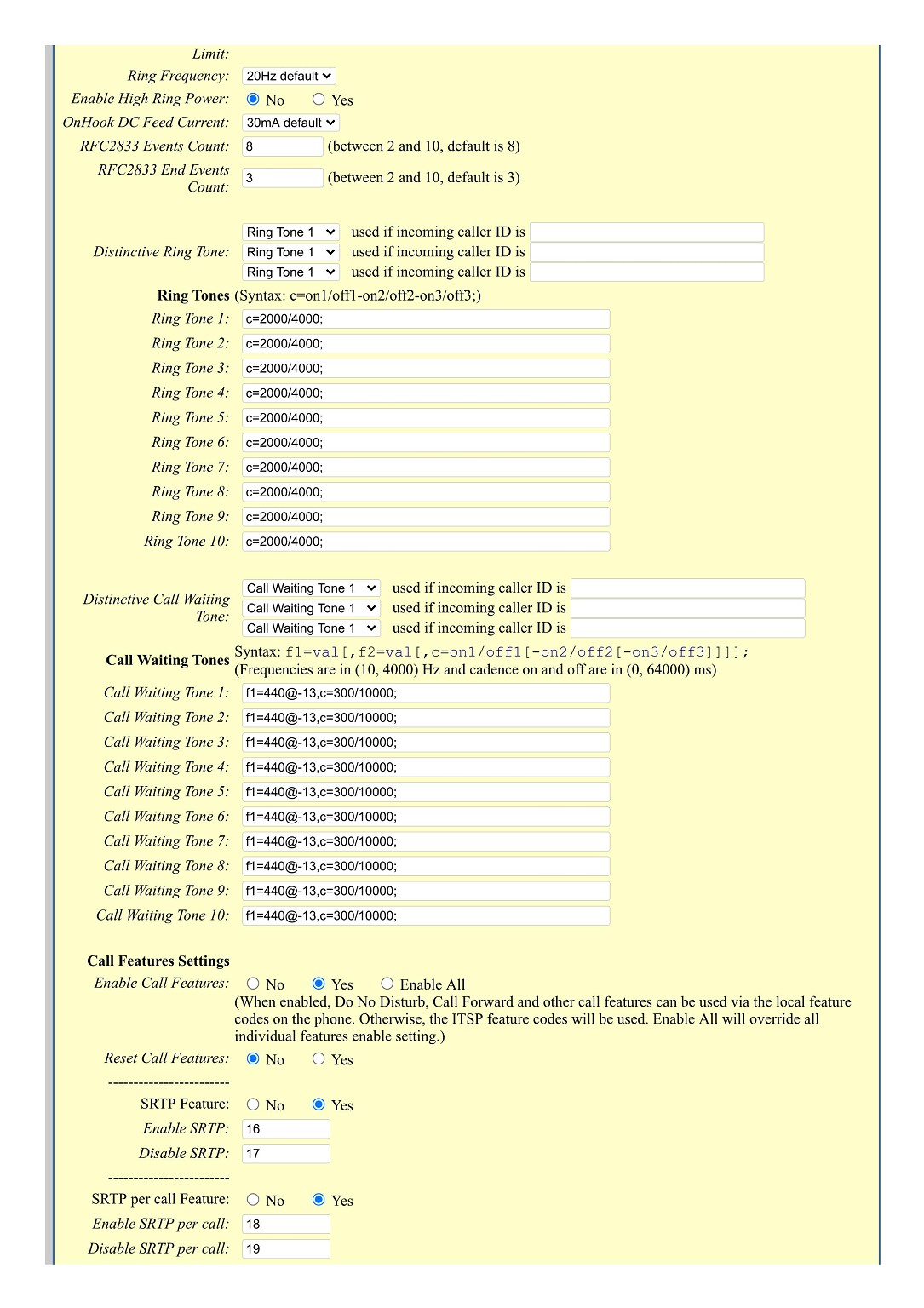
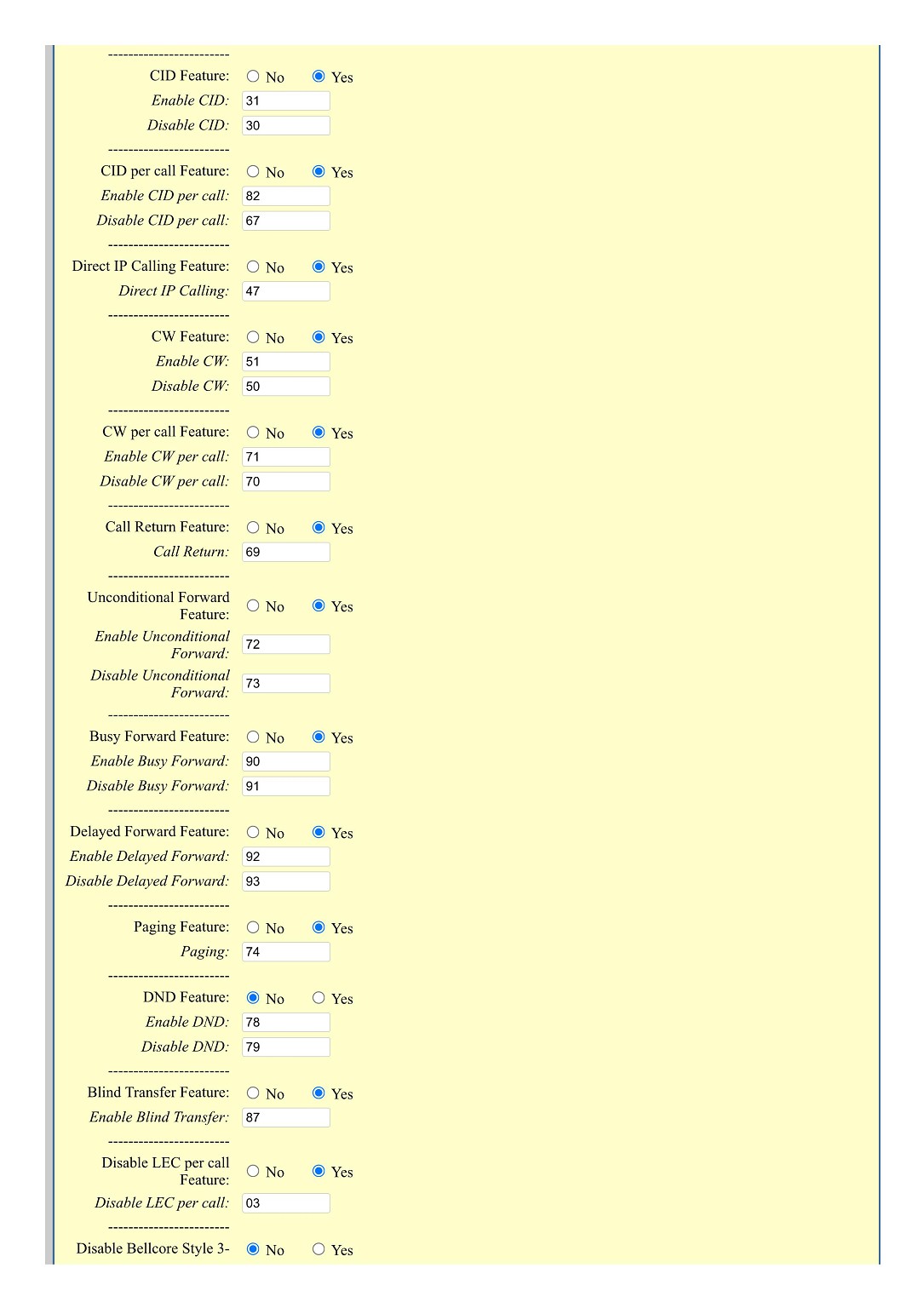
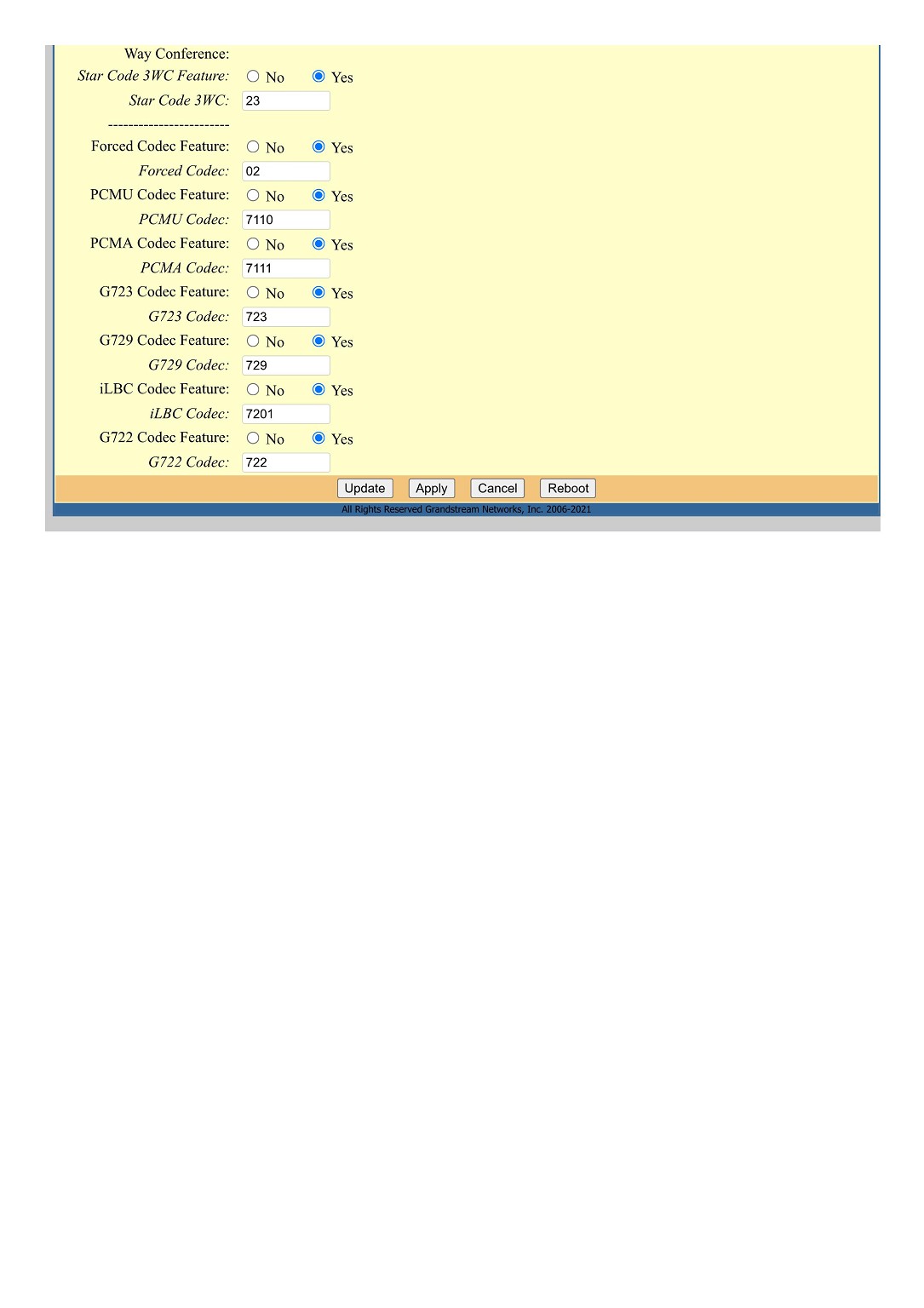
I've attached the settings for GS HT802.


Any help is appreciated!


Many thanks


Saadi


Create new topic
KIWIGAMERINE
1 post

Wannabe Geek


  #2861849 4-Feb-2022 18:26
Send private message

Hello I was trying to set up the device and I have used all the same settings as you apart from the dial tone since I cant find that anywhere else 
But I can not figure out what my authenticate password is and when I call the slingshot technical support all they do is say that their sucky router is required and that there is no password they can provide so how do you find that password?


As for your issue since both international and national calls are working (possibly get your family to try a landline international call see if that works) it is likely to be a setting with your DID number


Create new topic


Geekzone Live »

Try automatic live updates from Geekzone directly in your browser, without refreshing the page, with Geekzone Live now.


Are you subscribed to our RSS feed? You can download the latest headlines and summaries from our stories directly to your computer or smartphone by using a feed reader.