Geekzone: technology news, blogs, forums
Guest
Welcome Guest.
You haven't logged in yet. If you don't have an account you can register now.


View this topic in a long page with up to 500 replies per page Create new topic
1 | ... | 5 | 6 | 7 | 8 | 9 | 10 | 11 | 12
nathan
5695 posts

Uber Geek
+1 received by user: 1630
Inactive user


  #821220 17-May-2013 15:30
Send private message

freitasm: If Paul Spain is correct, at $1,349 for the 64GB version WITHOUT the keyboard cover... Really expensive for my taste.


Curious if you think the US price is too expensive too?


heavenlywild
5091 posts

Uber Geek
+1 received by user: 901

Trusted

  #821221 17-May-2013 15:32
Send private message

I would rather wait for Haswell. Apparently the battery life on the Pros isn't that flash.

freitasm
BDFL - Memuneh
80654 posts

Uber Geek
+1 received by user: 41050

Administrator
ID Verified
Trusted
Geekzone
Lifetime subscriber

  #821223 17-May-2013 15:35
Send private message

I am basing this on a comparison to the HP Envy X2.

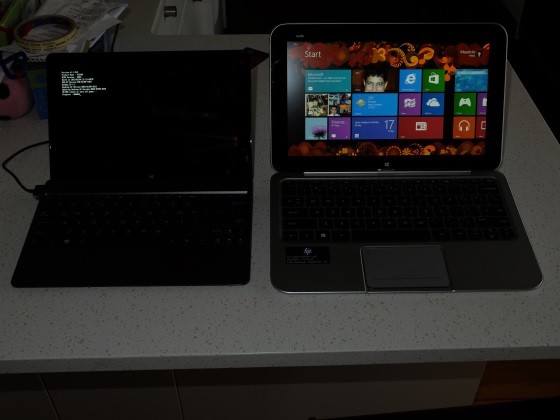
I am currently using the HP Envy X2 and the ASUS Vivo Tab. The ASUS is cute, but Windows RT and I am having serious problem with not responding to touch at all sometimes. The HP Envy X2 on the other hand seems to be a good work laptop/tablet combination.

The HP Envy X2 can be had for a lot less than the Surface Pro prices. And with keyboard included.


Referral links: Quic Broadband (free setup code: R587125ERQ6VE) | Samsung | AliExpress | Wise | Sharesies 


Support Geekzone by subscribing (browse ads-free), or making a one-off or recurring donation through PressPatron.



freitasm
BDFL - Memuneh
80654 posts

Uber Geek
+1 received by user: 41050

Administrator
ID Verified
Trusted
Geekzone
Lifetime subscriber

  #821225 17-May-2013 15:35
Send private message

heavenlywild: I would rather wait for Haswell. Apparently the battery life on the Pros isn't that flash.


The battery on the HP Envy X2 is great. Add to this an additional battery in the keyboard when docked and you can easily go through more than a day's worth of work.


Referral links: Quic Broadband (free setup code: R587125ERQ6VE) | Samsung | AliExpress | Wise | Sharesies 


Support Geekzone by subscribing (browse ads-free), or making a one-off or recurring donation through PressPatron.


nathan
5695 posts

Uber Geek
+1 received by user: 1630
Inactive user


  #821228 17-May-2013 15:40
Send private message

heavenlywild: I would rather wait for Haswell. Apparently the battery life on the Pros isn't that flash.


You'll be waiting a while

Haswell is released at Computex in first week or June. But Haswell mobile chips are a bit after that

I find the battery life on mine fine. I'm never away from a power plug that long really unless I'm on a long haul plane.

If you need something now with long battery life go the an Intel ATOM Z2760 Clovertrail based tablet.

paulspain
417 posts

Ultimate Geek
+1 received by user: 25

Trusted
Lifetime subscriber

  #821229 17-May-2013 15:40
Send private message

The HP Envy X2 is a lovely piece of hardware. Worth noting that it's based on the low cost (and low power) Atom CPU which accounts for a chunk of the price difference. The cost profile of the X2 should in theory compare similarly with the Surface RT with keyboard.


Paul Spain
Founder: Gorilla Technology, NZ Tech Podcast


Stream your favourite shows now on Apple TV (affiliate link).
freitasm
BDFL - Memuneh
80654 posts

Uber Geek
+1 received by user: 41050

Administrator
ID Verified
Trusted
Geekzone
Lifetime subscriber

  #821231 17-May-2013 15:43
Send private message

The HP Envy X2 compares to the Windows RT with keyboard in terms of price, but running Windows 8 with much more applications available.


Referral links: Quic Broadband (free setup code: R587125ERQ6VE) | Samsung | AliExpress | Wise | Sharesies 


Support Geekzone by subscribing (browse ads-free), or making a one-off or recurring donation through PressPatron.


MikeB4
MikeB4
18775 posts

Uber Geek
+1 received by user: 12766

ID Verified
Trusted
Subscriber

  #821235 17-May-2013 15:48
Send private message

I tested the ASUS Vivo, the Samsung Smart PC, and the Lenovo Tablet two and the HP Envy and thought the Lenovo was the best of the bunch

I see Noel Leemings are advertising the Surface Pro 128GB at $1499 and the 64GB at $1349


Here is a crazy notion, lets give peace a chance.


onebytemike
90 posts

Master Geek
+1 received by user: 21


  #821254 17-May-2013 16:21
Send private message

heavenlywild: I would rather wait for Haswell. Apparently the battery life on the Pros isn't that flash.
The battery on mine seems pretty good.  Better than any laptop i've owned.  In saying that, i've never actually timed it but my day to day use doesn't seem to be limited by power like I found with all of the laptops i've had.

heavenlywild
5091 posts

Uber Geek
+1 received by user: 901

Trusted

  #821303 17-May-2013 18:24
Send private message

What's the battery life in world world usage guys on the Surface Pro? And is that on the power efficient setting?

Camden
115 posts

Master Geek
+1 received by user: 5


#822490 20-May-2013 15:44
Send private message


Could the people who have already imported a Surface Pro tablet comment on the keyboards available for them. Did you buy either the Touch Cover or the Type cover with it ? If so why did you choose the one you bought and has it been sucessfull.

I have made the decision to buy a Surface Pro 128 when available and will only be doing the odd email etc on the keyboard.Apart from the cost I am erring towards the Touch cover as it is thinner and lighter for carrying while away tavelling etc.

Any comments would be appreciated.Thankyou.

HP


Shop now for HP laptops and other devices (affiliate link).
nathan
5695 posts

Uber Geek
+1 received by user: 1630
Inactive user


  #822499 20-May-2013 15:52
Send private message

Camden:
Could the people who have already imported a Surface Pro tablet comment on the keyboards available for them. Did you buy either the Touch Cover or the Type cover with it ? If so why did you choose the one you bought and has it been sucessfull.

I have made the decision to buy a Surface Pro 128 when available and will only be doing the odd email etc on the keyboard.Apart from the cost I am erring towards the Touch cover as it is thinner and lighter for carrying while away tavelling etc.

Any comments would be appreciated.Thankyou.


if you're in Auckland your welcome to drop past and try out both and see what you think

Personally I have several different Touch Covers (different colours and laser etched limited edition like year of the snake) and a Type Cover

I got the Type Cover since I wanted to type hard out and fast

now I have used both the Type Cover and Touch Cover for 6 months I now pretty much only use the Touch Cover, I don't notice the weight difference but I really like the fact the Touch Cover is 1/2 the thickness compared to Type Cover (3mm vs 6mm LOL!)

I really only carry the Type Cover around now for when I meet someone who is interested in a Surface, and wants to see a keyboard that is similar to their laptop


Kingy
395 posts

Ultimate Geek
+1 received by user: 32


  #822502 20-May-2013 15:54
Send private message

Camden:
Could the people who have already imported a Surface Pro tablet comment on the keyboards available for them. Did you buy either the Touch Cover or the Type cover with it ? If so why did you choose the one you bought and has it been sucessfull.

I have made the decision to buy a Surface Pro 128 when available and will only be doing the odd email etc on the keyboard.Apart from the cost I am erring towards the Touch cover as it is thinner and lighter for carrying while away tavelling etc.

Any comments would be appreciated.Thankyou.


You're going to drop ~$1400 to do the odd email!?


Web development blog: http://www.devhour.net
Follow me on twitter: @JAGracie

Camden
115 posts

Master Geek
+1 received by user: 5


#822626 20-May-2013 19:34
Send private message


Nathan     Thankyou for your informative reply. That's just want I wanted to hear. That makes sense that you use the Type Cover for the serious stuff and the Touch Cover for more casual use. If I was writing long reports in Word I would definately use the Type Cover but the Touch cover should cover most of my usage. Thankyou for the offer of a demo in Auckland but will not be coming up for 3 to 4 months. I will try out both when they arrive in Noel Leemings.Hopefully they will let us have a go with both fitted to the screen before purchase.

Kingy   I am going to carry those 1400 slides very carefully and not drop them !!  However the "odd email" as quoted is for the keyboard only. I'm going to use it for watching movies on the plane, put my photos in it to show people and also some videos likewise and also my wife will use it at business meetings to look up info on the net etc. Also I like the size and style of it(only seen the RT version yet) and the fact that it has a built in stand.I have done a lot of reserch into the different brands available and their specs etc,and am going to stick with the Surface.

I recently had an Android tablet but did not like the operating system. I have a Windows 7 laptop and just got an Ativ-s Windows 8 phone so the Surface Pro 128 will hopefully tie in. As an aside,the Ativ-s syncs beautifully with the laptop and the transfer of music files etc couldn't be easier. My idea is to keep all the tech gear the same system for less hassle and ease of use.

Regards
Camden

Kingy
395 posts

Ultimate Geek
+1 received by user: 32


  #822633 20-May-2013 19:58
Send private message

Not to be rude or say how you should spend your money, but everything you want to do can be done on the RT version which is $500 cheaper (including touch cover). Movies/email/video/pictures/browsing etc is what the RT is made for. 

Go into Harvey Norman or JB Hi-fi and check out the RT before you purchase the Pro. It's pretty good


Web development blog: http://www.devhour.net
Follow me on twitter: @JAGracie

1 | ... | 5 | 6 | 7 | 8 | 9 | 10 | 11 | 12
View this topic in a long page with up to 500 replies per page Create new topic


Geekzone Live »

Try automatic live updates from Geekzone directly in your browser, without refreshing the page, with Geekzone Live now.


Are you subscribed to our RSS feed? You can download the latest headlines and summaries from our stories directly to your computer or smartphone by using a feed reader.