


 #
#
Hello Geek Zone friends,
This is the problem i an confronting and need your expertise to hopefully restore the system back to its prior state before the failed upgrade to XP Pro. The system is a HP Pavillion A1140n with Windows Media Center. Fully functional but without LAN connectivity. It would access the web alright, but would not connect to the work-group computers of the office network. It was decided to upgrade it to Windows XP Pro OEM.
The first attempt was made from within the desktop, with the CD running the XP Professional Upgrade Setup without a problem- until the registration/activation window open requesting the CD Key to be entered. This was an OEM OS CD purchased at Tiger Direct and it has it accompanying booklet and CD KEY Label and authenticity. So the key was entered and it was rejected by the setup process stating that is was an incorrect or invalid key. It was rechecked and re-typed two or three times before the upgrade process was cancelled.
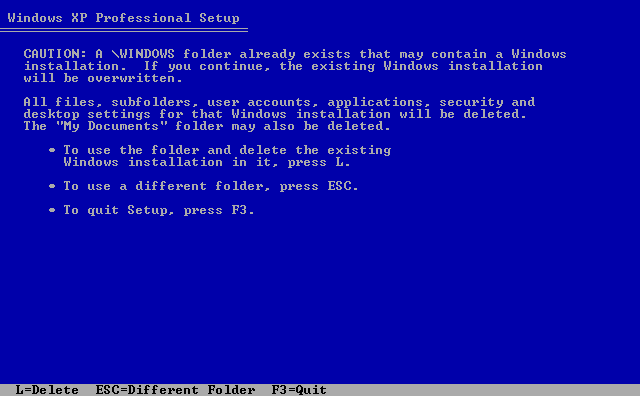
The computer was restarted with the Windows XP-PRO CD in the drive and the "boot from Cd..." option selected. The setup process ran again correctly until the CD KEY was requested- and again it was rejected as invalid. From that point, we could, according to the displayed instruction, we could continue the installation without entering a key at that time, but clicking OK would start a loop of the setup asking for the key and we clicking OK to continue without entering a key. Clicking the BACK button would returned us to the Time Zone and Keyboard selection portion of the setup, but it would not allows us to cancel or continue further with out entering a cd key.
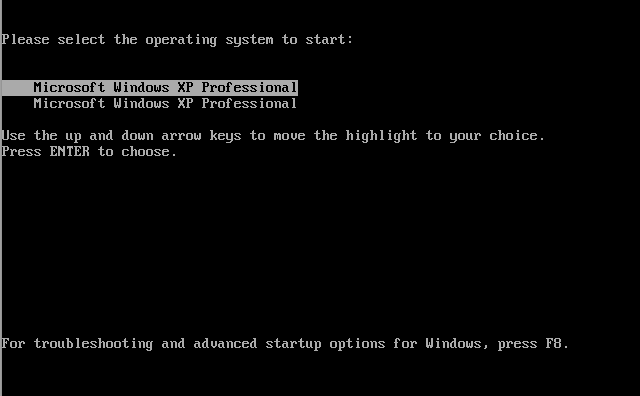
After close examination of the CD and the Authentication Label, I notice that the Authentication Code on the label (X14-0117) did not coincide with the number on the CD itself which was X14-7249. I assume that at some point, a partner of mine might have taken my XP-PRO CD and left me his. I am awaiting to, hopefully, find out that in-deed it might had been something simple like that. BUT, in the case its not, How may I reverse the upgrade ??? Booting to select F8 only presents us with the choices of safe mode, last known good point or Windows Restore Console BUT only for the Windows XP Professional, not XP Media Center. Booting directly to the hard-drive retakes the upgrade setup from the point of the key request part, and the key and no key loop begins again.
If the Restore Console can be used to restore the system to the Media Center OS, what command and parameters should I use and restore???? The computer has a recovery partition and the choice at the Bios Post to select restore, but this would wipe out all the data on the drive and bring the system to a factory state.
Sorry for the long post, hope I gave you as much info as possible to access the situation and share a possible solution! Eagerly awaiting your helping suggestions!
Thank you.






 Administrator
 ID Verified
 Trusted
 Geekzone

