Geekzone: technology news, blogs, forums
Guest
Welcome Guest.
You haven't logged in yet. If you don't have an account you can register now.


amiga500

1484 posts

Uber Geek
+1 received by user: 422
Inactive user


#228788 22-Jan-2018 19:25
Send private message

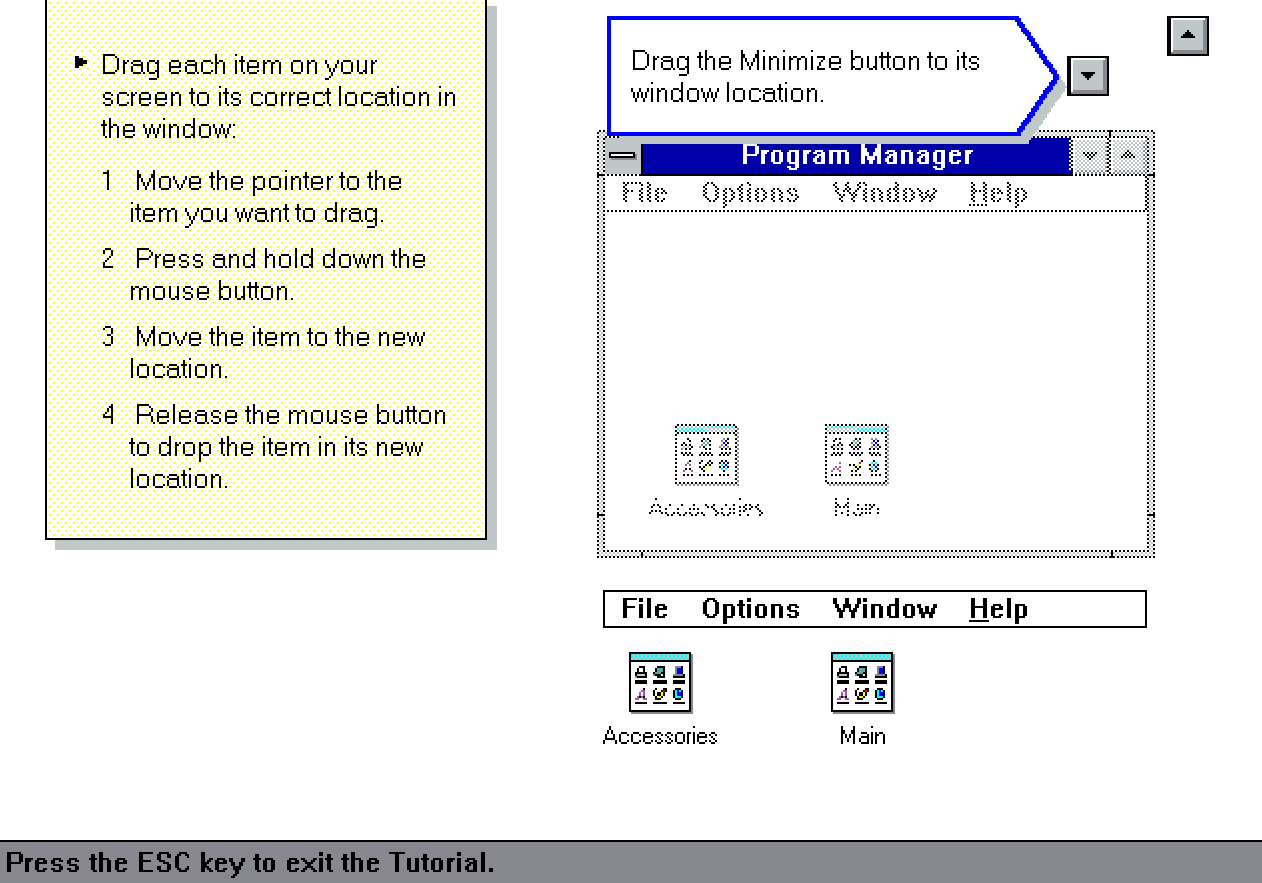
I've been playing around with Virtualbox and after installing Dos and Windows 3.11, had a try at the mouse tutorial.    It's actually a  very good & intuitive tutorial.    In the screenshot I will try to upload it shows dragging things such as the maximise button back to its right place and so on.    I came from an Amiga 500 to Windows 3.11 so I didn't need this back in the day!   I'd say that Microsoft put a heck of a lot of effort into those Win 3.x tutorials as it was so important to get it right.


All I can say it is very easy to waste a lot of time with Virtualbox as it's a lot of fun.


Create new topic
DjShadow
4222 posts

Uber Geek
+1 received by user: 1322

ID Verified
Trusted
Subscriber

  #1944986 22-Jan-2018 19:26
Send private message

How many seconds does it take to load up Win 3.11?


richms
29098 posts

Uber Geek
+1 received by user: 10207

Trusted
Lifetime subscriber

  #1944988 22-Jan-2018 19:28
Send private message

I thought solitare was there to get people to use the mouse?


Richard rich.ms

amiga500

1484 posts

Uber Geek
+1 received by user: 422
Inactive user


  #1944991 22-Jan-2018 19:32
Send private message

DjShadow:


How many seconds does it take to load up Win 3.11?


Almost instant once you get to the Dos prompt & type WIN


Installing each Windows 3.11 virtual disk image from 1 to 6 was almost instant as well.    Whole installation took less than 5 minutes as opposed to hours with a real 486 back in the 90's.


Behodar
11094 posts

Uber Geek
+1 received by user: 6070

Trusted
Lifetime subscriber

  #1945000 22-Jan-2018 19:59
Send private message

I do remember this! I also remember "Mouse Practice" on early Macs.


Create new topic


Geekzone Live »

Try automatic live updates from Geekzone directly in your browser, without refreshing the page, with Geekzone Live now.


Are you subscribed to our RSS feed? You can download the latest headlines and summaries from our stories directly to your computer or smartphone by using a feed reader.
