Geekzone: technology news, blogs, forums
Guest
Welcome Guest.
You haven't logged in yet. If you don't have an account you can register now.


danepak

1124 posts

Uber Geek
+1 received by user: 85


#288810 25-Jul-2021 19:12
Send private message

I’m trying to access the data from an old laptop.
Laptop doesn’t want to load Windows, not even from a bootable USB. It starts, but then just gets stuck.

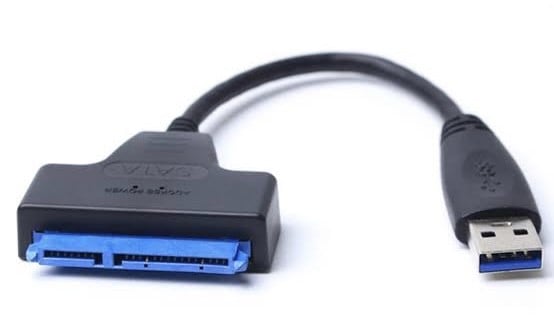
Can I use one of these cables (see photo) and plug into the internal hard drive (which I will access by removing it from the laptop) and then connect the USB part to another Windows PC?


View this topic in a long page with up to 500 replies per page Create new topic
 1 | 2
toejam316
1516 posts

Uber Geek
+1 received by user: 888

Trusted
Lifetime subscriber

  #2749526 25-Jul-2021 19:17
Send private message

Assuming the drive doesn't have encryption like BitLocker, yes.


Join Quic Broadband with my referral - no sign up fee and gives me account credit


Anything I say is the ramblings of an ill informed, opinionated so-and-so, and not representative of any of my past, present or future employers, and is also probably best disregarded.


danepak

1124 posts

Uber Geek
+1 received by user: 85


  #2749543 25-Jul-2021 20:31
Send private message

Hmm, no idea, sorry.
It’s probably worth a go.
So what about power to the hard drive? Is that fed through the USB?

wazzageek
1095 posts

Uber Geek
+1 received by user: 108

ID Verified
Trusted
Lifetime subscriber

  #2749558 25-Jul-2021 20:47
Send private message

Assuming you already have that cable, it will pull power from the USB port.  (So either plug it in directly, or use a powered hub.


The SATA connector on that cable has both power and data on it.


If it's really old, the drive could be  hard drive (as opposed to an SSD) - and thus you may potentially run into a lack of power.  (One of my adapters has a port to push more power to the drive, as I use mine with DVD drives).


danepak

1124 posts

Uber Geek
+1 received by user: 85


  #2749559 25-Jul-2021 20:52
Send private message

wazzageek:

Assuming you already have that cable, it will pull power from the USB port.  (So either plug it in directly, or use a powered hub.


The SATA connector on that cable has both power and data on it.


If it's really old, the drive could be  hard drive (as opposed to an SSD) - and thus you may potentially run into a lack of power.  (One of my adapters has a port to push more power to the drive, as I use mine with DVD drives).


Yep, it’s an old laptop (approx 10 years old).
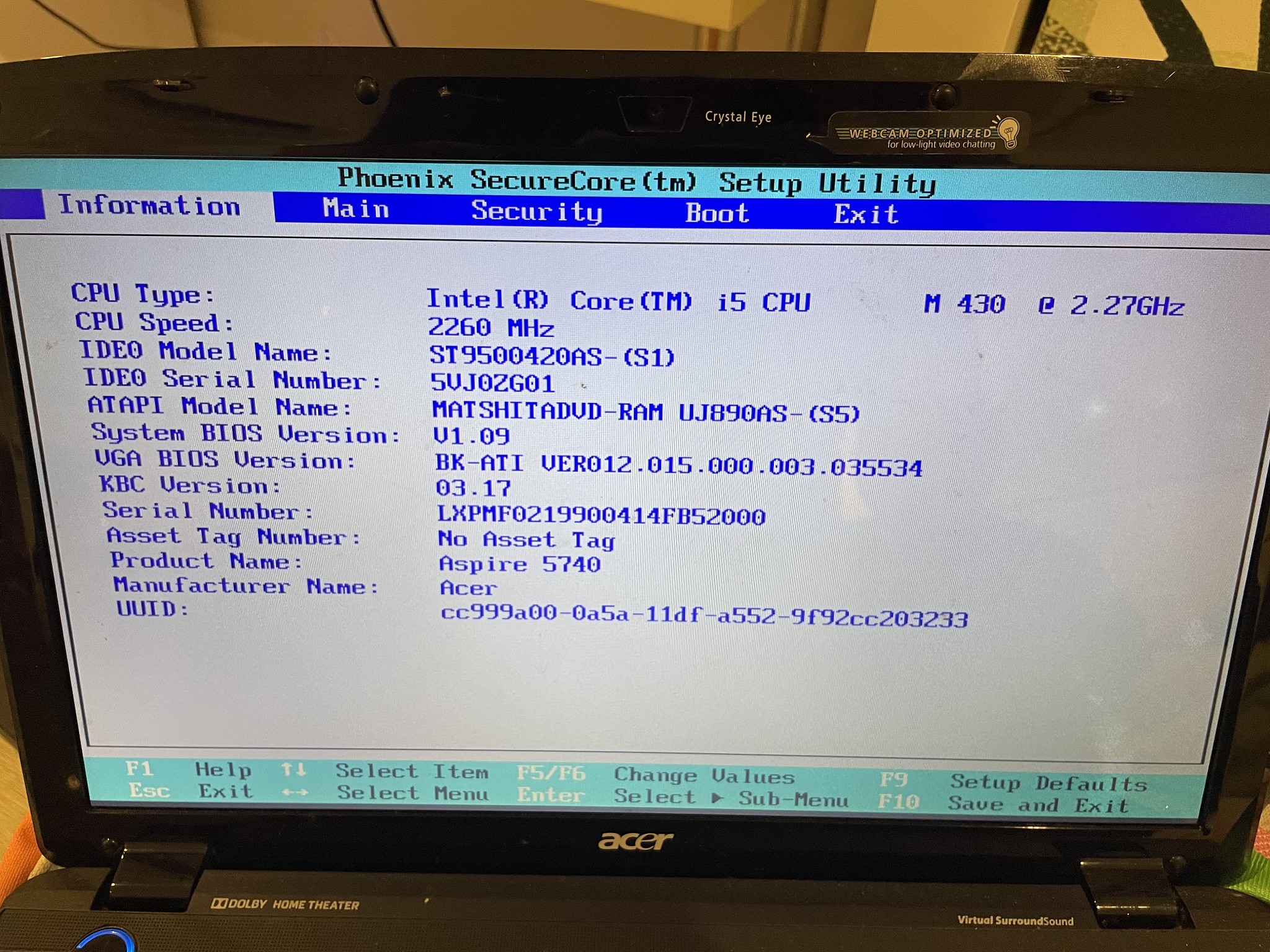
Acer Aspire 5740G with 4GB memory, 640GB Harddrive.
i5 processor 2.26GHZ.

openmedia
3449 posts

Uber Geek
+1 received by user: 877

Trusted

  #2749565 25-Jul-2021 21:15
Send private message

Should be a Hitachi SATA drive. Seen plenty of these over the years. Impressive to see it still working @ 10 years old.


Generally known online as OpenMedia, now working for Red Hat APAC as a Technology Evangelist and Portfolio Architect. Still playing with MythTV and digital media on the side.


danepak

1124 posts

Uber Geek
+1 received by user: 85


  #2749566 25-Jul-2021 21:18
Send private message

openmedia:

Should be a Hitachi SATA drive. Seen plenty of these over the years. Impressive to see it still working @ 10 years old.


Unsure if it actually works. Won’t load Windows, but I’ve tried to load from a USB and still won’t load, so I assume it’s something else and not the hard drive.
Do you know if the Hitachi SATA drive needs additional power?

HP


Shop now for HP laptops and other devices (affiliate link).
MaxineN
Max
2049 posts

Uber Geek
+1 received by user: 1662

ID Verified
Trusted
Subscriber

  #2749567 25-Jul-2021 21:34
Send private message

If it's a 2.5 inch drive it should just be happy with USB power. Without booting from the drive, does it actually show up in disk management?


Ramblings from a mysterious lady who's into tech. Warning I may often create zingers.


danepak

1124 posts

Uber Geek
+1 received by user: 85


  #2749569 25-Jul-2021 21:44
Send private message

MaxineN:

If it's a 2.5 inch drive it should just be happy with USB power. Without booting from the drive, does it actually show up in disk management?


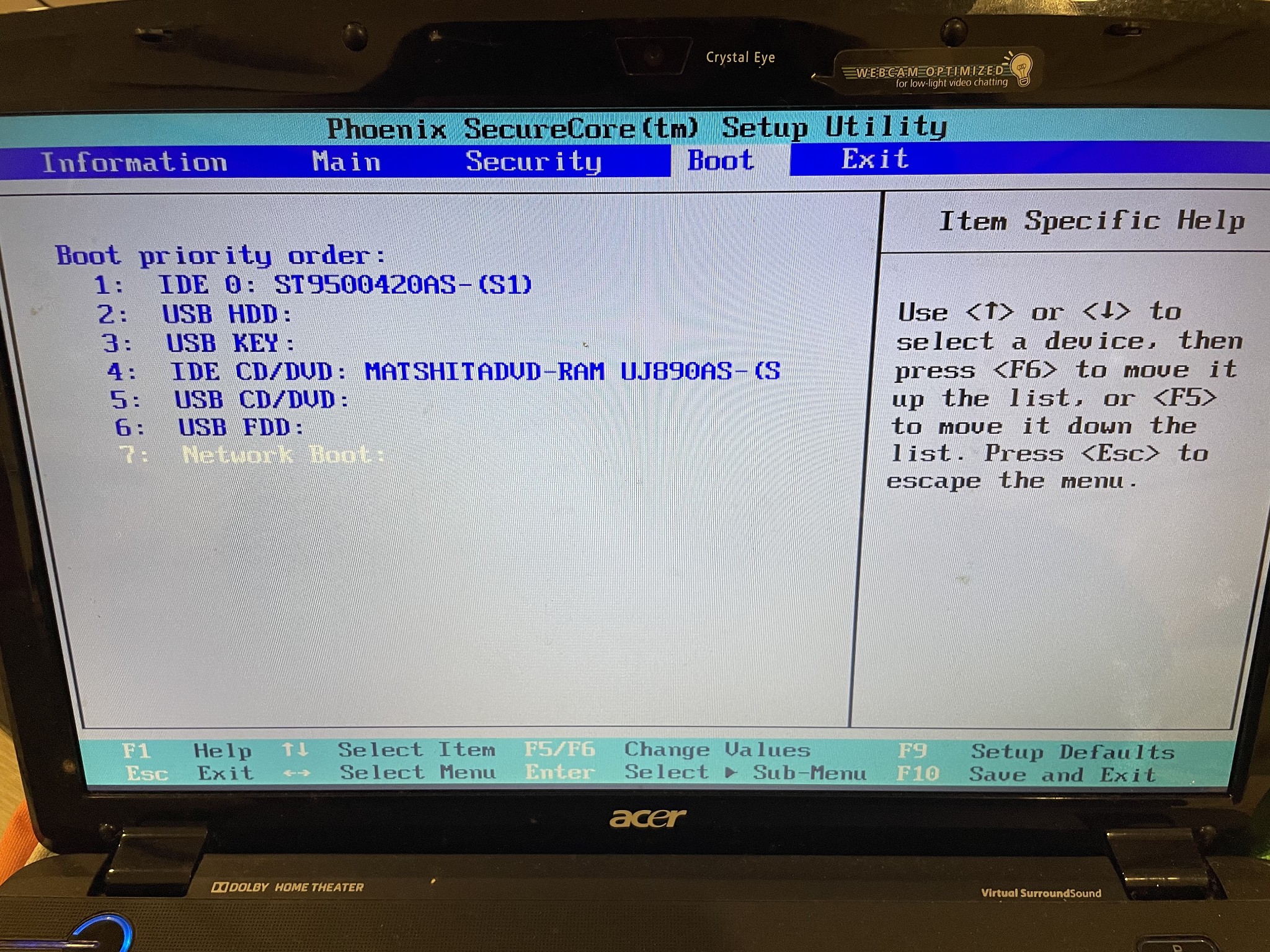
If you mean from when I press F2, then yes, it shows.


MaxineN
Max
2049 posts

Uber Geek
+1 received by user: 1662

ID Verified
Trusted
Subscriber

  #2749571 25-Jul-2021 21:48
Send private message

Ok so the drive is “alive”.

When you mean by it gets stuck trying to boot windows can you be more specific?

Describe the scene!


Ramblings from a mysterious lady who's into tech. Warning I may often create zingers.


danepak

1124 posts

Uber Geek
+1 received by user: 85


  #2749574 25-Jul-2021 21:54
Send private message

This is if I try to boot from the harddrive.

https://youtu.be/hEmvSICvNiw


I’ll upload another one, showing what it looks like, if I boot from USB.

danepak

1124 posts

Uber Geek
+1 received by user: 85


  #2749578 25-Jul-2021 22:06
Send private message

And here it is, when I upload from USB.
Same result, whether I choose 32 or 64 bit.
It’s stuck on the loading screen.
Notice the weird sounds from the laptop (you can also hear that sound in the first video):

https://youtu.be/ehdgiAVCTtw


Support Geekzone with one-off or recurring donations Donate via PressPatron.
MaxineN
Max
2049 posts

Uber Geek
+1 received by user: 1662

ID Verified
Trusted
Subscriber

  #2749642 26-Jul-2021 07:52
Send private message

Are you able to disconnect the drive and try booting from USB? Got a feeling that it’s getting stuck because it’s hanging on trying to spin up and recognize the HDD. Also have a feeling that the HDD is cooked.


Ramblings from a mysterious lady who's into tech. Warning I may often create zingers.


Oblivian
7345 posts

Uber Geek
+1 received by user: 2117

ID Verified

  #2749723 26-Jul-2021 09:12
Send private message

That detected drive is a Seagate 500Gb.


Not a Hitachi laptop drive.


danepak

1124 posts

Uber Geek
+1 received by user: 85


  #2749818 26-Jul-2021 10:30
Send private message

Oblivian:

That detected drive is a Seagate 500Gb.


Not a Hitachi laptop drive.


Strange, as the sticker says 640GB.

Oblivian
7345 posts

Uber Geek
+1 received by user: 2117

ID Verified

  #2749820 26-Jul-2021 10:39
Send private message

Exactly.

The drive you have on usb. Is likely not being detected at bios level there. But an internal seagate is

Can't rely on it.

https://www.hdsentinel.com/storageinfo_details.php?lang=en&model=SEAGATE%20ST9500420AS

 1 | 2
View this topic in a long page with up to 500 replies per page Create new topic


Geekzone Live »

Try automatic live updates from Geekzone directly in your browser, without refreshing the page, with Geekzone Live now.


Are you subscribed to our RSS feed? You can download the latest headlines and summaries from our stories directly to your computer or smartphone by using a feed reader.