
Geekzone: technology news, blogs, forums
Guest
Welcome Guest.
You haven't logged in yet. If you don't have an account you can register now.


View this topic in a long page with up to 500 replies per page Create new topic
1 | 2 | 3 | 4 | 5 | 6 | 7 | 8
MaxineN
Max
2105 posts

Uber Geek
+1 received by user: 1730

ID Verified
Trusted
Subscriber

  #2744812 15-Jul-2021 21:46
Send private message

You're missing boot camp drivers hence no wifi but the fact that it boots into Windows is a very good sign and I don't think the laptop is dead quite yet.


Edit: Conclusion. Your recovery restore was probably broken and you probably had a very broken install. You could probably go ahead and re-install macOS Catalina and go from there. I'm still kinda interested if you wish to part ways with it but can understand if you wish to touch wood and re-install macOS and have your lappy back.




Ramblings from a mysterious lady who's into tech. Warning I may often create zingers.


danepak

1124 posts

Uber Geek
+1 received by user: 85


  #2744814 15-Jul-2021 21:51
Send private message

It looks pretty good!
I’m up and running with Windows.
So is the next step to create a Mac bootable USB and do what I just did, but with MacOS instead?

MaxineN
Max
2105 posts

Uber Geek
+1 received by user: 1730

ID Verified
Trusted
Subscriber

  #2744816 15-Jul-2021 21:52
Send private message

danepak: It looks pretty good!
I’m up and running with Windows.
So is the next step to create a Mac bootable USB and do what I just did, but with MacOS instead?


Very much! My previous PM indicates how to do it via Windows.


Good luck!


Ramblings from a mysterious lady who's into tech. Warning I may often create zingers.


danepak

1124 posts

Uber Geek
+1 received by user: 85


  #2744817 15-Jul-2021 21:53
Send private message

Thank you so much!
I really appreciate your help.

danepak

1124 posts

Uber Geek
+1 received by user: 85


  #2744964 16-Jul-2021 07:56
Send private message

I’ve created the USB with BigSur.
I restart the Mac and hold down the option key.
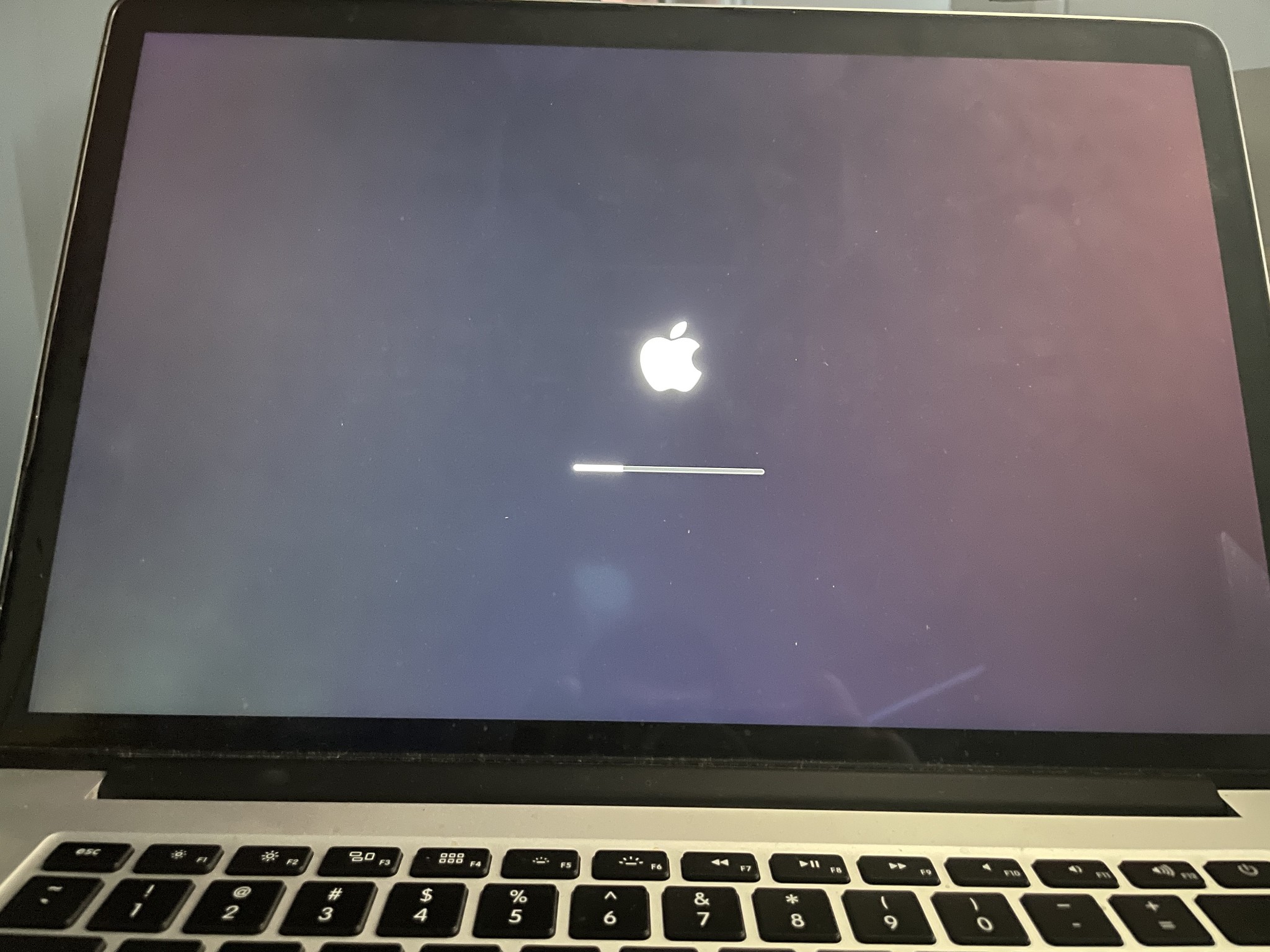
I choose BigSur (not Windows), but it’s stuck on the loading screen.
Nothing happens. I’ve tried this both with and without choosing my WiFi.

So it looks like I only can use this to run Windows I guess?


MaxineN
Max
2105 posts

Uber Geek
+1 received by user: 1730

ID Verified
Trusted
Subscriber

  #2744965 16-Jul-2021 07:58
Send private message

Try Catalina.


Ramblings from a mysterious lady who's into tech. Warning I may often create zingers.


Shop now for Dell laptops and other devices (affiliate link).
danepak

1124 posts

Uber Geek
+1 received by user: 85


  #2744980 16-Jul-2021 08:29
Send private message

Thanks, will try and will update. Cheers 😊

danepak

1124 posts

Uber Geek
+1 received by user: 85


  #2745094 16-Jul-2021 10:59
Send private message

Hmm, probably just me being a rookie, but I can't seem to find the Catalina DMG file.


I can from the Mac Apple Store, but that won't work from a Windows device.


Wasn't an issue for me to find a third party link for Big Sur DMG file.


I've downloaded Catalina, but it's not a DMG file.


1024kb
1205 posts

Uber Geek
+1 received by user: 519

ID Verified
Lifetime subscriber

  #2745099 16-Jul-2021 11:13
Send private message

Are you committed to MacOS? If not, Windows runs very well on a MacBook Pro.

Your best route for getting Mac OS back is the online recovery mode, but watch out for idiotic glitches like "server is unavailable" error because your clock is not synced. I can't remember exactly what they are right now but there's various keys that will download your original MacOS version or the latest applicable or the version you were last running.

I find it easier to keep a bootable MacOS USB drive - copied from a working Mac in recovery mode via Disk Utility, then boot into recovery on a sick Mac & simply copy the working install back again.

Hey I'm so glad that you gave my idea a punt - I was pretty confident it'd work. Maybe it's time to visit those clowns at the local Mac shop who told you that the system board was dead. They either no SFA about computers in general or they straight up lied to you in the hope of getting a fat repair bill paid.


Megabyte - so geek it megahertz

MaxineN
Max
2105 posts

Uber Geek
+1 received by user: 1730

ID Verified
Trusted
Subscriber

  #2745101 16-Jul-2021 11:16
Send private message

danepak:


Hmm, probably just me being a rookie, but I can't seem to find the Catalina DMG file.


I can from the Mac Apple Store, but that won't work from a Windows device.


Wasn't an issue for me to find a third party link for Big Sur DMG file.


I've downloaded Catalina, but it's not a DMG file.


Oh right because Apple changed the way it's delivered. El Capitan is still a DMG.


http://updates-http.cdn-apple.com/2019/cert/061-41424-20191024-218af9ec-cf50-4516-9011-228c78eda3d2/InstallMacOSX.dmg


Ramblings from a mysterious lady who's into tech. Warning I may often create zingers.


FineWine
3132 posts

Uber Geek
+1 received by user: 2478

Trusted
Nurse (R)
Lifetime subscriber

  #2745102 16-Jul-2021 11:17
Send private message

Download macOS Catalina 10.15.* = https://support.apple.com/en_AU/downloads/catalina-download


Running my cursor over the selected download indicates these are dmg files.


Whilst the difficult we can do immediately, the impossible takes a bit longer. However, miracles you will have to wait for.


Move to New Zealand's best fibre broadband service (affiliate link). Free setup code: R587125ERQ6VE. Note that to use Quic Broadband you must be comfortable with configuring your own router.
MaxineN
Max
2105 posts

Uber Geek
+1 received by user: 1730

ID Verified
Trusted
Subscriber

  #2745104 16-Jul-2021 11:20
Send private message

FineWine:


Download macOS Catalina 10.15.* = https://support.apple.com/en_AU/downloads/catalina-download


Running my cursor over the selected download indicates these are dmg files.


Oh Apple...


https://support.apple.com/en-us/HT201372 I was following this and your link does provide a DMG whilst mine opens the apple app store. Annoying!


Ramblings from a mysterious lady who's into tech. Warning I may often create zingers.


1024kb
1205 posts

Uber Geek
+1 received by user: 519

ID Verified
Lifetime subscriber

  #2745108 16-Jul-2021 11:28
Send private message

If you do want MacOS back, go for an early version - Sierra, High Sierra or Mojave. They're lighter on system demand & will install on older devices.

Once you've got the earlier OS installed, update to wherever you want to be through Mac's update facility.

Do you have another Mac available? You'll need one to create a bootable USB. If you haven't got access to another Mac, then get TransMac for your Windows install - that'll do it for ya.

I *think* Balena Etcher might handle writing bootable MacOS USB drives from Windows too.

Let me know if you need links to known-good MacOS files.


Megabyte - so geek it megahertz

FineWine
3132 posts

Uber Geek
+1 received by user: 2478

Trusted
Nurse (R)
Lifetime subscriber

  #2745109 16-Jul-2021 11:31
Send private message

There is also a neat little program called DiskMaker X - https://diskmakerx.com/


It is only for Catalina and pre Catalina not for Big Sur.


Whilst the difficult we can do immediately, the impossible takes a bit longer. However, miracles you will have to wait for.


danepak

1124 posts

Uber Geek
+1 received by user: 85


  #2745120 16-Jul-2021 12:03
Send private message

FineWine:


Download macOS Catalina 10.15.* = https://support.apple.com/en_AU/downloads/catalina-download


Running my cursor over the selected download indicates these are dmg files.


Thanks. I tried this, but when I plug the USB in to the Mac and choose option, it doesn't show an option for booting up in Catalina.


Could this just be an update (as the title suggests)?


1 | 2 | 3 | 4 | 5 | 6 | 7 | 8
View this topic in a long page with up to 500 replies per page Create new topic


Geekzone Live »

Try automatic live updates from Geekzone directly in your browser, without refreshing the page, with Geekzone Live now.


Are you subscribed to our RSS feed? You can download the latest headlines and summaries from our stories directly to your computer or smartphone by using a feed reader.